What is IR346K New employee and KiwiSaver details?
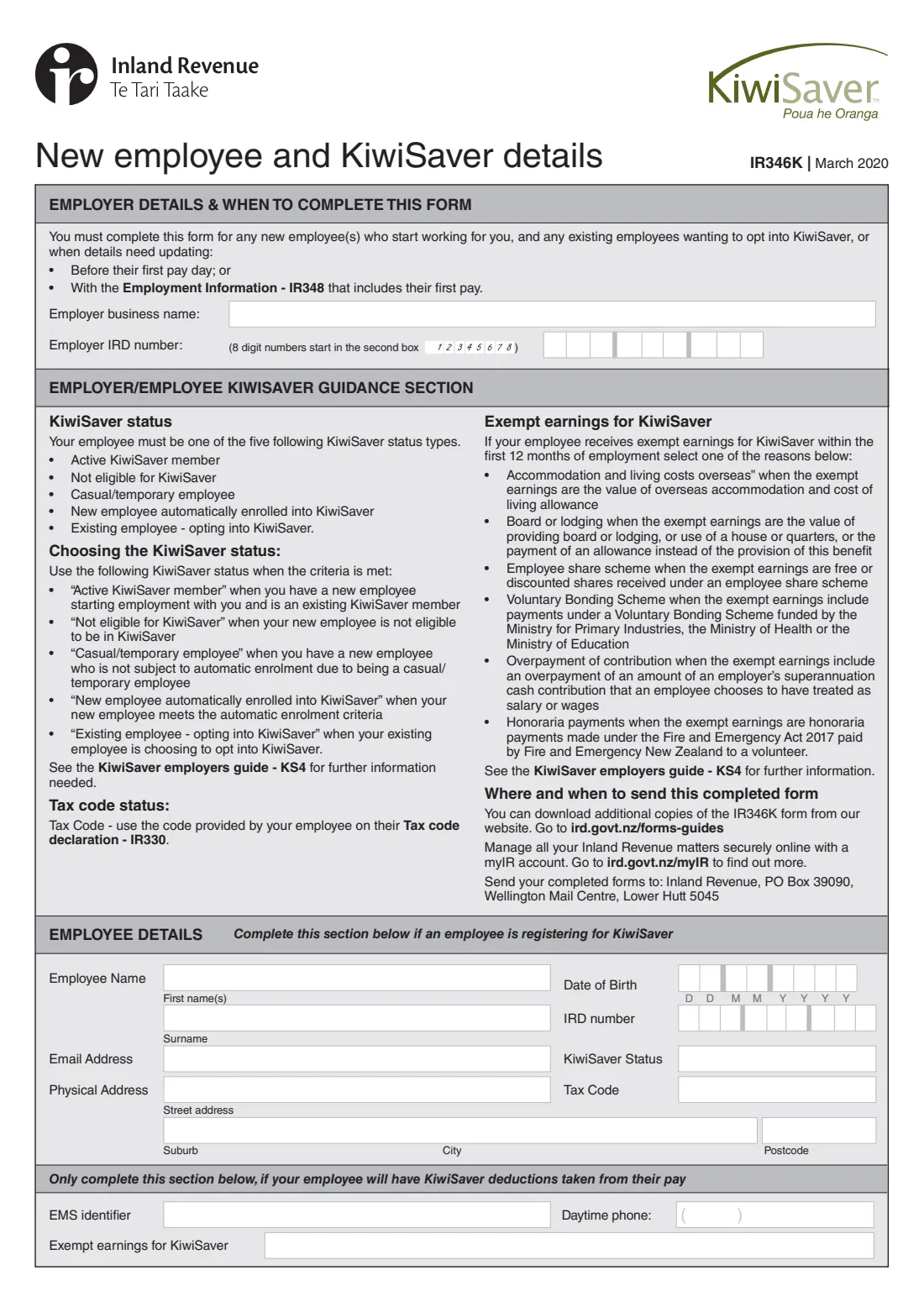
New Zealand employers must give Inland Revenue the details of every new employee who starts working for them, and of any existing employee who opts in to KiwiSaver, or when details need updating. The IR346K is the paper form for this: the employee's name, date of birth if they've given it, IRD number, tax code, KiwiSaver status, contact details and physical address. You can also give the same details in myIR.
The form is due before the employee's first pay day, or with the Employment information (IR348) that includes their first pay. One form covers up to four employees. For employees who will have KiwiSaver deductions taken from their pay, you can also give an EMS identifier, a daytime phone number, and the reason for any earnings that are exempt from KiwiSaver in their first 12 months.
FileIt fills in Inland Revenue's own IR346K PDF from a guided form. You pick each employee's KiwiSaver status, tax code and any exempt-earnings reason from the form's own lists, 8-digit IRD numbers are placed from the second box, names with macrons or accents print correctly, and the completed form is saved to your FileIt vault.
- Who fills it
- The employer
- Sent to
- Inland Revenue, PO Box 39090, Wellington Mail Centre, Lower Hutt 5045 (or give the details in myIR)
- When
- Before the employee's first pay day, or with the IR348 that includes their first pay
- Employees per form
- Up to four
- Signatures
- None
- Edition
- IR346K March 2020
Who needs to fill out IR346K New employee and KiwiSaver details?
- Employers taking on any new employee — including households employing a nanny or caregiver as an employer.
- Employers with an existing employee who wants to opt in to KiwiSaver.
- Employers who need to update an employee's details with Inland Revenue.
- Payroll staff and accountants who report employee details on paper rather than through myIR or payday filing software.
When to use IR346K New employee and KiwiSaver details
- Before a new employee's first pay day, or with the Employment information (IR348) that includes their first pay.
- When an existing employee opts in to KiwiSaver.
- When an automatically enrolled employee gives you a KS10 opt-out request: Inland Revenue asks you to send the KS10 and the IR346K if you haven't already.
- When an employee's details need updating.
What you need before you start
- Your business name and your IRD number as an employer.
- Each employee's full name, IRD number and tax code — from their Tax code declaration (IR330).
- Each employee's KiwiSaver status: active member, not eligible, casual/temporary employee, new employee automatically enrolled, or existing employee opting in.
- Their email address, physical address and date of birth, if they've given them to you — you only have to give Inland Revenue the information the employee gives you.
- For employees with KiwiSaver deductions: any EMS identifier you use, a daytime phone number, and the reason for any KiwiSaver-exempt earnings in their first 12 months.
What’s on IR346K New employee and KiwiSaver details
The 2020 edition has 2 pages. FileIt asks for it in 5 parts:
- Employer detailsEmployer
- Employee detailsEmployer
- Employee details — second employeeEmployer
- Employee details — third employeeEmployer
- Employee details — fourth employeeEmployer
How to fill out IR346K New employee and KiwiSaver details, step by step
1 Employer details
Enter your business name and employer IRD number. An 8-digit IRD number starts in the second box, which FileIt handles for you.
2 Employee details
For each employee, give their first names and surname, date of birth (DDMMYYYY), IRD number, email address, KiwiSaver status, tax code and physical address. The tax code is the one the employee gave you on their IR330. The KiwiSaver status is one of the five types the form lists, from "Active KiwiSaver member" to "Existing employee - opting into KiwiSaver".
3 KiwiSaver deductions
Only if the employee will have KiwiSaver deductions taken from their pay: add an EMS identifier if you use one, a daytime phone number, and — if they receive earnings exempt from KiwiSaver within their first 12 months — the reason, such as board or lodging, an employee share scheme, a Voluntary Bonding Scheme or honoraria payments.
4 More employees
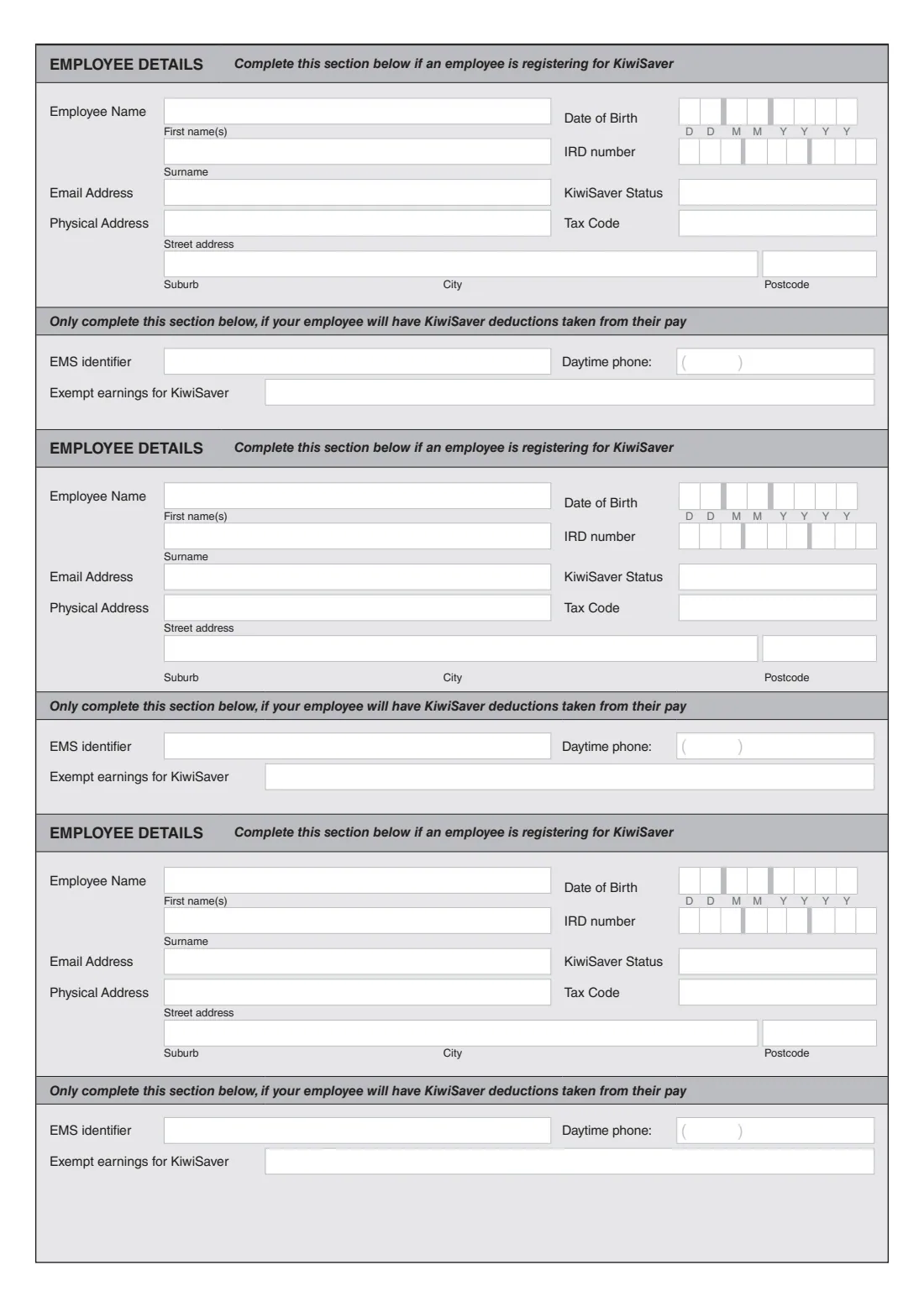
The second page has room for three more employees. Turn on "Fill in this part" for each extra employee you're reporting.
Common mistakes to avoid
- Sending it late. It's due before the first pay day or with the IR348 that includes the employee's first pay.
- Using a tax code the employee didn't give you — use the code from their IR330.
- Picking a KiwiSaver status outside the five the form lists.
- Only sending an IR346K for KiwiSaver members. Inland Revenue asks for one for every new employee.
- Writing an 8-digit IRD number from the first box. The form says 8-digit numbers start in the second box.
After you fill it out
Post the form to Inland Revenue, PO Box 39090, Wellington Mail Centre, Lower Hutt 5045 — or give the same details in myIR.
Deduct KiwiSaver from the employee's pay as their status requires, and make employer contributions where they apply. The KiwiSaver employer guide (KS4) has the details.
FileIt keeps the completed PDF in your vault with your other employer records.
Fill out IR346K New employee and KiwiSaver details online with FileIt
- Pick the person. Choose someone from People and FileIt fills in their name, date of birth, address and other details it already knows.
- Answer plain-language questions. One part of the form at a time, with the official help text beside each question — 62 fields in all. Your answers save as you go.
- Check the live preview. Watch your answers land on the real Inland Revenue (Te Tari Taake) form, and let FileIt do any worksheet arithmetic.
- Generate the official PDF. FileIt prints your answers into the agency’s own PDF and files it in that person’s folder in your vault.
FileIt fills the form — it never files or submits anything for you. Deliver the finished form to whoever asked for it, the way the form’s instructions say.
Start IR346K New employee and KiwiSaver details now — it’s freeIR346K New employee and KiwiSaver details: frequently asked questions
What is the IR346K form?
The IR346K is Inland Revenue's New employee and KiwiSaver details form. Employers use it to give Inland Revenue a new employee's details — name, IRD number, tax code, KiwiSaver status and contact details — and for existing employees opting in to KiwiSaver.
Do I need an IR346K for every new employee?
Yes. Inland Revenue says that for every new employee you need to fill out an IR346K, either on paper or in myIR.
When is the IR346K due?
Before the employee's first pay day, or with the Employment information (IR348) that includes their first pay.
Where do I send the IR346K?
To Inland Revenue, PO Box 39090, Wellington Mail Centre, Lower Hutt 5045. You can also give the details in myIR.
How many employees fit on one IR346K?
Four: one on the first page and three on the second.
What if my employee won't give me their date of birth?
You only have to give Inland Revenue the information the employee gives you. The date of birth is asked for if they've given it.
Can I fill in the IR346K online?
Yes. FileIt guides you through it and prints your answers into Inland Revenue's official IR346K PDF, ready to post.
Official sources
- Blank form (PDF), published by Inland Revenue (Te Tari Taake): https://www.ird.govt.nz/-/media/project/ir/home/documents/forms-and-guides/ir300---ir399/ir346k/ir346k-2020.pdf
- Official instructions and guidance: https://www.ird.govt.nz/kiwisaver/kiwisaver-employers/starting-employees-in-kiwisaver
- Edition shown on this page: IR346K March 2020 (checked 2026-09-28).
FileIt is not affiliated with or endorsed by Inland Revenue (Te Tari Taake) or any government. This page explains the form in general terms and is not legal, tax or immigration advice. Always read the official instructions, and check that you are using the edition the recipient accepts. Page last reviewed 2026-09-28.