
What is A-114 — Name change for a child under 18?
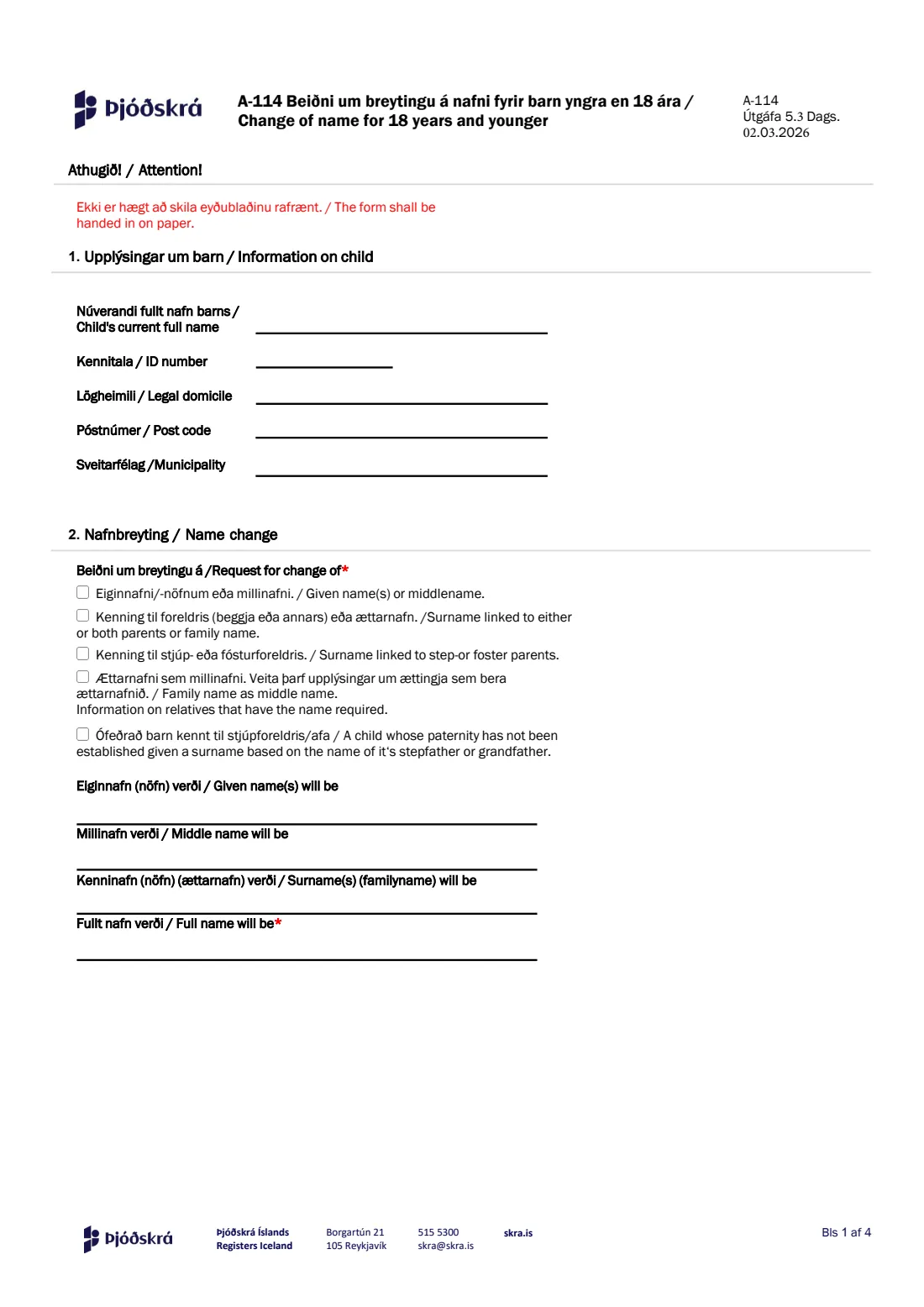
Form A-114, 'Beiðni um breytingu á nafni fyrir barn yngra en 18 ára / Change of name for 18 years and younger', is how the guardians of a child under 18 ask Registers Iceland (Þjóðskrá Íslands) to change the child's name. It covers new given names or a middle name, a surname linked to one or both parents or a family name, a surname linked to a step- or foster parent, a family name used as a middle name, and a surname after a stepfather or grandfather for a child whose paternity has not been established.
The form is in Icelandic and English and runs to five pages: the child's details, the requested change and the full new name, how the name should be shortened in the registry's 31- and 44-character display fields, the reasoning and attachments, and the confirmation signed by both guardians — and by the child too, from age 12. The form says in red at the top that it cannot be handed in electronically: you hand it in on paper at Registers Iceland in Reykjavík, or post it there with a copy of your ID.
FileIt guides you through every part in English, pre-fills the child's name from the People in your FileIt vault, checks each kennitala (check digit and date of birth), works out whether the child is 12 or older and so must sign, and copies the new name into the display-name boxes when it fits. Everything is printed into Registers Iceland's own PDF — Icelandic letters and other accented names included — and saved in your vault, ready to print, sign by hand and deliver yourself.
- Who fills it
- The child's guardians (parents, foster parents or stepparents with custody)
- Given to
- Þjóðskrá Íslands — Registers Iceland, Borgartún 21, 105 Reykjavík
- How
- On paper only: in person with valid ID, or by post with a copy of ID
- Signatures
- Both guardians sign by hand; a child aged 12 or older signs too
- Edition
- A-114, Útgáfa 5.3, dated 02.03.2026
- Language
- Icelandic and English
Who needs to fill out A-114 — Name change for a child under 18?
- Parents who want to add, drop or change a child's given name or middle name.
- Families changing a child's surname, for example to link it to the other parent or to both parents, or to take up a family name (ættarnafn).
- A parent and stepparent who are married and want the child's surname linked to the stepparent, or foster parents in a similar position.
- Families who want a family name borne by relatives to be used as the child's middle name.
- Guardians of a child whose paternity has not been established who want the child's surname based on a stepfather's or grandfather's name.
- Anyone aged 18 or over uses a different form (A-113) for their own name change.
When to use A-114 — Name change for a child under 18
- When the child's name as registered in the national registry should change — the full name is what appears in passports and certificates.
- After a family change such as a marriage, when the child should be named after a stepparent who is married to the child's parent.
- When a child has long used a different name and the family wants the registry to match.
- A name change is normally allowed only once, unless there are special circumstances, so it's worth getting the new name right the first time.
What you need before you start
- The child's current full name, kennitala, legal domicile, post code and municipality.
- The new name, split into given name(s), middle name and surname, and the full new name in order.
- If the full name is longer than 31 or 44 characters, how it should be shortened for the registry's display names.
- Your reason for the change, where one is required, and any supporting documents (for example a birth certificate if the child was born abroad, or information on relatives who bear a family name).
- Each guardian's name, kennitala, email address and phone number.
- The consent of the person the child is currently named after, if the surname changes — even if they don't have custody.
- Valid ID to show at the service centre, or a copy of your ID if you post the form.
What’s on A-114 — Name change for a child under 18
The 2026 edition has 5 pages. FileIt asks for it in 7 parts:
- 1. Information on child (Upplýsingar um barn)Child
- 2. Name change (Nafnbreyting)Parent (guardian) 1
- 3. Display of name in the national registry (Birting nafns í þjóðskrá)Parent (guardian) 1
- 4–5. Reasoning and attachments (Rökstuðningur / Fylgigögn)Parent (guardian) 1
- 6. Parent (guardian) 1 (Foreldri 1)Parent (guardian) 1
- 6. Parent (guardian) 2 (Foreldri 2)Parent (guardian) 2
- 7. Confirmation of child 12 or older (Staðfesting barns 12 ára eða eldra)Child
How to fill out A-114 — Name change for a child under 18, step by step
1 1. Upplýsingar um barn / Information on child
Enter the child's current full name exactly as registered, the child's kennitala, and the legal domicile with post code and municipality. FileIt checks that the kennitala is valid and that the child is under 18 — someone who has turned 18 applies for their own name change on a different form.
2 2. Nafnbreyting / Name change
Tick what the request is about: given name(s) or middle name; a surname linked to either or both parents or a family name; a surname linked to a step- or foster parent; a family name as a middle name; or, for a child whose paternity hasn't been established, a surname based on a stepfather's or grandfather's name. You can tick more than one.
Then write the parts of the name that will change and the full new name, which the form marks as required. FileIt checks that each new part you write appears in the full name.
3 3. Birting nafns í þjóðskrá / Display of name in the national registry
The registry keeps the full name without any length limit, but also stores two shortened display names of up to 31 and 44 characters, spaces included. These are what banks, doctors and municipalities see when they look someone up.
If the full name fits, FileIt copies it straight in. If it's longer, you write how it should be shortened. The form's rule is that the first and last names may not be shortened, except that the last name can be cut with d., s. or b. — for example Jónsd., Jónss. or Jónsb. FileIt checks your shortened names against that rule.
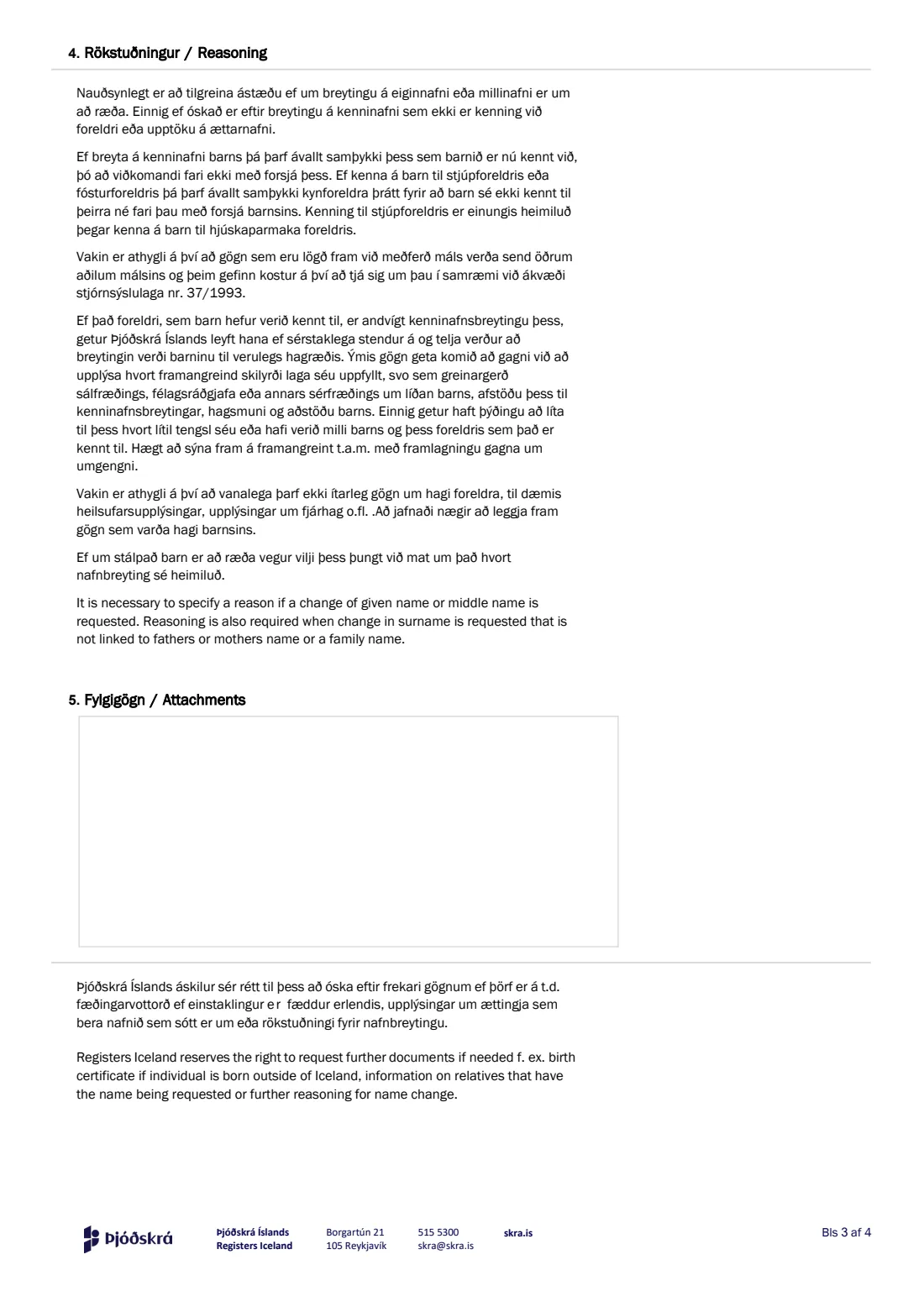
4 4. Rökstuðningur / Reasoning
A reason is required when a given name or middle name changes, and when the new surname is not linked to the father's or mother's name, or is a family name. The page explains that changing a child's surname always needs the consent of the person the child is currently named after, and that naming a child after a step- or foster parent needs the birth parents' consent.
If the parent the child is named after objects, Registers Iceland can still allow the change in special circumstances when it would clearly benefit the child. Reports from a psychologist or social worker, or records of contact, can help, and an older child's own wishes carry a lot of weight. This part has no box of its own, so FileIt lets you write the reasoning together with the attachments below, or you can enclose a letter.
5 5. Fylgigögn / Attachments
List the documents you enclose, alongside the reasoning. Registers Iceland may ask for more — for example a birth certificate if the child was born outside Iceland, information on relatives who bear the requested name, or further reasoning. Detailed information about the parents' own circumstances, such as health or finances, is usually not needed; documents about the child's situation are normally enough.
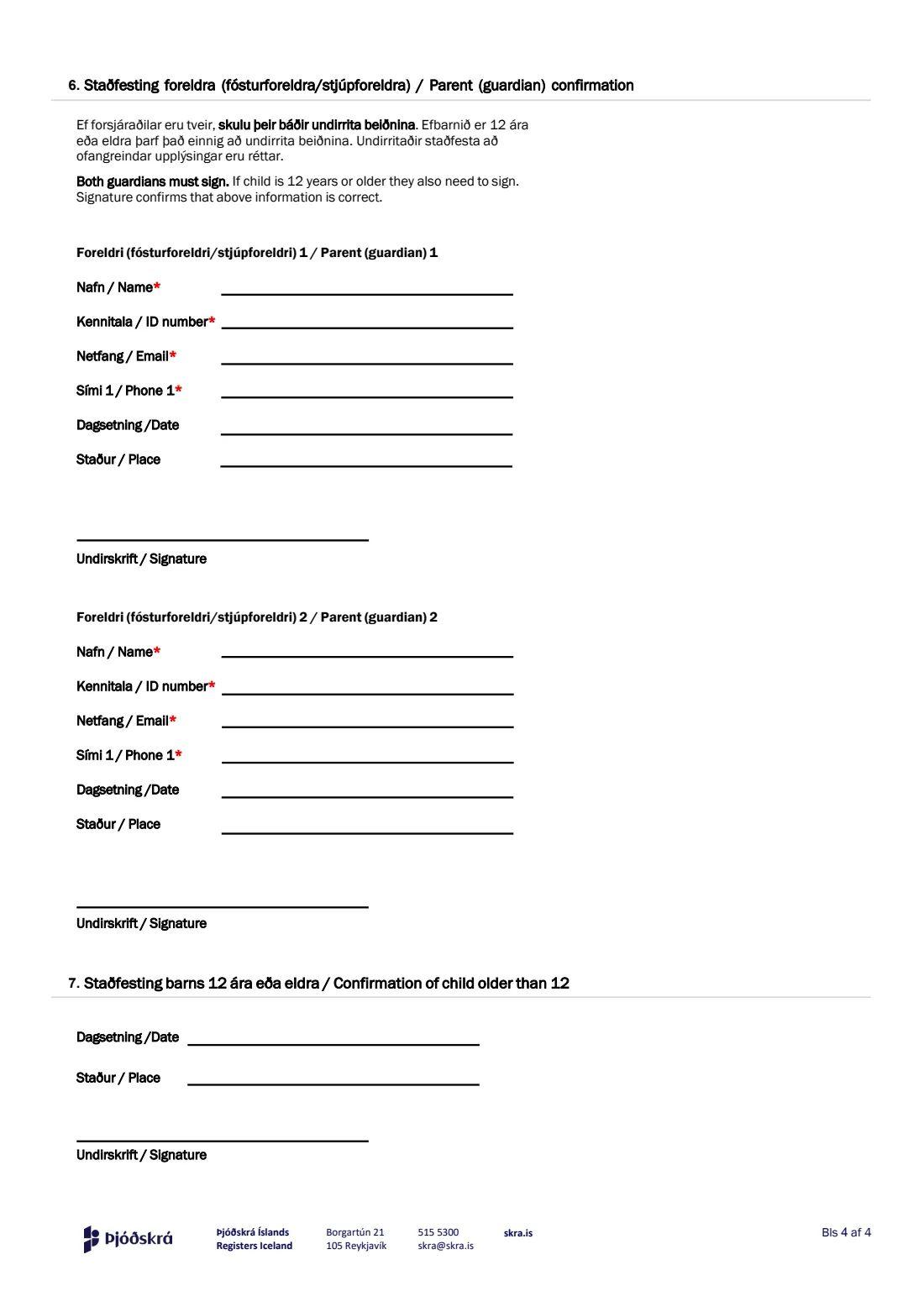
6 6. Staðfesting foreldra / Parent (guardian) confirmation
Each guardian gives their name, kennitala, email and phone number (all required on the form), plus the date and place of signing. If the child has two guardians, both must sign. Their signatures confirm that the information on the form is correct. FileIt prints the details; the signatures themselves go on by hand.
7 7. Staðfesting barns 12 ára eða eldra / Confirmation of child older than 12
A child aged 12 or older must also sign the request. FileIt works out the child's age from the kennitala and asks you to fill in this part — date and place — when it's needed. The child signs by hand on the printed form.
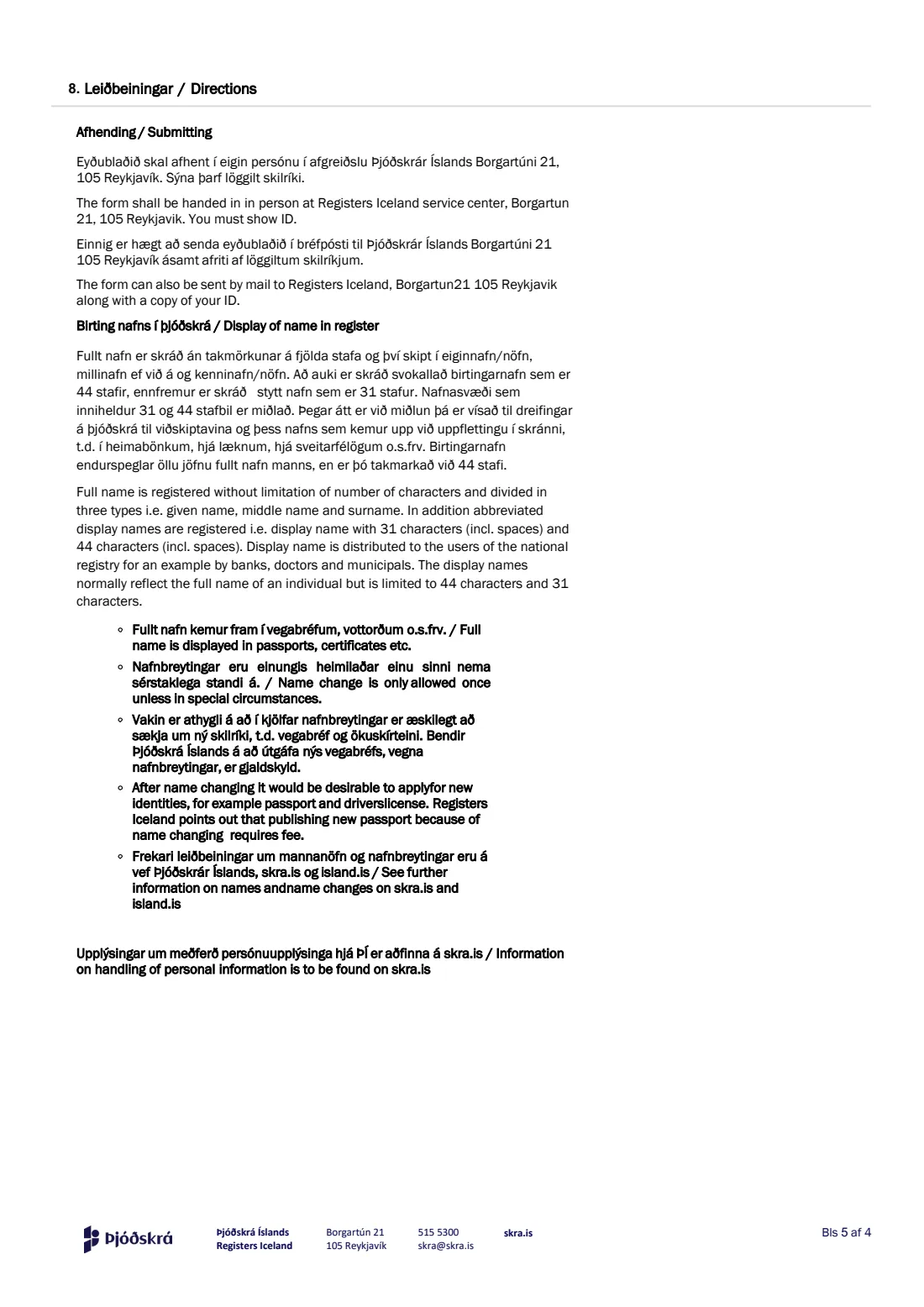
8 8. Leiðbeiningar / Directions
The last page explains delivery and the display-name rules. The form is handed in in person at Registers Iceland's service centre at Borgartún 21, 105 Reykjavík, where you must show ID, or sent by post to the same address with a copy of your ID. It also reminds you that after a name change it's a good idea to apply for new ID, such as a passport, and that a new passport because of a name change is subject to a fee.
Common mistakes to avoid
- Trying to email or upload the form — it says it cannot be handed in electronically; deliver the signed paper form in person or by post.
- Only one guardian signing when the child has two — both must sign.
- Forgetting the child's own signature when the child is 12 or older.
- Leaving out the full new name, or writing a full name that doesn't include the new parts you listed.
- Shortening the first or last name in the display names — only the last name may be cut, and only with d., s. or b.
- Not giving a reason when the given name or middle name changes, or when the new surname isn't linked to a parent's name.
- Changing the surname without the consent of the person the child is currently named after.
- Posting the form without a copy of your ID.
After you fill it out
Print the finished PDF from your FileIt vault. Both guardians sign by hand in part 6, and the child signs in part 7 if they are 12 or older. Enclose any supporting documents and, if the reasoning is longer than the box, a letter.
Hand the form in in person at Registers Iceland's service centre, Borgartún 21, 105 Reykjavík, showing valid ID, or post it to the same address with a copy of your ID. FileIt does not submit anything for you. Documents you provide may be shared with other parties to the case, who can comment on them under the Administrative Procedures Act no. 37/1993.
Keep the filled copy in your vault. Once the name change is registered, remember that the child's passport and other ID show the old name — applying for a new passport after a name change carries a fee.
Fill out A-114 — Name change for a child under 18 online with FileIt
- Pick the person. Choose someone from People and FileIt fills in their name, date of birth, address and other details it already knows.
- Answer plain-language questions. One part of the form at a time, with the official help text beside each question — 31 fields in all. Your answers save as you go.
- Check the live preview. Watch your answers land on the real Þjóðskrá Íslands — Registers Iceland (ÞÍ) form, and let FileIt do any worksheet arithmetic.
- Generate the official PDF. FileIt prints your answers into the agency’s own PDF and files it in that person’s folder in your vault.
FileIt fills the form — it never files or submits anything for you. Deliver the finished form to whoever asked for it, the way the form’s instructions say.
Start A-114 — Name change for a child under 18 now — it’s freeA-114 — Name change for a child under 18: frequently asked questions
Can I fill in form A-114 online?
Yes — FileIt lets you fill in A-114 online for free and prints your answers into Registers Iceland's official PDF. The form itself can't be handed in electronically, so you then print it, sign it by hand and deliver it on paper.
Where do I send form A-114?
Hand it in at Registers Iceland's service centre, Borgartún 21, 105 Reykjavík, showing valid ID, or post it to that address with a copy of your ID. Email isn't accepted for this form.
Do both parents have to sign?
If the child has two guardians, both must sign. The signatures confirm that the information on the form is correct.
Does my child need to sign the name change request?
Yes, if the child is 12 or older they sign in part 7. FileIt works this out from the child's kennitala.
Can I change my child's surname without the other parent's consent?
The form explains that changing a child's surname always needs the consent of the person the child is currently named after, even without custody. If that parent objects, Registers Iceland can still allow the change in special circumstances when it would clearly benefit the child, and supporting reports can help.
What are the 31- and 44-character display names?
The registry stores the full name without limit, plus two shortened versions that banks, doctors and municipalities see. If the full name is longer, you say how to shorten it; the first and last names can't be shortened, except the last name with d., s. or b. (like Jónsd.).
How many times can a child's name be changed?
The form says a name change is only allowed once, unless there are special circumstances.
Which form is for adults?
A-114 is only for children under 18. People aged 18 or over apply for their own name change on Registers Iceland's form A-113.
Do we need a new passport after the name change?
The form recommends applying for new ID, such as a passport, after a name change, and notes that a new passport issued because of a name change is subject to a fee.
Official sources
- Blank form (PDF), published by Þjóðskrá Íslands — Registers Iceland (ÞÍ): https://www.skra.is/library/Samnyttar-skrar-/Eydublod/A-114-Nafnbreyting-barns-yngri-en-18-ara.pdf
- Official instructions and guidance: https://www.skra.is/umsoknir/eydublod-umsoknir-og-vottord/stok-vara/?productid=703760ac-686f-11e6-943e-005056851dd2
- Edition shown on this page: A-114, Útgáfa 5.3, dags. 02.03.2026 (checked 2026-09-26).
FileIt is not affiliated with or endorsed by Þjóðskrá Íslands — Registers Iceland (ÞÍ) or any government. This page explains the form in general terms and is not legal, tax or immigration advice. Always read the official instructions, and check that you are using the edition the recipient accepts. Page last reviewed 2026-09-26.