What is the water damage drying log form template?
Drying out a water-damaged property takes several visits, and the record of those visits is what shows the job was done properly: where the water came from, which materials were wet, what the readings were each time, what equipment was running and when the targets were reached. A water damage drying log keeps that record consistent from technician to technician.
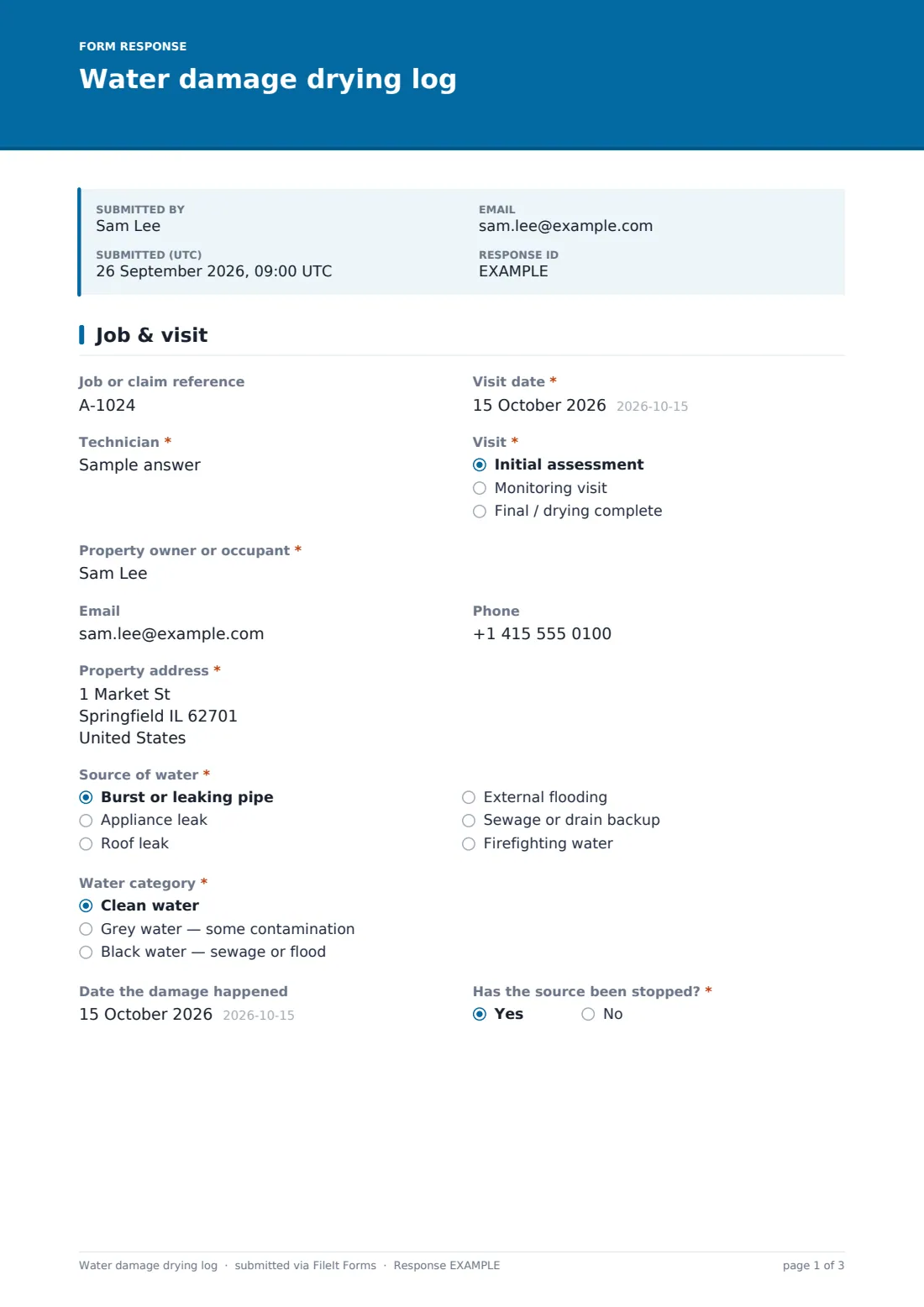
This template adapts to the visit. An initial assessment asks for the "Source of water", the "Water category" — clean, grey or black — and the date the damage happened; choosing black water shows a note about protective equipment and keeping occupants out. Every visit records the affected rooms and materials, anything removed, visible mould, "Moisture readings" at marked points, temperature and humidity inside and out, and how many dehumidifiers and air movers are on site. "Drying progress" asks what's changing when drying is slow and what needs investigating when it has stalled.
It runs on FileIt's Forms app on a phone or tablet. Photos upload from the camera, and each visit is filed as a PDF in your vault — a timeline insurers and property owners can follow.
- Best for
- Restoration and damp contractors, loss adjusters' contractors, property maintenance teams
- Filled in by
- The drying technician on each visit
- Time to complete
- About 10 minutes per visit
- Includes
- Visit-type logic, water category warning, reading log, humidity and equipment counts, progress follow-ups, photos
Who uses a water damage drying log form?
- Escape-of-water jobs from burst pipes or appliance leaks
- Drying after a roof leak
- Flood or sewage backup jobs needing contamination notes
- Insurance work where a reading history is expected
- Landlords recording drying in a rented property
- Handing a job between technicians with a consistent record
Questions on this water damage drying log form
35 questions over 4 pages · includes signature, file upload, conditional questions, multiple pages.
1 Job & visit
- Job or claim reference
- Visit date*
- Technician*
- Visit* Initial assessment · Monitoring visit · Final / drying complete
- Property owner or occupant*
- Phone
- Property address*
- Source of water* asked only when it applies Burst or leaking pipe · Appliance leak · Roof leak · External flooding · Sewage or drain backup · Firefighting water
- Water category* asked only when it applies Clean water · Grey water — some contamination · Black water — sewage or flood
- Date the damage happened asked only when it applies
- Has the source been stopped?*
2 Affected areas
- Affected rooms and materials*
- Materials removed this visit Carpet and underlay · Laminate or wood flooring · Skirting boards · Plasterboard · Insulation · Kitchen units or plinths
- Were contents moved or listed as damaged?
- Contents notes asked only when it applies
- Visible mould?*
- Where, and how much?* asked only when it applies
- Photos
3 Readings & equipment
- Moisture readings*
- Meter used and scale
- Room temperature (°C)
- Relative humidity (%)
- Outside relative humidity (%)
- Dehumidifiers on site*
- Air movers on site*
- Other equipment
- Electricity meter reading
4 Progress & sign-off
- Drying progress* On track · Slower than expected · Dry — targets reached · Not drying — investigate
- What's slowing it, and what are you changing?* asked only when it applies
- What needs investigating?* asked only when it applies
- Was equipment removed today? asked only when it applies
- Next visit asked only when it applies
- Advice given to the occupant
- Occupant signature
The water damage drying log form, page by page
1 Job & visit
Job or claim reference, visit date, technician and whether it's an initial assessment, a monitoring visit or the final visit. Owner or occupant contact details and the property address follow. On an initial assessment the form asks for the source of water, water category and date of damage. Every visit asks "Has the source been stopped?"
2 Affected areas
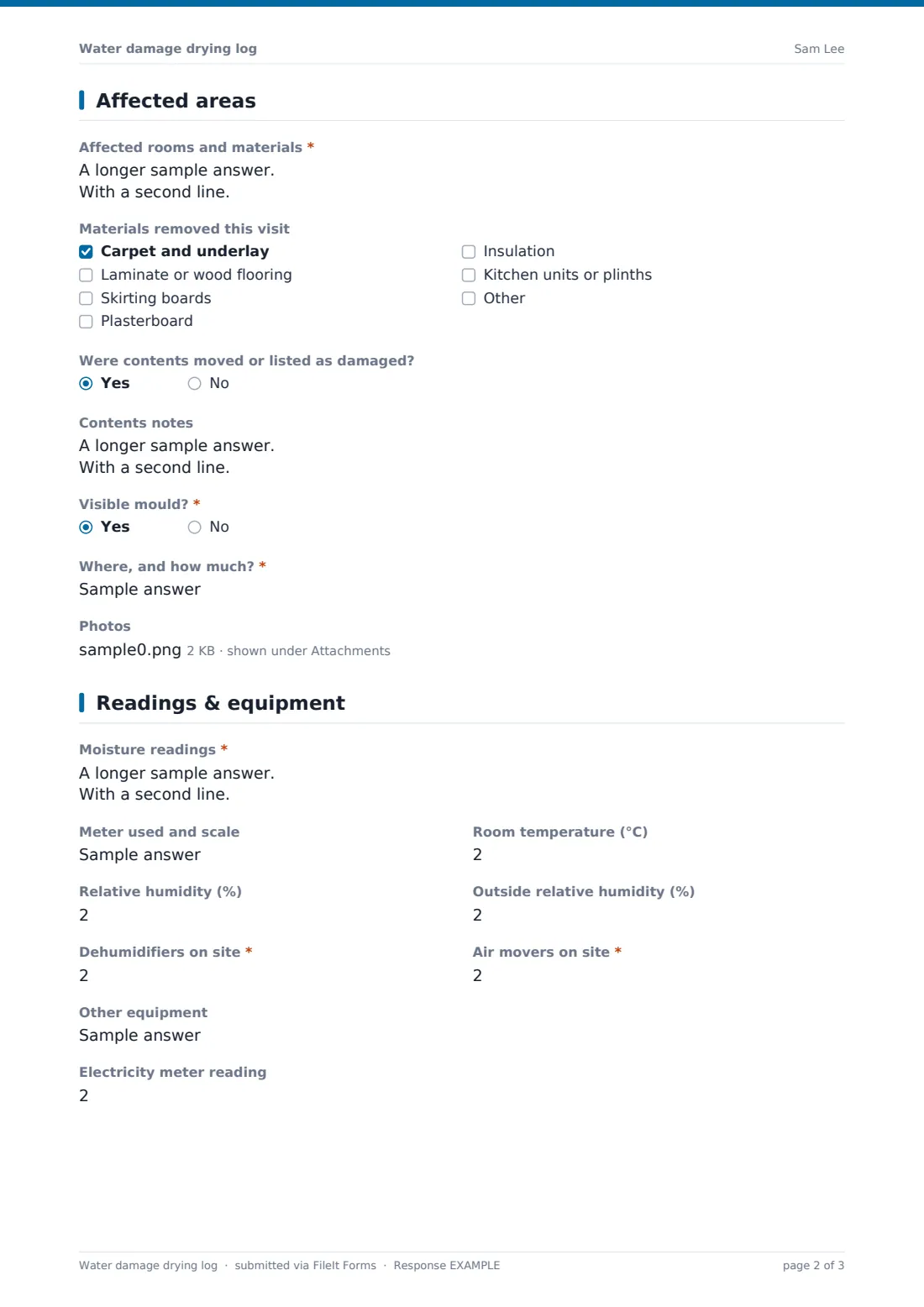
"Affected rooms and materials" is one line per room with materials and area. A checklist records materials removed this visit — carpet, flooring, skirting, plasterboard, insulation, kitchen units. Contents notes and a mould question open follow-ups, and up to ten photos can be attached.
3 Readings & equipment
"Moisture readings" lists each reading point with room, material, reading and dry target. The meter and scale, room temperature, relative humidity inside and outside, numbers of dehumidifiers and air movers, other equipment and an optional electricity meter reading complete the page.
4 Progress & sign-off
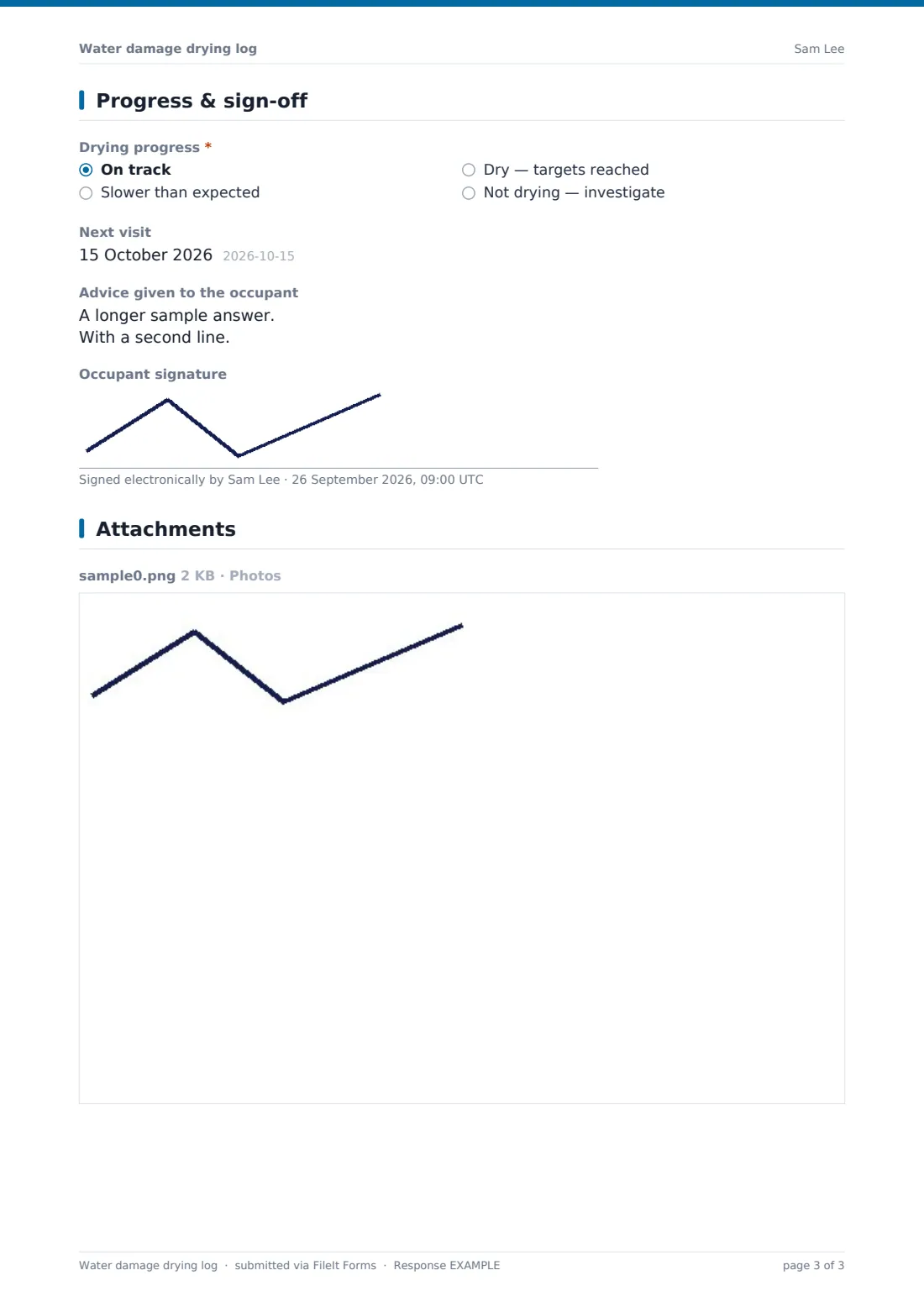
"Drying progress" is on track, slower than expected, dry, or not drying. Slow asks what's changing; stalled asks what needs investigating; dry asks whether equipment was removed. The next visit date, advice given to the occupant and an optional occupant signature finish the log.
Make the template yours
- Change the temperature unit in the label to Fahrenheit if you prefer
- Add your own reading point naming scheme to the help text
- Make the occupant signature required on the final visit
- File every visit for one job into the same vault folder
- Notify the claims handler or property manager on each submission
- Add a question for the insurer or loss adjuster's name
Tips for a better water damage drying log form
- Mark and photograph reading points on the first visit
- Take readings at the same points and depths each time
- Record outside humidity — it explains a lot about drying speed
- Note equipment counts every visit, not just when they change
- Investigate early when drying stalls — there may be a hidden source
- Give occupants clear advice about leaving equipment running
Every response becomes a PDF in your vault
Each visit is filed as a PDF in your vault with its photos attached, and you're notified by email. The occupant receives a copy if you entered their email.
Search the Responses table by job reference or address to see every visit in order, and export to CSV to chart readings over time.
- Start from this template. It opens in the FileIt Forms designer — change any question, add pages, set the rules for when questions appear.
- Share it. Turn on a public link, or send it to people by email, each with their own link. They don’t need a FileIt account.
- Get the answers as PDFs. Each response is saved as a PDF in the vault folder you choose, with uploaded files attached — and listed in a Responses table you can export to CSV.
Water damage drying log form: frequently asked questions
Is this water damage drying log template free?
Yes. It's included in FileIt's Forms app on every plan, including free.
Should I submit one form per visit?
Yes. Each visit becomes its own dated PDF, which gives you a clear timeline for the job.
Does the form tell me when materials are dry?
No. You record the readings and your dry targets; the judgement is the technician's.
Can I attach photos of reading points?
Yes. Up to ten photos per visit.
Do occupants need a FileIt account to sign?
No. They sign on your device and can receive the PDF by email.
Can I use it for mould remediation?
It has a mould question and notes, but it's designed for drying. You can add questions in the designer if you need more.