What is the drain survey report form template?
After a CCTV drain survey, the client wants to know three things: what condition the drains are in, where the problems are, and what needs doing. A drain survey report form captures those in a consistent structure, so every report your team produces reads the same way and the client gets a PDF they can act on — or pass to a buyer, insurer or contractor.
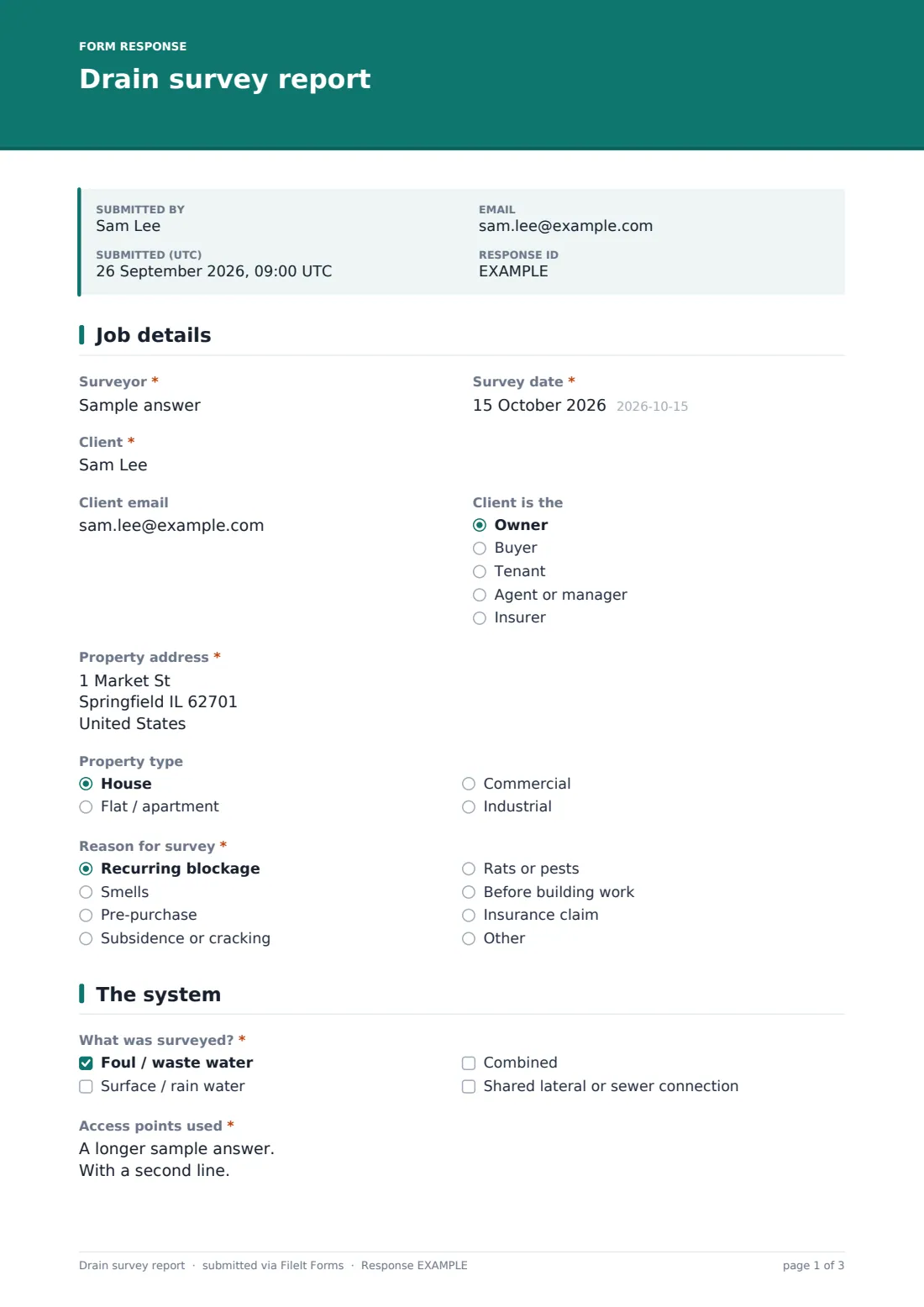
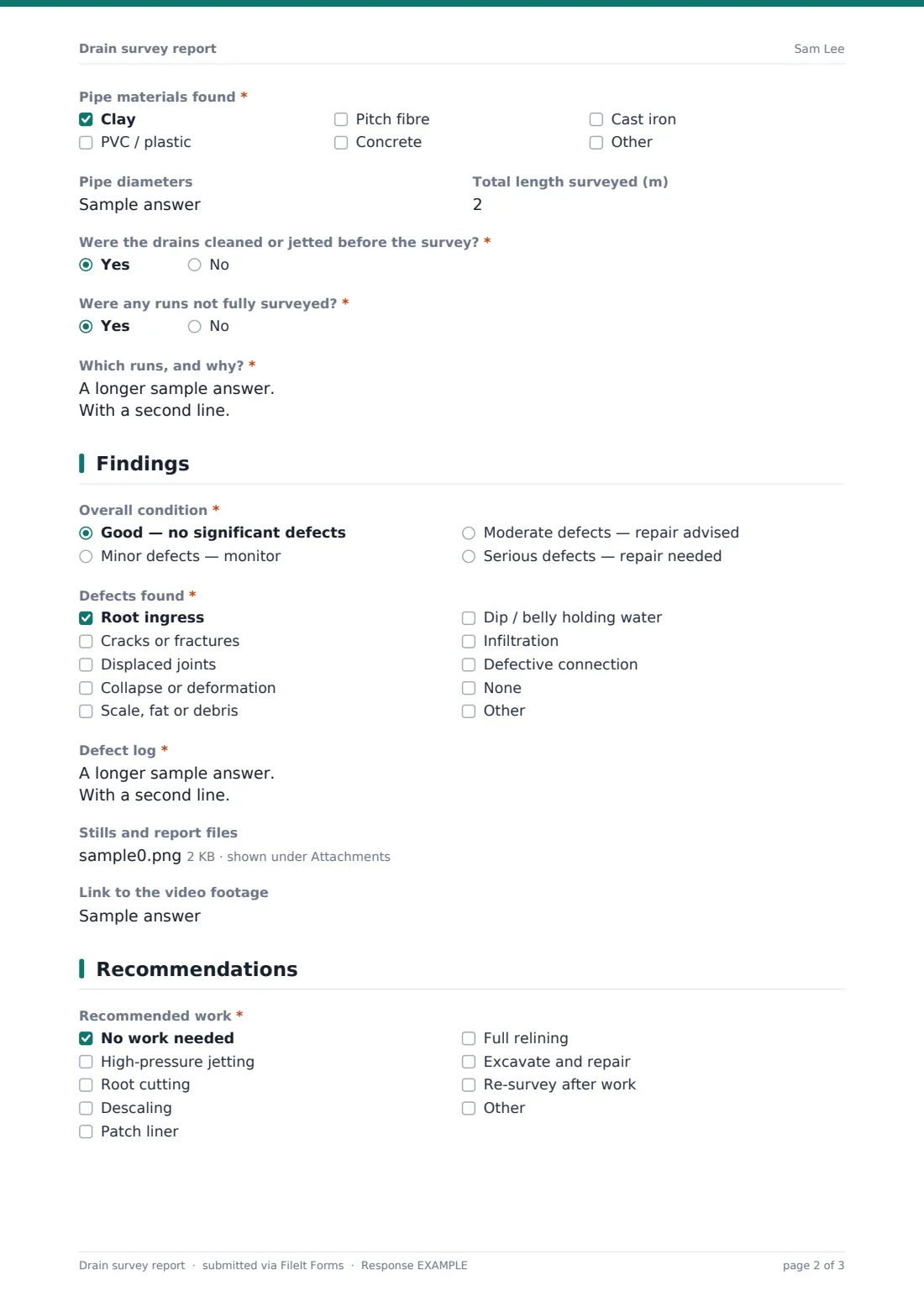
This template records the property and "Reason for survey" — a recurring blockage, smells, a pre-purchase check, subsidence, rats, planned building work or an insurance claim. It then describes the system: foul, surface or combined, the access points used, pipe materials and diameters, and whether any runs weren't fully surveyed. Findings include an overall condition, a checklist of defects from root ingress to displaced joints, and a "Defect log" with run, distance, clock position and severity for each one.
It runs on FileIt's Forms app. Stills and exported PDF reports from your survey software can be uploaded alongside the form, and each report is filed as a PDF in your vault.
- Best for
- Drainage contractors, plumbers with camera kit and property maintenance companies
- Filled in by
- The surveyor after the camera survey
- Time to complete
- About 10–15 minutes
- Includes
- Defect checklist and position log, incomplete-run follow-up, up to 10 stills or PDFs, recommendations and urgency
Who uses a drain survey report form?
- Pre-purchase drain surveys for home buyers
- Investigating recurring blockages or smells
- Surveys supporting an insurance claim
- Checking drains before an extension or building work
- Re-surveys after relining or repair to confirm the result
- Commercial site drainage condition checks
Questions on this drain survey report form
26 questions over 4 pages · includes file upload, conditional questions, multiple pages.
1 Job details
- Surveyor*
- Survey date*
- Client*
- Client email
- Client is the Owner · Buyer · Tenant · Agent or manager · Insurer
- Property address*
- Property type House · Flat / apartment · Commercial · Industrial
- Reason for survey* Recurring blockage · Smells · Pre-purchase · Subsidence or cracking · Rats or pests · Before building work · Insurance claim
2 The system
- What was surveyed?* Foul / waste water · Surface / rain water · Combined · Shared lateral or sewer connection
- Access points used*
- Pipe materials found* Clay · PVC / plastic · Pitch fibre · Concrete · Cast iron
- Pipe diameters
- Total length surveyed (m)
- Were the drains cleaned or jetted before the survey?*
- Were any runs not fully surveyed?*
- Which runs, and why?* asked only when it applies
3 Findings
- Overall condition* Good — no significant defects · Minor defects — monitor · Moderate defects — repair advised · Serious defects — repair needed
- Defects found* Root ingress · Cracks or fractures · Displaced joints · Collapse or deformation · Scale, fat or debris · Dip / belly holding water · Infiltration · Defective connection · None
- Defect log* asked only when it applies
- Stills and report files
- Link to the video footage
4 Recommendations
- Recommended work* No work needed · High-pressure jetting · Root cutting · Descaling · Patch liner · Full relining · Excavate and repair · Re-survey after work
- Details of recommended work asked only when it applies
- Urgency* None · Routine · Within a few months · Urgent
- Who's likely responsible for the defective section? Property owner · Shared with neighbours · Water or sewer company · Unknown
- Surveyor's comments
The drain survey report form, page by page
1 Job details
Surveyor and survey date, the client's name and email, whether they're the owner, buyer, tenant, agent or insurer, the property address and type, and the reason for the survey.
2 The system
"What was surveyed?" covers foul, surface, combined and shared laterals. The surveyor lists the access points used, ticks the pipe materials found — clay, PVC, pitch fibre, concrete, cast iron — and records diameters and total length surveyed. Two yes/no questions ask whether the drains were jetted first and whether any runs weren't fully surveyed; the second asks which runs and why.
3 Findings
An overall condition from good to serious, then "Defects found": root ingress, cracks, displaced joints, collapse, scale or fat, dips holding water, infiltration and defective connections. The "Defect log" records each defect by run, distance from the start, clock position and severity. Up to ten stills or PDF exports and a link to the video footage can be added.
4 Recommendations
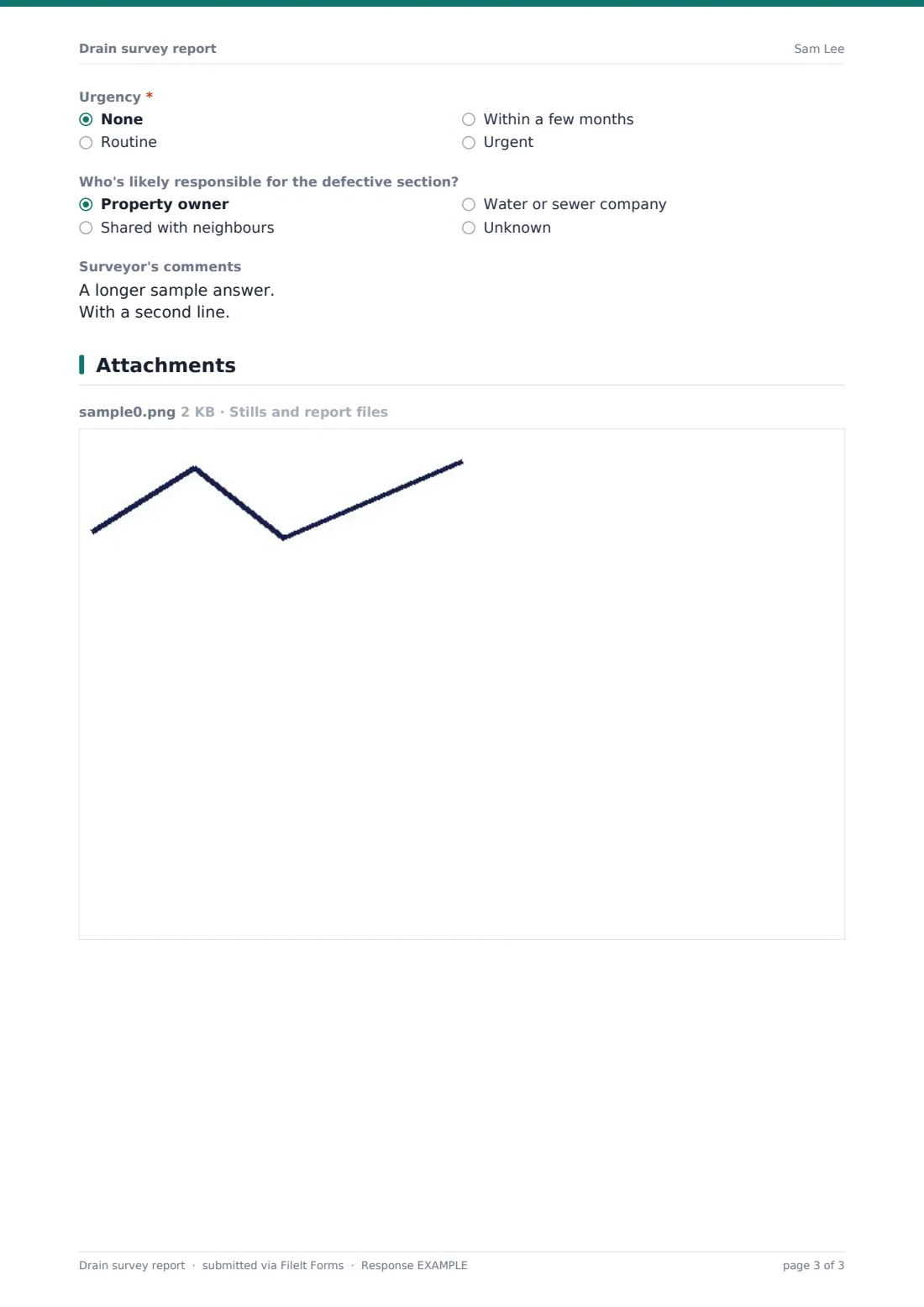
A checklist of recommended work — jetting, root cutting, descaling, patch liners, relining, excavation or a re-survey — with details, an urgency rating, a view on who's likely responsible for the defective section, and the surveyor's comments.
Make the template yours
- Add your own defect coding system to the defect log help text
- Add a currency question for an estimate of the recommended work
- Set the confirmation message to explain when the client will receive a quote
- File reports into a vault folder per client or per property
- Notify the office on every submission so quotes can be prepared
- Change the property types to match the work you do
Tips for a better drain survey report form
- Record distances from a named access point so defects can be found again
- Note runs you couldn't complete — a gap in the survey matters to the client
- Upload stills of every significant defect
- Be clear that responsibility for a pipe section is your view, not a ruling
- Recommend a re-survey after repairs where it adds value
- Write comments in plain language for buyers who aren't trade
Every response becomes a PDF in your vault
The report is filed as a PDF in your vault with stills and exported files attached, and the client receives a copy if you gave their email. You're notified so the quote can follow.
Search the Responses table by address to find previous surveys of the same property, and export to CSV to track which surveys turned into repair work.
- Start from this template. It opens in the FileIt Forms designer — change any question, add pages, set the rules for when questions appear.
- Share it. Turn on a public link, or send it to people by email, each with their own link. They don’t need a FileIt account.
- Get the answers as PDFs. Each response is saved as a PDF in the vault folder you choose, with uploaded files attached — and listed in a Responses table you can export to CSV.
Drain survey report form: frequently asked questions
Is this drain survey report template free?
Yes. It's included in FileIt's Forms app on every plan, including free.
Can I upload the video?
Uploads are limited to 10 MB each, so most surveyors upload stills and PDF exports and paste a link to the full footage.
Does the form decide who is responsible for a drain?
No. It records the surveyor's view, and the help text says ownership should be confirmed separately.
Can I use my own defect codes?
Yes. Add them to the defect log's help text or the defect checklist.
Does the client need a FileIt account?
No. They receive the PDF by email.
Can I record several runs?
Yes. List each defect with its run name in the defect log, and note incomplete runs separately.