
What is the third-party authorization form template?
Customer service teams hear it every day: "I'm calling for my mother", "My accountant needs to speak to you", "I look after my brother's bills". Without a written authority on file, staff either refuse to help or take a risk with someone else's account. A clear authorization form protects both the customer and your team.
This template asks the account holder for their details and account number, then the representative's name, relationship and contact details. Professional advisers are asked for their firm. An optional security word helps confirm the representative's identity on the phone.
The account holder ticks what the representative may do — from discussing the account to making payments or closing services — adds any limits, chooses how long the authority lasts, and signs. The representative can countersign. The signed form is filed as a PDF in your FileIt vault.
- Best for
- Utilities, telecoms, insurers, accountants, landlords, membership organizations and service providers
- Filled in by
- The account holder, optionally countersigned by the representative
- Time to complete
- About 4 minutes
- Includes
- Account holder and representative details, seven-part scope, limits, duration, optional ID upload and signatures
Who uses a third-party authorization form?
- A family member managing an older relative's accounts
- A carer or support worker calling on a client's behalf
- An accountant or adviser dealing with a client's account
- A partner handling bills while someone is abroad
- A one-off authority to resolve a single complaint
- Recording a representative before a planned hospital stay
Questions on this third-party authorization form
22 questions over 4 pages · includes signature, file upload, conditional questions, multiple pages, consent checkbox.
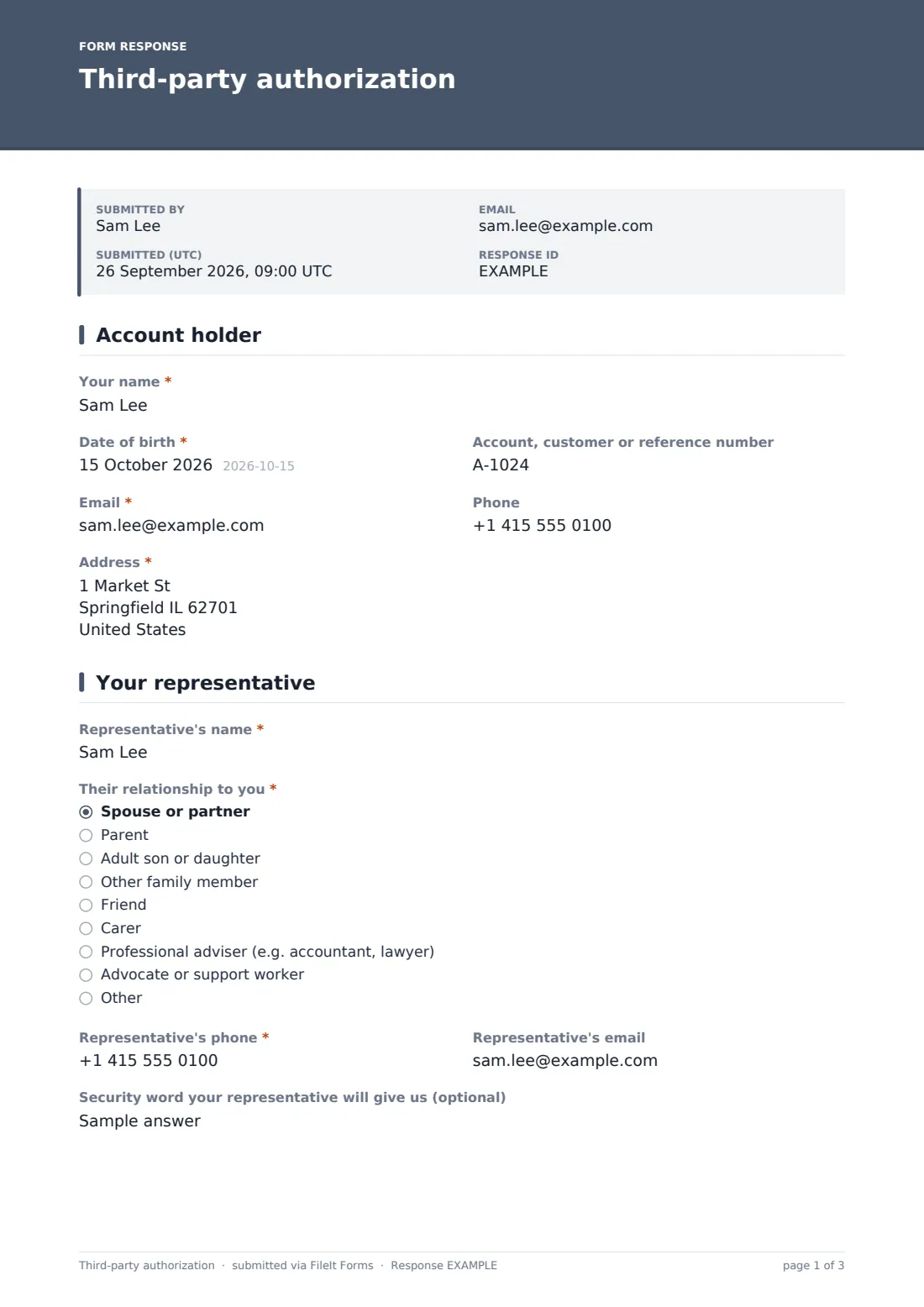
1 Account holder
- Your name*
- Date of birth*
- Account, customer or reference number
- Email*
- Phone
- Address*
2 Your representative
- Representative's name*
- Their relationship to you* Spouse or partner · Parent · Adult son or daughter · Other family member · Friend · Carer · Professional adviser (e.g. accountant, lawyer) · Advocate or support worker · Other
- Their firm or organization* asked only when it applies
- Representative's phone*
- Representative's email
- Security word your representative will give us (optional)
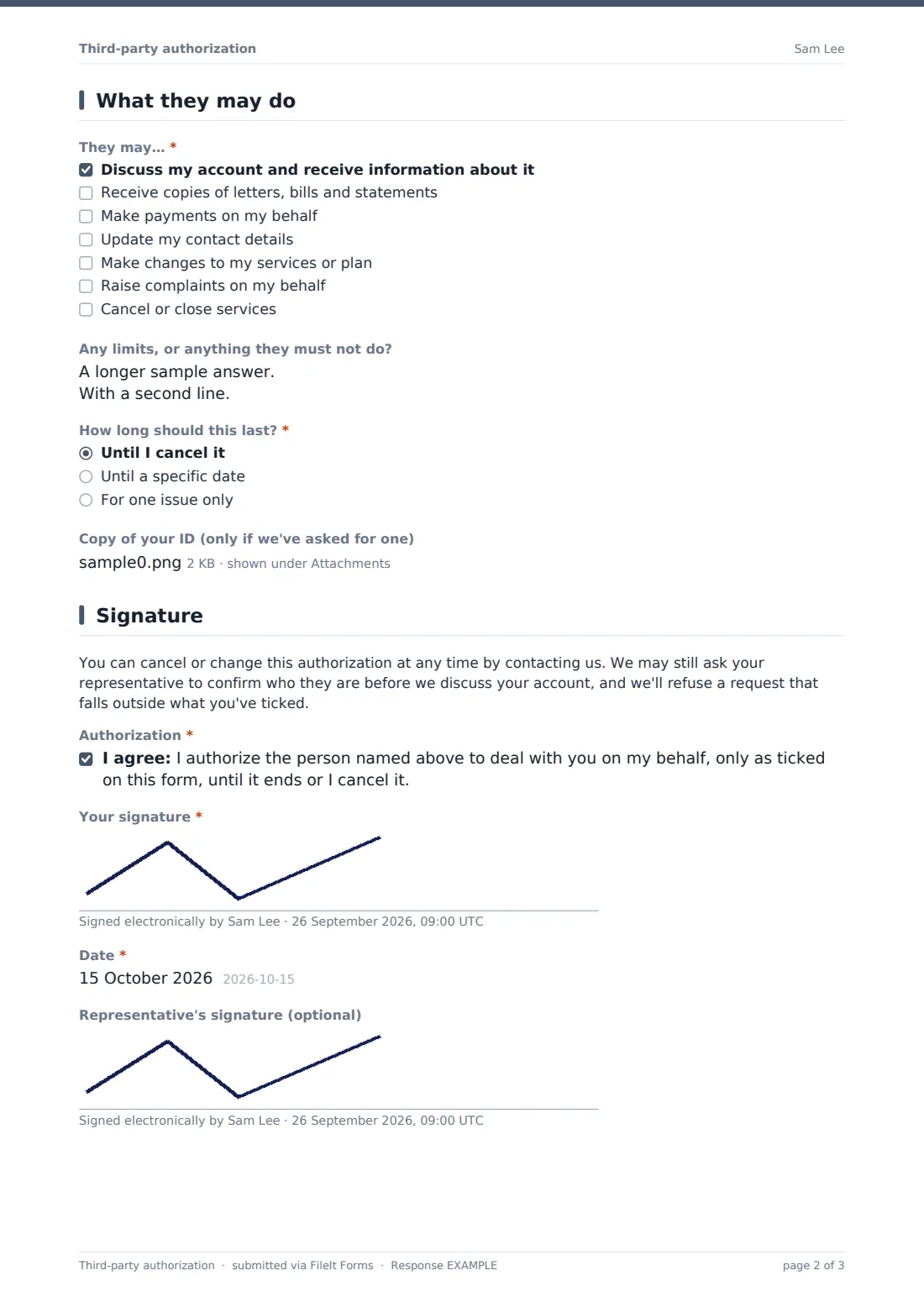
3 What they may do
- They may…* Discuss my account and receive information about it · Receive copies of letters, bills and statements · Make payments on my behalf · Update my contact details · Make changes to my services or plan · Raise complaints on my behalf · Cancel or close services
- Any limits, or anything they must not do?
- How long should this last?* Until I cancel it · Until a specific date · For one issue only
- End date* asked only when it applies
- Which issue?* asked only when it applies
- Copy of your ID (only if we've asked for one)
4 Signature
- Authorization*
- Your signature*
- Date*
- Representative's signature (optional)
The third-party authorization form, page by page
1 Account holder
Name, date of birth, email and address are required; account or reference number and phone are optional.
2 Your representative
'Representative's name', 'Their relationship to you' and 'Representative's phone' are required. Relationships run from spouse or partner, parent and adult son or daughter to friend, carer, advocate or support worker, and professional adviser — which also asks for their firm or organization. An optional 'Security word your representative will give us' has help text warning not to reuse a password.
3 What they may do
Under 'They may…', the holder ticks at least one: discuss my account and receive information about it; receive copies of letters, bills and statements; make payments on my behalf; update my contact details; make changes to my services or plan; raise complaints on my behalf; cancel or close services. An open box records limits. 'How long should this last?' offers until I cancel it, until a specific date (which then asks for the end date), or for one issue only (which asks which issue). A copy of ID can be uploaded if you've asked for one.
4 Signature
A note explains that the authority can be cancelled at any time and that the representative may still be asked to confirm who they are. The holder ticks the authorization statement, signs and dates. A second, optional signature pad lets the representative sign if they're present.
Make the template yours
- Edit the scope list to match what your staff can actually do on an account
- Remove 'Cancel or close services' if you'd rather require the holder for that
- Make the ID upload required if your process needs it
- Add the account number to the document title so PDFs match your records
- File responses into a restricted vault folder
- Reword the note to reflect your own identity checks
Tips for a better third-party authorization form
- Record the scope and end date on the customer's account as soon as the form arrives
- Train staff to check the ticked scope, not just that an authority exists
- Never accept a security word that looks like a password
- Ask for a fresh form when the relationship or scope changes
- Remove expired authorities promptly
- This form isn't a power of attorney; if someone holds one, ask for it separately
Every response becomes a PDF in your vault
Each signed authorization is saved as a PDF titled with the holder's name in the vault folder you choose, and the holder is emailed a copy. Uploaded ID is attached to that document.
Search the Responses tab by name or account number when a representative calls, and open the PDF to check exactly what they're allowed to do.
- Start from this template. It opens in the FileIt Forms designer — change any question, add pages, set the rules for when questions appear.
- Share it. Turn on a public link, or send it to people by email, each with their own link. They don’t need a FileIt account.
- Get the answers as PDFs. Each response is saved as a PDF in the vault folder you choose, with uploaded files attached — and listed in a Responses table you can export to CSV.
Third-party authorization form: frequently asked questions
Is this third-party authorization template free?
Yes. It's one of the ready-made templates in the FileIt Forms app, which every account includes.
Can the representative sign too?
Yes. There's an optional representative's signature on the last page.
Can the authority be limited to one issue?
Yes. Choose 'For one issue only' and describe the issue, or set an end date.
Is it the same as a power of attorney?
No. It's an authority for dealing with your organization only. A power of attorney is a separate legal document.
Do customers need a FileIt account?
No. They open the link or an emailed request and sign on screen.
Is this legal advice?
No. It's a starting template. Rules differ between countries, states and sectors, so check the wording against your own situation and take advice where you need it.