What is the sales commission claim form template?
Commission questions are some of the most sensitive conversations in a sales team. A missing deal or a wrongly applied split can sour a good month, and sorting it out from chat messages and screenshots takes far longer than it should. A structured claim makes the facts clear from the start.
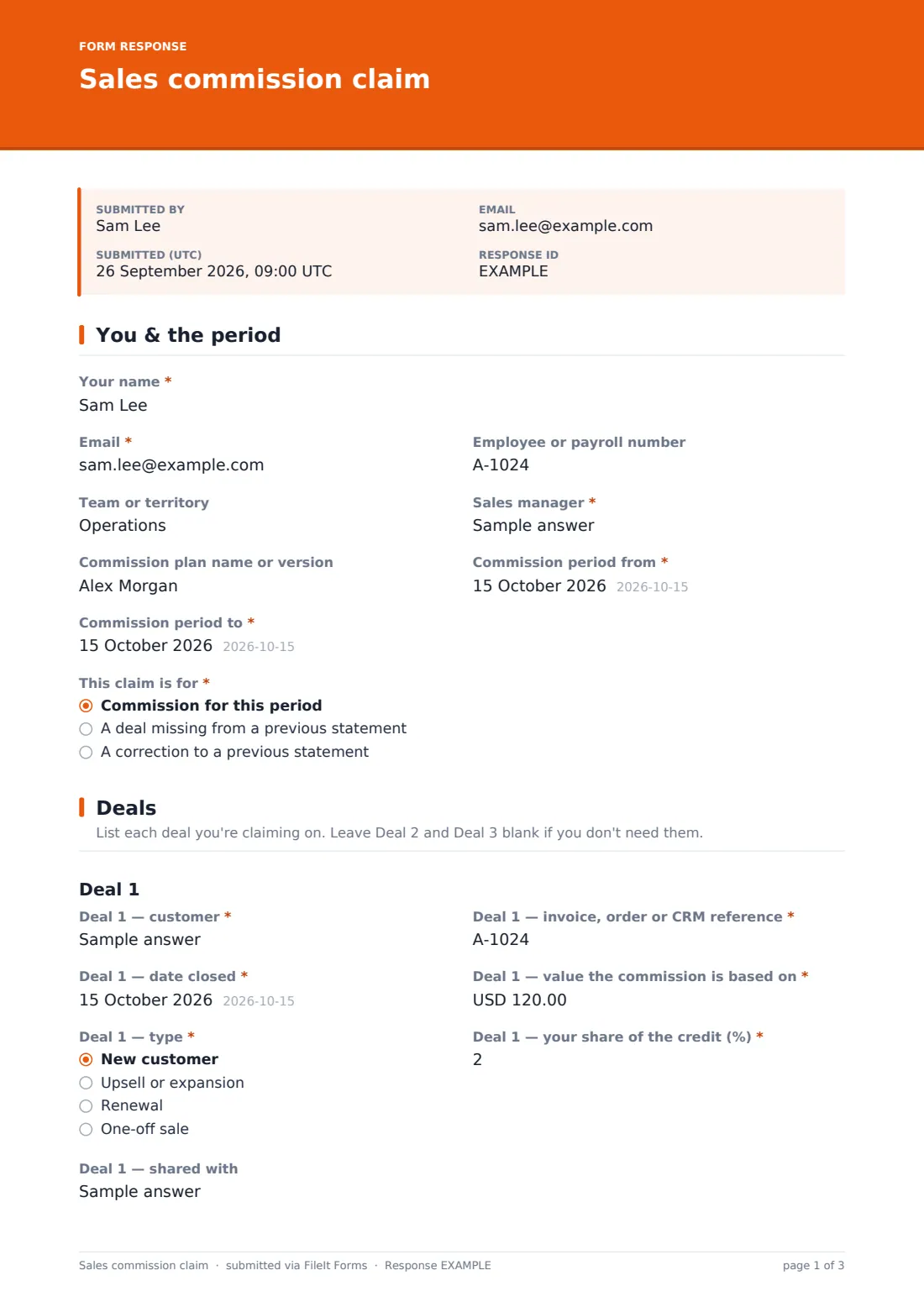
This template lets a rep claim commission for a period, add a deal that was missing from a previous statement, or ask for a correction. For each of up to three deals they give the customer, reference, date closed, the value commission is based on, the deal type and their share of the credit. A shared deal asks who it was shared with. More deals can be attached as a spreadsheet.
The rep then states the rate and total claimed, any accelerator or SPIFF, and whether customers have paid, and signs. Each claim is filed as a PDF in your FileIt vault, with the evidence attached.
- Best for
- Sales operations, finance and payroll teams paying commission
- Filled in by
- The sales rep claiming the commission
- Time to complete
- About 10 minutes
- Includes
- Three deal blocks that expand as needed, split-credit and dispute follow-ups, evidence uploads and a signature
Who uses a sales commission claim form?
- Monthly or quarterly commission claims where reps submit their own deals
- Flagging a deal that was left off a commission statement
- Raising a correction when a split or rate looks wrong
- Recording split credit between two reps on one deal
- Keeping signed claims and evidence for audit
Questions on this sales commission claim form
43 questions over 4 pages · includes signature, file upload, conditional questions, multiple pages, consent checkbox.
1 You & the period
- Your name*
- Email*
- Employee or payroll number
- Team or territory
- Sales manager*
- Commission plan name or version
- Commission period from*
- Commission period to*
- This claim is for* Commission for this period · A deal missing from a previous statement · A correction to a previous statement
- Which statement or pay date?* asked only when it applies
2 Deals
- Deal 1 — customer*
- Deal 1 — invoice, order or CRM reference*
- Deal 1 — date closed*
- Deal 1 — value the commission is based on*
- Deal 1 — type* New customer · Upsell or expansion · Renewal · One-off sale
- Deal 1 — your share of the credit (%)*
- Deal 1 — shared with asked only when it applies
- Deal 2 — customer
- Deal 2 — invoice, order or CRM reference asked only when it applies
- Deal 2 — date closed asked only when it applies
- Deal 2 — value the commission is based on asked only when it applies
- Deal 2 — type asked only when it applies New customer · Upsell or expansion · Renewal · One-off sale
- Deal 2 — your share of the credit (%) asked only when it applies
- Deal 2 — shared with asked only when it applies
- Deal 3 — customer
- Deal 3 — invoice, order or CRM reference asked only when it applies
- Deal 3 — date closed asked only when it applies
- Deal 3 — value the commission is based on asked only when it applies
- Deal 3 — type asked only when it applies New customer · Upsell or expansion · Renewal · One-off sale
- Deal 3 — your share of the credit (%) asked only when it applies
- Deal 3 — shared with asked only when it applies
- More deals
3 Commission
- Commission rate you're applying (%)
- Total commission claimed*
- Does an accelerator, bonus or SPIFF apply?*
- Which one, and how did you work it out?* asked only when it applies
- What's wrong with the previous statement?* asked only when it applies
- Evidence
- Have the customers paid for all of these deals?*
- Notes for your manager or finance
4 Confirm
- Confirmation*
- Signature*
- Date*
The sales commission claim form, page by page
1 You & the period
The rep gives their name, email, employee or payroll number, team or territory, sales manager and the commission plan name or version, plus the commission period from and to dates. This claim is for offers three choices: commission for this period, a deal missing from a previous statement, or a correction to a previous statement. Either of the last two asks which statement or pay date it relates to.
2 Deals
Deal 1 is required: the customer, the invoice, order or CRM reference, the date closed, the value the commission is based on (with help text noting it may be revenue, margin or contract value), the deal type, and the rep's share of the credit, which starts at 100 percent. A share below 100 opens a question asking who it was shared with.
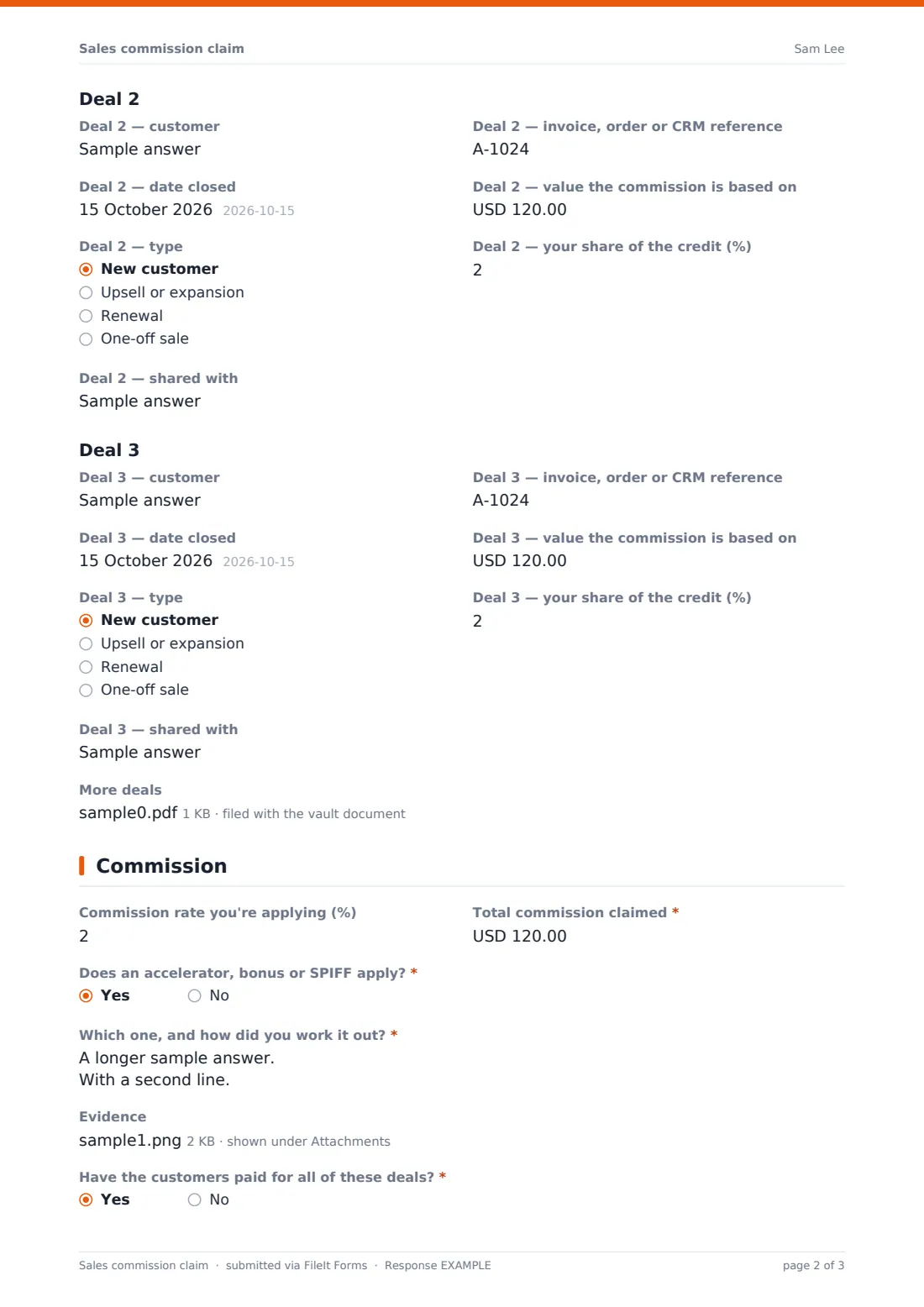
Deal 2 and Deal 3 start with just the customer question. Their remaining questions appear only once a customer is entered. Anything beyond three deals can be uploaded as a spreadsheet.
3 Commission
The rep enters the commission rate they're applying and the Total commission claimed. A Yes to Does an accelerator, bonus or SPIFF apply? asks which one and how it was worked out. Correction claims must describe what's wrong with the previous statement, including the amount paid and the amount expected. Up to six evidence files can be added, and the rep confirms whether customers have paid for all the deals, since some plans only pay once they have. A notes box is optional.
4 Confirm
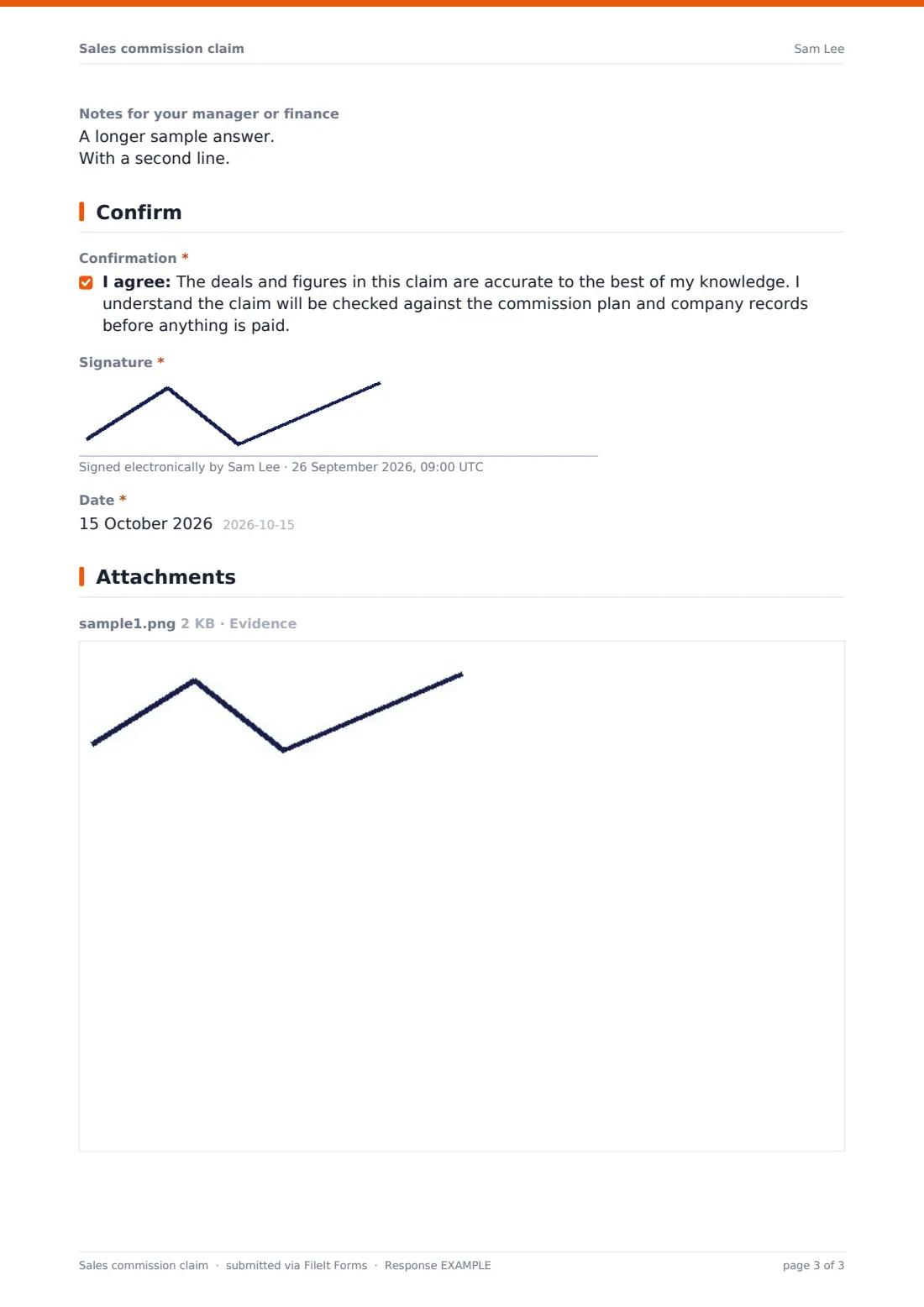
The rep confirms the figures are accurate and that the claim will be checked against the plan and company records before anything is paid, then signs and dates.
Make the template yours
- Set the currency and rename the deal value to match your plan's basis
- Change the deal types to match your plan, such as new logo or multi-year
- Add a fourth deal block, or remove the third if claims are usually small
- Add sales operations and payroll to the notification emails
- File claims into one vault folder per commission period
Tips for a better sales commission claim form
- Publish the commission plan and link to it in the form's description
- Set a close date for each period's claims
- Check split credit with both reps before paying
- Reply to every correction claim, even if the original was right
- Keep claims and evidence together in case of later questions
Every response becomes a PDF in your vault
Each claim is filed as a PDF in the vault folder you chose, titled with the rep's name and the date, with the evidence and any deal spreadsheet attached to the document. You get an email for each claim, and the rep can be sent a copy.
Sales ops can review claims in the Responses table, searching by rep, customer or reference, and export everything to CSV to reconcile against the CRM and the commission run.
- Start from this template. It opens in the FileIt Forms designer — change any question, add pages, set the rules for when questions appear.
- Share it. Turn on a public link, or send it to people by email, each with their own link. They don’t need a FileIt account.
- Get the answers as PDFs. Each response is saved as a PDF in the vault folder you choose, with uploaded files attached — and listed in a Responses table you can export to CSV.
Sales commission claim form: frequently asked questions
Is this commission claim form free?
Yes. It's a starter template in FileIt's Forms app, and you can change every question.
Does the form calculate commission?
No. The rep enters the rate and the total they're claiming. Finance checks it against the plan and your records.
Can a rep claim more than three deals?
Yes. Three deals fit on the form, and further deals can be uploaded as a spreadsheet.
How does split credit work?
Each deal asks for the rep's share of the credit, starting at 100 percent. A lower share asks who the deal was shared with.
Can reps use it to dispute a statement?
Yes. Choosing a correction to a previous statement asks which statement and what's wrong with it.
Do reps need a FileIt account?
No. Share the link or email it to the team, and reps fill it in without signing up.