
What is the payroll query form template?
A pay query usually starts as a worried message: "I think my overtime is missing." Payroll then has to ask which pay date, how many hours, what the payslip says, and whether there's a timesheet. This template asks all of that up front, so the first message is also the complete one.
Employees pick what the query is about from a list (hours or overtime, pay rate, an unrecognised deduction, expenses, bonus, holiday or sick pay, pension, a missing payslip or a year-end statement) and the form adds only the follow-ups that apply. Missing hours brings up hours expected and hours paid. A deduction asks for its name as printed. Unpaid expenses ask for the claim reference.
Each query is filed as a PDF in your FileIt vault, with the payslip and any timesheets attached, giving payroll a tidy record of what was raised and when.
- Best for
- Payroll and HR teams handling pay questions from staff
- Filled in by
- The employee who has a question about their pay
- Time to complete
- About 5 minutes
- Includes
- Follow-ups per query type, expected and received amounts, payslip and evidence uploads, and a hardship flag
Who uses a payroll query form?
- Replacing pay queries sent by text, chat or a note in the staff room
- Shift-based teams where missing hours and overtime are the most common question
- Spotting urgent cases where a pay error leaves someone short for bills
- Keeping a record of every query for a payroll provider or auditor
- Seeing which kinds of pay query come up most often
Questions on this payroll query form
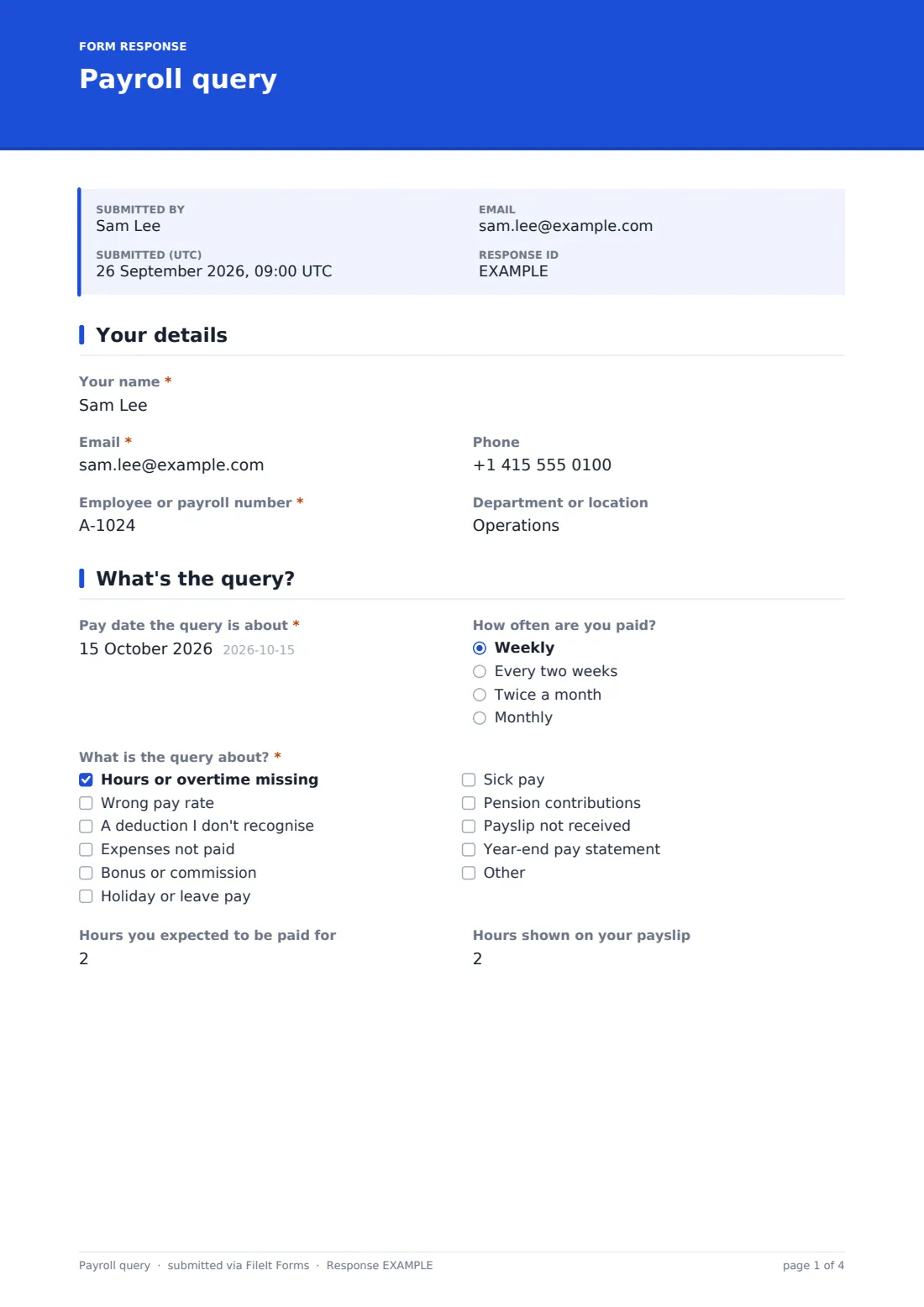
22 questions over 4 pages · includes file upload, conditional questions, multiple pages, consent checkbox.
1 Your details
- Your name*
- Email*
- Phone
- Employee or payroll number*
- Department or location
2 What's the query?
- Pay date the query is about*
- How often are you paid? Weekly · Every two weeks · Twice a month · Monthly
- What is the query about?* Hours or overtime missing · Wrong pay rate · A deduction I don't recognise · Expenses not paid · Bonus or commission · Holiday or leave pay · Sick pay · Pension contributions · Payslip not received · Year-end pay statement
- Hours you expected to be paid for asked only when it applies
- Hours shown on your payslip asked only when it applies
- Name of the deduction as it appears on the payslip asked only when it applies
- Expense claim reference or date submitted asked only when it applies
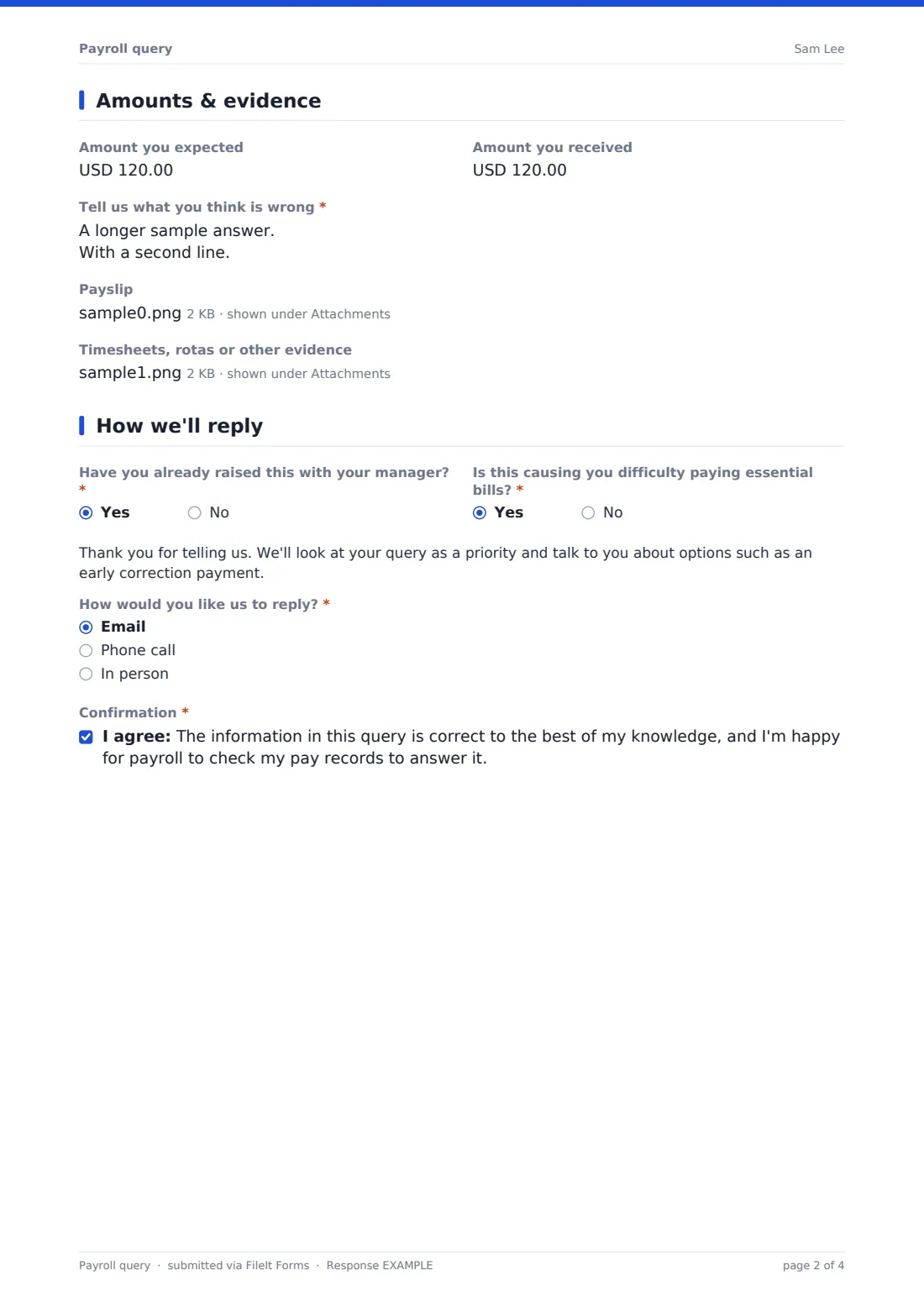
3 Amounts & evidence
- Amount you expected
- Amount you received
- Tell us what you think is wrong*
- Payslip
- Timesheets, rotas or other evidence
4 How we'll reply
- Have you already raised this with your manager?*
- Is this causing you difficulty paying essential bills?*
- How would you like us to reply?* Email · Phone call · In person
- Best time to call asked only when it applies
- Confirmation*
The payroll query form, page by page
1 Your details
The employee gives their name, email, phone, employee or payroll number and department or location, so payroll can find the right record straight away.
2 What's the query?
They enter the Pay date the query is about and how often they're paid, then tick everything that applies under What is the query about?. Each choice can bring up a targeted question. Hours or overtime missing asks for the hours expected and the hours shown on the payslip, side by side. A deduction I don't recognise asks for its name as it appears on the payslip. Expenses not paid asks for the claim reference or the date it was submitted.
3 Amounts & evidence
Two optional amounts, Amount you expected and Amount you received, give payroll the size of the gap at a glance. Tell us what you think is wrong is required, with help text asking for dates and shifts. The employee can upload the payslip as a photo or PDF, plus up to four timesheets, rotas or other files.
4 How we'll reply
The employee says whether they've already raised it with their manager and answers Is this causing you difficulty paying essential bills?. A Yes shows a short message that the query will be treated as a priority. They choose email, a phone call or in person for the reply, and a best time to call appears for phone calls. A final confirmation lets payroll check their pay records to answer the query.
Make the template yours
- Change the currency to the one you pay in
- Edit the topic list to match the pay elements on your payslips
- Rewrite the hardship message to describe what your organisation can actually offer
- Add your payroll provider's address to the notification emails
- Switch the hours questions to whole hours if you don't pay in quarter hours
Tips for a better payroll query form
- Link to the form from wherever employees view their payslips
- Answer every query, even when the pay turns out to be correct
- Look at hardship flags first, every day
- Keep a short note of the outcome in the vault next to the query
- Review recurring query types each quarter to fix the root cause
Every response becomes a PDF in your vault
Each query lands in your vault as a PDF named after the employee and dated, with the payslip and evidence attached to the same document. You're notified by email, and the employee can be sent a copy for their records.
The Responses table lists every query. Search by name or payroll number, open the PDF, or export to CSV to count queries by type or month and see which ones keep coming back.
- Start from this template. It opens in the FileIt Forms designer — change any question, add pages, set the rules for when questions appear.
- Share it. Turn on a public link, or send it to people by email, each with their own link. They don’t need a FileIt account.
- Get the answers as PDFs. Each response is saved as a PDF in the vault folder you choose, with uploaded files attached — and listed in a Responses table you can export to CSV.
Payroll query form: frequently asked questions
Is this payroll query form free?
Yes. It's included as a starter template in FileIt's Forms app, and you can change any question.
Do employees need a FileIt account?
No. Share the public link on your intranet or noticeboard, or email it to staff. They fill it in without signing up.
Can employees attach their payslip?
Yes. There's one upload for the payslip and another for up to four timesheets, rotas or other files, all attached to the filed document.
Will the form work out what someone should have been paid?
No. It collects the employee's figures and evidence. Payroll checks the actual records and works out any correction.
Can I use it for contractors or temporary workers?
Yes. Duplicate the form and adjust the questions, for example replacing the payroll number with an invoice or agency reference.
What does the hardship question do?
It flags queries where a pay error is causing real difficulty. A Yes shows a short reassurance message, and the answer is in the PDF and CSV so you can prioritise.