What is the warehouse racking inspection form template?
Pallet racking takes knocks every day, mostly from forklifts, and small damage turns into a serious problem if nobody writes it down. A warehouse racking inspection form gives whoever walks the aisles a consistent checklist and a clear way to grade what they find, so repairs get prioritised and unsafe bays get taken out of use.
This template covers the structure — load notices, uprights, bracing, beams, beam safety locks, base plates and anchors, and protectors — and how the racking is being used, from loads within the stated limits to unauthorised changes to beam levels. Damage is graded on the familiar green, amber and red system, and choosing red shows an instruction to offload and isolate the bays straight away.
It runs on FileIt's Forms app, so inspectors can fill it in on a phone or tablet in the aisle, attach photos, and sign on screen. Each inspection is filed as a PDF in your vault, building a dated history for every site.
- Best for
- Warehouses, distribution centres, manufacturers and retailers with pallet racking
- Filled in by
- The person responsible for racking safety or a trained inspector
- Time to complete
- About 10–15 minutes per aisle
- Includes
- Two check grids, green/amber/red grading, red-damage warning, up to 8 photos, signature
Who uses a warehouse racking inspection form?
- Weekly visual racking checks by a warehouse supervisor
- Monthly checks recorded aisle by aisle
- Recording the results of a periodic expert inspection
- Checking racking immediately after a forklift impact
- Logging damage and repairs across several sites
- Building a photo history of recurring damage hotspots
Questions on this warehouse racking inspection form
18 questions over 4 pages · includes signature, file upload, conditional questions, multiple pages, ratings.
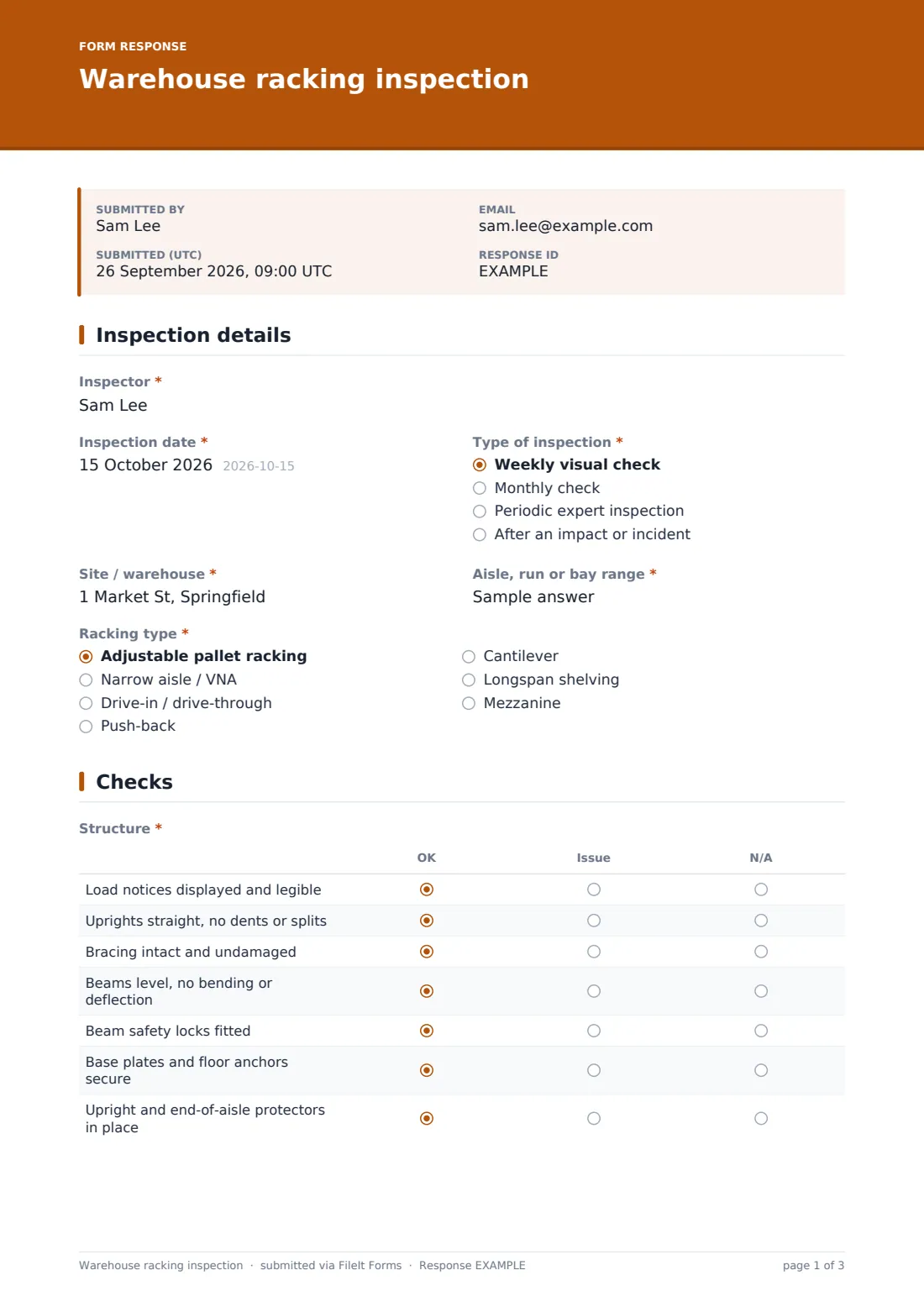
1 Inspection details
- Inspector*
- Inspection date*
- Type of inspection* Weekly visual check · Monthly check · Periodic expert inspection · After an impact or incident
- Site / warehouse*
- Aisle, run or bay range*
- Racking type* Adjustable pallet racking · Narrow aisle / VNA · Drive-in / drive-through · Push-back · Cantilever · Longspan shelving · Mezzanine
2 Checks
- Structure* OK · Issue · N/A
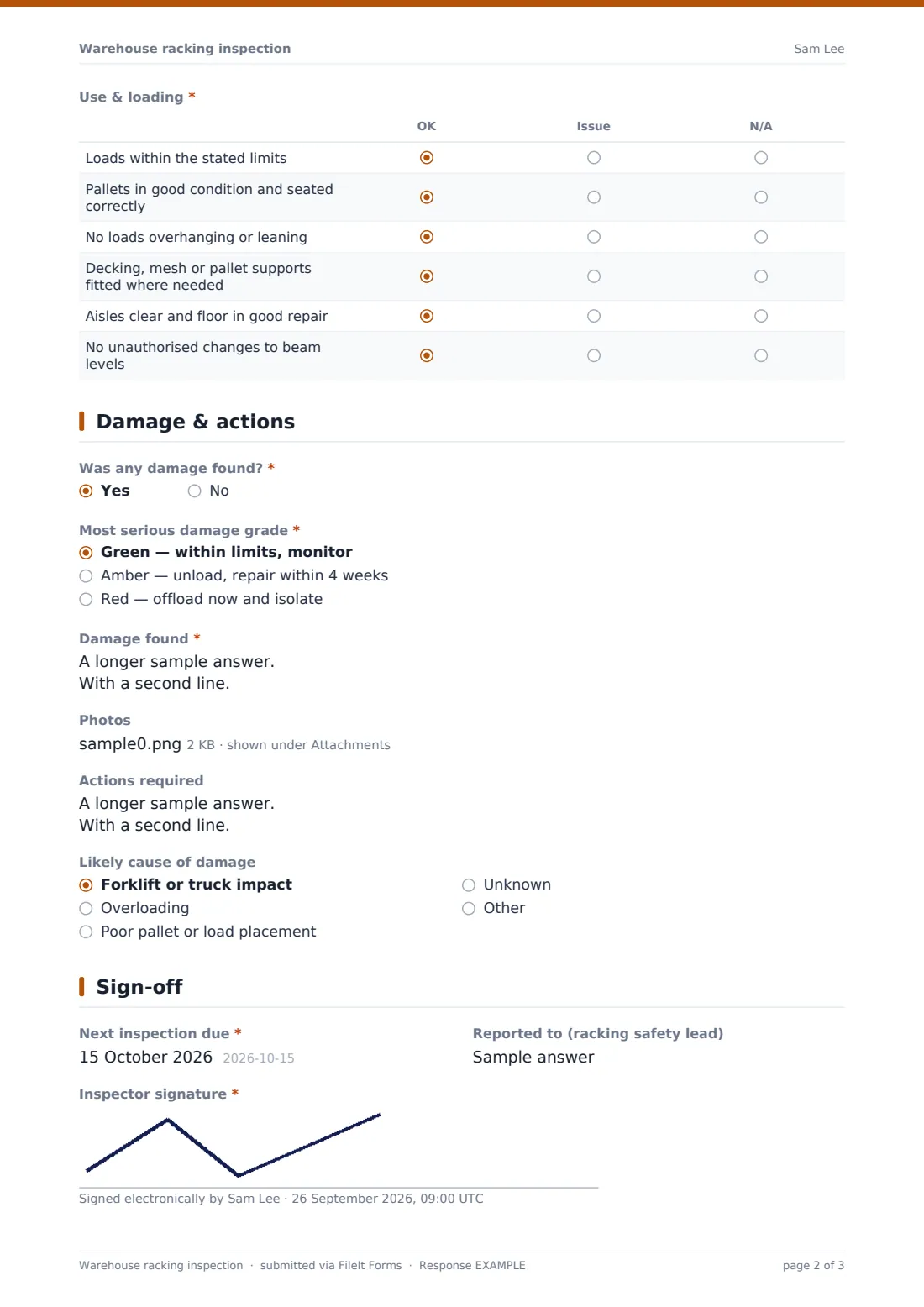
- Use & loading* OK · Issue · N/A
3 Damage & actions
- Was any damage found?*
- Most serious damage grade* asked only when it applies Green — within limits, monitor · Amber — unload, repair within 4 weeks · Red — offload now and isolate
- Have the affected bays been offloaded and isolated?* asked only when it applies
- Damage found* asked only when it applies
- Photos
- Actions required
- Likely cause of damage asked only when it applies Forklift or truck impact · Overloading · Poor pallet or load placement · Unknown
4 Sign-off
- Next inspection due*
- Reported to (racking safety lead)
- Inspector signature*
The warehouse racking inspection form, page by page
1 Inspection details
The inspector's name and the inspection date, then "Type of inspection": a weekly visual check, a monthly check, a periodic expert inspection or a check after an impact or incident. Site, "Aisle, run or bay range" and racking type — adjustable pallet racking, narrow aisle, drive-in, push-back, cantilever, longspan shelving or mezzanine — identify what was inspected.
2 Checks
Two grids are marked OK, Issue or N/A. "Structure" covers load notices, uprights, bracing, beams, beam safety locks, base plates and floor anchors, and upright and end-of-aisle protectors. "Use & loading" covers loads within limits, pallet condition, overhanging loads, decking and supports, clear aisles and unauthorised changes to beam levels.
3 Damage & actions
"Was any damage found?" opens the grading question: green to monitor, amber to unload and repair within four weeks, or red to offload now and isolate. Red shows an instruction to offload and tell the racking safety lead today, and asks whether the bays have been offloaded and isolated. The inspector lists each item of damage by bay, level and component, picks the likely cause, attaches up to eight photos and notes the actions required.
4 Sign-off
The next inspection date, who it was reported to, and the inspector's signature.
Make the template yours
- Edit the grading descriptions to match your own racking supplier's guidance
- Turn the site question into a dropdown if you run several warehouses
- Add rows to the check grids for features specific to your racking
- Notify your health and safety lead on every submission
- File inspections into a vault folder per site or per aisle
- Set the confirmation message to remind staff of your red-damage procedure
Tips for a better warehouse racking inspection form
- Photograph damage with something for scale, like a tape measure
- Don't wait for the next scheduled check after an impact — inspect straight away
- Look for patterns in the cause question; repeated forklift damage points to layout or training
- Keep load notices visible and up to date after any reconfiguration
- Follow up amber items so they don't quietly become red
- Use the same grading terms everyone on site understands
Every response becomes a PDF in your vault
The signed inspection is filed as a PDF in your vault, with every photo attached, and you're notified by email. The PDF lists every check row, so you can see what was marked OK as well as what wasn't.
From the Responses table you can search by site or aisle, and export to CSV to track open amber and red items until they're repaired.
- Start from this template. It opens in the FileIt Forms designer — change any question, add pages, set the rules for when questions appear.
- Share it. Turn on a public link, or send it to people by email, each with their own link. They don’t need a FileIt account.
- Get the answers as PDFs. Each response is saved as a PDF in the vault folder you choose, with uploaded files attached — and listed in a Responses table you can export to CSV.
Warehouse racking inspection form: frequently asked questions
Is this racking inspection template free?
Yes. It's included with the Forms app on every FileIt account, including the free plan.
Can inspectors use it on a phone?
Yes. The form works on phones and tablets, photos can be taken and uploaded straight from the device, and the signature is drawn on screen.
Does this replace an expert inspection?
No. It's a recording form. Use it for your own checks and to record the results of any expert inspection you arrange.
What do the green, amber and red grades mean?
The form describes green as monitor, amber as unload and repair within four weeks, and red as offload and isolate now. You can edit the wording to match your own guidance.
Can I record several aisles in one form?
The form is designed for one aisle or run per submission, which keeps photos and actions easy to follow. You can widen the bay range if you prefer.
Do inspectors need a FileIt account?
No. They open the shared link and fill it in.