What is the quarterly business review form template?
A quarterly business review is one of the best chances an account manager gets to step back with a client: what was promised, what was delivered, what's next. Too often the notes end up in a personal notebook or a slide deck nobody can find when the renewal comes round.
This template gives every QBR the same structure. The account manager records the meeting details, the client's goals, a quick grid of how each area did against target, wins and any issues, then the client's own satisfaction ratings and priorities. The last page covers opportunities, the renewal outlook (with a risk plan when it's at risk) and the actions everyone agreed.
Each review is filed as a PDF in your FileIt vault, with the slides or reports shared in the meeting attached, building a quarter-by-quarter history for every account.
- Best for
- Account managers, customer success teams and agencies with retained clients
- Filled in by
- The account manager, during or right after the meeting
- Time to complete
- About 10–15 minutes
- Includes
- Results and satisfaction grids, a recommend scale, a renewal risk follow-up and slide uploads
Who uses a quarterly business review form?
- Customer success teams running QBRs with every key account
- Agencies reviewing retained clients each quarter
- Managed service providers reporting against service levels
- Sales leaders reviewing renewal risk across a portfolio
- Handing an account to a new manager with its full review history
Questions on this quarterly business review form
25 questions over 4 pages · includes file upload, conditional questions, multiple pages, ratings.
1 Meeting details
- Client account*
- Quarter reviewed* Q1 · Q2 · Q3 · Q4
- Year*
- Meeting date*
- Account manager*
- Account manager's email*
- Client attendees and roles*
2 Results this quarter
- The client's goals for this quarter*
- How did each goal area do against target?* Ahead · On track · Behind · Not measured
- Key numbers and notes
- Wins this quarter*
- Were there any issues or escalations this quarter?*
- What happened, and is it resolved?* asked only when it applies
3 Client view & priorities
- How satisfied is the client with…* 1 — Poor · 2 · 3 · 4 · 5 — Excellent
- How likely is the client to recommend us?
- The client's priorities for next quarter*
- Feature, service or roadmap requests
- Opportunities discussed More users or seats · Additional product or service · New team or region · Training · Upgrade or higher tier · None this quarter
4 Renewal & next steps
- Contract renewal date
- Renewal outlook* Likely to renew or expand · Likely to renew as is · At risk · Unknown
- Why is it at risk?* asked only when it applies Low usage · Budget cuts · Champion has left · Competitor evaluation · Unresolved issues · Change in strategy
- Plan to address the risk* asked only when it applies
- Agreed actions, owners and due dates*
- Next review date
- Slides or reports shared in the meeting
The quarterly business review form, page by page
1 Meeting details
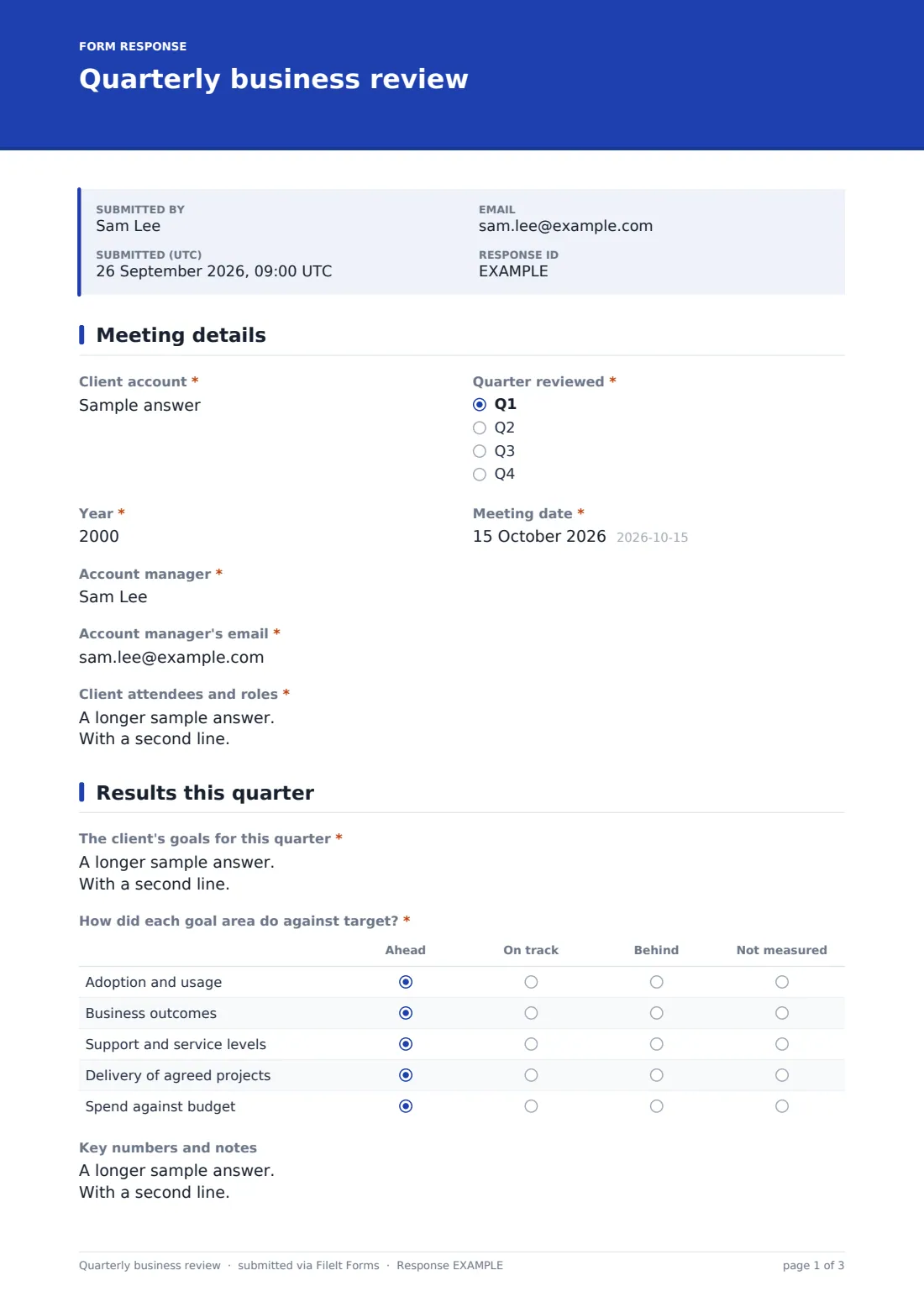
The account manager enters the Client account, the quarter and year reviewed, the meeting date, their own name and email, and the client attendees and their roles.
2 Results this quarter
The page starts with the client's goals for the quarter, as agreed at the last review or at kickoff. How did each goal area do against target? rates adoption and usage, business outcomes, support and service levels, delivery of agreed projects, and spend against budget as Ahead, On track, Behind or Not measured. A notes box holds the key numbers.
Wins this quarter is required. A Yes to Were there any issues or escalations this quarter? opens a required box asking what happened and whether it's resolved.
3 Client view & priorities
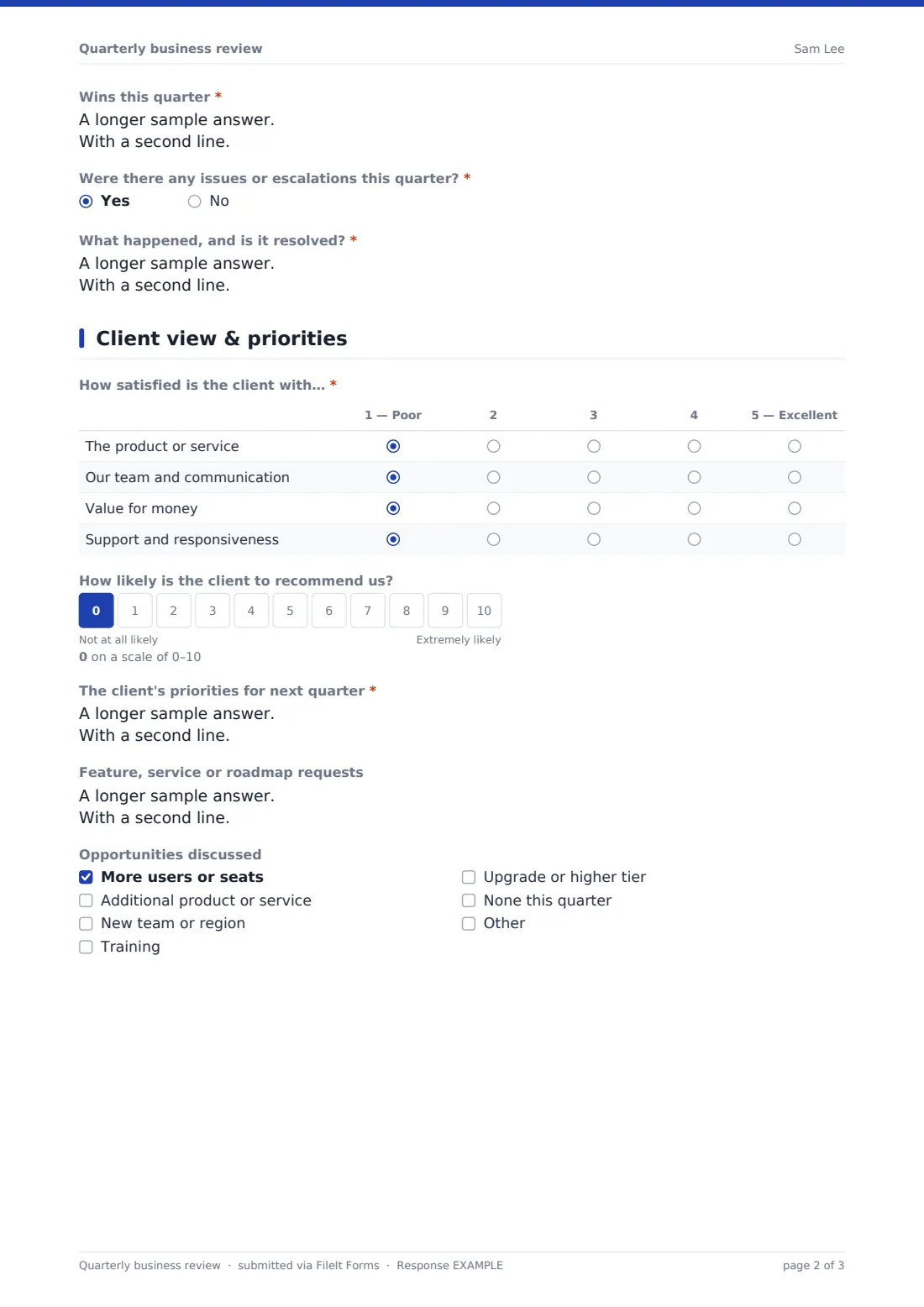
A satisfaction grid, asked of the client directly, rates the product or service, the team and communication, value for money, and support from 1 to 5. A 0–10 scale records how likely they are to recommend you.
The client's priorities for next quarter are required. Feature, service or roadmap requests are optional, and a checklist records the opportunities discussed, such as more users, an additional product, a new team or region, training or an upgrade.
4 Renewal & next steps
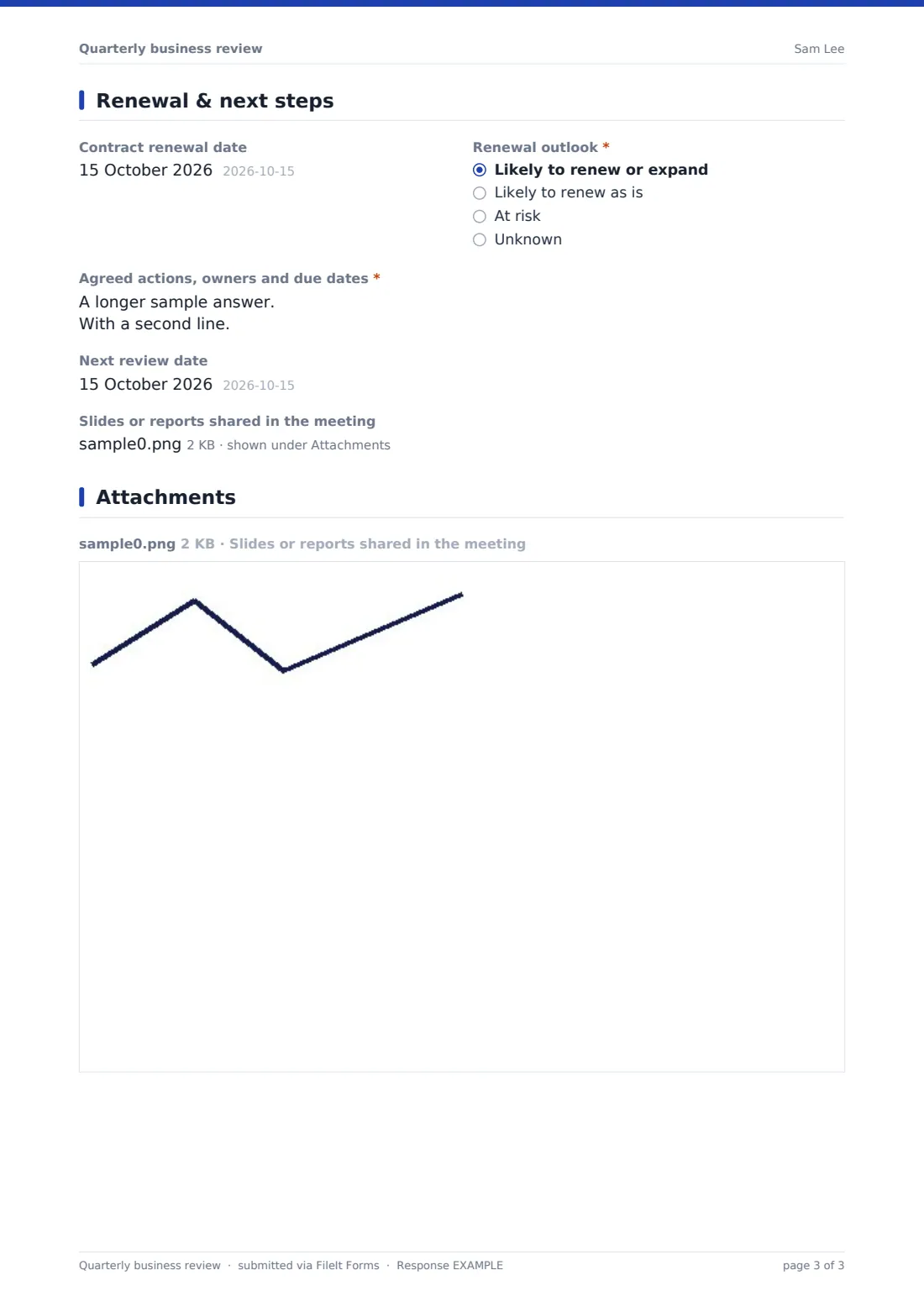
The account manager gives the contract renewal date and a renewal outlook. Choosing At risk opens two required follow-ups: why it's at risk (low usage, budget cuts, a champion who has left, a competitor evaluation, unresolved issues or a change in strategy) and the plan to address it. The review ends with the agreed actions, owners and due dates, the next review date, and up to three slides or reports from the meeting.
Make the template yours
- Rename the rows in the results grid to the KPIs you report on
- Add a dropdown of account tiers or segments for filtering later
- File reviews into one vault folder per client
- Add the sales lead to notifications for every at-risk renewal
- Remove the recommend scale if you measure it in a separate survey
Tips for a better quarterly business review form
- Agree the client's goals at kickoff so the first QBR has something to measure
- Ask the satisfaction questions in the meeting rather than guessing the answers
- Write actions with an owner and a date, or they won't happen
- Send the client a summary within a day of the meeting
- Read the previous quarter's PDF before the next review
Every response becomes a PDF in your vault
Each QBR is filed as a PDF in your chosen vault folder, dated, with the meeting slides and reports attached to the document. The owner is notified by email, and you can add a sales or success lead to the list.
Export the Responses table to CSV to compare renewal outlook, satisfaction scores and recommend scores across your whole portfolio, or search for one account to see its history.
- Start from this template. It opens in the FileIt Forms designer — change any question, add pages, set the rules for when questions appear.
- Share it. Turn on a public link, or send it to people by email, each with their own link. They don’t need a FileIt account.
- Get the answers as PDFs. Each response is saved as a PDF in the vault folder you choose, with uploaded files attached — and listed in a Responses table you can export to CSV.
Quarterly business review form: frequently asked questions
What is a quarterly business review?
A QBR is a regular meeting between a supplier and a client to review results against goals, discuss satisfaction and issues, and agree priorities for the next quarter.
Is this QBR template free?
Yes. It's included as a starter template in FileIt's Forms app, and every question can be edited.
Who fills it in?
The account manager, during or straight after the meeting. The satisfaction questions are meant to be asked of the client directly.
Can I attach the QBR slides?
Yes. Upload up to three files, such as the deck or a usage report, and they're attached to the filed document.
Can I track at-risk renewals?
Yes. The renewal outlook and risk reasons are in every PDF and in the CSV export, so you can list every at-risk account.
Does the client need to sign anything?
No. It's an internal record, though you can add a signature question if you want the client to confirm the actions.