What is the meeting minutes form template?
Minutes don't need to capture every word. What people come back to is who attended, what was decided on each item, and the list of actions with an owner and a date. When those are buried in a long block of notes, actions get missed and the same discussion happens again at the next meeting.
This meeting minutes template gives the minute-taker a consistent structure: meeting details and attendance first, then up to five agenda items each with the key points and the decision, then up to six action items with an owner and due date. There's a place for any other business, the date of the next meeting and a confirmation that the record is accurate.
Every set of minutes is saved as a dated PDF in your FileIt vault, so you build up a searchable archive of meetings — handy when someone asks when a decision was made or who agreed to follow up.
- Best for
- Team, project, board, committee and client meetings
- Filled in by
- The minute-taker or the chair, during or right after the meeting
- Time to complete
- Around 10 minutes after the meeting, depending on the agenda
- Includes
- Attendance, up to five agenda items with decisions, up to six actions with owners and due dates, signature
Who uses a meeting minutes form?
- A weekly team meeting where actions are reviewed at the start of the next one
- Board or committee meetings that need a quorum note and approval of the previous minutes
- Project meetings with a client, recording decisions both sides agreed
- Volunteer or community group meetings kept on file for members
- A parent-teacher or residents' association keeping a record of its meetings
- Handover meetings where it matters who took on which task
Questions on this meeting minutes form
67 questions over 4 pages · includes signature, file upload, conditional questions, multiple pages, consent checkbox.
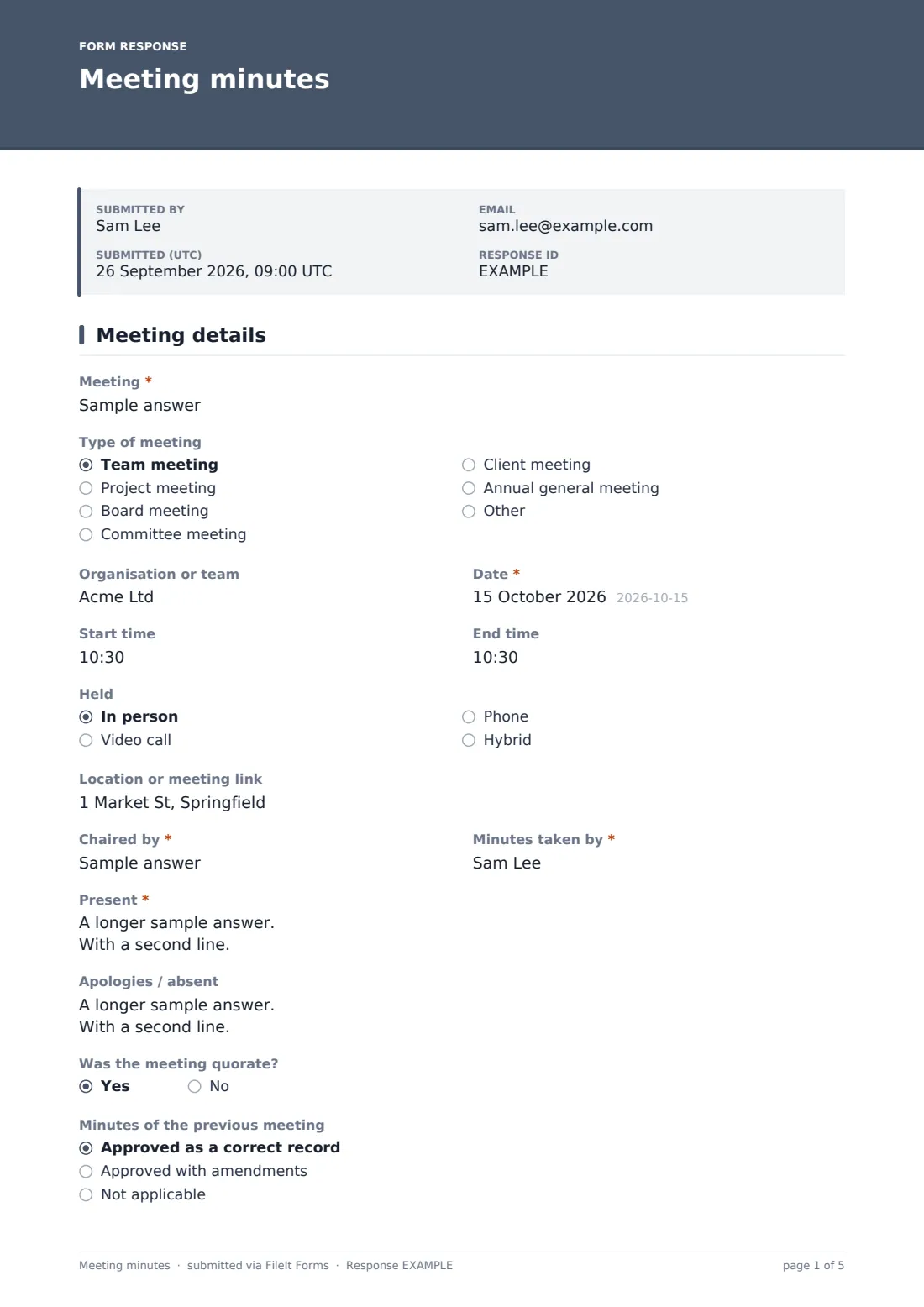
1 Meeting details
- Meeting*
- Type of meeting Team meeting · Project meeting · Board meeting · Committee meeting · Client meeting · Annual general meeting · Other
- Organisation or team
- Date*
- Start time
- End time
- Held In person · Video call · Phone · Hybrid
- Location or meeting link
- Chaired by*
- Minutes taken by*
- Present*
- Apologies / absent
- Was the meeting quorate?
- Minutes of the previous meeting Approved as a correct record · Approved with amendments · Not applicable
- Amendments made asked only when it applies
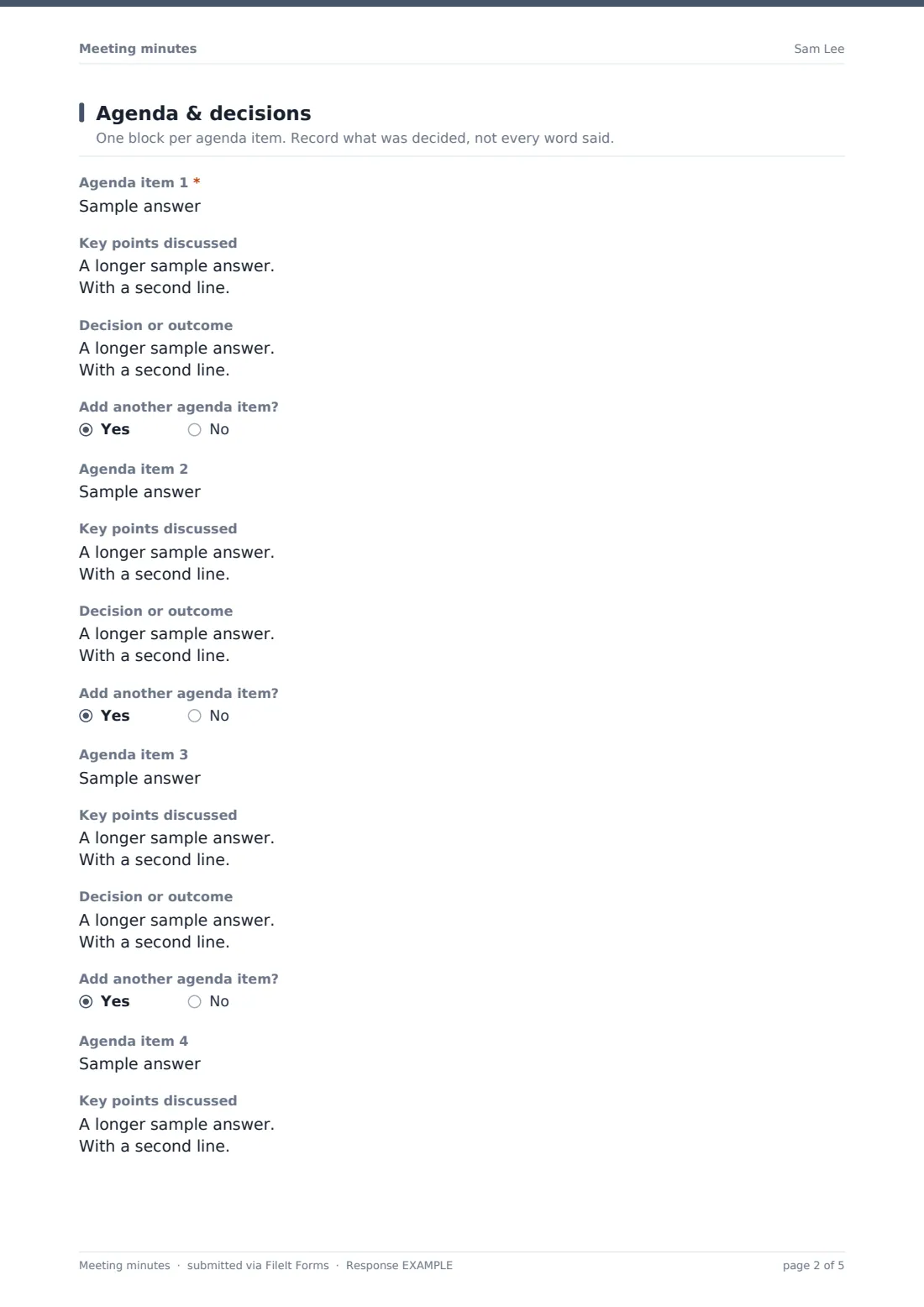
2 Agenda & decisions
- Agenda item 1*
- Key points discussed asked only when it applies
- Decision or outcome asked only when it applies
- Add another agenda item? asked only when it applies
- Agenda item 2 asked only when it applies
- Key points discussed asked only when it applies
- Decision or outcome asked only when it applies
- Add another agenda item? asked only when it applies
- Agenda item 3 asked only when it applies
- Key points discussed asked only when it applies
- Decision or outcome asked only when it applies
- Add another agenda item? asked only when it applies
- Agenda item 4 asked only when it applies
- Key points discussed asked only when it applies
- Decision or outcome asked only when it applies
- Add another agenda item? asked only when it applies
- Agenda item 5 asked only when it applies
- Key points discussed asked only when it applies
- Decision or outcome asked only when it applies
- Any other business
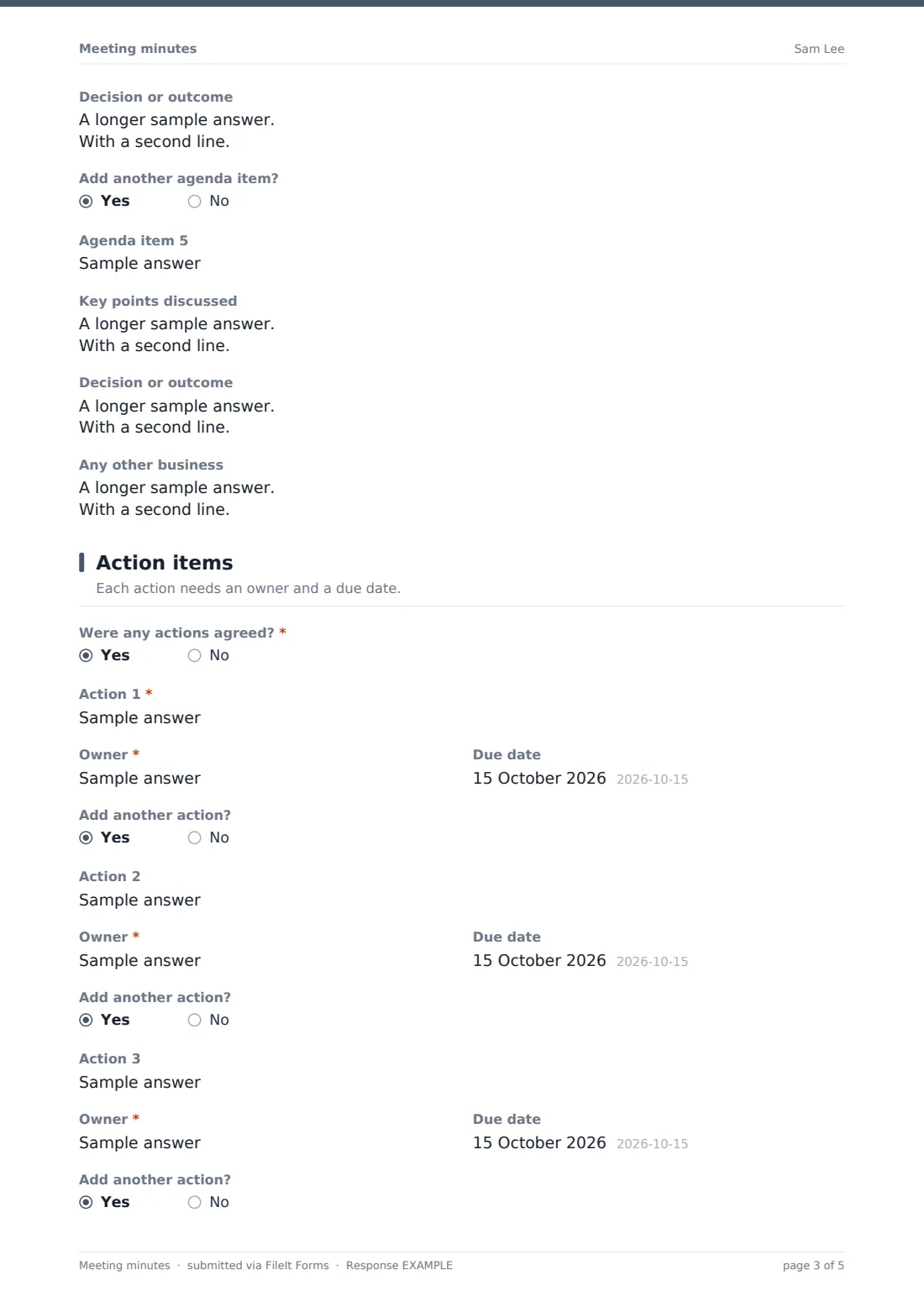
3 Action items
- Were any actions agreed?*
- Action 1* asked only when it applies
- Owner* asked only when it applies
- Due date asked only when it applies
- Add another action? asked only when it applies
- Action 2 asked only when it applies
- Owner* asked only when it applies
- Due date asked only when it applies
- Add another action? asked only when it applies
- Action 3 asked only when it applies
- Owner* asked only when it applies
- Due date asked only when it applies
- Add another action? asked only when it applies
- Action 4 asked only when it applies
- Owner* asked only when it applies
- Due date asked only when it applies
- Add another action? asked only when it applies
- Action 5 asked only when it applies
- Owner* asked only when it applies
- Due date asked only when it applies
- Add another action? asked only when it applies
- Action 6 asked only when it applies
- Owner* asked only when it applies
- Due date asked only when it applies
- More actions? Attach the list
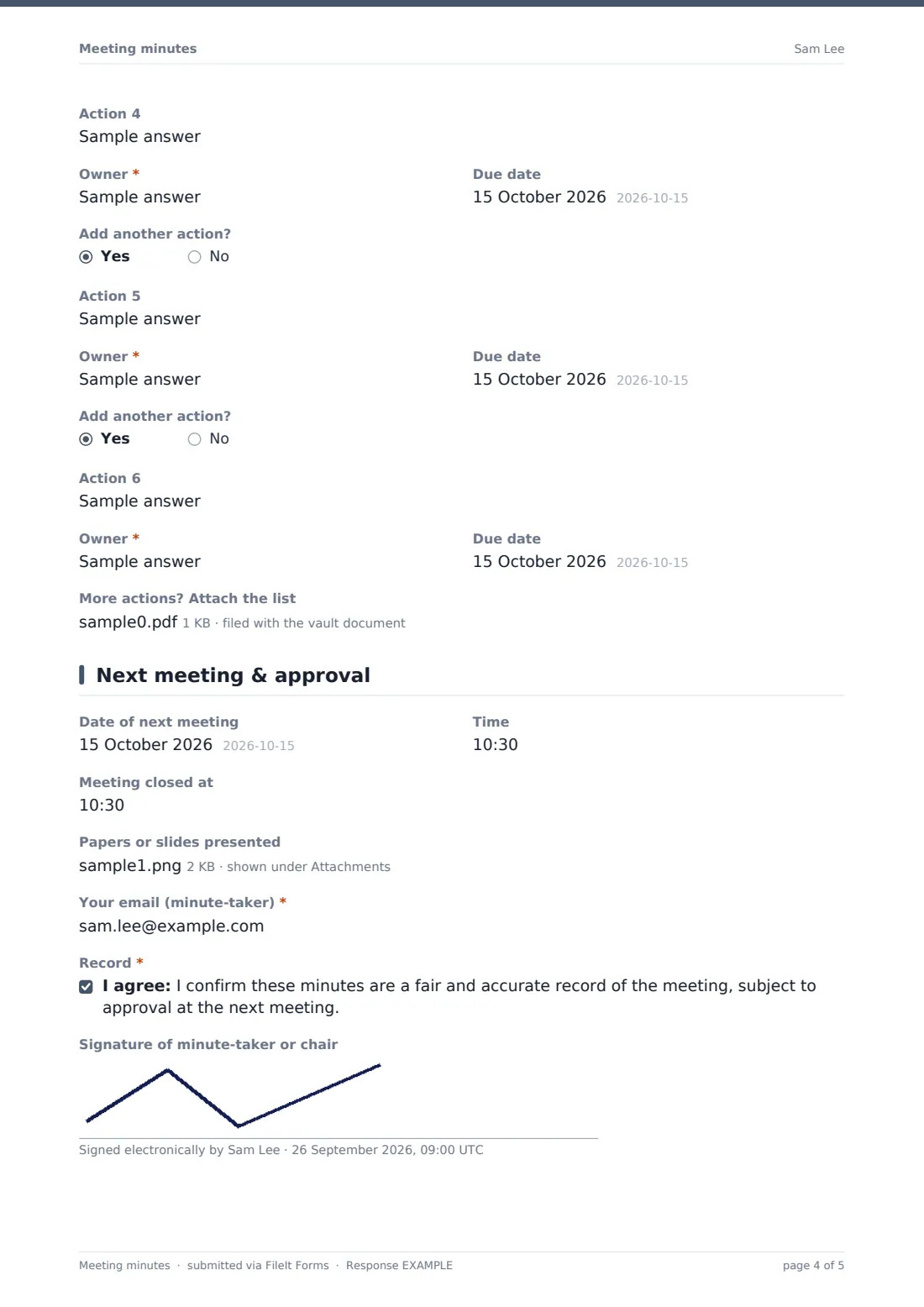
4 Next meeting & approval
- Date of next meeting
- Time
- Meeting closed at
- Papers or slides presented
- Your email (minute-taker)*
- Record*
- Signature of minute-taker or chair
The meeting minutes form, page by page
1 Meeting details
Record the meeting name, type, organisation or team, date, start and end times, whether it was held in person, by video, by phone or hybrid, and the location or link. Then note who chaired, who took the minutes, who was present and who sent apologies, whether the meeting was quorate, and whether the previous minutes were approved — with a box for amendments if they were changed.
2 Agenda & decisions
Each agenda item has a topic, the key points discussed and the decision or outcome, including the wording of any resolution and the vote. After each item, an 'Add another agenda item?' question opens the next one, up to five items. Any other business has its own box at the end.
3 Action items
The minute-taker says whether actions were agreed. If so, each action has a description, a required owner and a due date, with an 'Add another action?' question opening the next, up to six. Longer action lists can be attached as a file.
4 Next meeting & approval
Finish with the date and time of the next meeting, the time the meeting closed and any papers or slides presented. The minute-taker enters their email, confirms the minutes are a fair and accurate record subject to approval, and can sign.
Make the template yours
- Add or remove agenda item blocks to match the length of your usual agenda
- Remove the quorum and previous-minutes questions for informal team meetings
- Add a 'Conflicts of interest declared' question for board and committee meetings
- Put the team, board or committee name in the document title (for example 'Board minutes — {date}') so each archive is easy to scan
- File minutes in a folder per team, board or project
- Send the form as a request to the regular minute-taker so the minutes land in the right place every time
Tips for a better meeting minutes form
- Write decisions in full sentences that make sense to someone who wasn't in the room
- Give every action a single named owner — 'the team' usually means nobody
- Fill the form in during the meeting or within a day, while the details are fresh
- Start the next meeting by reviewing the action list from these minutes
- Keep opinions and side conversations out of the minutes; record what was agreed
Every response becomes a PDF in your vault
When the minutes are submitted, FileIt turns them into a PDF, files it in your vault and notifies you. The minute-taker can receive a copy by email to circulate to attendees.
Because each meeting is a separate response, the Responses table becomes a running log of your meetings. You can export it to CSV, and pull up any past meeting's PDF to check exactly what was decided and who took on each action.
- Start from this template. It opens in the FileIt Forms designer — change any question, add pages, set the rules for when questions appear.
- Share it. Turn on a public link, or send it to people by email, each with their own link. They don’t need a FileIt account.
- Get the answers as PDFs. Each response is saved as a PDF in the vault folder you choose, with uploaded files attached — and listed in a Responses table you can export to CSV.
Meeting minutes form: frequently asked questions
Is this meeting minutes template free?
Yes. It's included in FileIt's Forms app on every plan, including the free plan, and you can change any of the questions.
How many agenda items and actions can I record?
The template has five agenda item blocks and six action items that open one at a time, plus a file upload for longer action lists. You can add more blocks in the designer.
Does it work for board meetings?
Yes. It includes a quorum question, approval of the previous minutes with amendments, and space to record resolutions and votes. Check your own governing documents for anything else your minutes must include.
Can the minutes be signed?
Yes. There's an optional signature field for the minute-taker or chair, and a confirmation that the record is accurate.
Do attendees need a FileIt account?
No. Only the person taking the minutes fills in the form, and they can do it from a link without an account.
Where are the minutes stored?
Each set of minutes is saved as a PDF in your FileIt vault and listed in the form's Responses table, where you can export them.