What is the project brief form template?
A project brief form gets a new client to put their goals, audience, deliverables and deadline in writing before the first kickoff call, instead of you piecing it together from a scattered email thread or a rushed conversation. It asks the questions an agency or freelancer needs answered on every project, in the same order every time.
A blank "tell us about your project" email tends to get a short, incomplete answer, and important details like the real deadline or who actually signs off the work often only surface midway through the project. A structured brief form asks for that information up front, so the first conversation can be about the work itself rather than the basics.
This template runs on FileIt's Forms app, included on every FileIt account including the free plan. Clients fill it in without needing a FileIt account, and every brief — including any files they attach — becomes a PDF that's automatically filed in your vault, ready to reference throughout the project.
- Best for
- Agencies, studios, consultants and freelancers taking on new client work
- Filled in by
- The client requesting the project
- Time to complete
- About 10–15 minutes
- Includes
- Multi-page structure, tone checkboxes, budget and deadline fields, file upload
Who uses a project brief form?
- A new client kicking off a website or app project
- A brand refresh where the agency needs to understand audience and tone before designing
- A marketing campaign brief covering goals, message and competitor examples
- A video or photography job where deliverables and formats need to be pinned down early
- An existing client submitting a brief for a new phase of ongoing work
- A studio standardising how every account manager collects a brief, regardless of who takes the call
Questions on this project brief form
24 questions over 4 pages · includes file upload, conditional questions, multiple pages.
1 About the project
- Your name*
- Email*
- Phone
- Organisation
- Project name*
- What kind of project is it?* Branding / identity · Website or app · Marketing campaign · Content / copywriting · Video / photography · Print · Event · Research / strategy
- Background
2 Goals & audience
- What are the goals?*
- Who is the audience?*
- The single most important message
- Tone and feel Professional · Friendly · Playful · Premium · Bold · Minimal · Technical · Warm
- Competitors or examples you like (and dislike)
3 Deliverables & timing
- Deliverables*
- Start date
- Final deadline*
- Is the deadline fixed?
- What is it tied to? asked only when it applies
- Key milestones or review dates
- Budget
- Budget status Approved · Estimate only · To be confirmed
4 People & files
- Who signs off the work?*
- Other stakeholders
- Mandatories and constraints
- Supporting files
The project brief form, page by page
1 About the project
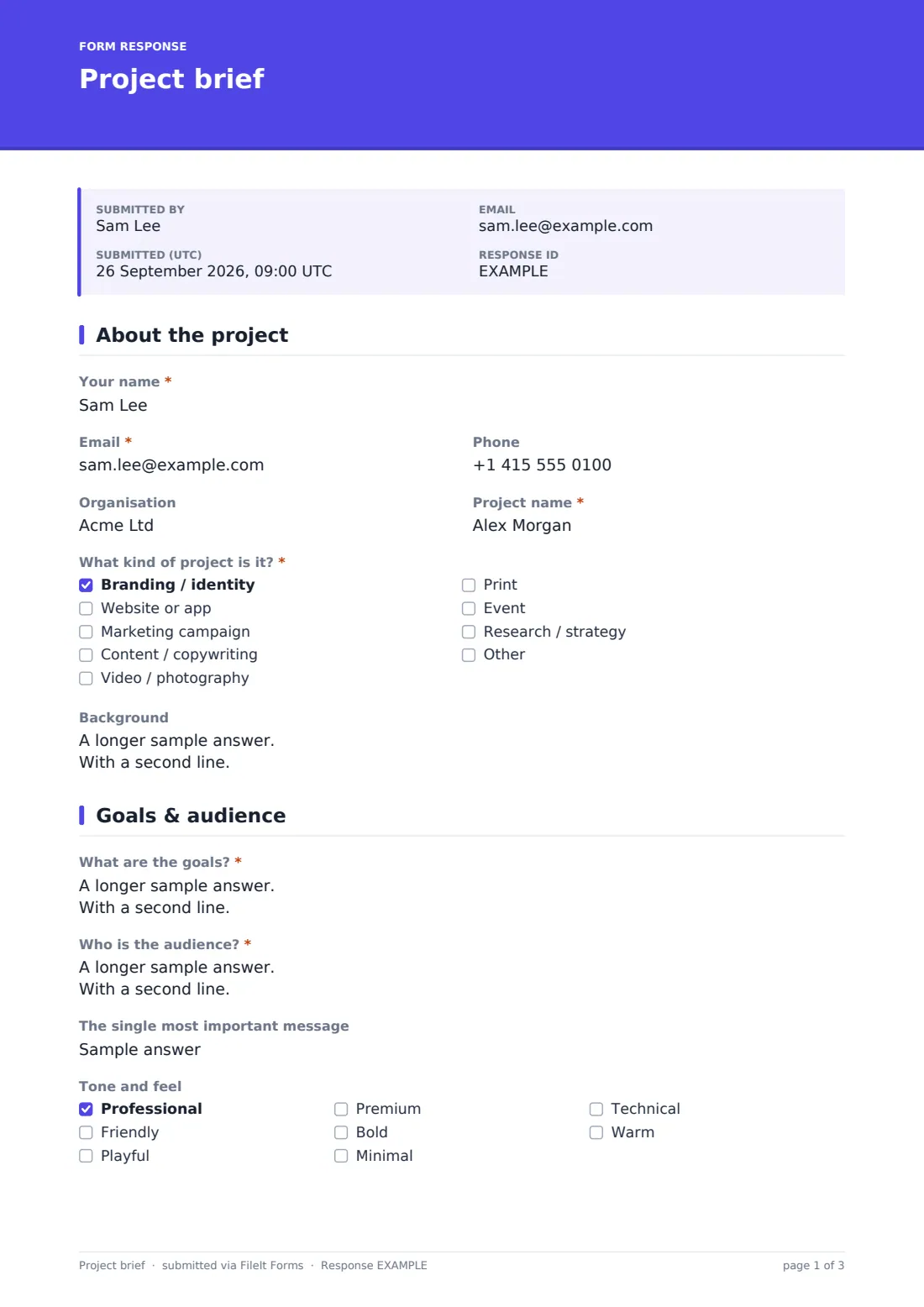
The form opens with the client's Your name, Email, Phone and Organisation, followed by a Project name and What kind of project is it?, a checkbox list spanning branding, websites, campaigns, content, video, print, events and research. Background is an open field for why the project matters now and what's already been tried, giving useful context before the goals section.
2 Goals & audience
What are the goals? and Who is the audience? are both long-answer questions, prompting the client to describe measurable success and a real picture of who the work is for, not just a generic description. The single most important message narrows things further, and Tone and feel lets the client pick up to four checkboxes from professional, friendly, playful, premium, bold, minimal, technical and warm — a fast way to align on style before any design work starts. Competitors or examples you like (and dislike) rounds out the page with links and references.
3 Deliverables & timing
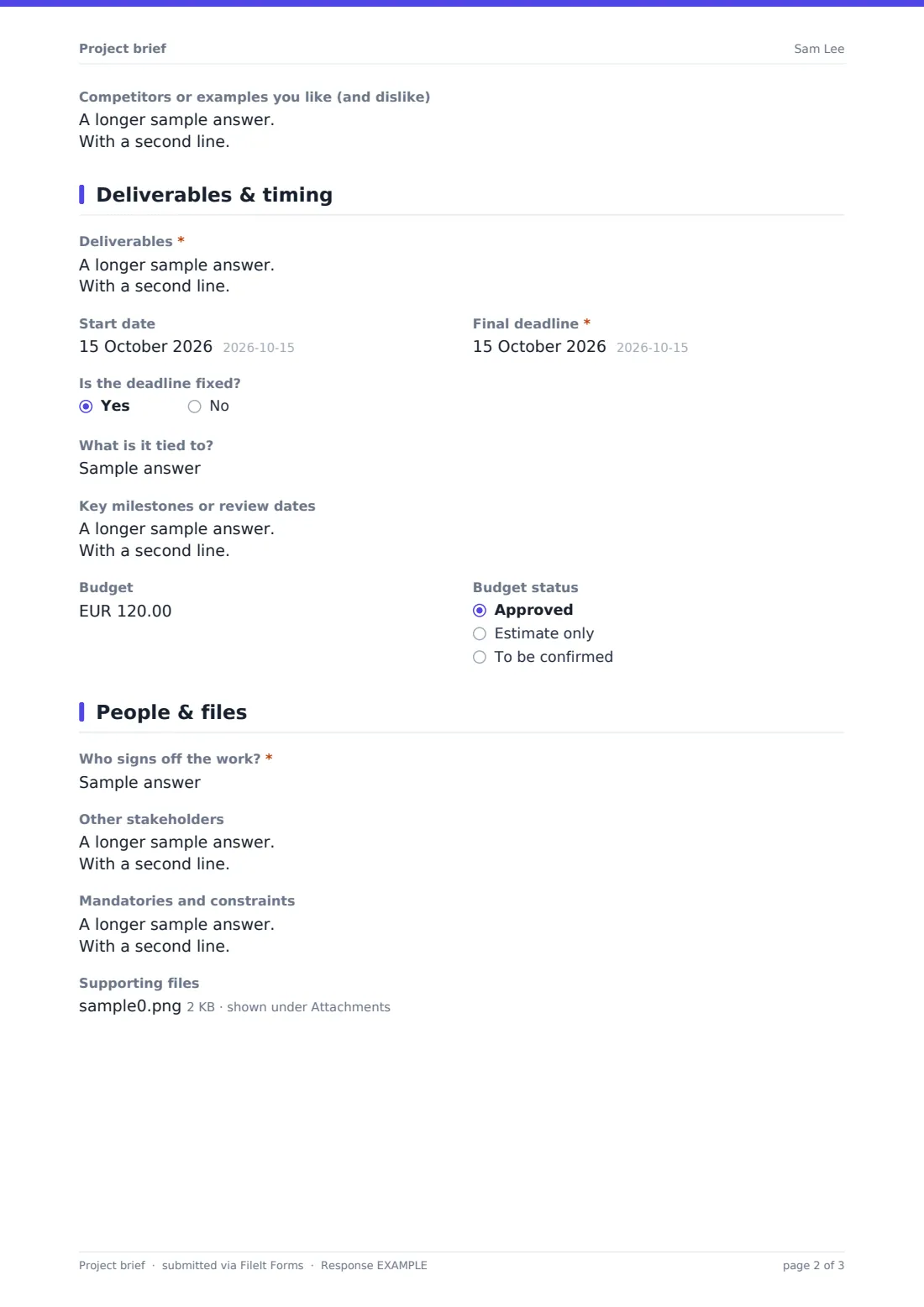
Deliverables asks the client to list exactly what should be handed over, with formats and quantities, while Start date and Final deadline pin down the schedule. Is the deadline fixed? opens a field asking what it's tied to — a launch date, an event, a print slot — whenever the answer is yes, so the team knows which deadlines are genuinely immovable. Key milestones or review dates, Budget and Budget status close out the page.
4 People & files
Who signs off the work? captures the actual decision-maker by name and role, avoiding the common problem of finishing work for the wrong approver. Other stakeholders and Mandatories and constraints — covering brand guidelines, legal wording, accessibility or technology limits — round out the picture, and Supporting files lets the client attach brand guidelines, existing materials or inspiration directly to the brief.
Make the template yours
- Add project-type-specific questions with conditional logic, for example extra fields only for website projects
- Adjust the tone checkboxes to match the language your studio actually uses with clients
- Set the vault folder to file each brief under the right client or project code automatically
- Turn on a PDF copy to the client so they have their own record of what they submitted
- Add a required signature field if you want the brief to double as a lightweight sign-off
- Change the currency on the budget field to match your primary market
Tips for a better project brief form
- Push for a named decision-maker early — vague sign-off is one of the most common causes of delay
- Encourage measurable goals rather than open-ended ambitions, since they make scope easier to agree
- Ask for competitor examples the client dislikes, not just ones they admire — it's often more revealing
- Treat the deadline field as a starting point for a conversation, not a fixed promise, until scope is confirmed
- Store every brief in the client's own vault folder so the whole team can reference it throughout the project
- Revisit the brief at each milestone to check the project is still tracking to the original goals
Every response becomes a PDF in your vault
As soon as a client submits their brief, FileIt saves it as a PDF named with the client's name and files it in the vault folder you've set up, alongside any supporting files they attached. With owner notification and a client copy both switched on by default, your team is alerted immediately and the client has a record of exactly what they sent.
From there, most studios open the brief PDF ahead of a kickoff call, use the Responses table to track incoming briefs across the team, and export details to CSV for a project management tool if needed. The usual next step is scheduling that kickoff and confirming scope and cost against what the client described.
- Start from this template. It opens in the FileIt Forms designer — change any question, add pages, set the rules for when questions appear.
- Share it. Turn on a public link, or send it to people by email, each with their own link. They don’t need a FileIt account.
- Get the answers as PDFs. Each response is saved as a PDF in the vault folder you choose, with uploaded files attached — and listed in a Responses table you can export to CSV.
Project brief form: frequently asked questions
Is this project brief form template free?
Yes. It's included with the Forms app on every FileIt account, including the free plan.
Do clients need a FileIt account to submit a brief?
No. Clients fill in and submit the form using only the link you send them, without ever needing a FileIt account.
How do I get briefs as PDFs?
Each submission, including attached files, is automatically saved as a PDF in the vault folder you choose, and every brief is browsable from the Responses table.
Can clients attach reference files or brand guidelines?
Yes. The Supporting files question accepts PDFs, images, Word and Excel files, up to 10 MB each and up to 10 files per brief.
Can I customise the questions for different types of projects?
Yes. Everything in the designer can be edited, and you can add conditional logic so extra questions only appear for certain project types.
Does this form manage the project itself?
No. FileIt doesn't include project management, scheduling or invoicing features — this form collects the brief as a PDF, which you then use alongside whatever tools you already run the project with.
Can I require the client to confirm a budget before submitting?
The budget and budget-status fields are optional by default, but you can make them required in the designer if your process needs a figure up front.
Can I send this brief to a specific client rather than posting a public link?
Yes — you can email a personal link to a named client with their details prefilled, or keep a public link live on your website for anyone to use.