What is the design proof approval form template?
"Looks great!" in an email isn't much of a sign-off when 5,000 brochures come back with a typo in the phone number. Agencies, designers and printers need a definite answer on each proof: who approved it, which version, what they checked and what still needs to change.
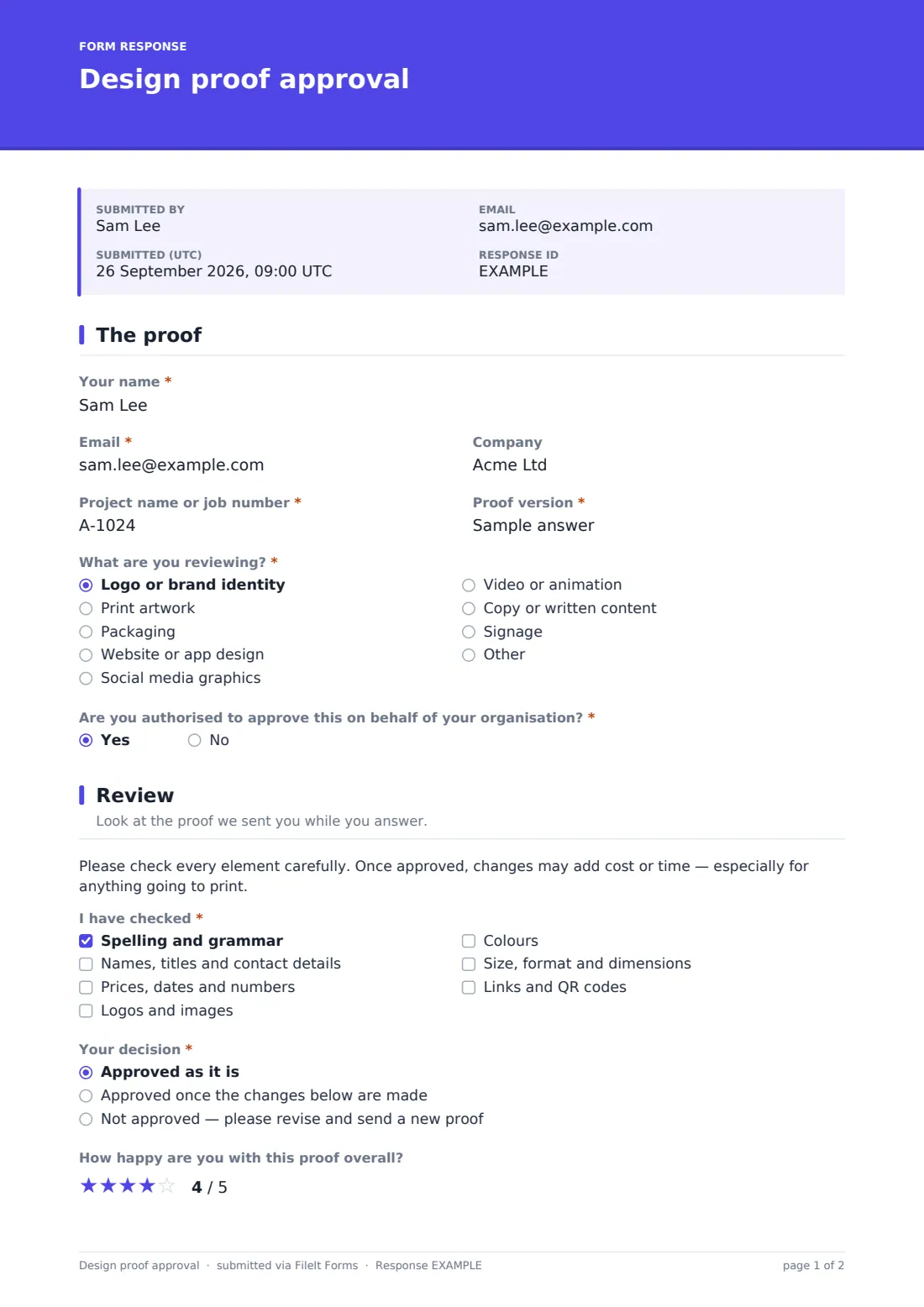
This template gives clients a short, structured way to respond. They name the project and proof version, say what they're reviewing, and confirm whether they're authorised to approve it. A checklist prompts them to check spelling, names, prices and dates, logos, colours, sizes and links before making a decision. Anything other than a straight approval opens a box for the changes, an upload for mark-ups and an urgency question.
The client signs the decision, and FileIt files it as a PDF in your vault with any marked-up files attached.
- Best for
- Design studios, agencies, printers, sign makers and freelance creatives
- Filled in by
- The client reviewing the proof
- Time to complete
- About 3–5 minutes, plus review time
- Includes
- A proofing checklist, a three-way decision, change and mark-up follow-ups, and a signature
Who uses a design proof approval form?
- Printers getting signed approval before a print run
- Agencies tracking sign-off on each round of design revisions
- Freelancers confirming a logo or brand identity is final
- Web designers getting approval on page designs before build
- Video editors collecting change requests between cuts
Questions on this design proof approval form
18 questions over 3 pages · includes signature, file upload, conditional questions, multiple pages, consent checkbox, ratings.
1 The proof
- Your name*
- Email*
- Company
- Project name or job number*
- Proof version*
- What are you reviewing?* Logo or brand identity · Print artwork · Packaging · Website or app design · Social media graphics · Video or animation · Copy or written content · Signage · Other
- Are you authorised to approve this on behalf of your organisation?*
- Who has final approval?* asked only when it applies
2 Review
- I have checked* Spelling and grammar · Names, titles and contact details · Prices, dates and numbers · Logos and images · Colours · Size, format and dimensions · Links and QR codes
- Your decision* Approved as it is · Approved once the changes below are made · Not approved — please revise and send a new proof
- Changes needed* asked only when it applies
- Marked-up proof or screenshots asked only when it applies
- How urgent are the changes? asked only when it applies Standard turnaround · Urgent — deadline coming up
- How happy are you with this proof overall?
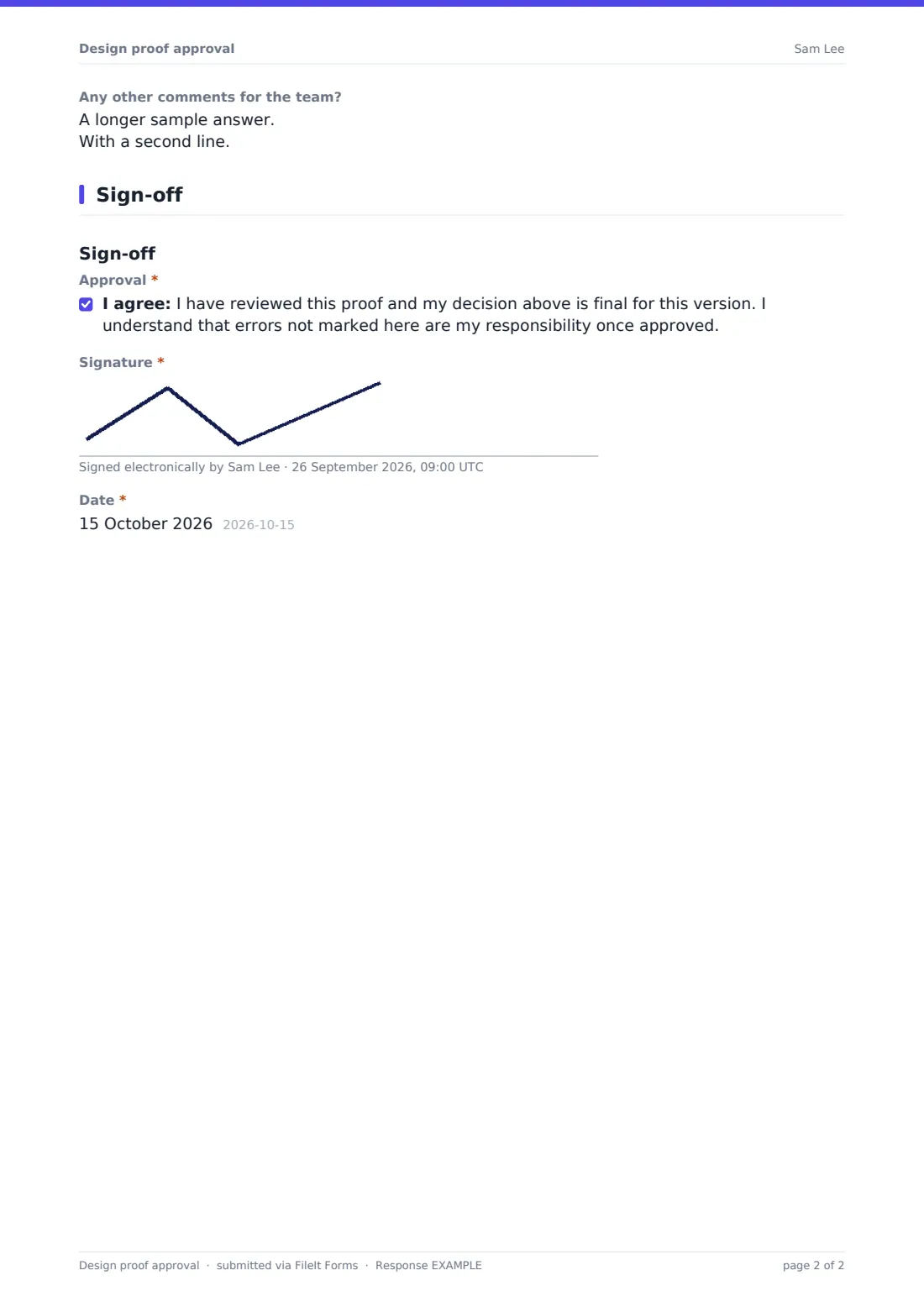
- Any other comments for the team?
3 Sign-off
- Approval*
- Signature*
- Date*
The design proof approval form, page by page
1 The proof
The client gives their name, email and company, the project name or job number, and the proof version, such as v2 or Round 3. What are you reviewing? lists logo or brand identity, print artwork, packaging, website or app design, social graphics, video, copy, signage and other. If they answer No to Are you authorised to approve this on behalf of your organisation?, the form asks who has final approval.
2 Review
A short note reminds the client to check every element carefully, since changes after approval may add cost or time. The I have checked list covers spelling and grammar, names and contact details, prices, dates and numbers, logos and images, colours, size and format, and links and QR codes.
Your decision offers three answers: approved as it is, approved once the listed changes are made, or not approved and sent back for a new proof. Either of the last two opens Changes needed, with help text asking for one change per line and its location, plus an upload for up to five marked-up proofs or screenshots and an urgency question. A star rating and a comments box close the page.
3 Sign-off
The client ticks a statement that the decision is final for this version and that errors not marked are their responsibility once approved, then signs and dates.
Make the template yours
- Edit the checklist to match your deliverables, such as bleed and trim for print
- Add a dropdown of your job numbers if you run several projects for one client
- Rewrite the approval statement to reflect your own terms
- File approvals into one vault folder per client or per project
- Remove the star rating if you'd rather keep the form strictly about the decision
Tips for a better design proof approval form
- Send one form per proof version so each round has its own signed record
- Put the version number on the proof itself so it matches the form
- Don't start production until you have an approval PDF
- Ask for mark-ups as files rather than long descriptions where you can
- Send the request by email so you can see when the client has opened it
Every response becomes a PDF in your vault
Each decision is filed as a PDF in your vault, titled with the client's name and the date, showing the version, the checklist, the decision, the changes and the signature. Mark-ups are attached to the document. You're emailed straight away, and the client receives a copy when that's switched on.
The Responses table lists every approval and revision request. Search by project or job number to see each round in order, or export to CSV to report on revision rounds per project.
- Start from this template. It opens in the FileIt Forms designer — change any question, add pages, set the rules for when questions appear.
- Share it. Turn on a public link, or send it to people by email, each with their own link. They don’t need a FileIt account.
- Get the answers as PDFs. Each response is saved as a PDF in the vault folder you choose, with uploaded files attached — and listed in a Responses table you can export to CSV.
Design proof approval form: frequently asked questions
Is this proof approval form free?
Yes. It's a starter template in FileIt's Forms app, and all of the questions can be edited.
Can the client upload a marked-up PDF?
Yes. When the decision isn't a straight approval, they can upload up to five marked-up proofs or screenshots.
Is the signed approval legally binding?
It's a clear written record of the client's decision. How much weight it carries depends on your terms and local rules, so check those if it matters.
Can I send it to a client by email?
Yes. Send a request with a message and the proof link, and FileIt tracks when it's viewed and submitted, with reminders if needed.
What if the person reviewing can't approve it?
The form asks whether they're authorised, and if not, who has final approval, so you know to get that person's sign-off.
Do clients need an account?
No. They open the link, review, decide and sign without signing up.