What is the product registration form template?
When a customer contacts support months after buying something, the first questions are always the same: which model, what serial number, when and where did you buy it? A product registration form collects those answers on day one, while the box and the receipt are still to hand.
This template asks for the owner's contact details and address, then the product name, model number and serial number, with help text on where to find them. It records the purchase date, price and where it was bought, and asks for a photo of the receipt and of the serial number label. Shop and marketplace purchases ask for the shop's name, and professional installations ask for the installer.
Each registration is filed as a PDF in your FileIt vault, with the receipt and label photos attached, ready when the customer next gets in touch.
- Best for
- Manufacturers, brands and retailers of appliances, electronics, tools and equipment
- Filled in by
- The customer who bought the product
- Time to complete
- About 3–5 minutes
- Includes
- Model and serial fields, receipt and label photo uploads, purchase follow-ups and update preferences
Who uses a product registration form?
- A QR code on the packaging that opens the registration form
- A small manufacturer keeping a record of who owns each serial number
- A retailer registering products sold with an extended service plan
- An installer registering equipment on behalf of the homeowner
- Building an opt-in list for firmware update notices
Questions on this product registration form
23 questions over 4 pages · includes file upload, conditional questions, multiple pages, consent checkbox, ratings.
1 About you
- Your name*
- Email*
- Phone
- Address
- Bought for* Home use · Business use
- Business name asked only when it applies
2 Your product
- Product name*
- Model number*
- Serial number*
- Quantity
- Purchase date*
- Price paid
- Where did you buy it?* Directly from us · From a shop · From an online marketplace · Received it as a gift
- Shop or marketplace name* asked only when it applies
- Proof of purchase
- Photo of the serial number label
3 Set-up & first impressions
- Who set it up or installed it? I did · The shop or a delivery team · A professional installer · Not installed yet
- Installer's name or company asked only when it applies
- What made you choose this product? Price · Brand reputation · Reviews · Features · Design · Recommendation · Replacing an older one of ours
- First impressions so far
4 Updates
- What would you like to hear from us about? Software or firmware updates · Tips and how-to guides · Accessories and offers · New products
- Preferred way to contact you Email · Text message · Post
- Registration*
The product registration form, page by page
1 About you
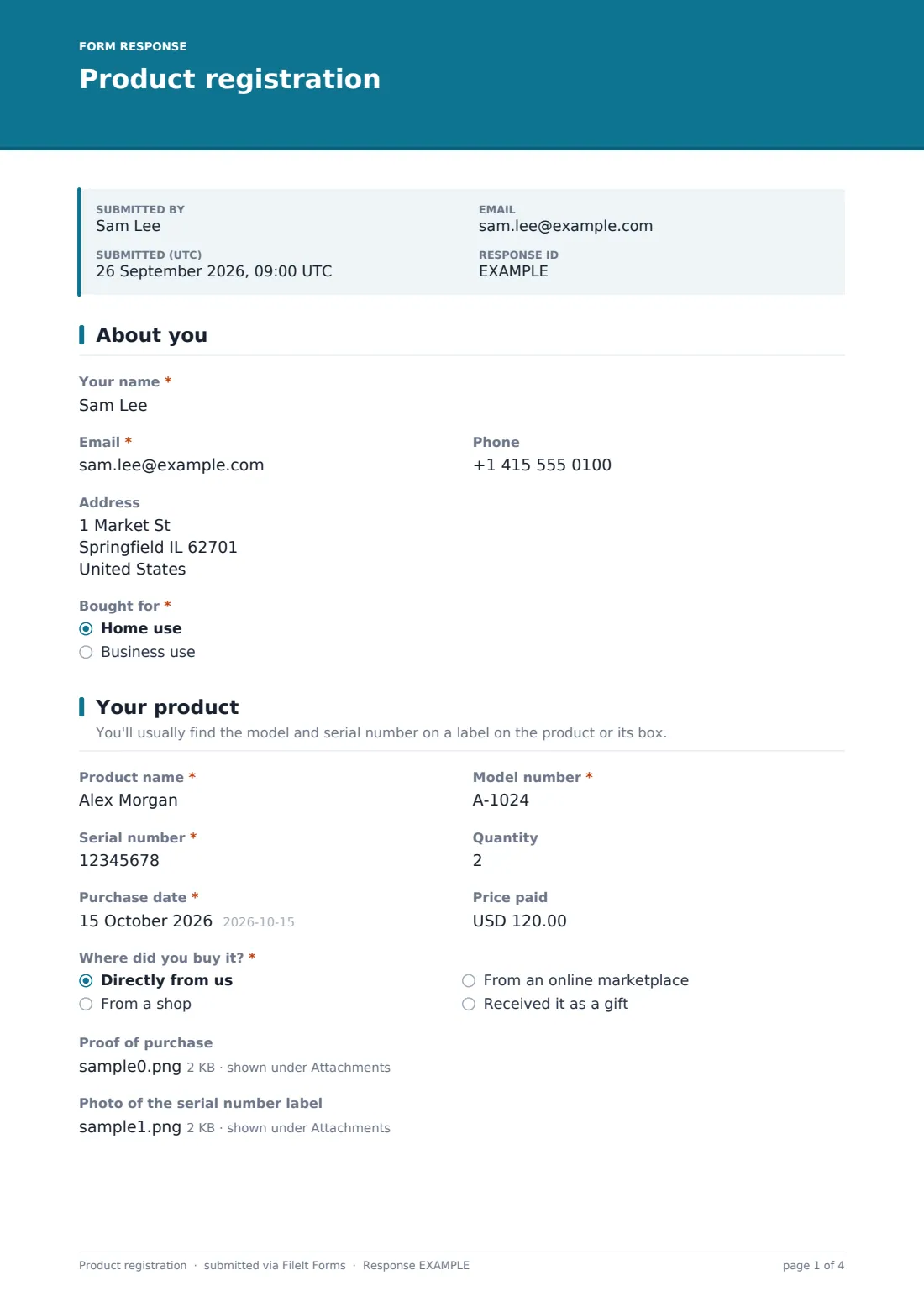
The customer gives their name, email, phone and the address where the product is used, with help text explaining that it helps with safety notices and service visits. They say whether it was bought for home or business use, and business buyers add the business name.
2 Your product
Product name, Model number and Serial number are required, and the serial number accepts letters, numbers, dashes and slashes. Quantity, Purchase date and Price paid follow.
Where did you buy it? offers directly from you, a shop, an online marketplace, or received it as a gift. Anything other than directly from you asks for the shop or marketplace name. The customer can upload a photo of the receipt or the order confirmation, and a photo of the serial number label, which makes typos easy to spot.
3 Set-up & first impressions
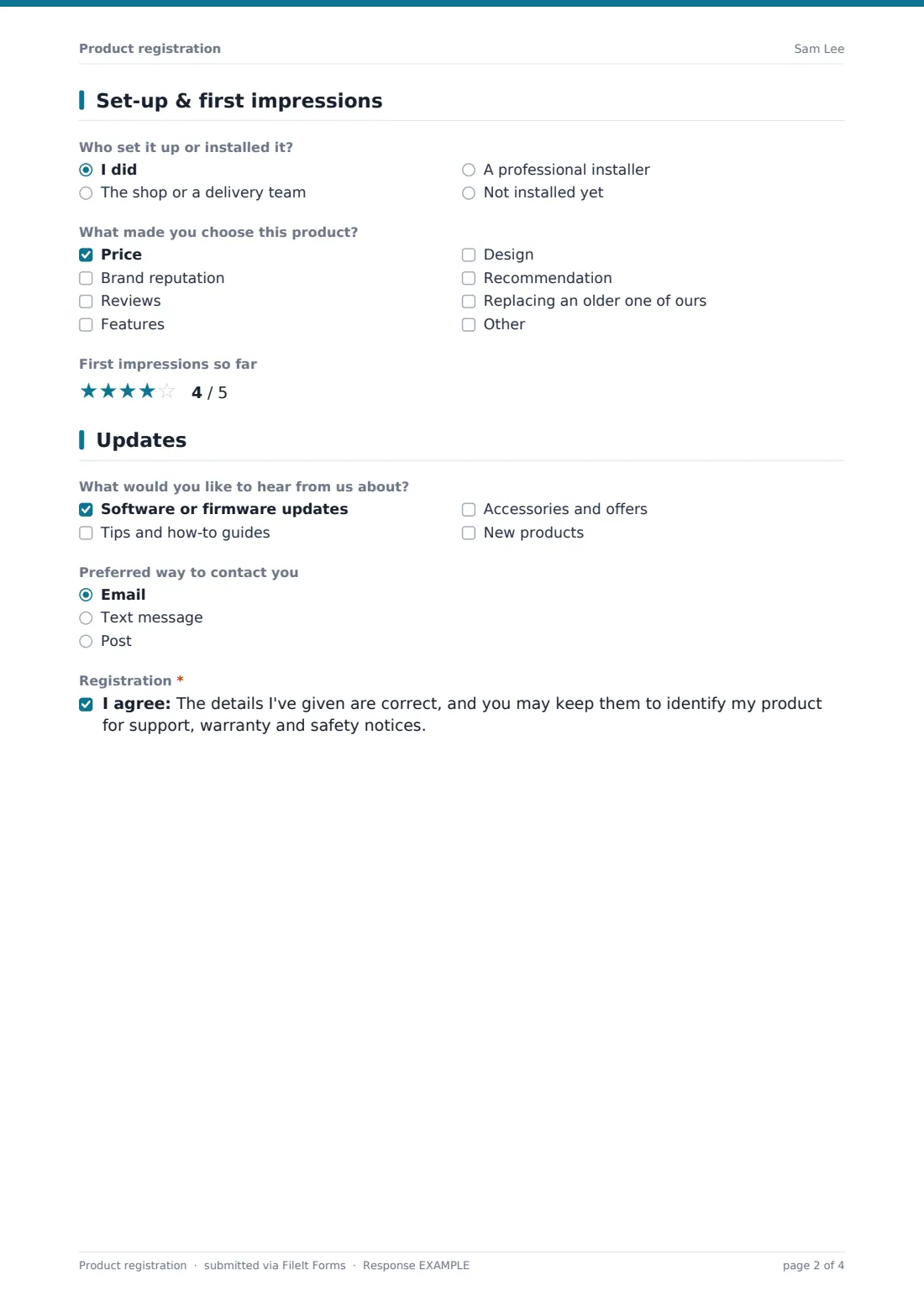
Who set it up or installed it? offers the customer, the shop or a delivery team, a professional installer, or not installed yet. A professional installer prompts for the installer's name or company. Two light questions follow: what made them choose this product, from price and reviews to replacing an older one, and a five-star rating of their first impressions.
4 Updates
The customer chooses what they'd like to hear about: software or firmware updates, tips and guides, accessories and offers, or new products. Help text explains that safety notices are always sent regardless. They pick a preferred way to be contacted and confirm their details are correct and may be kept for support, warranty and safety notices.
Make the template yours
- Turn the product name into a dropdown of your product range
- Adjust the serial number pattern to match your own format
- Add a question for an extended warranty or service plan number
- File registrations into one vault folder per product line
- Remove the address if you never send service engineers or post
Tips for a better product registration form
- Print a QR code to the public link on the packaging or in the manual
- Ask for the serial number label photo, since it saves typing errors
- Keep the marketing choices separate from safety notices, as this form does
- Thank customers with something useful, like a set-up guide
- Search registrations by serial number before asking a customer for it again
Every response becomes a PDF in your vault
Each registration is filed as a PDF in your vault, titled with the customer's name, with the receipt and serial label photos attached to the document. You can be notified by email, or turn notifications off if registrations are frequent. The customer can get a copy of the PDF as their own record.
The Responses table is searchable by any answer, so a support agent can type a serial number and find the registration. Export to CSV to see registrations by model, month or retailer.
- Start from this template. It opens in the FileIt Forms designer — change any question, add pages, set the rules for when questions appear.
- Share it. Turn on a public link, or send it to people by email, each with their own link. They don’t need a FileIt account.
- Get the answers as PDFs. Each response is saved as a PDF in the vault folder you choose, with uploaded files attached — and listed in a Responses table you can export to CSV.
Product registration form: frequently asked questions
Is this product registration form free?
Yes. It's a starter template in FileIt's Forms app, and every question can be changed.
Does registering a product extend its warranty?
The form only records the registration. What it means for a warranty depends on your own warranty terms, so say so in the form's description.
Can customers register from their phone?
Yes. The form works on any phone, and customers can photograph the receipt and the serial label straight from the camera.
Can I find a registration by serial number later?
Yes. Search the Responses table for the serial number, or look it up in the CSV export.
Can one customer register several products?
Yes. The public link accepts more than one response, and the quantity question covers several identical items.
Do customers need a FileIt account?
No. Anyone with the link can register.