What is the private dining inquiry form template?
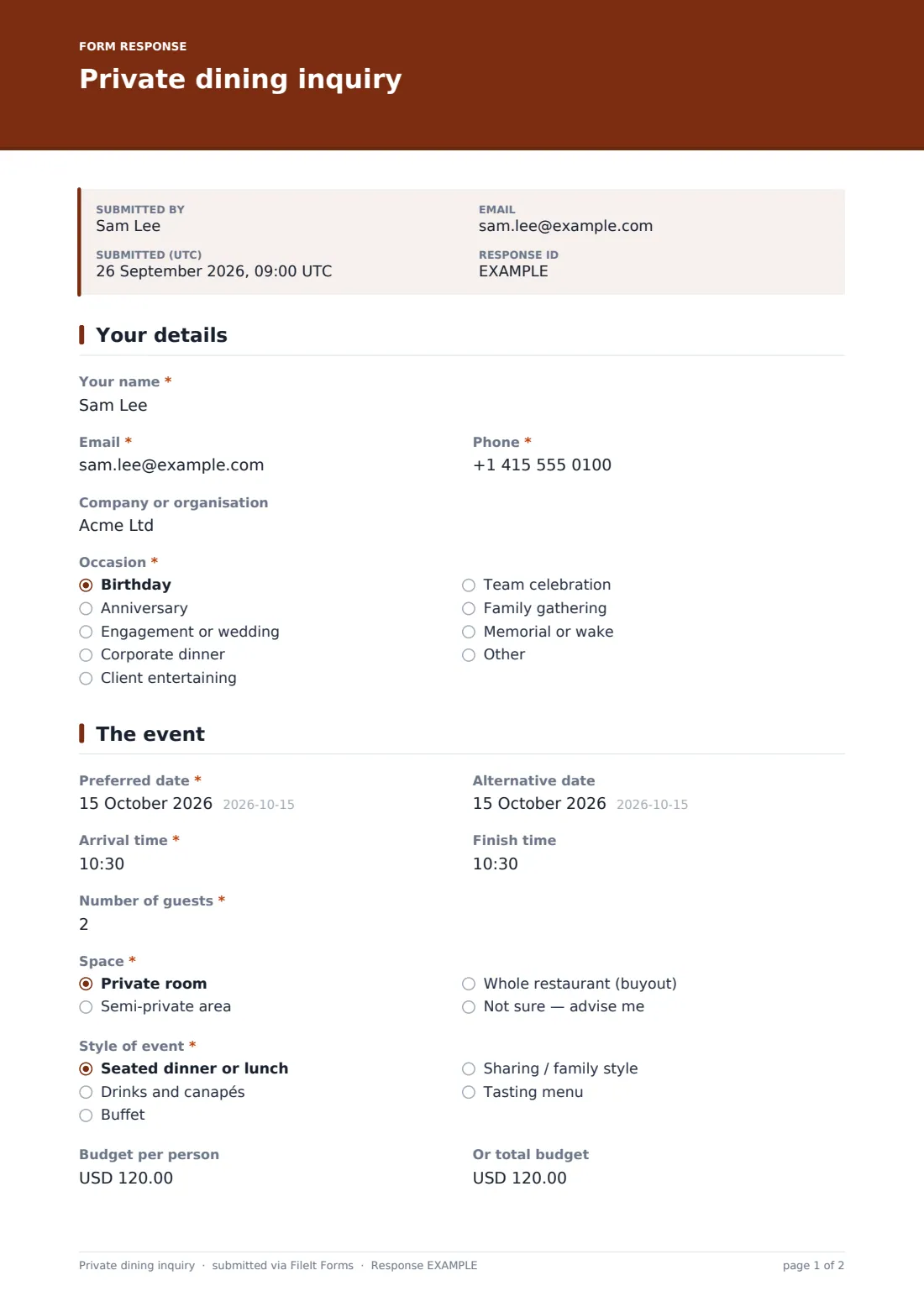
Private dining and buyout inquiries are valuable, but they usually start as a vague email that takes three rounds of questions to pin down. This inquiry form collects what your events team needs to reply with a real proposal: the occasion, preferred and alternative dates, arrival and finish times, guest numbers, the space and style of event, budget, menu approach, drinks and extras.
The form keeps it conversational. The space and menu questions offer 'Not sure' and 'Help me choose' for guests who haven't decided, the alternative date and budget are optional, and choosing a whole-restaurant buyout shows a note that a minimum spend applies. A closing note makes clear this is an inquiry, not a booking.
Each inquiry lands in your FileIt vault as a PDF and in the Responses table, so the events team can see every lead in one place.
- Best for
- Restaurants, hotels, wine bars and venues with private dining
- Filled in by
- Guests planning a group meal or event
- Time to complete
- About 4 minutes
- Includes
- Occasion, dates and times, guests, space and style, budget, menu and drinks choices, extras, marketing opt-in
Who uses a private dining inquiry form?
- A family booking a private room for a milestone birthday
- A company planning a client dinner for twenty
- A couple asking about a full buyout for an engagement party
- A team celebration with drinks and canapés
- A wake or memorial lunch arranged at short notice
- An events manager comparing inquiries by date and budget
Questions on this private dining inquiry form
23 questions over 3 pages · includes conditional questions, multiple pages, consent checkbox.
1 Your details
- Your name*
- Email*
- Phone*
- Company or organisation
- Occasion* Birthday · Anniversary · Engagement or wedding · Corporate dinner · Client entertaining · Team celebration · Family gathering · Memorial or wake · Other
- Tell us the occasion asked only when it applies
2 The event
- Preferred date*
- Alternative date
- Arrival time*
- Finish time
- Number of guests*
- Space* Private room · Semi-private area · Whole restaurant (buyout) · Not sure — advise me
- Style of event* Seated dinner or lunch · Drinks and canapés · Buffet · Sharing / family style · Tasting menu
- Budget per person
- Or total budget
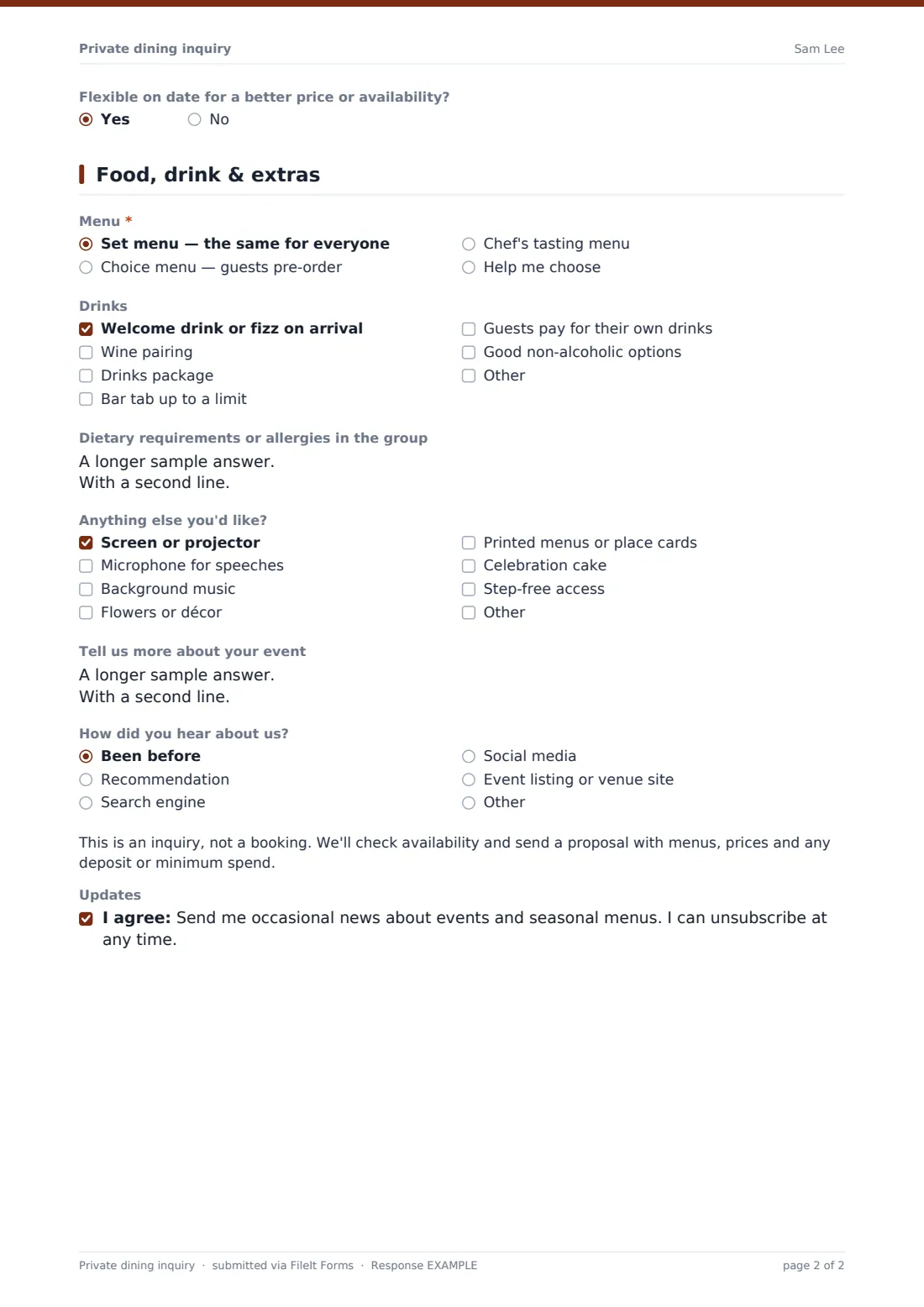
- Flexible on date for a better price or availability?
3 Food, drink & extras
- Menu* Set menu — the same for everyone · Choice menu — guests pre-order · Chef's tasting menu · Help me choose
- Drinks Welcome drink or fizz on arrival · Wine pairing · Drinks package · Bar tab up to a limit · Guests pay for their own drinks · Good non-alcoholic options
- Dietary requirements or allergies in the group
- Anything else you'd like? Screen or projector · Microphone for speeches · Background music · Flowers or décor · Printed menus or place cards · Celebration cake · Step-free access
- Tell us more about your event
- How did you hear about us? Been before · Recommendation · Search engine · Social media · Event listing or venue site · Other
- Updates
The private dining inquiry form, page by page
1 Your details
Name, email, phone, optional company, and the occasion — from birthdays and anniversaries to corporate dinners and wakes — with Other opening a text field.
2 The event
Preferred and alternative dates, arrival and finish times, number of guests, the space (private room, semi-private, buyout or advise me) and style (seated, drinks and canapés, buffet, sharing, tasting menu). Budget can be given per person or as a total, and guests say whether they're flexible on date. A buyout shows a note about minimum spend.
3 Food, drink & extras
Menu approach (set, choice with pre-order, tasting, or help me choose), drinks (welcome drink, pairing, package, bar tab, pay-your-own, non-alcoholic options), dietary needs in the group, and extras such as a screen, microphone, music, flowers, printed menus, a cake or step-free access. A free-text box, how they heard about you, a note that this is an inquiry, and an optional marketing opt-in finish the form.
Make the template yours
- Replace the space options with your actual rooms and capacities
- Change the currency on the budget fields
- Set the guest number minimum and maximum to your rooms' limits
- Add your events manager to notification emails
- Edit the buyout note to state your own minimum spend policy
- Mention your room capacities and sample menu prices in the cover text
Tips for a better private dining inquiry form
- Reply quickly — people often send the same inquiry to several venues
- Use the budget answer to shape the first proposal, not to judge the lead
- Offer the alternative date if the first is taken
- Confirm dietary needs again once menus are chosen
- Put the deposit, minimum spend and cancellation terms in writing with the proposal
- Keep the marketing opt-in separate from the inquiry itself
Every response becomes a PDF in your vault
Each inquiry is saved as a PDF in the vault folder you chose and the form owner is notified; the guest gets a copy if emailed copies are on.
Your events team can sort the Responses table by date or guest numbers, export to CSV, and reply with a proposal. The form doesn't hold the room or take a deposit.
- Start from this template. It opens in the FileIt Forms designer — change any question, add pages, set the rules for when questions appear.
- Share it. Turn on a public link, or send it to people by email, each with their own link. They don’t need a FileIt account.
- Get the answers as PDFs. Each response is saved as a PDF in the vault folder you choose, with uploaded files attached — and listed in a Responses table you can export to CSV.
Private dining inquiry form: frequently asked questions
Is this private dining inquiry template free?
Yes. It's part of the Forms app on every FileIt account, including the free plan.
Does submitting the form book the room?
No. It's an inquiry — the confirmation message tells guests your events team will reply with availability and a proposal.
Can guests give a budget without committing to it?
Yes. Budget per person and total budget are both optional.
Can I show my own rooms?
Yes. Edit the Space options in the designer to list your rooms and their capacities.
Can I embed it on my website?
You can link to the form's public page from your site's private dining page.
Is the marketing opt-in required?
No. It's optional and separate from the inquiry.