What is the event media accreditation request form template?
Press passes are valuable, so you want to give them to people who will actually cover your event and to know what they'll bring. A run of emails with attachments makes that hard to compare. This media accreditation request form asks every journalist, photographer and creator the same questions, with their press card or assignment letter uploaded alongside.
Applicants say who they write or shoot for, what type of outlet it is, and their role. Freelancers are asked which outlet has commissioned them. They choose the days they need, describe what they plan to cover, and give an approximate audience and a publication date. Interview requests, crew names and roles, drone details and broadcast vehicle parking only appear when they apply. The application ends with your media rules, which the applicant agrees to.
Each application is filed as a PDF in your FileIt vault with the press card attached. Your press office can review them together and keep a record of who was accredited and why.
- Best for
- Festivals, conferences, sports events, concerts, launches and award nights
- Filled in by
- Journalists, photographers, camera crews, podcasters and creators
- Time to complete
- About 6 minutes
- Includes
- Press card upload, day selection, interview and crew questions, drone details, media rules consent
Who uses a event media accreditation request form?
- A music festival accrediting photographers for the main stage
- A trade conference handling requests from trade press and podcasters
- A sports tournament managing broadcast crews and vehicle parking
- A product launch inviting selected journalists and creators
- A charity gala that wants a record of every outlet that attended
Questions on this event media accreditation request form
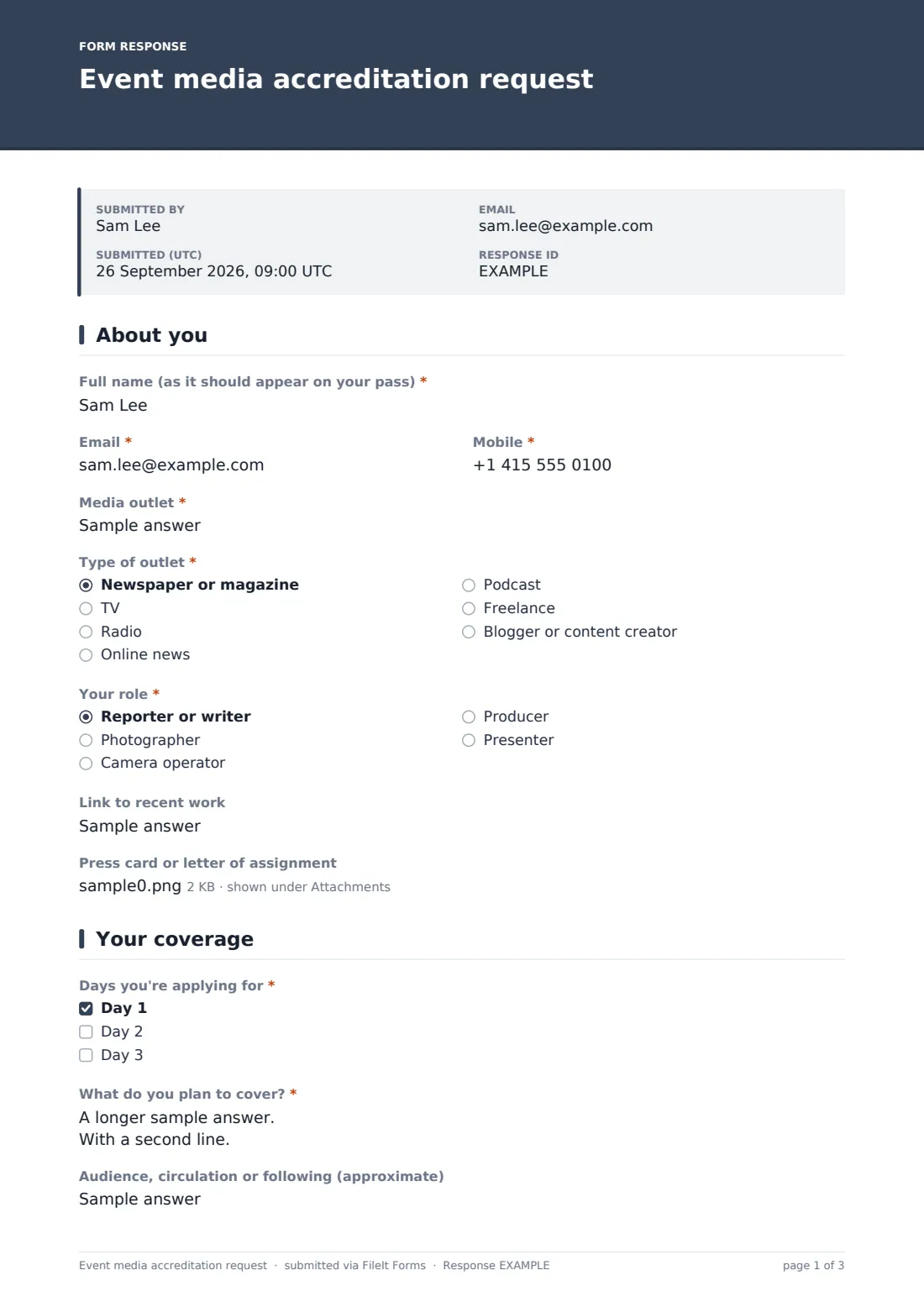
24 questions over 3 pages · includes file upload, conditional questions, multiple pages, consent checkbox.
1 About you
- Full name (as it should appear on your pass)*
- Email*
- Mobile*
- Media outlet*
- Type of outlet* Newspaper or magazine · TV · Radio · Online news · Podcast · Freelance · Blogger or content creator
- Which outlet has commissioned you?* asked only when it applies
- Your role* Reporter or writer · Photographer · Camera operator · Producer · Presenter
- Link to recent work
- Press card or letter of assignment
2 Your coverage
- Days you're applying for* Day 1 · Day 2 · Day 3
- What do you plan to cover?*
- Audience, circulation or following (approximate)
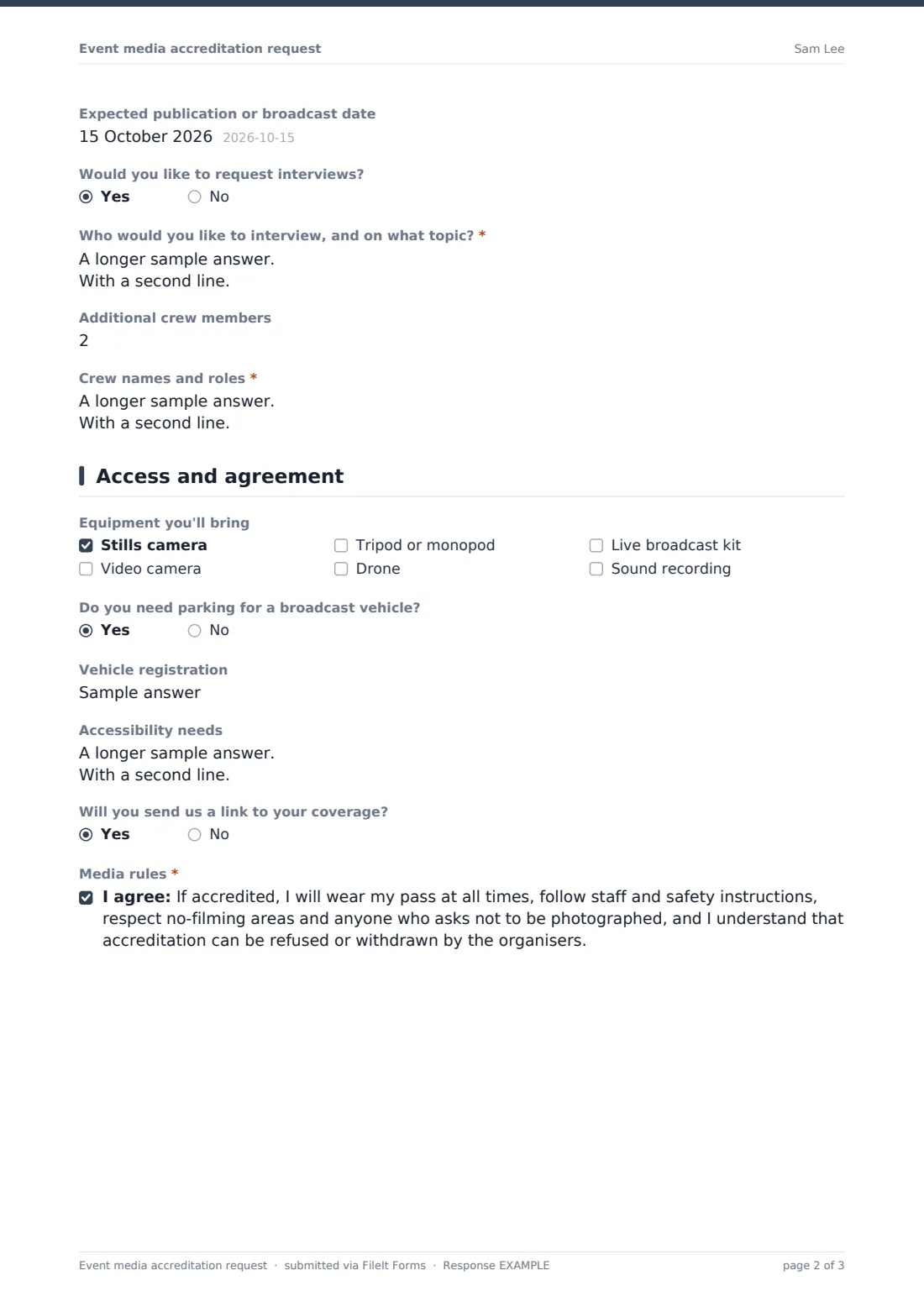
- Expected publication or broadcast date
- Would you like to request interviews?
- Who would you like to interview, and on what topic?* asked only when it applies
- Additional crew members
- Crew names and roles* asked only when it applies
3 Access and agreement
- Equipment you'll bring Stills camera · Video camera · Tripod or monopod · Drone · Live broadcast kit · Sound recording
- Drone pilot qualifications and insurance* asked only when it applies
- Do you need parking for a broadcast vehicle?
- Vehicle registration asked only when it applies
- Accessibility needs
- Will you send us a link to your coverage?
- Media rules*
The event media accreditation request form, page by page
1 About you
Applicants give their "Full name (as it should appear on your pass)", email, mobile and "Media outlet". "Type of outlet" covers newspaper or magazine, TV, radio, online news, podcast, freelance, or blogger or content creator. Freelancers are also asked "Which outlet has commissioned you?". They choose their role from reporter or writer, photographer, camera operator, producer or presenter. They can add a link to recent work and upload a "Press card or letter of assignment".
2 Your coverage
"Days you're applying for" lists Day 1 to Day 3. "What do you plan to cover?" is required, followed by approximate audience, circulation or following, and the expected publication or broadcast date. A yes to "Would you like to request interviews?" asks who and on what topic. Entering any "Additional crew members" asks for "Crew names and roles", with help text explaining that each crew member also needs their own request.
3 Access and agreement
"Equipment you'll bring" covers stills and video cameras, tripods, drones, live broadcast kit and sound recording. Choosing a drone asks for the pilot's qualifications and insurance, and help text says drones need written permission. Broadcast vehicle parking asks for a registration. Applicants can note accessibility needs and say whether they'll send a link to their coverage. They then accept the media rules: wear the pass, follow staff and safety instructions, respect no-filming areas and people who don't want to be photographed, and accept that accreditation can be refused or withdrawn.
Make the template yours
- Rename Day 1 to Day 3 with your real dates or sessions
- Remove drone and broadcast questions for a smaller event
- Add a question about photo pit or stage access if you run timed slots
- Set a closing date a week or two before the event
- Send the form directly to known journalists using email requests from the Share tab
Tips for a better event media accreditation request form
- Decide your accreditation criteria before applications open and apply them consistently
- Check the press card or assignment letter for freelancers before approving
- Reply to every applicant, including those who aren't accredited
- Keep the CSV export for passes, names and outlets at the media desk
- Ask accredited media for their coverage links afterwards for your press file
Every response becomes a PDF in your vault
Each application is saved as a PDF in your vault with the uploaded press card attached, and the press office is notified by email. The applicant receives a copy of what they submitted.
Use the Responses table to search by outlet or name, and export to CSV to build your pass list by day and role. Approval and rejection emails are sent from your own mailbox, so you stay in control of the message.
- Start from this template. It opens in the FileIt Forms designer — change any question, add pages, set the rules for when questions appear.
- Share it. Turn on a public link, or send it to people by email, each with their own link. They don’t need a FileIt account.
- Get the answers as PDFs. Each response is saved as a PDF in the vault folder you choose, with uploaded files attached — and listed in a Responses table you can export to CSV.
Event media accreditation request form: frequently asked questions
Is this media accreditation form free?
Yes. It's one of the ready-made templates in the Forms app on every FileIt account, including the free plan.
Does submitting the form mean a pass is approved?
No. The confirmation message tells applicants their request will be reviewed and a pass confirmed by email.
Can applicants upload a press card?
Yes. Up to two files — a press card or assignment letter — are attached to the vault document for that application.
Can crew apply on one form?
The lead applicant lists crew names and roles, and the help text asks each crew member to submit their own request so every pass has its own record.
Can I invite specific journalists only?
Yes. Turn off the public link and send personal requests by email from the Share tab. Each link can be used once.
Does FileIt print the passes?
No. Use the CSV export with your badge printing tool or template.