What is the martial arts grading application form template?
Grading days go smoothly when the club knows in advance who's applying, for what grade, and whether they're ready. This grading application brings the student's details, training record and self-assessment together with the instructor's recommendation, so there's a signed record for every belt.
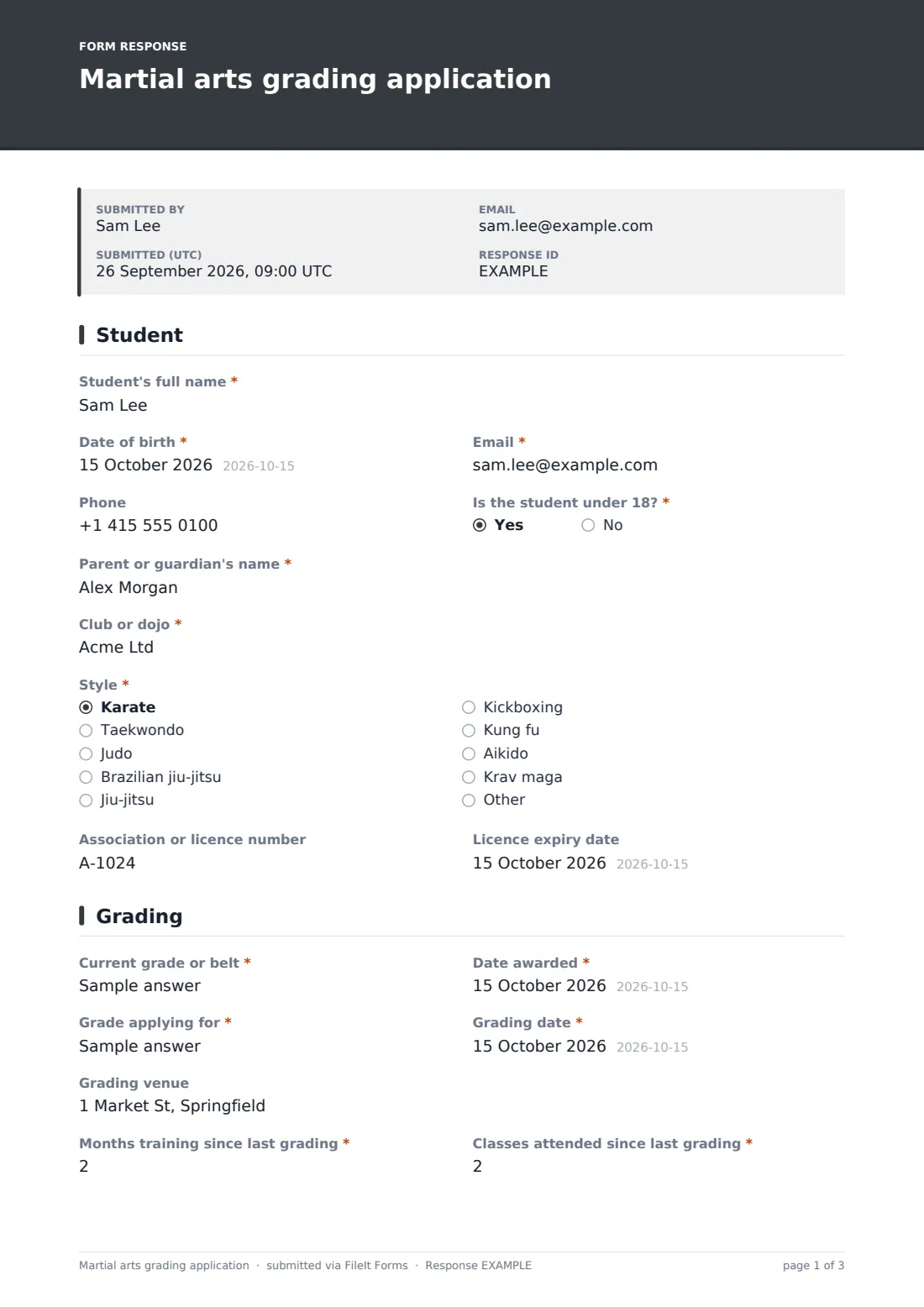
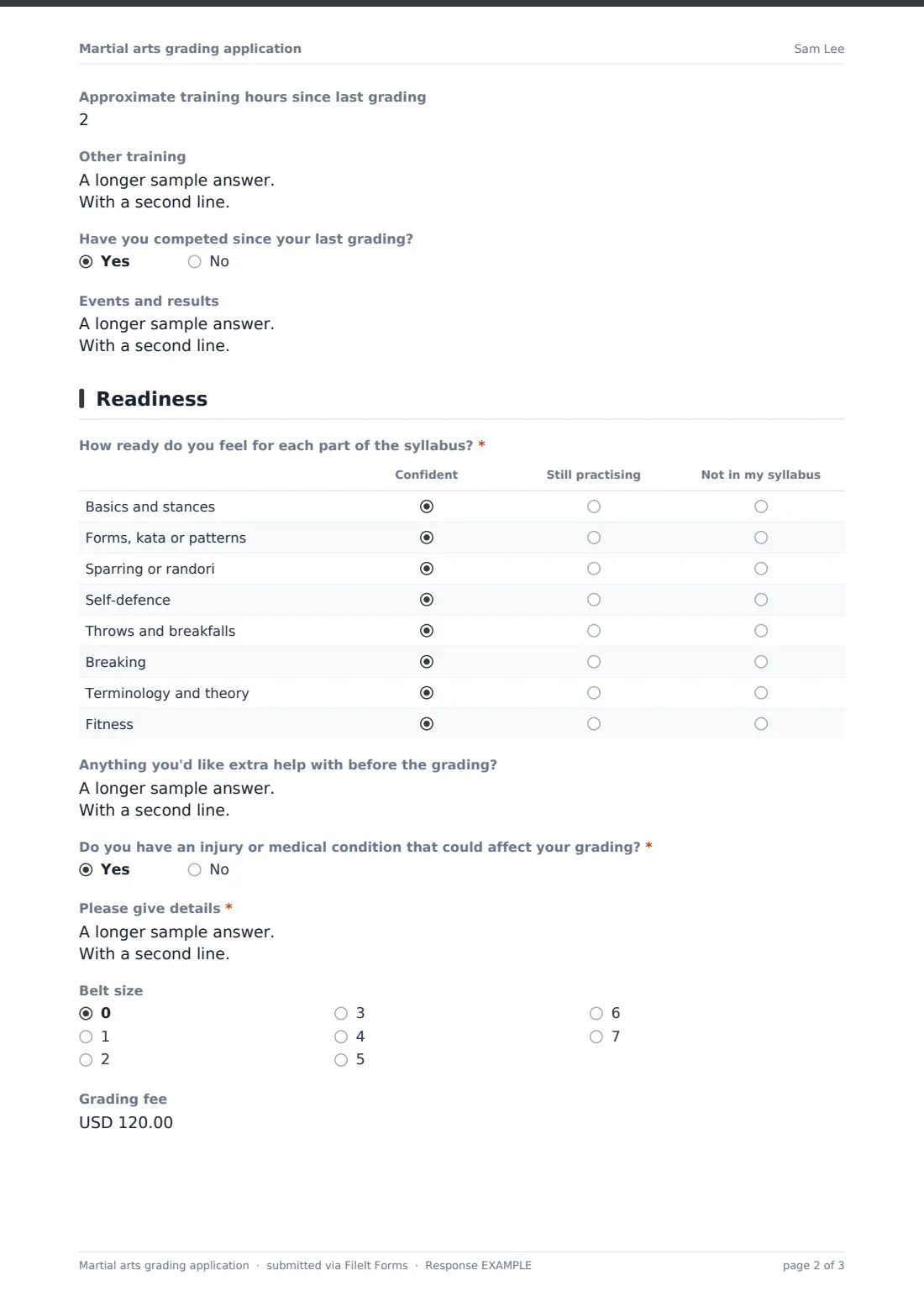
Students give their details (with a parent or guardian for under-18s), club, style and association or licence number and expiry. They record their current grade and when it was awarded, the grade they're applying for, the grading date and venue, months, classes and hours since the last grading, other training and any competition results. A syllabus grid lets them rate their readiness in basics, forms, sparring, self-defence, throws, breaking, theory and fitness.
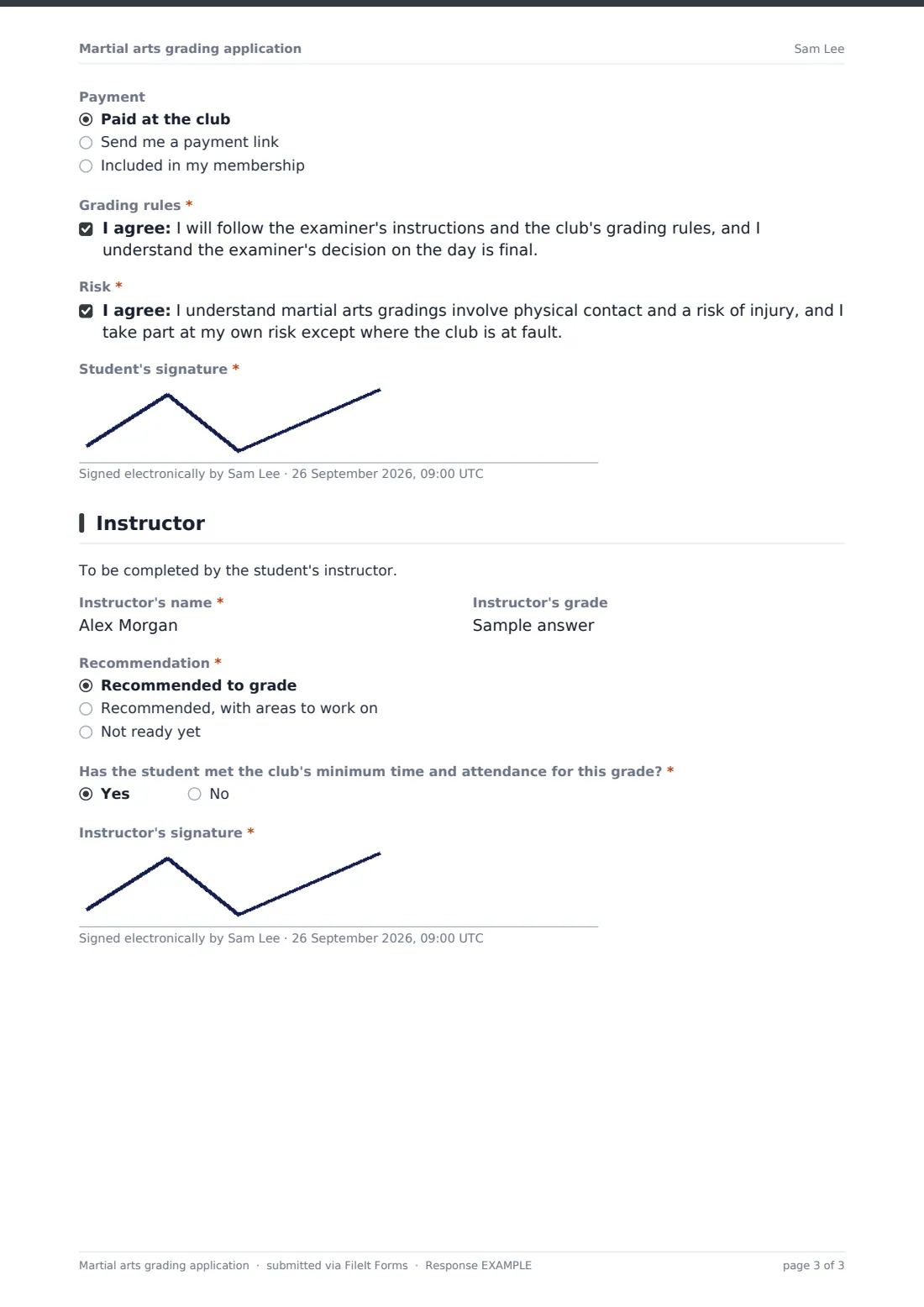
They declare injuries, choose a belt size and payment, accept the grading rules and risk, and sign. The instructor then adds a recommendation, comments, confirmation of attendance requirements and their signature. Each application is saved as a PDF in your FileIt vault.
- Best for
- Karate, taekwondo, judo, BJJ, kickboxing and other martial arts clubs
- Filled in by
- The student, then their instructor
- Time to complete
- About 5 minutes, plus 2 for the instructor
- Includes
- Training history, a syllabus readiness grid, student and instructor signatures
Who uses a martial arts grading application form?
- A karate club collects applications for its quarterly kyu grading
- A taekwondo school checks licence numbers and expiry before a grading
- A BJJ academy records the coach's recommendation for a stripe or belt promotion
- A parent applies for their child's next belt and signs on their behalf
- An instructor flags a student who needs more time before grading
- A club keeps a signed grading history for each student
Questions on this martial arts grading application form
37 questions over 4 pages · includes signature, conditional questions, multiple pages, consent checkbox, ratings.
1 Student
- Student's full name*
- Date of birth*
- Email*
- Phone
- Is the student under 18?*
- Parent or guardian's name* asked only when it applies
- Club or dojo*
- Style* Karate · Taekwondo · Judo · Brazilian jiu-jitsu · Jiu-jitsu · Kickboxing · Kung fu · Aikido · Krav maga · Other
- Association or licence number
- Licence expiry date asked only when it applies
2 Grading
- Current grade or belt*
- Date awarded*
- Grade applying for*
- Grading date*
- Grading venue
- Months training since last grading*
- Classes attended since last grading*
- Approximate training hours since last grading
- Other training
- Have you competed since your last grading?
- Events and results asked only when it applies
3 Readiness
- How ready do you feel for each part of the syllabus?* Confident · Still practising · Not in my syllabus
- Anything you'd like extra help with before the grading?
- Do you have an injury or medical condition that could affect your grading?*
- Please give details* asked only when it applies
- Belt size 0 · 1 · 2 · 3 · 4 · 5 · 6 · 7
- Grading fee
- Payment Paid at the club · Send me a payment link · Included in my membership
- Grading rules*
- Risk*
- Student's signature*
4 Instructor
- Instructor's name*
- Instructor's grade
- Recommendation* Recommended to grade · Recommended, with areas to work on · Not ready yet
- Instructor's comments* asked only when it applies
- Has the student met the club's minimum time and attendance for this grade?*
- Instructor's signature*
The martial arts grading application form, page by page
1 Student
Full name, date of birth, email and phone, whether they're under 18 (which asks for a parent or guardian), club or dojo, style and an optional association or licence number, which asks for its expiry date.
2 Grading
Current grade and date awarded, the grade applied for, the grading date and venue, required months and classes since the last grading, optional training hours, other training, and competition results if they've competed.
3 Readiness
A required grid rates each part of the syllabus as Confident, Still practising or Not in my syllabus. Then areas they'd like help with, a required injury question with details on a yes, belt size, grading fee and payment method, agreement to the grading rules and the risk statement, and the student's signature.
4 Instructor
The instructor's name and grade, a required recommendation — recommended, recommended with areas to work on, or not ready yet — with required comments unless fully recommended, confirmation that minimum time and attendance have been met, and the instructor's signature.
Make the template yours
- Replace the syllabus rows with the elements of your own grading syllabus
- Make grade fields dropdowns with your belt order
- Add your minimum time between gradings as a paragraph
- Change the fee currency and payment options
- Split the instructor page into a separate form if instructors review applications later
- File applications in a folder per grading date
Tips for a better martial arts grading application form
- Open applications a few weeks before the grading so instructors have time to review them
- Check licence expiry dates — the form asks for them when a number is given
- Use the readiness grid to plan pre-grading classes around the weakest areas
- Keep instructor comments specific so students know what to work on
- Keep every application — together they form the student's grading history
Every response becomes a PDF in your vault
Each application is saved as a PDF in your vault and the club is emailed. The student sees a message saying their instructor will confirm their place.
Sort the Responses table by grade applied for to build the grading day's running order, and filter by recommendation to see who still needs a conversation.
- Start from this template. It opens in the FileIt Forms designer — change any question, add pages, set the rules for when questions appear.
- Share it. Turn on a public link, or send it to people by email, each with their own link. They don’t need a FileIt account.
- Get the answers as PDFs. Each response is saved as a PDF in the vault folder you choose, with uploaded files attached — and listed in a Responses table you can export to CSV.
Martial arts grading application form: frequently asked questions
Is this martial arts grading application template free?
Yes, it's included in the Forms app on every FileIt account, including the free plan, and every question can be edited.
Which martial arts is this for?
Any graded style. The style list includes karate, taekwondo, judo, Brazilian jiu-jitsu, jiu-jitsu, kickboxing, kung fu, aikido and krav maga, and you can edit it.
Can the instructor approve on the same form?
Yes. The last page is for the instructor's recommendation, comments and signature.
Can parents apply for children?
Yes. Answering yes to under 18 asks for the parent or guardian's name, and the signature help text says they sign for under-18s.
Does the form enforce minimum time between gradings?
No. It records months and classes since the last grading and asks the instructor to confirm the club's requirements are met.
Can I take the grading fee through the form?
No. It records how the student is paying. Handle payment separately.