What is the charity challenge participant registration form template?
Charity challenges combine two jobs: registering someone for an event and supporting them as a fundraiser. This form covers both — which challenge they're doing, whether they're in a team, whether they need a charity place or have their own, their T-shirt size and why they're taking part, plus their fundraising target, fundraising page and the materials that would help them raise more.
Follow-ups keep it short for each person. Under-18s give a parent or guardian's contact details and consent; team entrants give a team name; participants taking part in memory of someone can share their name; anyone needing a charity place sees a note about the minimum fundraising pledge; and employer matching or an online fundraising page opens the relevant detail.
Every registration is saved as a PDF in your FileIt vault, with the emergency contact and medical information on the same record your event team will use on the day.
- Best for
- Charities, schools, hospices and community groups running or entering challenge events
- Filled in by
- Each participant
- Time to complete
- About 7 minutes
- Includes
- Challenge and team choice, charity place or own place, fundraising target and page link, fundraising materials, medical and emergency contact
Who uses a charity challenge participant registration form?
- A charity filling its places in a city marathon or half marathon
- A hospice running its own sponsored walk
- A school's sponsored swim or fun run
- A corporate team taking on a cycle challenge for a charity partner
- A memorial run where participants take part in memory of loved ones
- A community group's annual fundraising challenge weekend
Questions on this charity challenge participant registration form
37 questions over 4 pages · includes conditional questions, multiple pages, consent checkbox.
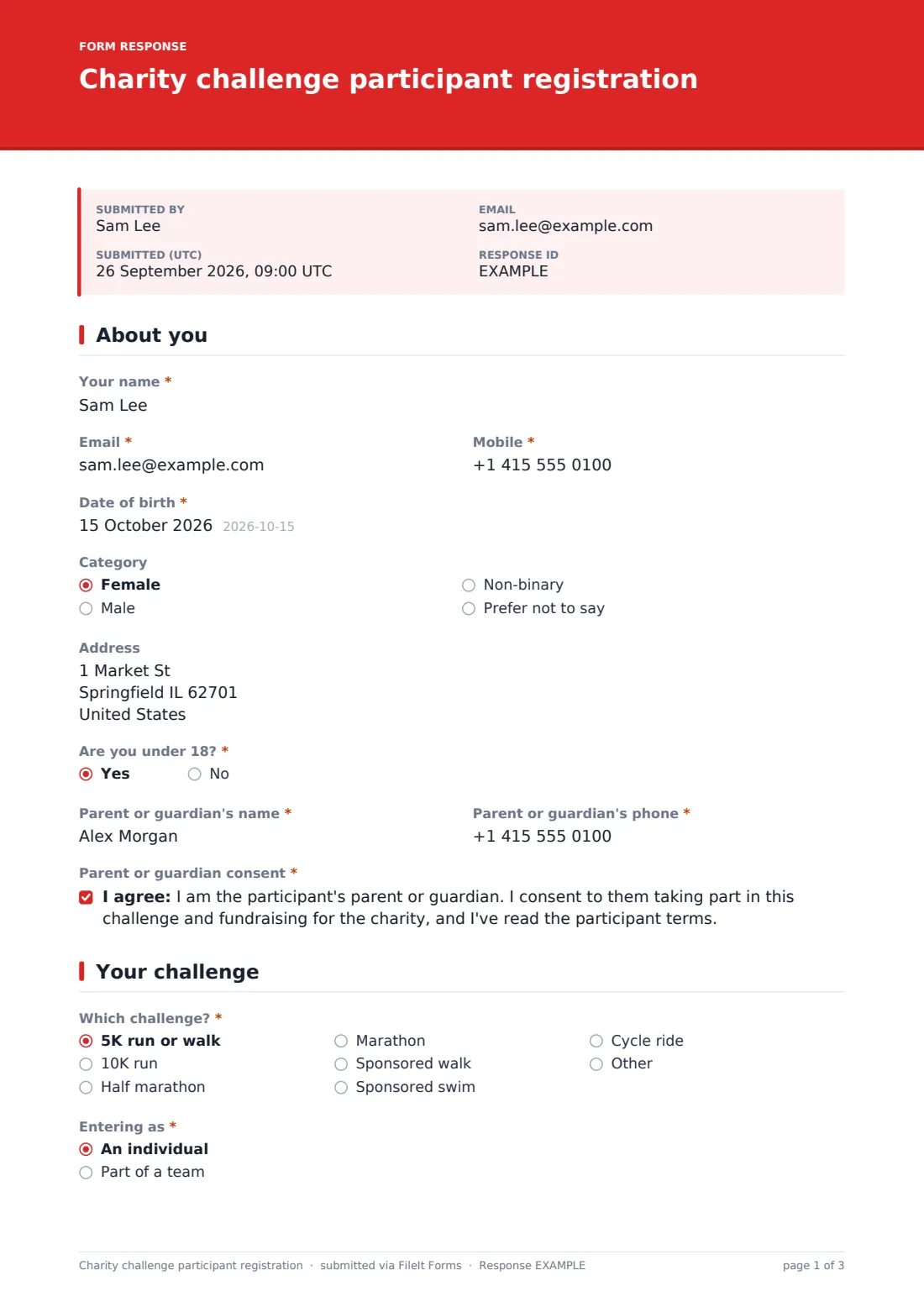
1 About you
- Your name*
- Email*
- Mobile*
- Date of birth*
- Category Female · Male · Non-binary · Prefer not to say
- Address
- Are you under 18?*
- Parent or guardian's name* asked only when it applies
- Parent or guardian's phone* asked only when it applies
- Parent or guardian consent* asked only when it applies
2 Your challenge
- Which challenge?* 5K run or walk · 10K run · Half marathon · Marathon · Sponsored walk · Sponsored swim · Cycle ride
- Entering as* An individual · Part of a team
- Team name* asked only when it applies
- Are you the team captain? asked only when it applies
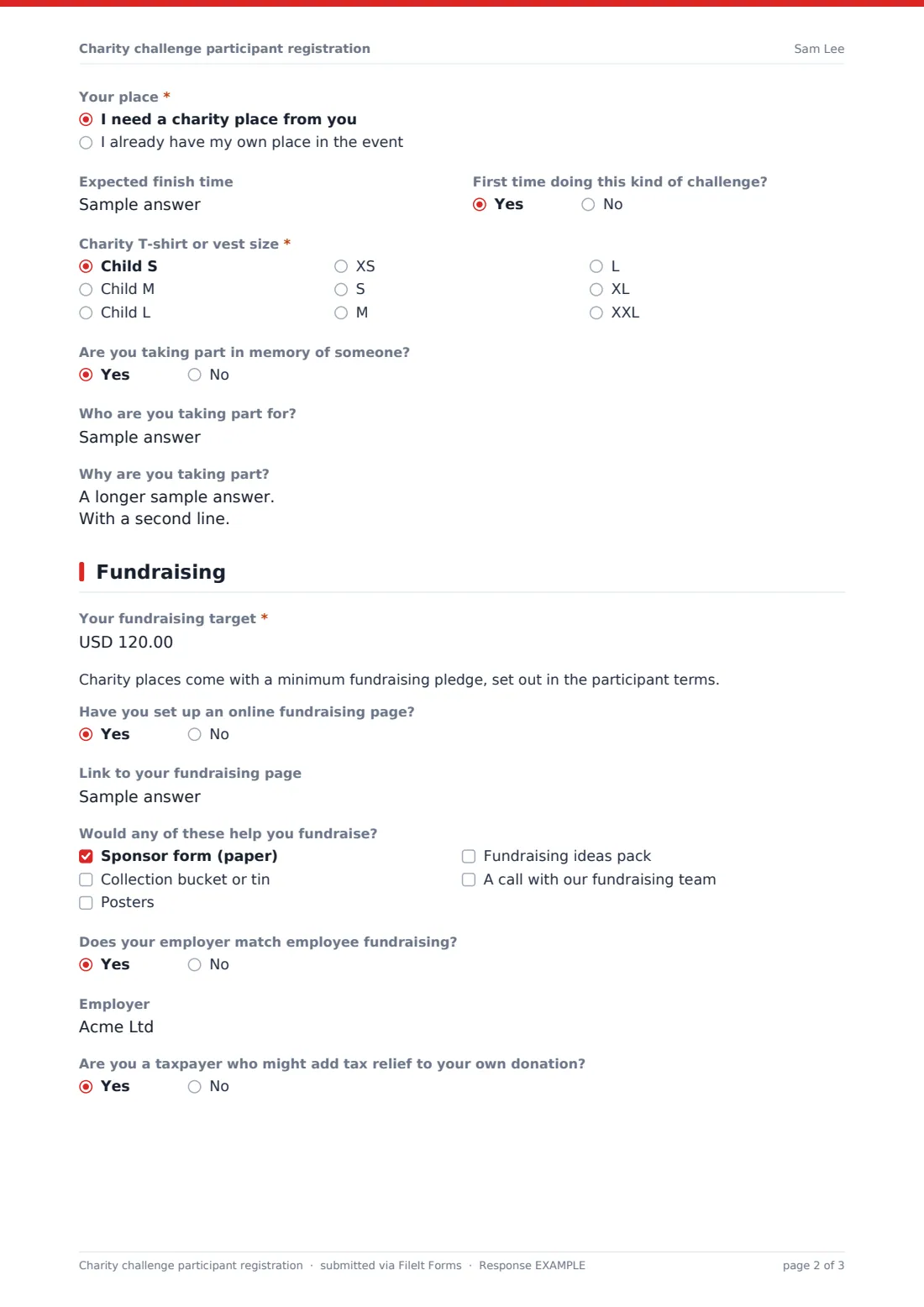
- Your place* I need a charity place from you · I already have my own place in the event
- Expected finish time
- First time doing this kind of challenge?
- Charity T-shirt or vest size* Child S · Child M · Child L · XS · S · M · L · XL · XXL
- Are you taking part in memory of someone?
- Who are you taking part for? asked only when it applies
- Why are you taking part?
3 Fundraising
- Your fundraising target*
- Have you set up an online fundraising page?
- Link to your fundraising page asked only when it applies
- Would any of these help you fundraise? Sponsor form (paper) · Collection bucket or tin · Posters · Fundraising ideas pack · A call with our fundraising team
- Does your employer match employee fundraising?
- Employer asked only when it applies
- Are you a taxpayer who might add tax relief to your own donation?
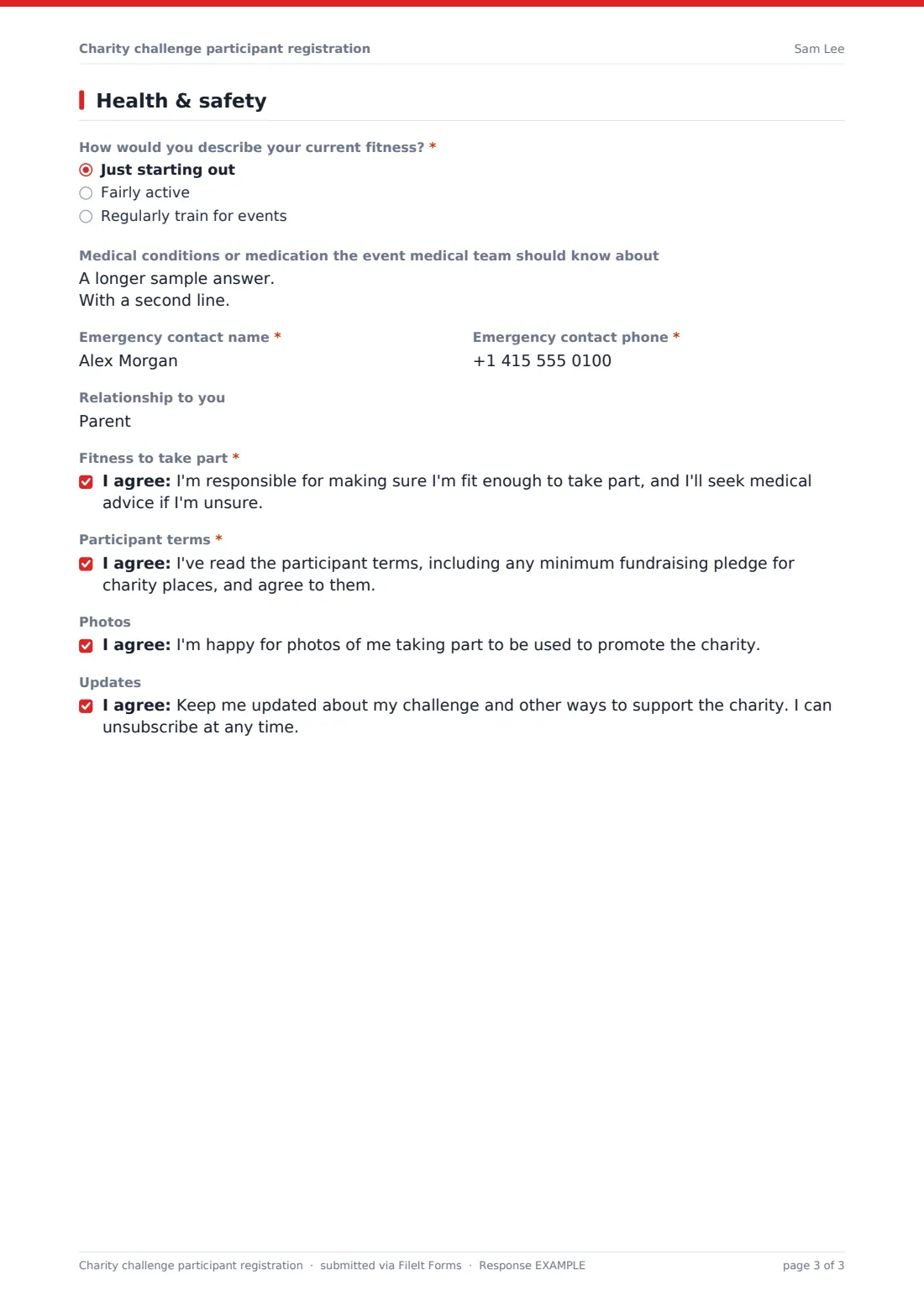
4 Health & safety
- How would you describe your current fitness?* Just starting out · Fairly active · Regularly train for events
- Medical conditions or medication the event medical team should know about
- Emergency contact name*
- Emergency contact phone*
- Relationship to you
- Fitness to take part*
- Participant terms*
- Photos
- Updates
The charity challenge participant registration form, page by page
1 About you
Participants give their name, email, mobile, date of birth, results category and address, and say whether they're under 18. Under-18s give a parent or guardian's name and phone, and the parent or guardian ticks a required consent for them to take part.
2 Your challenge
Participants pick their challenge — from a 5K to a marathon, a sponsored walk, swim or cycle ride — and say whether they're entering alone or in a team (teams give a team name and whether they're captain). They say whether they need a charity place or already have their own, and add an expected finish time, whether it's their first time, a T-shirt or vest size, and whether they're taking part in memory of someone, which opens a question for that person's name. There's room to say why they're taking part.
3 Fundraising
Participants set a fundraising target; those taking a charity place see a note about the minimum pledge. A fundraising page link is asked for if they've set one up. They can ask for paper sponsor forms, collection tins, posters, an ideas pack or a call with the fundraising team, say whether their employer matches fundraising (which asks for the employer), and whether they might add tax relief to their own donation.
4 Health & safety
The last page asks about current fitness, medical conditions or medication, and an emergency contact with their relationship. Required consents cover fitness to take part and the participant terms; photos and updates are optional.
Make the template yours
- Rename the challenges to your events, with dates in the option labels
- Change the currency on the fundraising target
- State your minimum fundraising pledge in the charity place note and link to your terms
- Remove the tax relief question if it doesn't apply where you are
- Set a maximum number of responses to match the number of charity places you hold
Tips for a better charity challenge participant registration form
- Contact new participants within a few days with fundraising tips — early momentum matters most
- Send the materials people asked for straight away; a sponsor form in hand gets used
- Handle in-memory names with care, and check before printing them on bibs or tribute boards
- Share medical and emergency information only with the event safety team
- Match team members using the team name answers before sending team T-shirts
Every response becomes a PDF in your vault
Each registration is saved as a PDF in your chosen vault folder, and you get an email notification. Participants receive a copy of their registration if the respondent copy is on.
Filter the Responses table by challenge or team, export T-shirt sizes and material requests to CSV, and track fundraising targets against what's raised on each participant's page.
- Start from this template. It opens in the FileIt Forms designer — change any question, add pages, set the rules for when questions appear.
- Share it. Turn on a public link, or send it to people by email, each with their own link. They don’t need a FileIt account.
- Get the answers as PDFs. Each response is saved as a PDF in the vault folder you choose, with uploaded files attached — and listed in a Responses table you can export to CSV.
Charity challenge participant registration form: frequently asked questions
Is this charity challenge registration template free?
Yes. It's included in the Forms app on every FileIt account, including the free plan.
Can participants pay an entry fee or donate through the form?
No, FileIt forms don't process payments. Participants can add a link to their online fundraising page, and you collect any entry fee separately.
Can people enter as a team?
Yes. Choosing to enter as part of a team asks for the team name and whether they're the captain.
How are young participants handled?
Anyone under 18 is asked for a parent or guardian's name and phone number, and a required parent or guardian consent to take part appears before they can continue.
Do participants need a FileIt account?
No. They register from your link without signing up.