What is the sales discovery call form template?
A good discovery call uncovers why a prospect is looking, what they're using now, who decides and how. A poorly recorded one leaves the next person — a solutions engineer, a manager reviewing the pipeline, or the rep themselves three weeks later — guessing at what was said.
This sales discovery call template walks through the conversation in a natural order: who was on the call, what the prospect is trying to achieve and what the problem is costing them, how they handle it today, then the decision process — people, budget, timeline, competitors and objections. It closes with the rep's own assessment of fit and qualification, what was promised, and the agreed next step.
Each call is saved as a PDF in your FileIt vault, building a record of every discovery conversation that's easy to review before the next meeting or hand over to a colleague.
- Best for
- B2B sales teams, account executives and founders running discovery calls
- Filled in by
- The sales rep, during or straight after the call
- Time to complete
- About 8-10 minutes of notes for a typical call
- Includes
- An urgency scale, budget and qualification follow-ups, and a checklist of promised materials
Who uses a sales discovery call form?
- An account executive recording a first call with a new inbound lead
- A founder doing their own sales who wants consistent notes on every prospect
- A sales manager reviewing discovery quality across the team
- A rep handing a qualified opportunity to a solutions engineer before a demo
- An agency qualifying prospective clients before writing a proposal
- A team standardising discovery around the same questions for pipeline reviews
Questions on this sales discovery call form
31 questions over 4 pages · includes conditional questions, multiple pages, ratings.
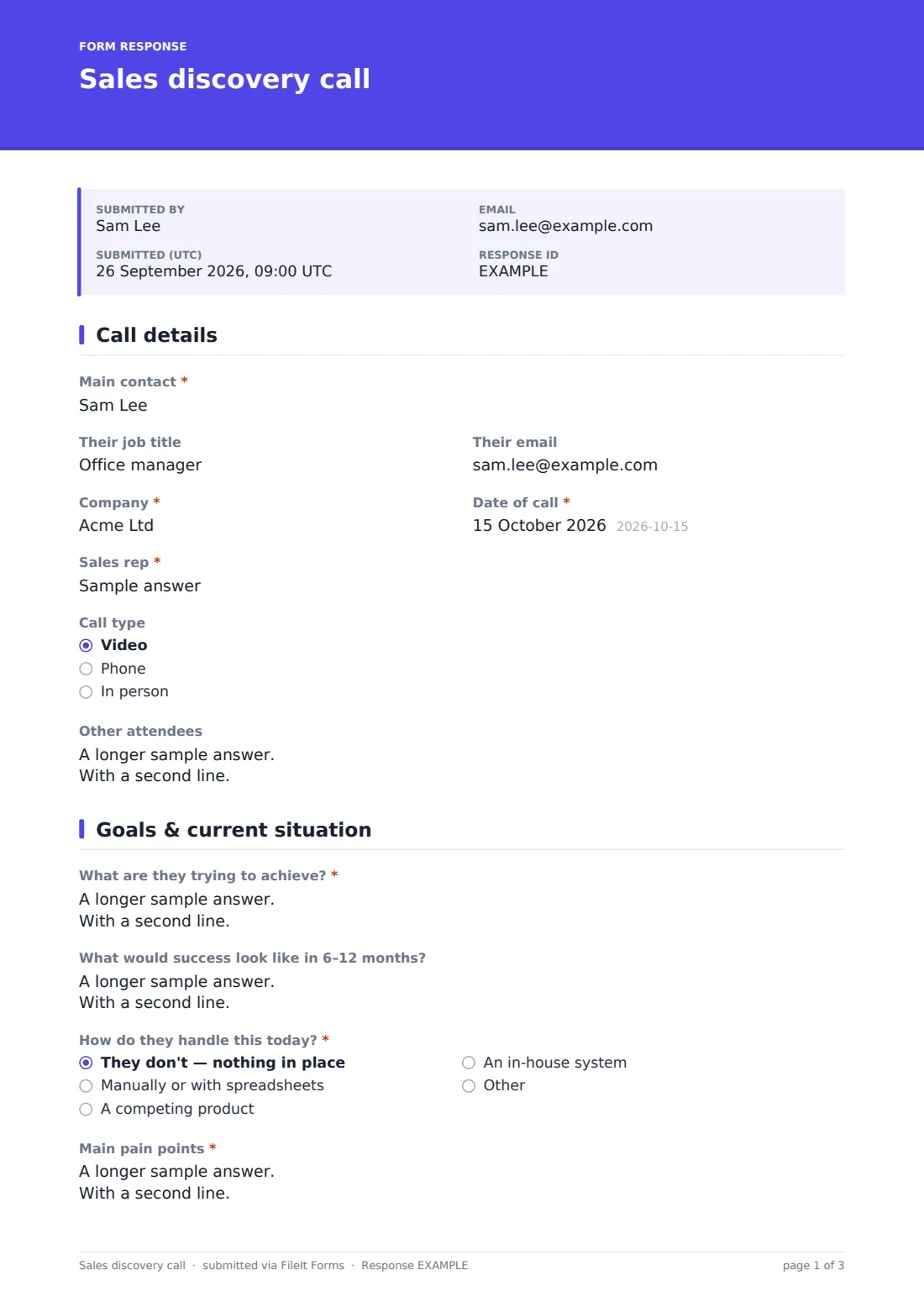
1 Call details
- Main contact*
- Their job title
- Their email
- Company*
- Date of call*
- Sales rep*
- Call type Video · Phone · In person
- Other attendees
2 Goals & current situation
- What are they trying to achieve?*
- What would success look like in 6–12 months?
- How do they handle this today?* They don't — nothing in place · Manually or with spreadsheets · A competing product · An in-house system · Other
- Which product or system, and for how long? asked only when it applies
- Main pain points*
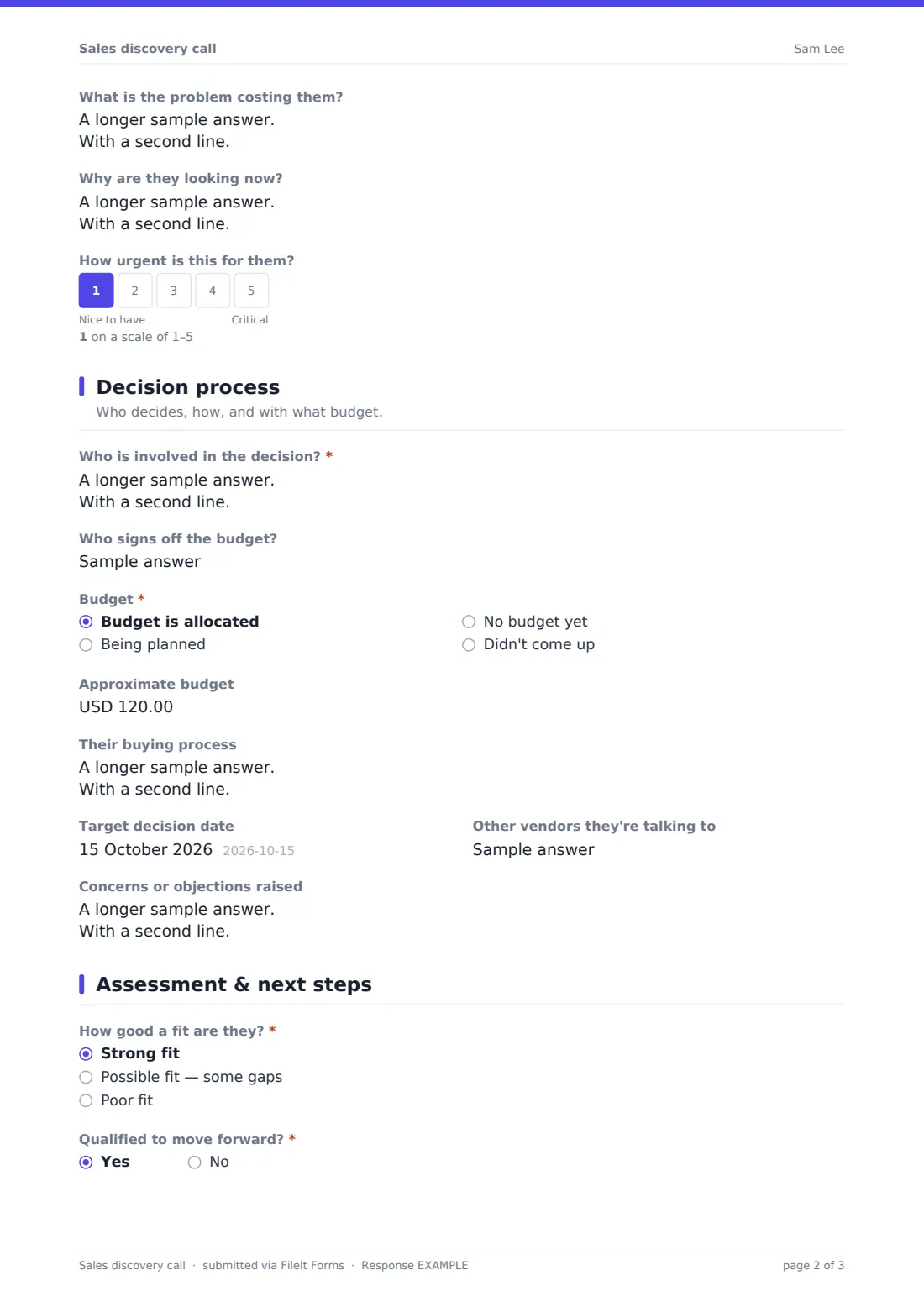
- What is the problem costing them?
- Why are they looking now?
- How urgent is this for them?
3 Decision process
- Who is involved in the decision?*
- Who signs off the budget?
- Budget* Budget is allocated · Being planned · No budget yet · Didn't come up
- Approximate budget asked only when it applies
- Their buying process
- Target decision date
- Other vendors they're talking to
- Concerns or objections raised
4 Assessment & next steps
- How good a fit are they?* Strong fit · Possible fit — some gaps · Poor fit
- Qualified to move forward?*
- Why not?* asked only when it applies
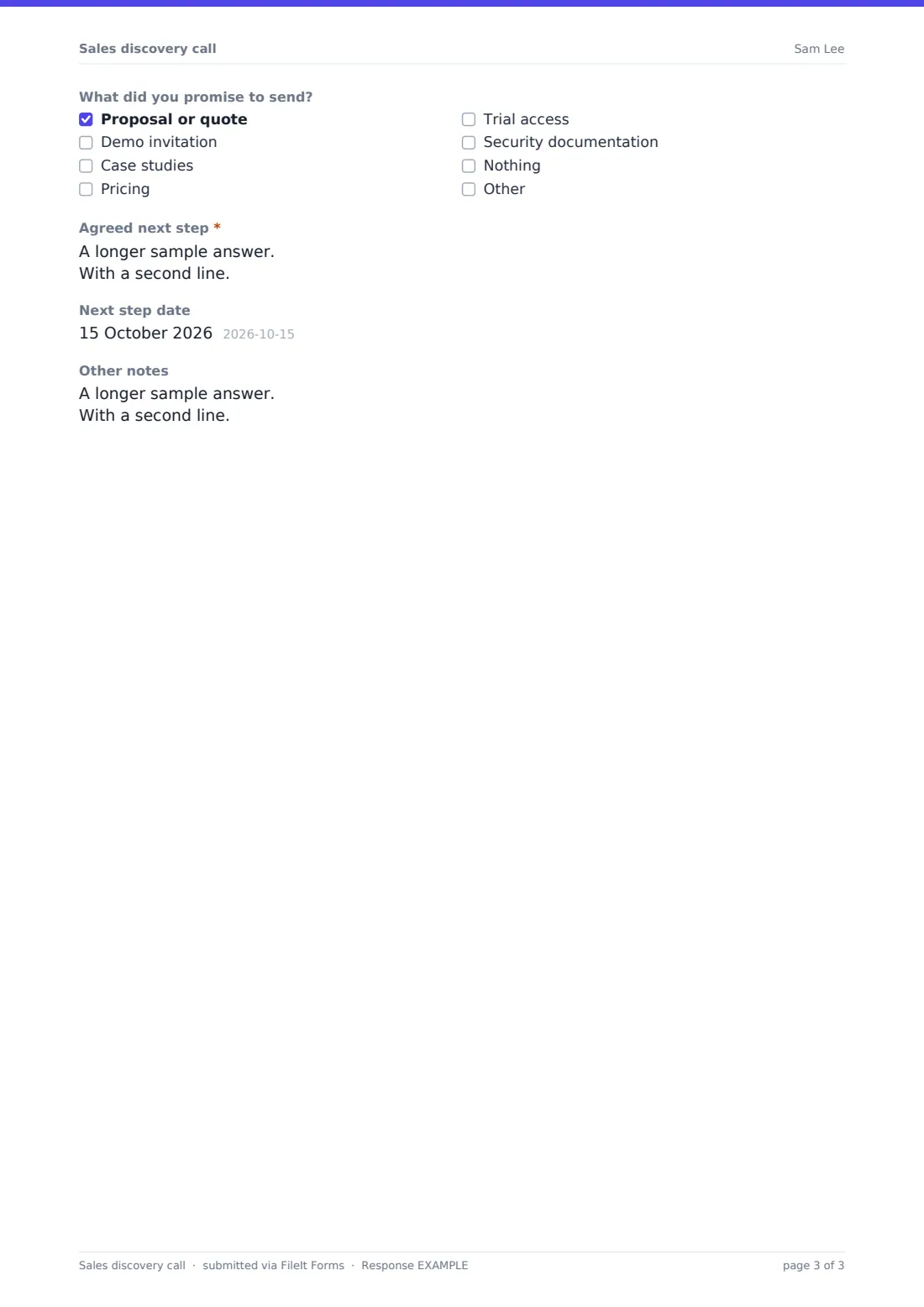
- What did you promise to send? Proposal or quote · Demo invitation · Case studies · Pricing · Trial access · Security documentation · Nothing
- Agreed next step*
- Next step date
- Other notes
The sales discovery call form, page by page
1 Call details
The rep records the Main contact, their job title and email, the company, the date, their own name and whether the call was by video, phone or in person, plus other attendees on both sides.
2 Goals & current situation
The rep captures what the prospect is trying to achieve and what success would look like in 6-12 months. How do they handle this today? offers nothing in place, manual or spreadsheets, a competing product, an in-house system or other; anything but nothing asks which product or system and for how long.
Required pain points, the cost of the problem, why they're looking now, and a 1-5 urgency scale from nice to have to critical round out the page.
3 Decision process
The rep lists everyone involved in the decision and who signs off the budget. Budget status can be allocated, being planned, none yet or didn't come up; if it's allocated, an approximate figure can be entered. The page also records the buying process, target decision date, other vendors being considered and any concerns or objections.
4 Assessment & next steps
The rep rates the fit as strong, possible or poor and says whether the prospect is qualified; if not, they give a reason. A checklist records what was promised — proposal, demo invitation, case studies, pricing, trial access, security documentation or nothing — followed by the agreed next step, its date and any other notes.
Make the template yours
- Rename the sections to match a qualification framework your team already uses
- Change the budget currency, or remove the amount if you never discuss figures on a first call
- Add questions specific to your product, such as number of users or systems to integrate with
- Edit the promised materials list to match what your team actually sends
- Route calls to a folder per rep or per region in your vault
- Add a scoring question for each criterion in your qualification framework, such as a 1-5 scale
Tips for a better sales discovery call form
- Write pain points in the prospect's own words — they're more useful in a proposal later
- Ask about the decision process on the first call; it's the question most often skipped
- Be honest in the fit rating — disqualifying early saves everyone's time
- Send what you promised the same day and note it in your follow-up
- Review a few calls with your manager each month to sharpen your questions
- Always leave the call with a specific next step and a date
Every response becomes a PDF in your vault
Each discovery call is saved as a PDF in your vault with the date and company in the record, and the sales manager can be emailed as each call is logged.
The Responses table lets managers see every call in one place and export the answers to a CSV to compare fit, budget status and target decision dates across the pipeline. FileIt doesn't sync with CRMs, so key details are copied across from the export if you use one.
- Start from this template. It opens in the FileIt Forms designer — change any question, add pages, set the rules for when questions appear.
- Share it. Turn on a public link, or send it to people by email, each with their own link. They don’t need a FileIt account.
- Get the answers as PDFs. Each response is saved as a PDF in the vault folder you choose, with uploaded files attached — and listed in a Responses table you can export to CSV.
Sales discovery call form: frequently asked questions
Is this discovery call template free?
Yes. It's a starter template in the FileIt Forms app, and you can edit any question to suit your sales process.
Is this meant to be sent to prospects?
No. It's a note-taking form for the sales rep. The prospect doesn't see it.
Can reps fill it in during the call?
Yes. It works in any browser, and the answers can be filled in as the call goes, then submitted at the end.
Does the form score leads automatically?
No. The fit rating and qualification answer are the rep's own judgement. Export the responses if you want to score them in a spreadsheet.
Can we change the currency for the budget field?
Yes. The approximate budget is a currency field, and you can set any three-letter currency code in the designer.
Where are the notes stored?
Each submitted call is saved as a PDF in the vault folder you choose, and every answer is also available in the Responses table.