What is the trade credit application form template?
Opening a credit account for a new business customer usually means gathering company details, checking references and, sometimes, arranging a personal guarantee — often scattered across an emailed spreadsheet, a scanned form and a few phone calls. This template puts the whole application on one online form: company information, the credit limit being requested, two trade references, a bank reference, and a guarantee section that only appears when it's actually needed.
Putting it online means every applicant answers in the same structure, so you're comparing like with like when you review the requests. There's no account required on the applicant's side — you share a link or send it by email, and their business fills it in and submits. Conditional logic keeps the form manageable: delivery address fields only show if it differs from the registered address, and the entire guarantor section stays hidden unless the applicant says a guarantee will be offered.
Once submitted, FileIt converts the application into a PDF and files it in your vault — any attached financial statements travel with it — so your finance team has a single, complete record to work from when deciding on the credit limit, rather than reassembling the picture from several emails.
- Best for
- Wholesalers, suppliers and B2B businesses offering trade credit accounts
- Filled in by
- A business customer's finance contact or authorized signatory
- Time to complete
- About 10–12 minutes
- Includes
- Conditional guarantor section, file upload, e-signature, declaration
Who uses a trade credit application form?
- A wholesale distributor screening new retail or trade customers before extending net-30 terms
- A building supplies merchant setting up accounts for contractors and construction firms
- A manufacturer taking on a new reseller who wants to buy on account rather than prepay
- A B2B service provider standardizing how new clients apply for invoiced payment terms
- A finance team replacing a paper or spreadsheet-based credit application with a consistent online form
- A smaller supplier that wants a personal guarantee on file for sole traders or newer companies
Questions on this trade credit application form
41 questions over 4 pages · includes signature, file upload, conditional questions, multiple pages, consent checkbox.
1 Company
- Registered company name*
- Trading name (if different)
- Business type* Limited company / corporation · LLP / LLC · Partnership · Sole trader · Public sector · Charity or nonprofit
- Company registration number
- VAT / tax ID
- Years trading
- Website
- Registered address*
- Is the delivery address the same?
- Delivery address asked only when it applies
2 Contacts & credit
- Main contact*
- Position
- Email*
- Phone*
- Email for invoices and statements*
- Credit limit requested*
- Expected monthly purchases
- Do you need a purchase order number on invoices?
3 References
- Reference 1 — company*
- Contact name
- Email*
- Phone
- Reference 2 — company*
- Contact name
- Email*
- Phone
- Bank name*
- Branch or bank contact
- Account name
- Years with this bank
- Latest financial statements (optional)
4 Guarantee & signature
- Will a director, partner or owner offer a personal guarantee?
- Guarantor's name* asked only when it applies
- Guarantor's email* asked only when it applies
- Guarantor's phone asked only when it applies
- Guarantor's home address asked only when it applies
- Guarantor* asked only when it applies
- Declaration*
- Signatory name and position*
- Signature*
- Date*
The trade credit application form, page by page
1 Company
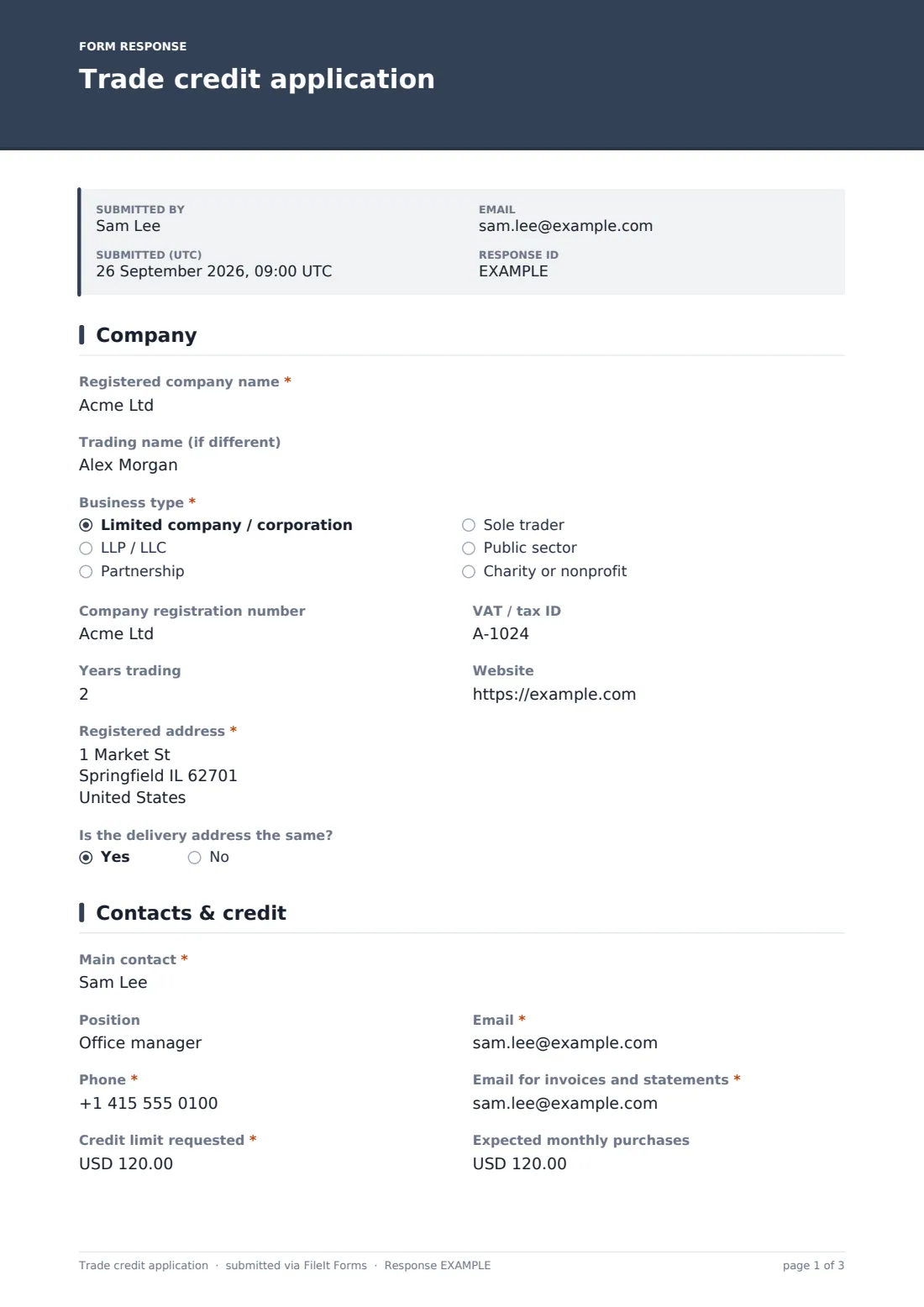
The form starts with the registered company name, a trading name if it differs, and a business type dropdown covering limited company, LLP/LLC, partnership, sole trader, public sector, or charity/nonprofit. A company registration number, VAT or tax ID, years trading and a website round out the basic profile.
The registered address is required, and a yes/no question asks whether the delivery address is the same — answering no reveals a separate delivery address field, so applicants with one shipping location don't have to fill in the same address twice.
2 Contacts & credit
This page collects the main contact's name, position, email and phone, plus a separate email address specifically for invoices and statements — useful when the person applying isn't the one who handles accounts payable day to day.
The applicant then states the credit limit requested and, optionally, expected monthly purchases, both as currency amounts, and answers whether they need a purchase order number shown on invoices. Having the requested limit and expected spend side by side gives whoever reviews the application an immediate sense of whether the numbers are realistic.
3 References
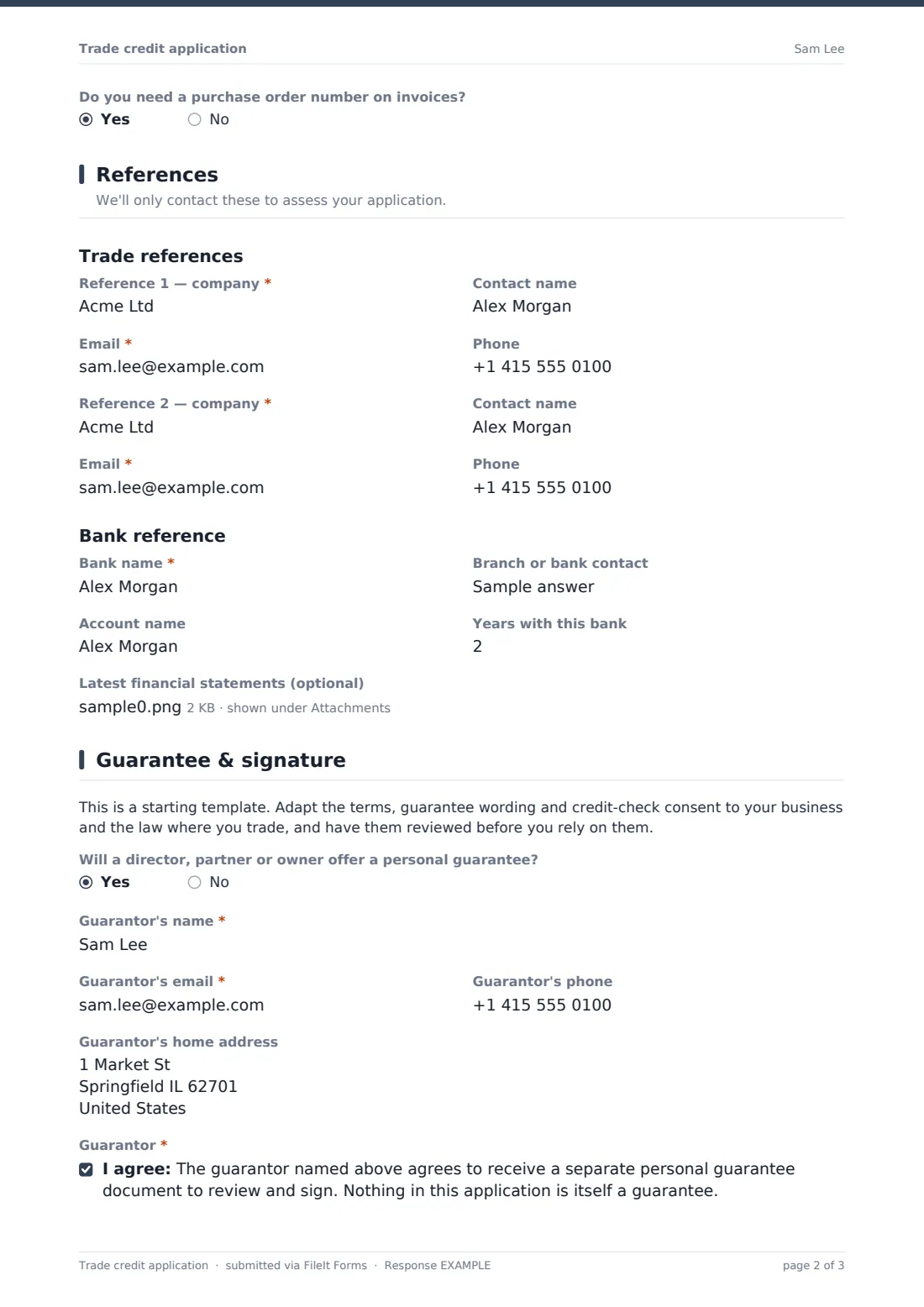
Under a "Trade references" heading, the form asks for two references, each with a company name, contact name, email and phone — the required email on each means you can follow up even if a phone call doesn't connect. A "Bank reference" heading follows, covering the bank name, branch or bank contact, account name and years with that bank.
An optional file upload lets the applicant attach their latest financial statements, which can be especially useful when assessing a newer business or a request for a larger limit — though it's left optional since not every applicant will have statements ready to share.
4 Guarantee & signature
A short note reminds the form's owner that this is a starting template — the credit terms, guarantee wording and consent to run credit checks should be adapted to the business and reviewed for the laws where it trades. A yes/no question then asks whether a director, partner or owner will offer a personal guarantee, which the help text notes may be requested for sole traders, partnerships, newer companies or higher limits.
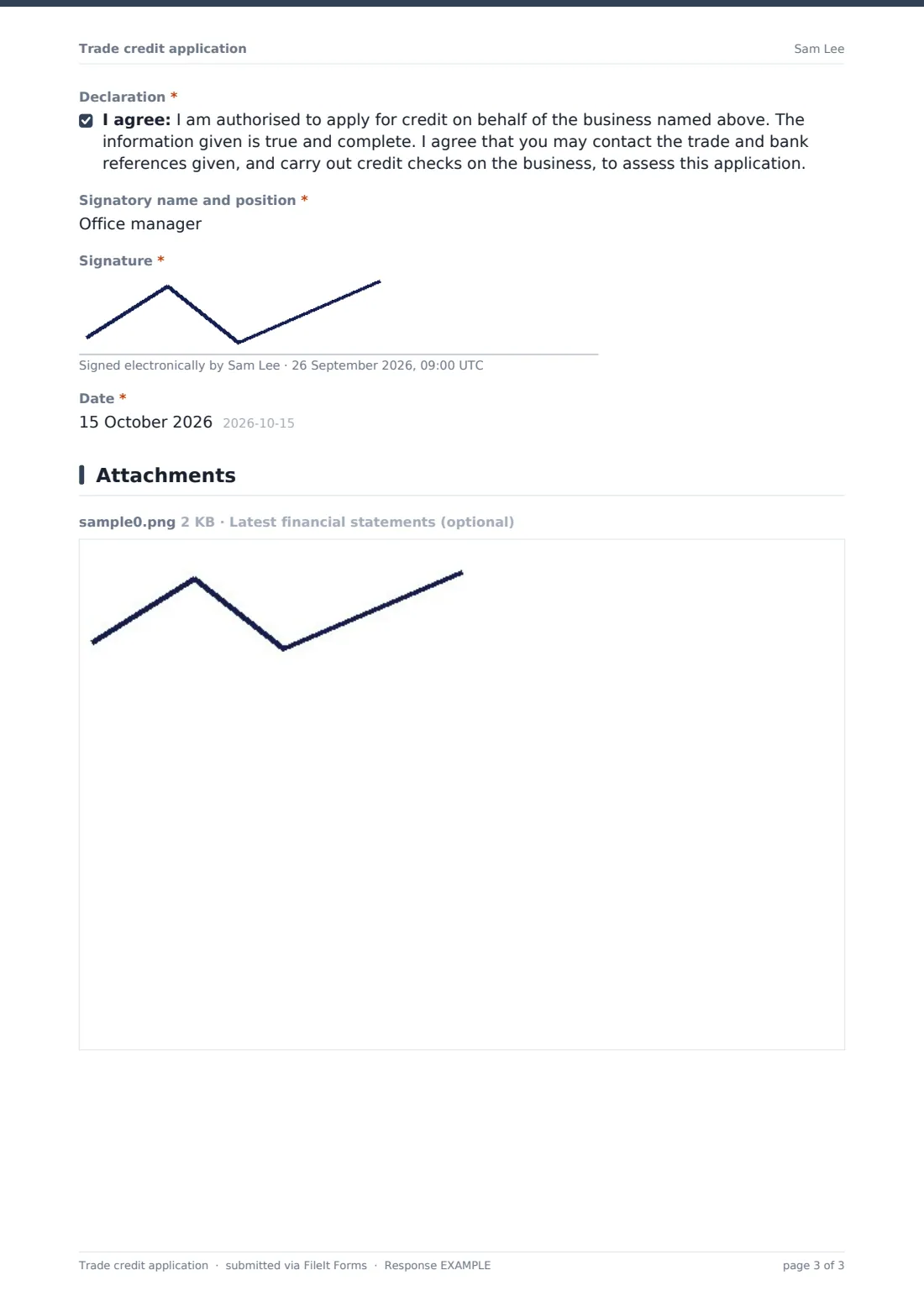
Answering yes reveals the guarantor's name, email, phone and home address, plus a consent statement confirming the guarantor agrees to receive a separate personal guarantee document to review and sign — the form is explicit that nothing in the application itself constitutes a guarantee. Every applicant then confirms a declaration that they're authorized to apply on behalf of the business, the information given is accurate, and the references and bank may be contacted and a credit check run, before giving a signatory name and position, a drawn signature, and the date.
Make the template yours
- Adjust the credit limit and expected monthly purchase currency to match where your business trades
- Add or remove business type options in the dropdown to match the entities you commonly deal with
- Change when the guarantor section appears — for example, always require it for sole traders regardless of the guarantee answer
- File approved and pending applications into separate vault folders so your team can see what still needs review
- Turn on email notifications to your credit control or finance inbox for every new application
- Set a maximum number of responses or a closing date if the form is only open during a specific customer onboarding drive
- Replace the declaration and guarantor wording with your own reviewed terms before sharing the form publicly
Tips for a better trade credit application form
- Only request the credit limit and turnover figures you'll actually use to make a decision — a shorter, focused form gets completed faster
- Make sure the reference contact details you require (email, phone) are ones you can realistically reach before granting the account
- Have credit application and guarantee wording reviewed for the jurisdictions you operate in — this template is a starting point, not legal advice
- Set expectations in the confirmation message about how long a decision typically takes
- Ask for financial statements only when the requested limit or the applicant's trading history warrants it, rather than for every application
- Keep a consistent naming convention for the vault folder or document title so applications are easy to find later
Every response becomes a PDF in your vault
When a business submits the application, FileIt saves it as a PDF in your vault, in the folder you've set, with any uploaded financial statements attached to the same record. If owner notifications are on, your credit control team gets an email straight away, and the applicant can receive their own PDF copy if you've enabled it.
From there, most finance teams work through the Responses table, open the PDF alongside the trade and bank references to start verification, and record a decision once checks are complete. Because every application lives in the vault as a searchable PDF, comparing a customer's original application against their account history later is straightforward, and the full list can be exported to CSV for reporting.
- Start from this template. It opens in the FileIt Forms designer — change any question, add pages, set the rules for when questions appear.
- Share it. Turn on a public link, or send it to people by email, each with their own link. They don’t need a FileIt account.
- Get the answers as PDFs. Each response is saved as a PDF in the vault folder you choose, with uploaded files attached — and listed in a Responses table you can export to CSV.
Trade credit application form: frequently asked questions
Is this trade credit application form template free?
Yes. It's included in the Forms app on every FileIt account, including the free plan, along with 160 other ready-made templates.
Does the applicant need a FileIt account to apply?
No. You share a public link or send an email invite, and the applicant fills in and submits the form without creating an account.
How do I get a copy of each completed application?
FileIt automatically turns every submission into a PDF and files it in your vault, in the folder you choose, so there's nothing extra to export.
Is the personal guarantee in this form legally binding?
No. The form explicitly states that nothing in the application itself is a guarantee — it only records that a guarantor agrees to receive a separate guarantee document to review and sign. Have your actual guarantee document reviewed for your situation.
Can I require a guarantee from every applicant, not just some?
The template shows guarantor fields only when the applicant answers yes to offering one, but you can edit that logic in the designer to always show the section if that fits your policy.
Can applicants upload financial statements?
Yes, there's an optional file upload for the latest financial statements, useful for newer businesses or larger credit requests.
Does this form run a credit check automatically?
No — FileIt collects the applicant's consent to a credit check and their reference details; running the actual credit check is something your business does separately.
Can I see all applications together and export them?
Yes — the Responses table lists every submission with filters, and you can open individual PDFs or export the full list to CSV.