
What is Form FTB 3520-PIT?
Form FTB 3520-PIT, the Individual or Fiduciary Power of Attorney Declaration, lets an individual, estate or trust authorize one or more individuals to represent them in any matter before the California Franchise Tax Board (FTB) and to request, receive and inspect their confidential tax information. It is California's counterpart to IRS Form 2848, and a federal 2848 doesn't cover your California taxes: FTB's instructions say it only accepts form FTB 3520-PIT for individuals and rejects non-FTB power of attorney forms.
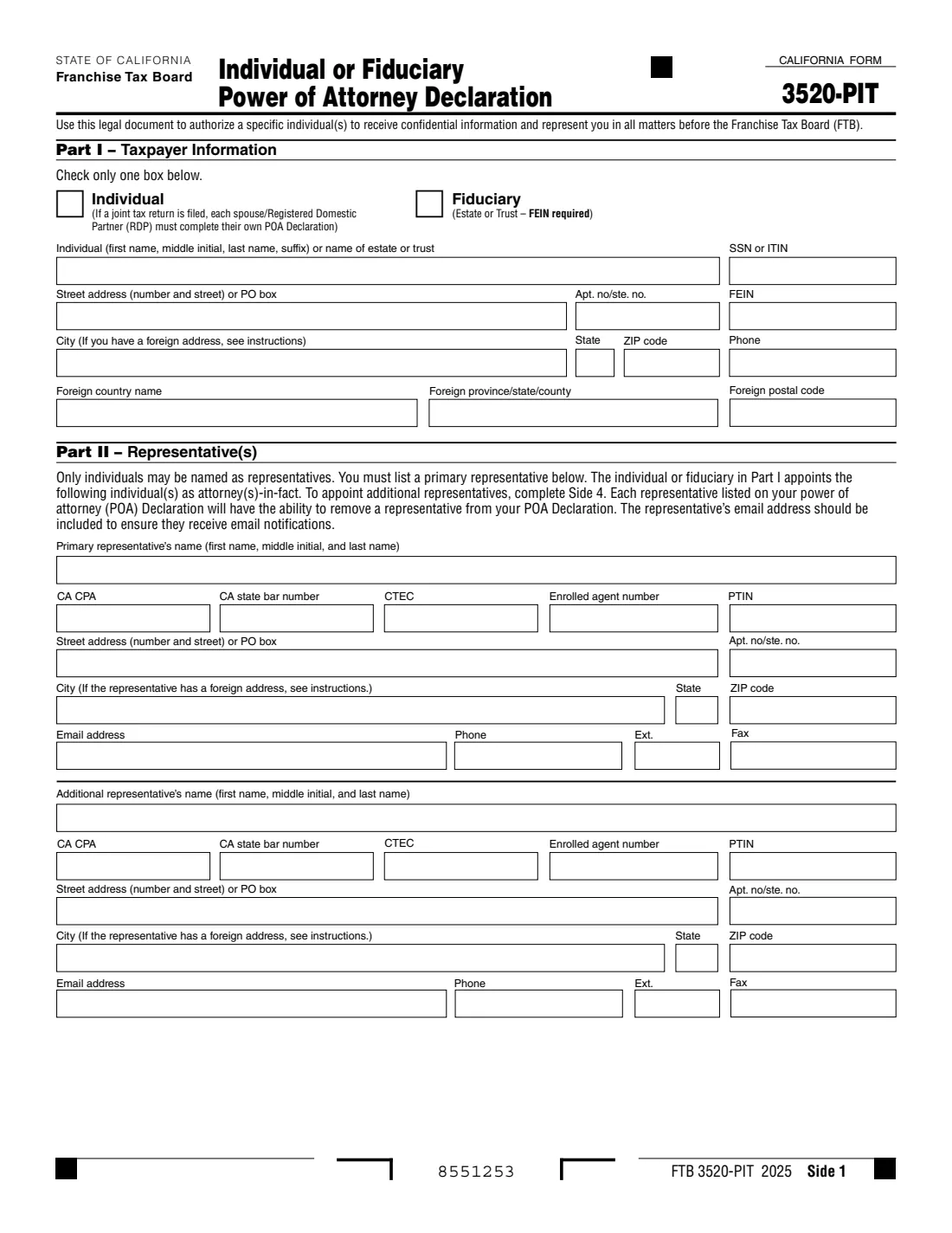
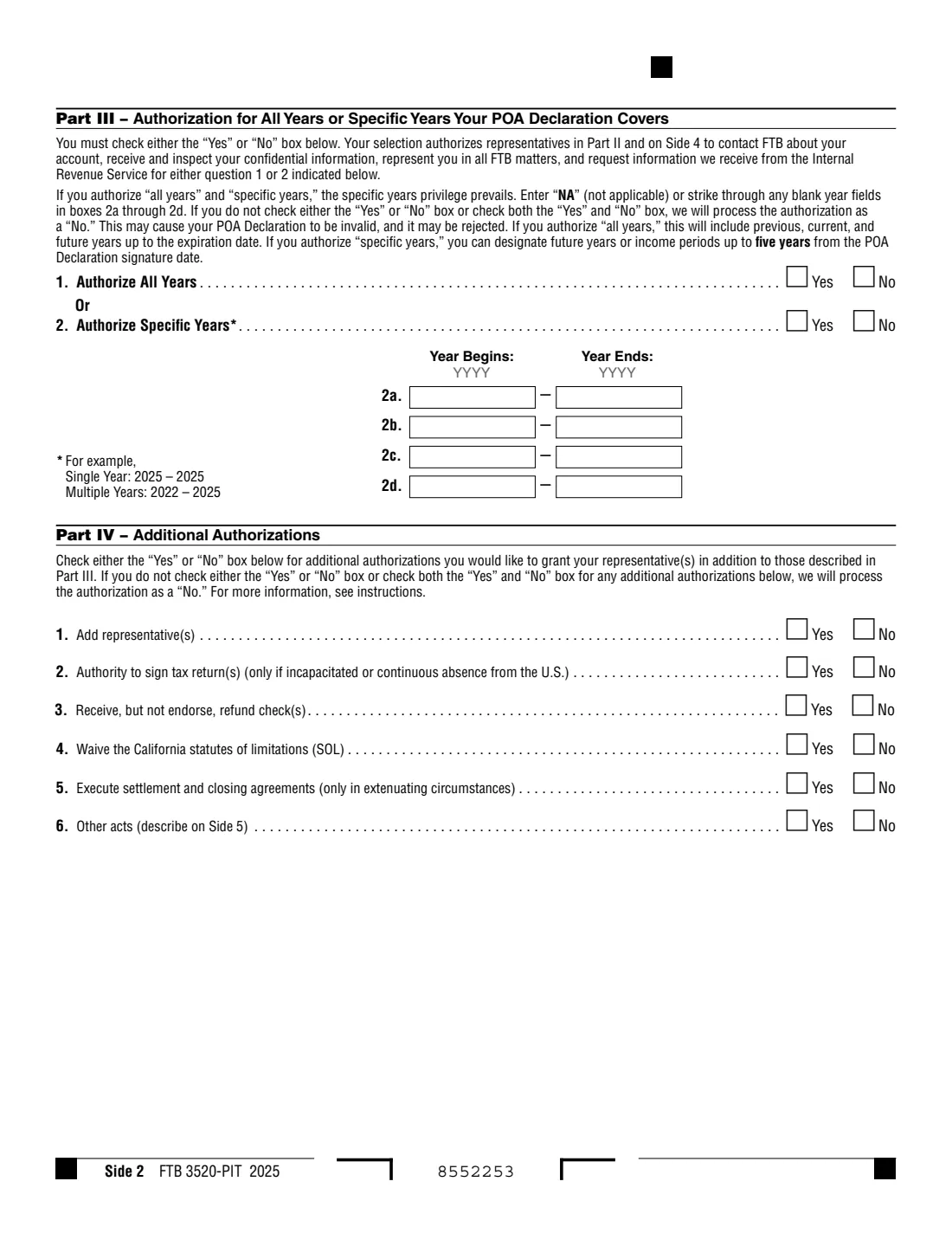
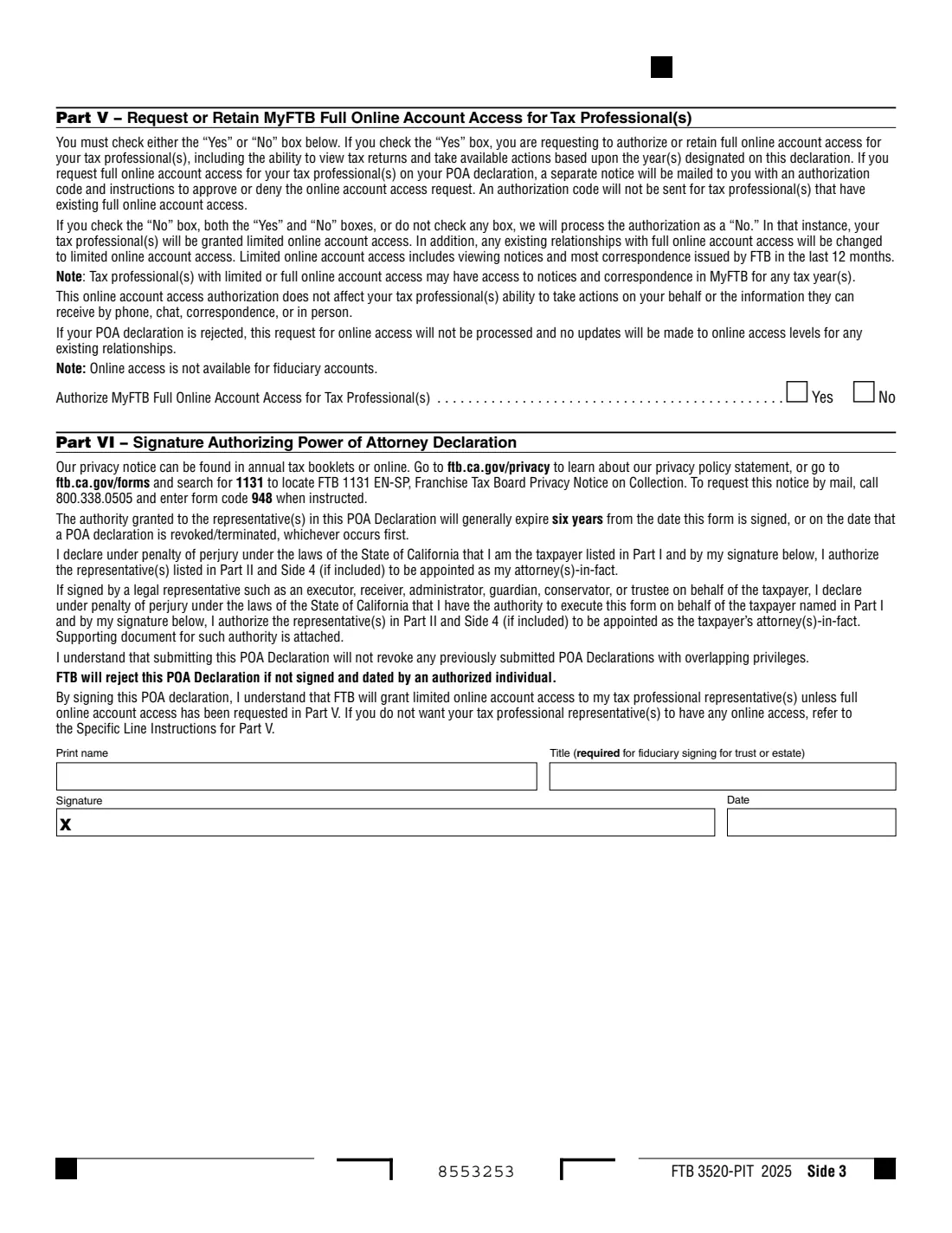
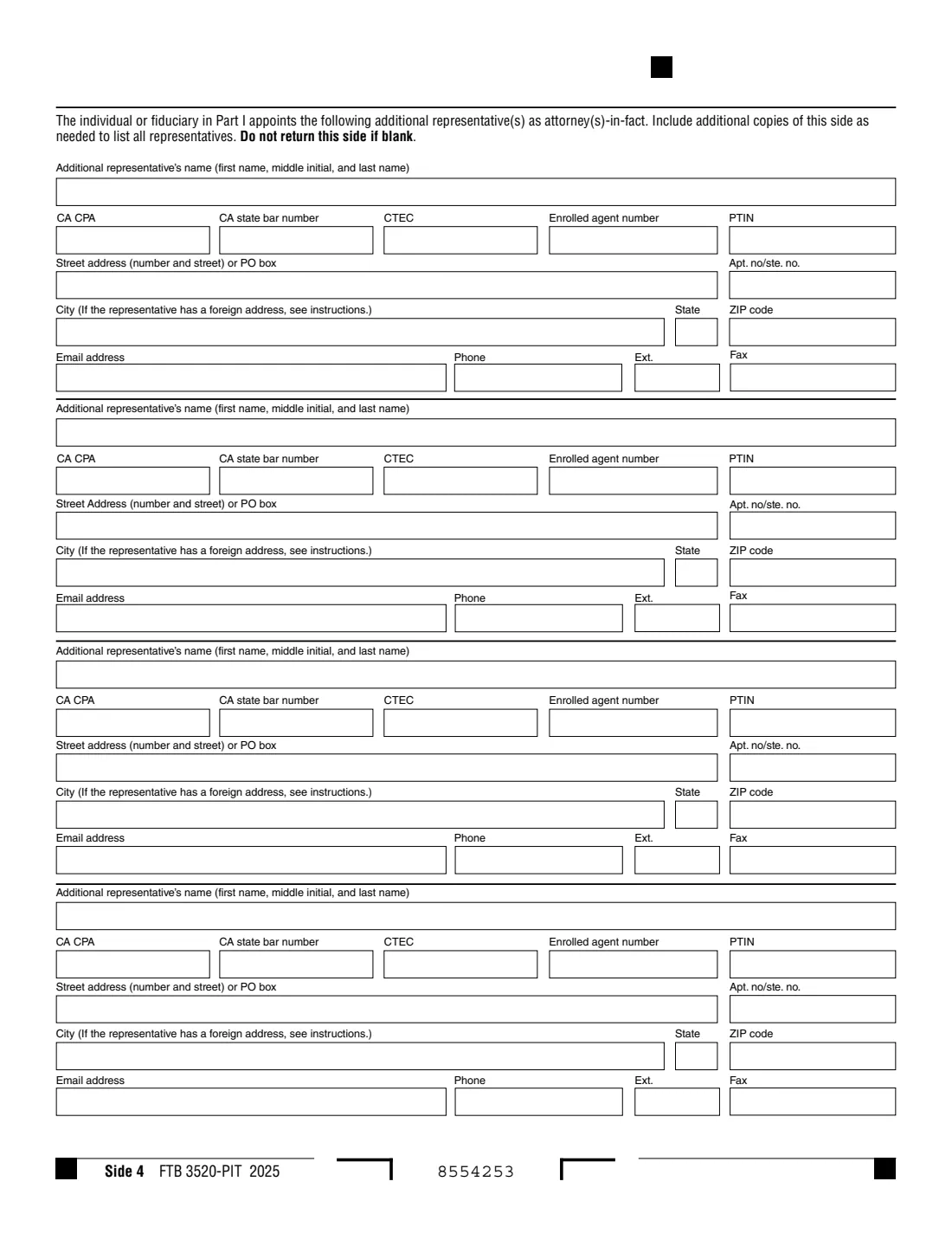
The form has five sides. Side 1 identifies the taxpayer and the primary and one additional representative; Side 2 sets the years covered (all years, or specific years) and optional extra authorities such as signing returns or waiving the statute of limitations; Side 3 is about MyFTB online access for tax professionals and your signature; Side 4 holds four more representatives; and Side 5 describes any other acts you authorize. A declaration generally lasts six years from the date you sign it.
FileIt walks you through every part in plain English, prints NA in the year boxes when you don't list specific years (as FTB asks), and fills FTB's own PDF. The finished declaration is saved in your vault. FileIt never files it: you sign it by hand and submit it to FTB yourself.
- Who fills it
- An individual taxpayer, or a fiduciary (executor, administrator, trustee, guardian or conservator) for an estate or trust.
- Given to
- The Franchise Tax Board: online through MyFTB (faster), or by mail to the POA/TIA Unit in Rancho Cordova.
- Lasts
- Generally six years from the date it is signed, unless revoked earlier.
- Signatures
- The taxpayer or authorized fiduciary signs and dates it by hand. FTB doesn't accept electronic or stamped signatures on paper or uploaded declarations.
- Edition
- FTB 3520-PIT 2025
- Agency
- State of California Franchise Tax Board
Who needs to fill out Form FTB 3520-PIT?
- California taxpayers who want a CPA, attorney, enrolled agent or other tax professional to deal with FTB for them.
- Adult children or relatives helping a parent with an FTB notice, audit or balance due.
- Executors, administrators and trustees who need someone to represent an estate or trust before FTB.
- Parents, guardians or conservators acting for a minor, with documents showing their authority.
- Spouses or registered domestic partners who file jointly: each completes their own declaration.
When to use Form FTB 3520-PIT
- When you want someone to talk to FTB, receive your confidential information and represent you in FTB matters.
- When an earlier California POA declaration has expired, generally six years after it was signed.
- When you want to extend a representative's authority for another six years.
- When your tax professional needs full MyFTB online access to your account.
- For businesses, use form FTB 3520-BE instead; to end a declaration, use FTB 3520-RVK or MyFTB.
What you need before you start
- Your name, SSN or ITIN (or the estate's or trust's FEIN), address and phone number.
- Each representative's name, address, phone, email, and professional number if they have one: California CPA license, State Bar number, CTEC number, enrolled agent number or PTIN.
- The years to cover: all years, or specific year ranges.
- Which additional authorities you want to grant, and a description of any other acts.
- For a fiduciary: supporting documents such as letters testamentary or of administration, a certification of trust or a court order, and a copy of federal Form 56 if one is required.
What’s on Form FTB 3520-PIT
The 2025 edition has 5 pages. FileIt asks for it in 11 parts, and it is signed by Taxpayer:
- Part I: Taxpayer informationTaxpayer
- Part II: Primary representativeTaxpayer
- Part II: Additional representativeTaxpayer
- Side 4: Additional representative 1Taxpayer
- Side 4: Additional representative 2Taxpayer
- Side 4: Additional representative 3Taxpayer
- Side 4: Additional representative 4Taxpayer
- Part III: Years this declaration coversTaxpayer
- Part IV: Additional authorizationsTaxpayer
- Part V: MyFTB full online account access for tax professionalsTaxpayer
- Part VI: SignatureTaxpayer
How to fill out Form FTB 3520-PIT, step by step
1 Part I: Taxpayer information
Check Individual or Fiduciary, then give the name, SSN or ITIN (individuals) or FEIN (estates and trusts), address and phone. A sole proprietorship checks Individual. If you file jointly, each spouse or RDP files their own declaration.
2 Part II and Side 4: Representatives
Only individuals can be named, not firms. List a primary representative, with their professional numbers and email so they receive FTB's email notifications. Side 1 has room for two representatives and Side 4 for four more. Every representative can remove another representative from the declaration.
3 Part III: Years covered
Answer both questions. Question 1 authorizes all years: previous, current and future years up to the expiration date. Question 2 authorizes specific years in boxes 2a to 2d: a single year as 2025 to 2025, a range as 2022 to 2025, and future years ending no later than five years from the year you sign. Enter NA in unused boxes (FileIt asks you to), and in all of them if you answer No (FileIt does that for you). Never use a general reference such as "all years".
4 Part IV: Additional authorizations
Answer Yes or No to each: add representatives; sign your tax returns (only if you are incapacitated or continuously absent from the U.S. for at least 60 days before the due date); receive, but not endorse, refund checks; waive the California statutes of limitations; execute settlement and closing agreements in extenuating circumstances; and other acts, described on Side 5.
5 Part V: MyFTB online access
Yes requests full online account access for your tax professionals, and FTB mails you an authorization code for each to approve or deny. No, or no answer, gives them limited access: notices and most correspondence from the last 12 months. Online access isn't available for fiduciary accounts.
6 Part VI: Signature
Print your name, add a title if you are a fiduciary, then sign and date by hand. FTB rejects a declaration that isn't signed and dated by an authorized individual.
Common mistakes to avoid
- Sending an IRS Form 2848, an older FTB 3520 or another non-FTB power of attorney. FTB only accepts form FTB 3520-PIT for individuals, estates and trusts.
- Naming a firm instead of an individual representative.
- Leaving Part III blank or checking both Yes and No, which FTB processes as No and may reject.
- Writing "all years" or "all taxes" in the year boxes. A general reference makes the declaration invalid.
- Signing electronically or with a stamp on a paper or uploaded declaration.
- Filing one declaration for a joint return. Each spouse or RDP needs their own.
- Forgetting the supporting documents when signing as a fiduciary or under a general or durable power of attorney.
After you fill it out
Print the declaration and sign and date it by hand. FTB doesn't accept electronic or stamped signatures on paper or uploaded forms, so don't use e-signature for this one.
Submit it: through MyFTB (File a Power of Attorney), which FTB says is faster, or by mail, separately from any tax return, to POA/TIA Unit, Franchise Tax Board, PO Box 2828, Rancho Cordova, CA 95741-2828. FileIt doesn't send it. Leave out Side 4 and Side 5 if they are blank.
Keep the copy FileIt saves in your vault. Filing a new declaration doesn't revoke earlier ones with overlapping authority, so revoke any you no longer want with FTB 3520-RVK or in MyFTB.
Fill out Form FTB 3520-PIT online with FileIt
- Pick the person. Choose someone from People and FileIt fills in their name, date of birth, address and other details it already knows.
- Answer plain-language questions. One part of the form at a time, with the official help text beside each question — 125 fields in all. Your answers save as you go.
- Check the live preview. Watch your answers land on the real California Franchise Tax Board (FTB) form, and let FileIt do any worksheet arithmetic.
- Generate the official PDF. FileIt prints your answers into the agency’s own PDF and files it in that person’s folder in your vault. Sign it, or send it for e-signature.
FileIt fills the form — it never files or submits anything for you. Deliver the finished form to whoever asked for it, the way the form’s instructions say.
Start Form FTB 3520-PIT now — it’s freeForm FTB 3520-PIT: frequently asked questions
What is form FTB 3520-PIT?
It is California's Individual or Fiduciary Power of Attorney Declaration. It lets you appoint individuals to represent you, or an estate or trust, before the Franchise Tax Board and receive your confidential tax information.
Can I use IRS Form 2848 for California?
No. FTB's instructions say it only accepts form FTB 3520-PIT for individuals, estates and trusts, and rejects non-FTB power of attorney forms.
Can I fill out FTB 3520-PIT online?
Yes. FileIt asks each question in plain English and prints your answers into FTB's official PDF. You then sign it by hand and submit it through MyFTB or by mail. Filling forms works on every FileIt account, including the free plan.
How long does a California power of attorney last?
Generally six years from the date it is signed, unless it is revoked earlier. To extend it, you submit a new declaration.
Can I sign FTB 3520-PIT electronically?
Not on a paper or uploaded declaration: FTB's instructions say it doesn't accept electronic or stamped signatures on those. Sign the printed form by hand.
How many representatives can I name?
Two on Side 1 and four more on Side 4. The instructions say to include as many copies of Side 4 as you need.
Do my spouse and I file one form?
No. If you file a joint return, each spouse or registered domestic partner completes their own declaration.
Where do I send it?
Through MyFTB (File a Power of Attorney) for faster processing, or by mail to POA/TIA Unit, Franchise Tax Board, PO Box 2828, Rancho Cordova, CA 95741-2828.
Official sources
- Blank form (PDF), published by California Franchise Tax Board (FTB): https://www.ftb.ca.gov/forms/misc/3520-pit.pdf
- Official instructions and guidance: https://www.ftb.ca.gov/forms/misc/3520-pit-instructions.html
- Edition shown on this page: FTB 3520-PIT 2025 (checked 2026-09-28).
FileIt is not affiliated with or endorsed by California Franchise Tax Board (FTB) or any government. This page explains the form in general terms and is not legal, tax or immigration advice. Always read the official instructions, and check that you are using the edition the recipient accepts. Page last reviewed 2026-09-28.