What is EX160 Help with fees?
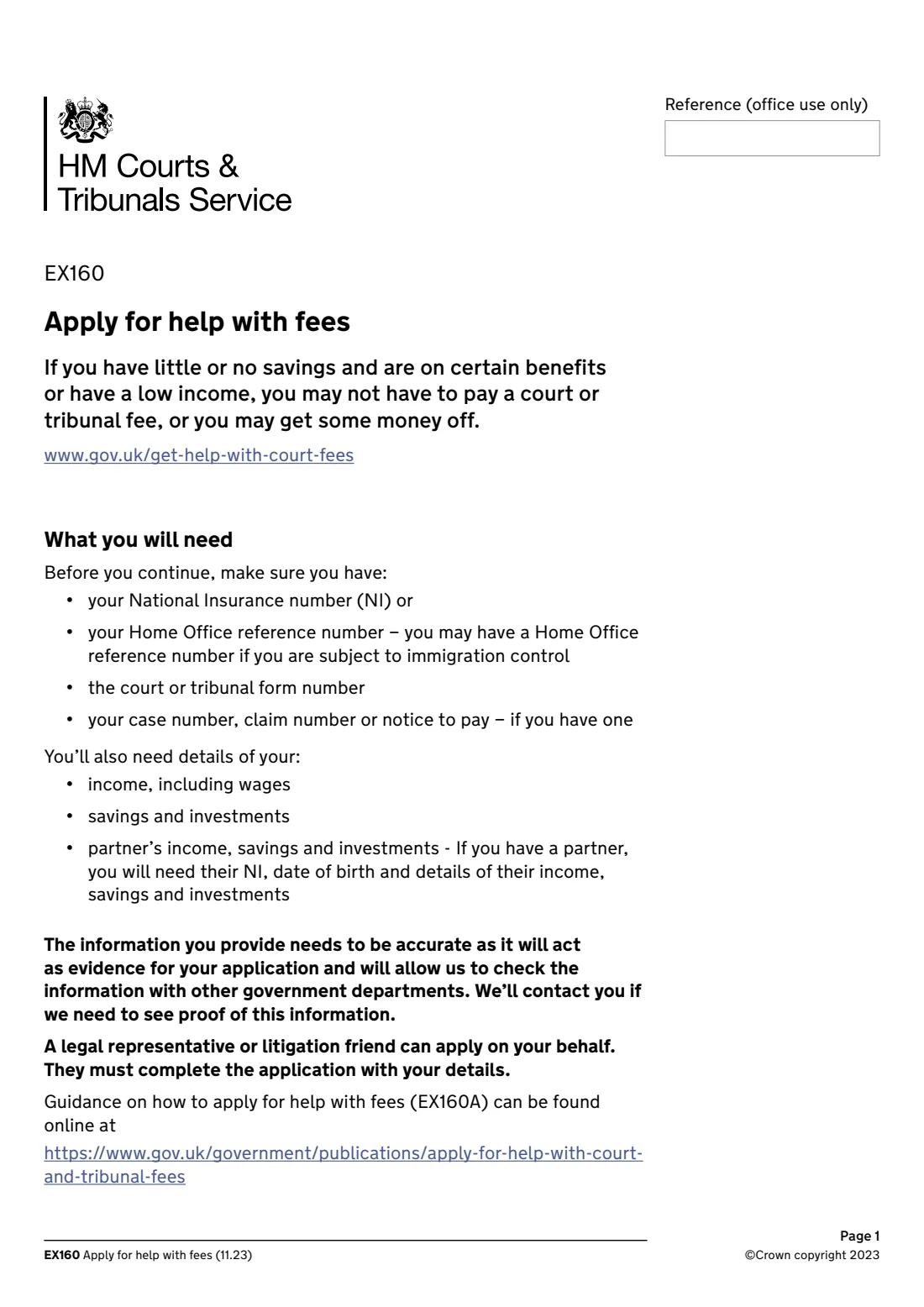
If you have little or no savings and are on certain benefits or have a low income, you may not have to pay a court or tribunal fee, or you may get some money off. Form EX160 is the paper application for this help, known as Help with Fees, from HM Courts & Tribunals Service (HMCTS).
It asks about you and your partner, the court or tribunal form and fee, your case, your savings, whether you get certain benefits, your children and last month's income, then a statement of truth. You send it with your court or tribunal form to the court or tribunal handling your case. You can also apply online at gov.uk/get-help-with-court-fees, and HMCTS publishes guidance notes (EX160A) and a fee remissions calculator (EX160C).
FileIt asks only the questions that apply to you, following the form's own 'go to question' routing, and prints your answers into HMCTS's own EX160 PDF, including the boxed dates, National Insurance number and postcode. You sign it and send it yourself. FileIt never sends it.
- Who fills it
- The person who has to pay the fee, or their litigation friend or legal representative
- Sent to
- The court or tribunal handling your case, with your court or tribunal form, by post or email
- Length
- 8 pages, 15 questions
- Signatures
- Signed and dated on page 7
- Edition
- EX160 (11.23)
- Time limit
- The application may be rejected if it's received more than 28 days after the date it's signed
Who needs to fill out EX160 Help with fees?
- Anyone who has to pay a fee to a court or tribunal run by HM Courts & Tribunals Service and has little or no savings, and gets certain benefits or has a low income.
- People who have paid a fee in the last 3 months and want to apply for a refund.
- A litigation friend or legal representative applying on someone's behalf. They must complete the form with the applicant's details.
When to use EX160 Help with fees
- When you're sending a court or tribunal form that has a fee, for example for a divorce, a probate case or a civil court application.
- When you've already paid a fee in the last 3 months and want to ask for a refund. Answer the questions about your circumstances when you paid.
- When you'd rather apply on paper than use the online Help with Fees service.
What you need before you start
- Your National Insurance number, or your Home Office reference number if you're subject to immigration control.
- The form number of your court or tribunal form (at the bottom of its first page), and any case, claim, appeal or 'notice to pay' number.
- If you have a partner: their name, date of birth, National Insurance number and details of their income, savings and investments.
- How much you and your partner have in savings and investments, including ISAs and the value of second homes.
- Which benefits you get, how many children you support, and last calendar month's income (or a 3-month average if that's lower).
What’s on EX160 Help with fees
The 2023 edition has 8 pages. FileIt asks for it in 8 parts, and it is signed by Applicant:
- 1. Your personal details (the applicant)Applicant
- 2-3. Relationship status and partnerApplicant
- 4-7. The fee and your caseApplicant
- 8-9. Savings and investmentsApplicant
- 10-11. Benefits and childrenApplicant
- 12-13. Income last calendar monthApplicant
- 14. Declaration and statement of truthApplicant
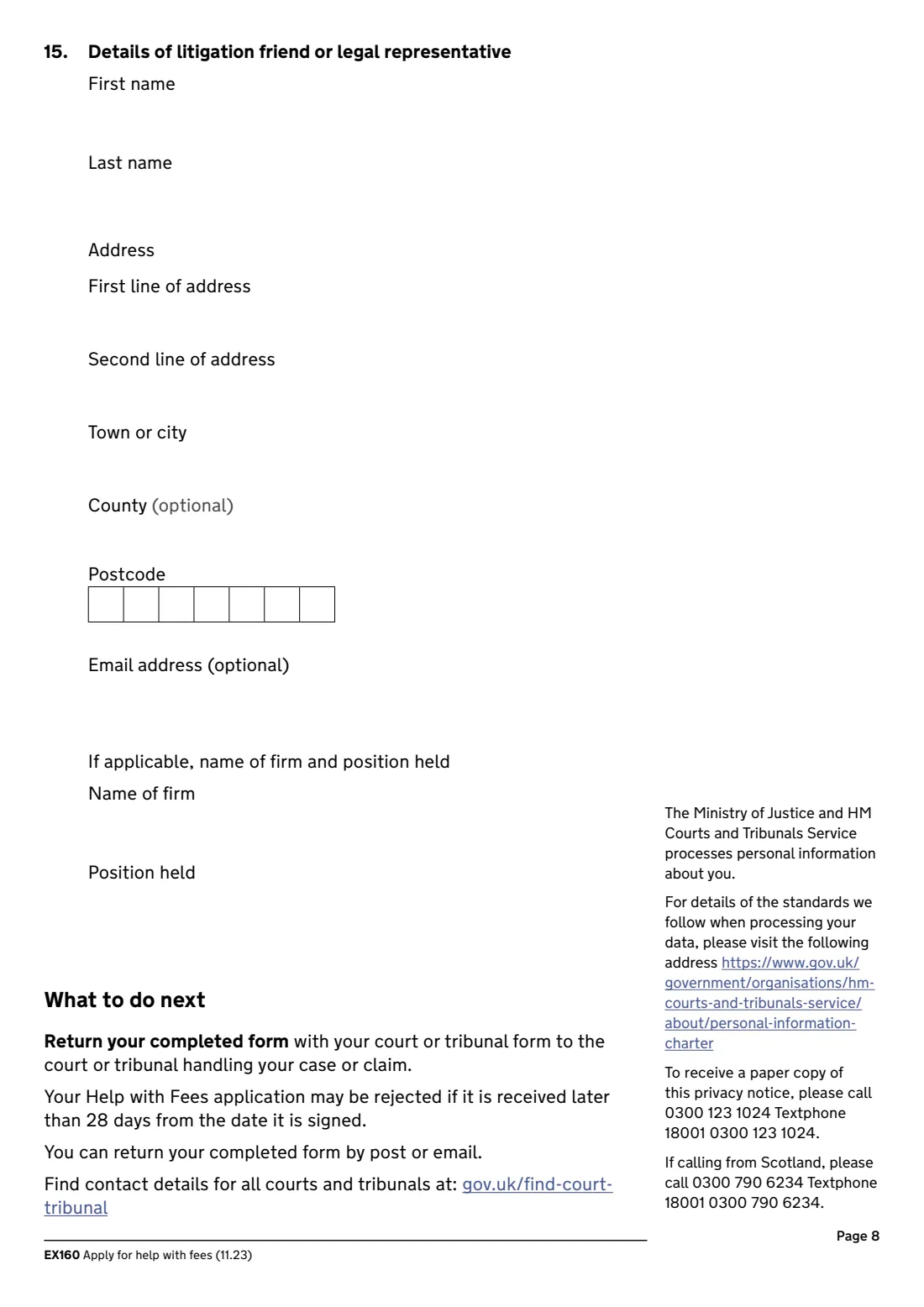
- 15. Details of litigation friend or legal representativeLitigation friend or legal representative
How to fill out EX160 Help with fees, step by step
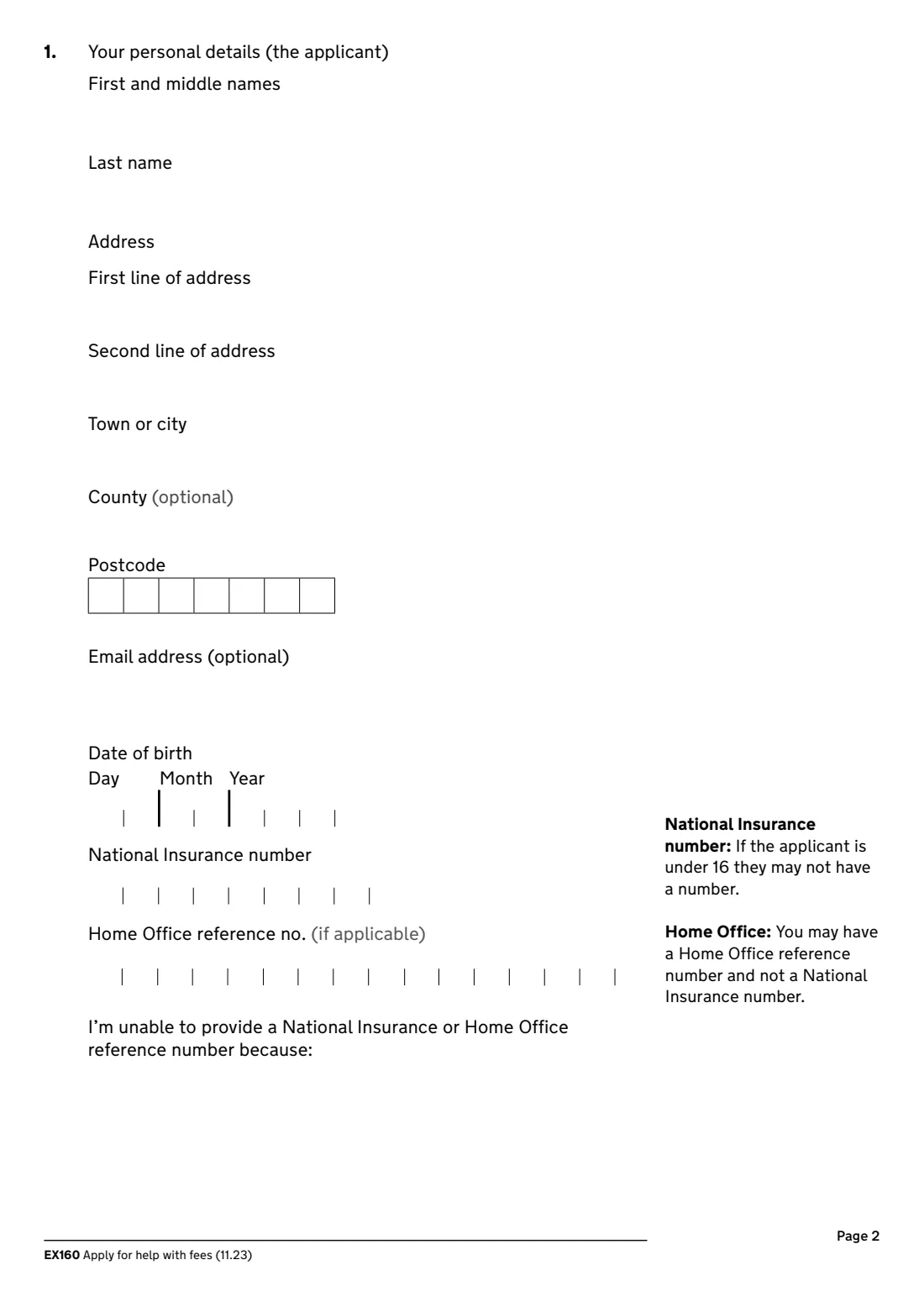
1 1. Your personal details
Name, address, email (optional), date of birth, and your National Insurance number or Home Office reference number. If you can't give either, say why.
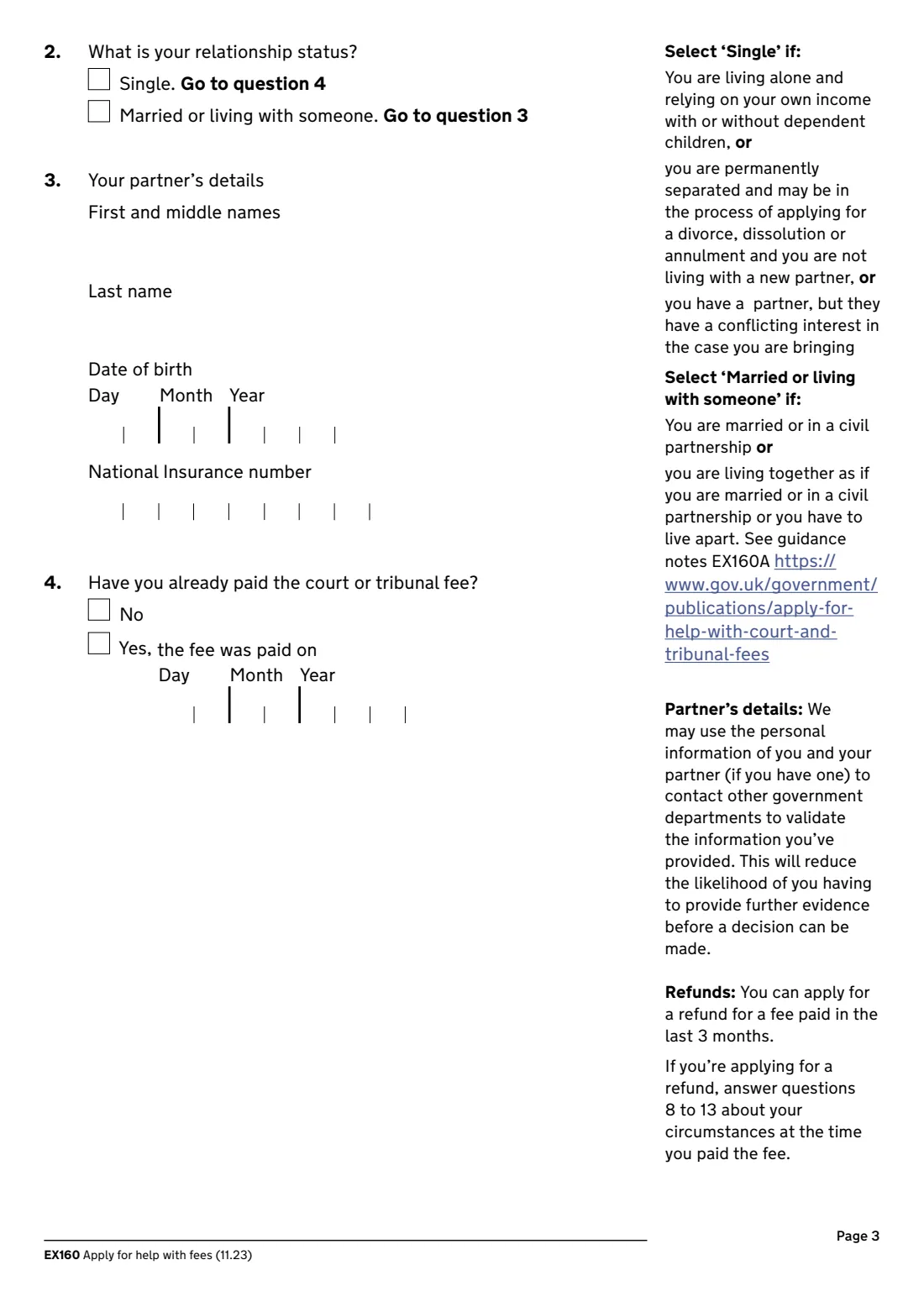
2 2 and 3. Relationship status and partner
Choose Single, or Married or living with someone. Single also covers being permanently separated, or having a partner with a conflicting interest in your case. If you have a partner, give their name, date of birth and National Insurance number.
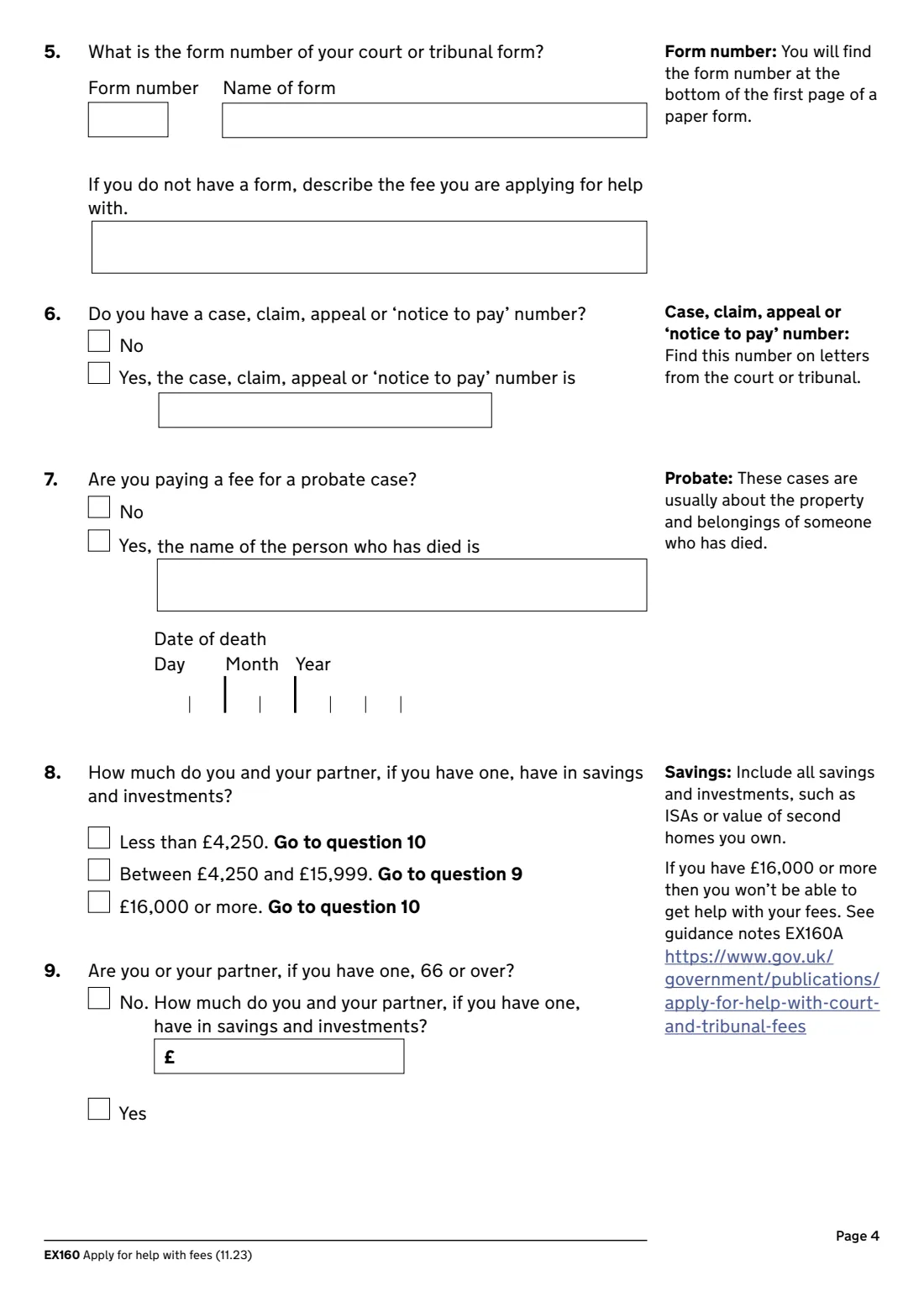
3 4 to 7. The fee and your case
Whether you've already paid (a refund), the form number and name, or a description of the fee if there's no form, any case or claim number, and for probate the name and date of death of the person who died.
4 8 and 9. Savings and investments
Tick the band for you and your partner together. Between £4,250 and £15,999, say whether either of you is 66 or over and, if not, the exact amount. The form says that with £16,000 or more you won't be able to get help with your fees.
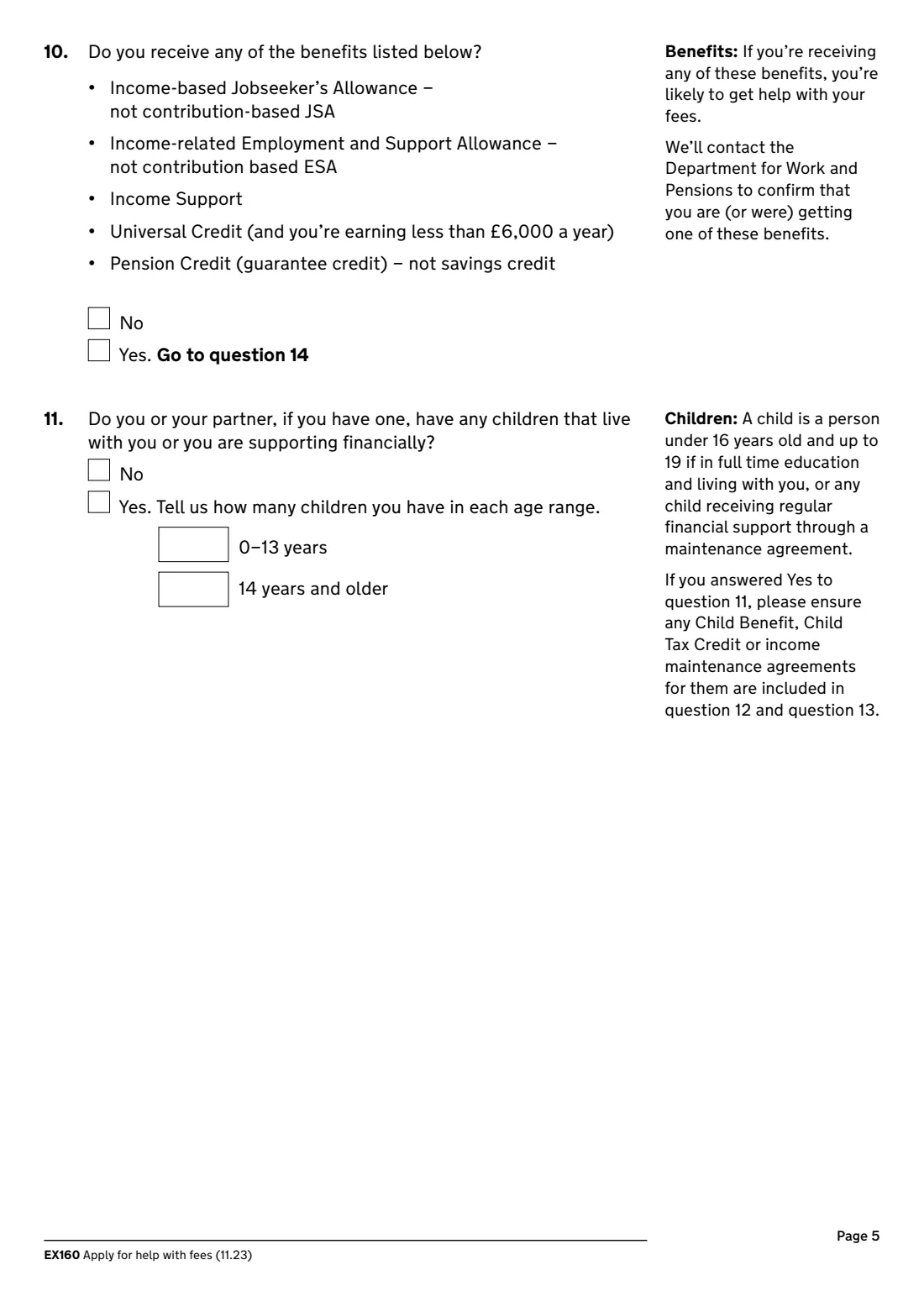
5 10 and 11. Benefits and children
If you get income-based JSA, income-related ESA, Income Support, Universal Credit (earning less than £6,000 a year) or Pension Credit guarantee credit, tick Yes and go to question 14. Otherwise say how many children live with you or you support, in two age ranges.
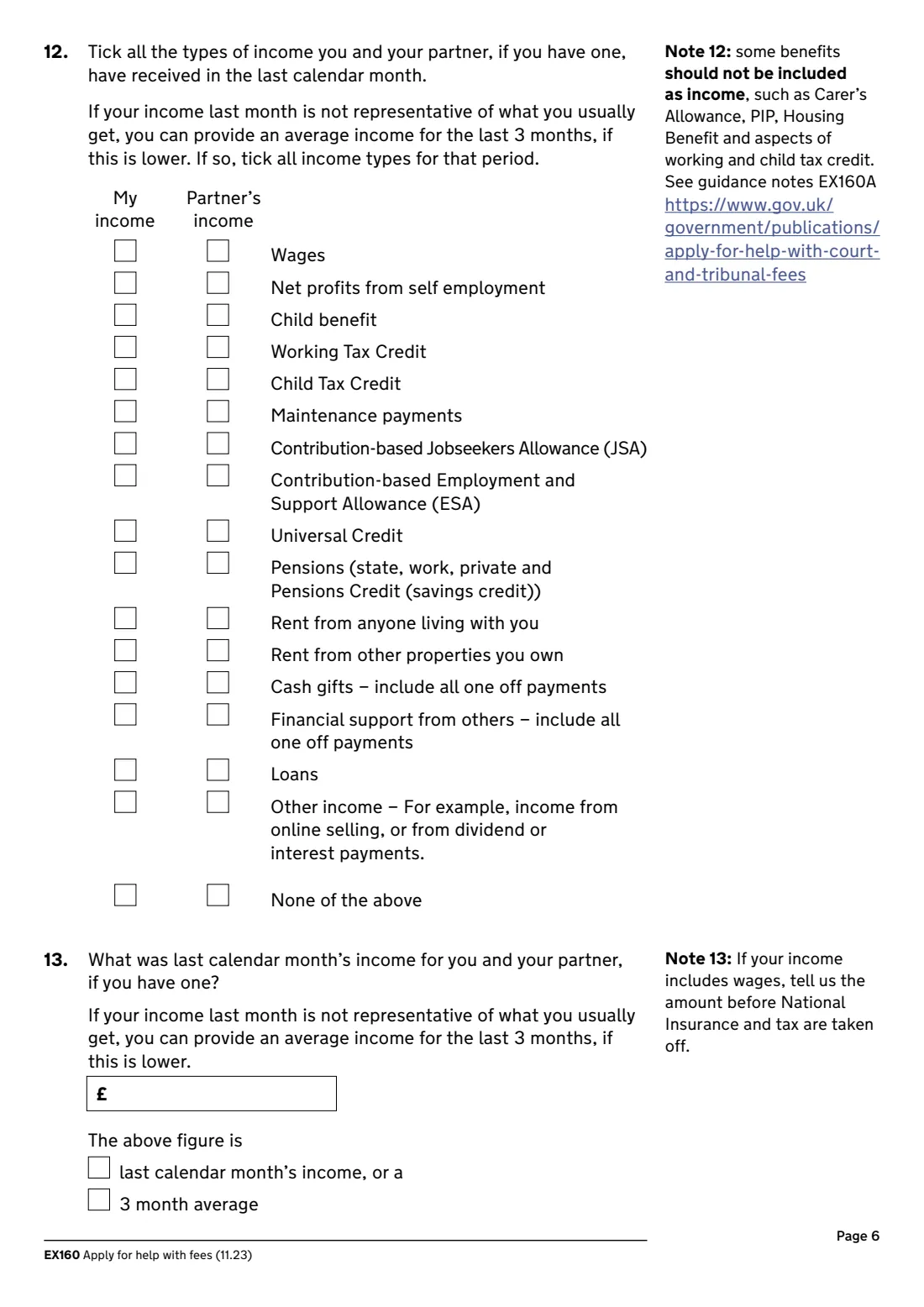
6 12 and 13. Income
Tick every type of income you and your partner got last calendar month, then the total before tax and National Insurance, and whether it's last month's figure or a 3-month average.
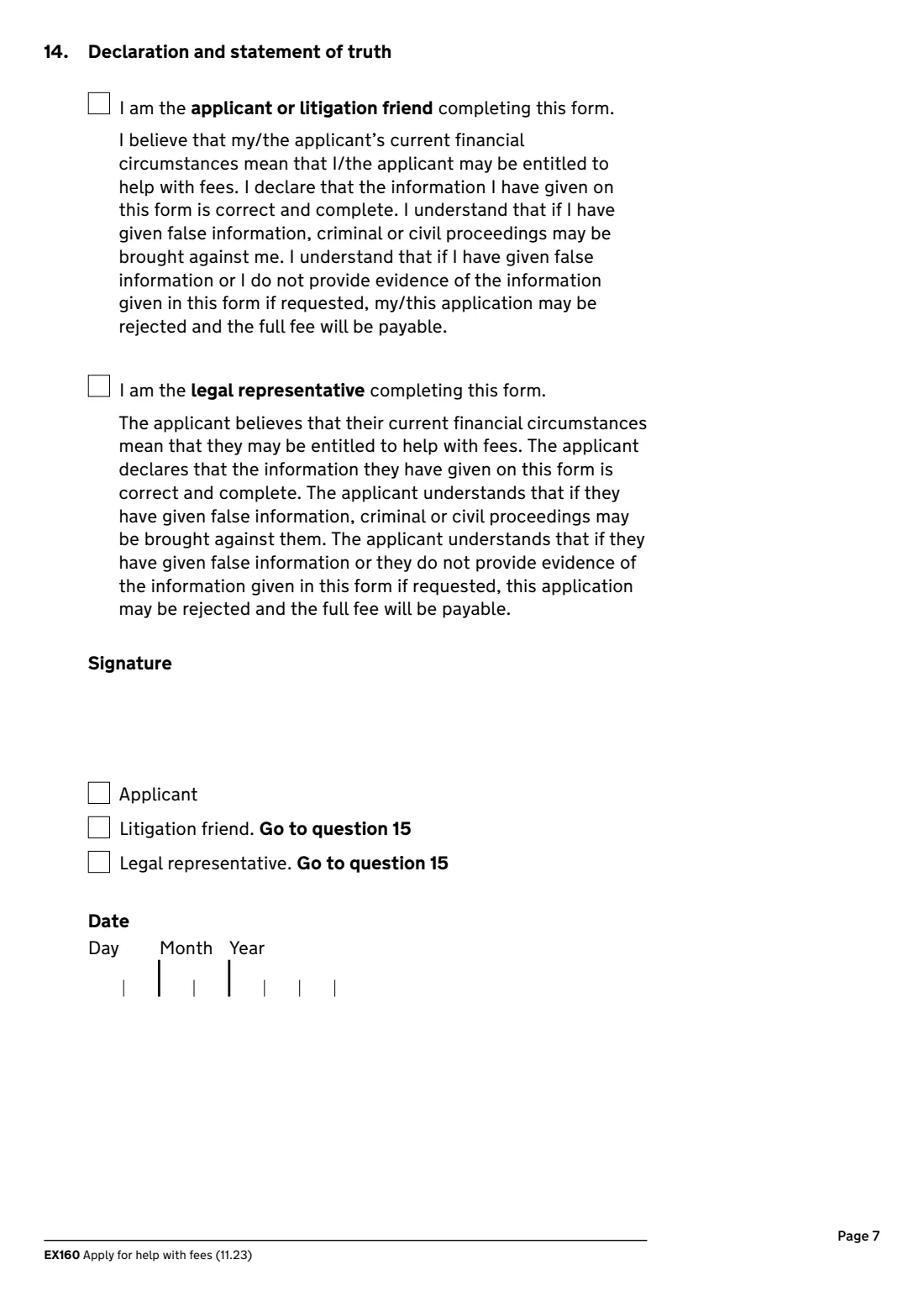
7 14 and 15. Declaration
Tick the statement of truth for the applicant or litigation friend, or for the legal representative, sign and date it, and say who signed. A litigation friend or legal representative adds their own details in question 15.
Common mistakes to avoid
- Forgetting the partner's details or income when you're married or living with someone.
- Counting income the form says to leave out, such as Carer's Allowance, PIP, Housing Benefit and aspects of Working and Child Tax Credit (see EX160A).
- Giving wages after tax. Question 13 asks for the amount before National Insurance and tax are taken off.
- Leaving out savings such as ISAs or the value of a second home.
- Sending the form more than 28 days after signing it.
- Sending the EX160 without the court or tribunal form it's for.
After you fill it out
Print the EX160 from FileIt, check every page, and sign and date it on page 7.
Return it with your court or tribunal form to the court or tribunal handling your case or claim, by post or email. Find their contact details at gov.uk/find-court-tribunal.
HMCTS may ask for evidence of the information you gave. Keep payslips, bank statements and benefit letters to hand, and keep a copy of the form in your FileIt vault.
Fill out EX160 Help with fees online with FileIt
- Pick the person. Choose someone from People and FileIt fills in their name, date of birth, address and other details it already knows.
- Answer plain-language questions. One part of the form at a time, with the official help text beside each question — 88 fields in all. Your answers save as you go.
- Check the live preview. Watch your answers land on the real HM Courts & Tribunals Service (HMCTS) form, and let FileIt do any worksheet arithmetic.
- Generate the official PDF. FileIt prints your answers into the agency’s own PDF and files it in that person’s folder in your vault. Sign it, or send it for e-signature.
FileIt fills the form — it never files or submits anything for you. Deliver the finished form to whoever asked for it, the way the form’s instructions say.
Start EX160 Help with fees now — it’s freeEX160 Help with fees: frequently asked questions
Can I apply online instead?
Yes. HMCTS has an online Help with Fees service at gov.uk/get-help-with-court-fees. The EX160 is the paper version.
Can I get a refund of a fee I've already paid?
The form says you can apply for a refund for a fee paid in the last 3 months. Answer questions 8 to 13 about your circumstances at the time you paid.
What if I have £16,000 or more in savings?
The form says you won't be able to get help with your fees. See guidance notes EX160A for the details.
Do I include my partner's income?
Yes, if you're married, in a civil partnership or living together as if you were. Choose Single if you're permanently separated or your partner has a conflicting interest in your case.
What if I don't have a National Insurance number?
Give your Home Office reference number if you have one. If you can't give either, the form asks you to say why.
Can someone apply for me?
Yes. A litigation friend or legal representative can apply on your behalf. They complete the form with your details, sign it, and add their own details in question 15.
Is there a deadline?
The application may be rejected if it's received more than 28 days after the date it's signed.
Official sources
- Blank form (PDF), published by HM Courts & Tribunals Service (HMCTS): https://assets.publishing.service.gov.uk/media/6908bde35e080b1224898186/EX160_1123_v2_save.pdf
- Official instructions and guidance: https://www.gov.uk/government/publications/apply-for-help-with-court-and-tribunal-fees
- Edition shown on this page: EX160 (11.23) (checked 2026-09-28).
FileIt is not affiliated with or endorsed by HM Courts & Tribunals Service (HMCTS) or any government. This page explains the form in general terms and is not legal, tax or immigration advice. Always read the official instructions, and check that you are using the edition the recipient accepts. Page last reviewed 2026-09-28.