What is C8 confidential contact details?
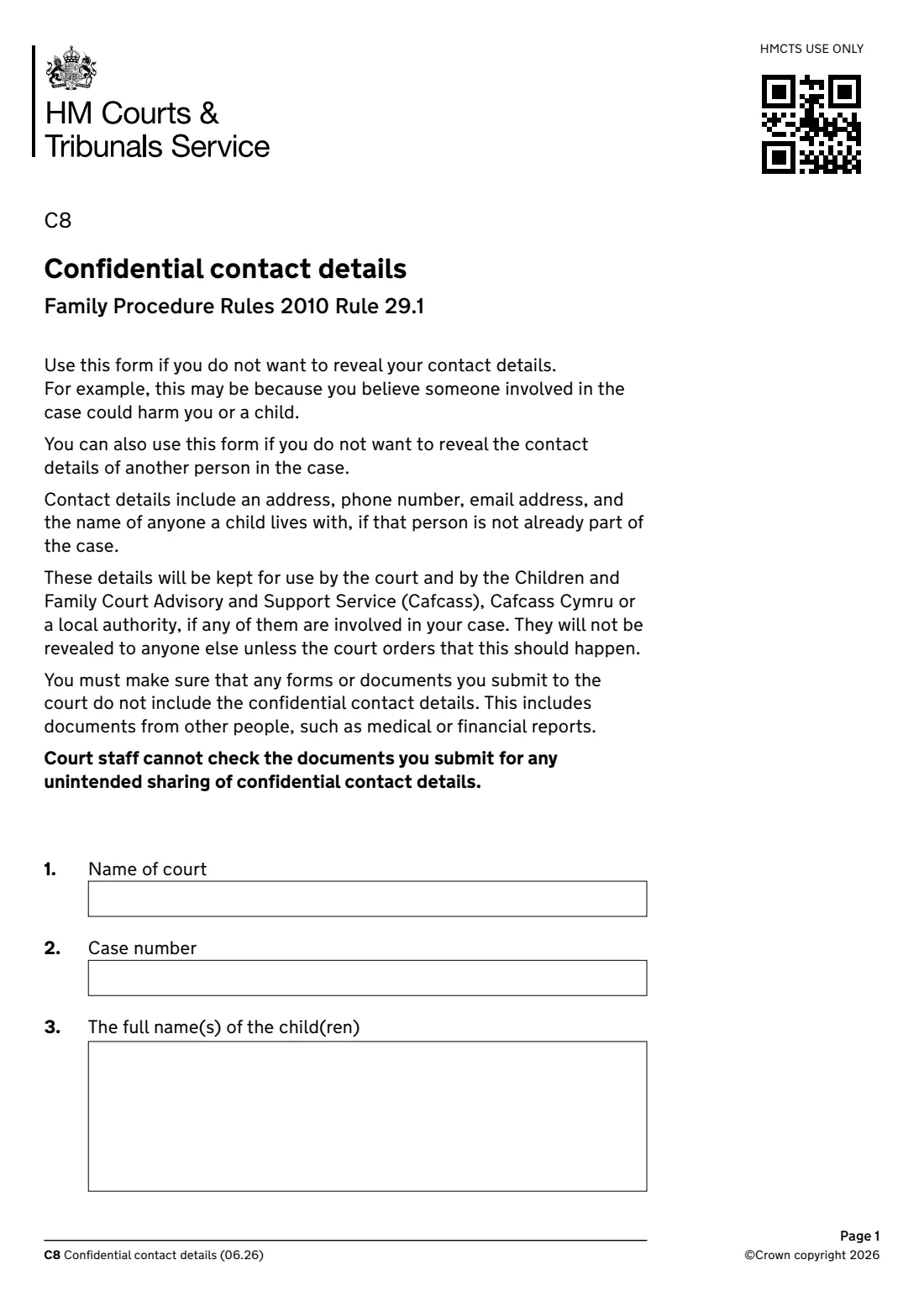
Form C8 asks the family court to keep contact details confidential under rule 29.1 of the Family Procedure Rules 2010. You might use it if you believe someone involved in the case could harm you or a child. Contact details include an address, phone number, email address, and the name of anyone a child lives with who isn't already part of the case.
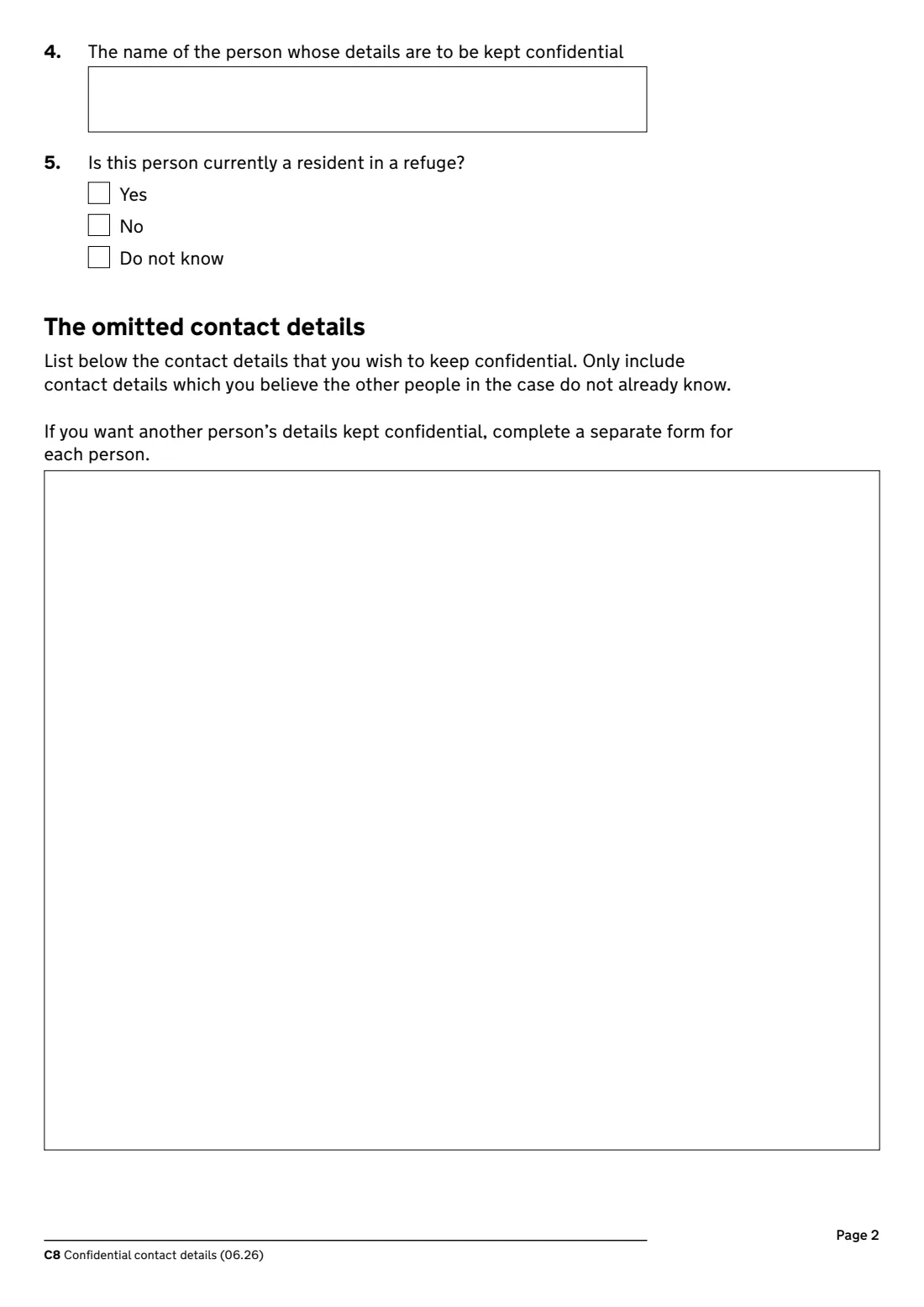
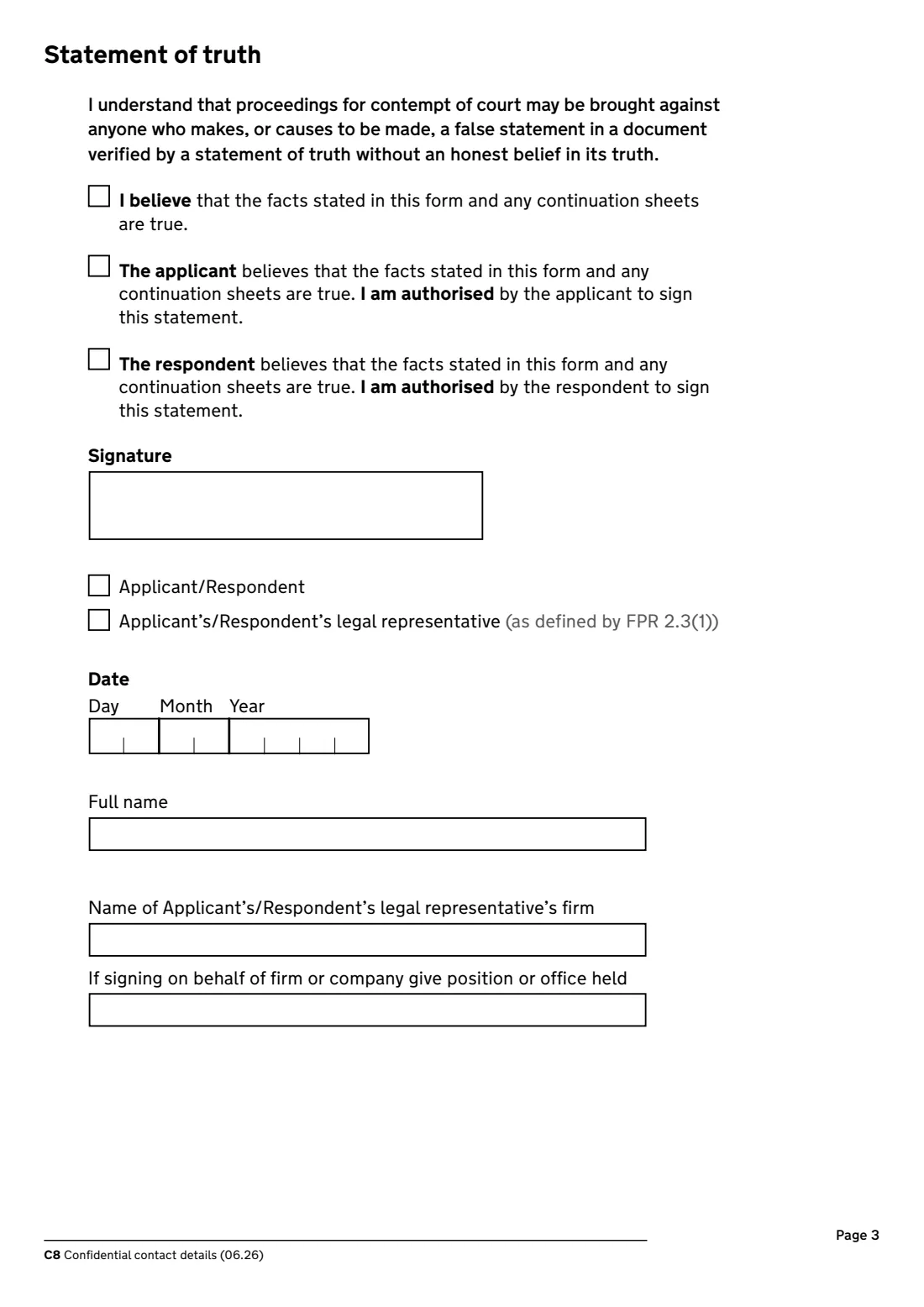
The details are kept for use by the court and by Cafcass, Cafcass Cymru or a local authority if they are involved. They are not revealed to anyone else unless the court orders it. The form asks for the court and case number, the children's names, whose details are to be kept confidential, whether that person lives in a refuge, the details themselves, and a statement of truth.
FileIt asks for each kind of contact detail separately, lists them clearly in the box on page 2, and prints everything into HMCTS's own C8 PDF, including accented names. You print and sign it and file it with your main application. FileIt never sends it to the court.
- Who fills it
- An applicant or respondent in family proceedings, or their legal representative
- Given to
- The family court, with your main application
- Seen by
- The court and Cafcass, Cafcass Cymru or a local authority involved in the case
- Signatures
- The statement of truth, signed and dated
- Edition
- C8 (06.26)
- One form per
- Person whose details are to be kept confidential
Who needs to fill out C8 confidential contact details?
- A parent or other party in a children case, such as child arrangements, who doesn't want the other side to know where they live.
- Someone living in a refuge or who has moved to get away from domestic abuse.
- A party who wants to keep another person's details in the case private, such as the address of someone a child lives with.
- Anyone in family proceedings who wants their phone number or email address kept from the other people in the case.
- Solicitors filing on a client's behalf.
When to use C8 confidential contact details
- With your main family court application, or as soon as you're asked for contact details you don't want the other side to see.
- When the other people in the case don't already know the details. The form says to include only details you believe they don't already know.
- Once for each person whose details you want kept confidential. Use a separate form for each.
What you need before you start
- The name of the court and the case number, if you have one.
- The full names of the children involved.
- The name of the person whose details are to be kept confidential, and whether they currently live in a refuge.
- The contact details to keep private: address, phone numbers, email address, and the name of anyone a child lives with who isn't already part of the case.
- If a solicitor is signing, the firm's name and their position.
What’s on C8 confidential contact details
The 2026 edition has 3 pages. FileIt asks for it in 4 parts, and it is signed by Applicant or respondent (or their legal representative):
- The case (1-3)Applicant or respondent (or their legal representative)
- Whose details (4-5)Applicant or respondent (or their legal representative)
- The omitted contact detailsApplicant or respondent (or their legal representative)
- Statement of truthApplicant or respondent (or their legal representative)
How to fill out C8 confidential contact details, step by step
1 The case (questions 1 to 3)
Give the name of the court, the case number if you have one, and the full names of the children.
2 Whose details (questions 4 and 5)
Give the name of the person whose details are to be kept confidential and say whether they are currently resident in a refuge. Each form covers one person.
3 The omitted contact details
List the contact details you want kept confidential. FileIt asks for the address, phone, email, the name of anyone a child lives with and anything else separately, then lists them in the box on page 2. Only include details you believe the other people in the case don't already know.
4 Statement of truth
Tick 'I believe...' if you're signing for yourself, or the applicant's or respondent's statement if you're their legal representative. Tick who is signing, then give the date, your full name and, for a solicitor, the firm's name and your position.
Common mistakes to avoid
- Putting the confidential address or phone number on the main application or any other document. The form warns that court staff can't check your documents for this.
- Forgetting that documents from other people, such as medical or financial reports, can also reveal your details.
- Covering more than one person on one form. Use a separate C8 for each person.
- Listing details the other side already knows. The form asks only for ones they don't.
- Ticking the wrong statement of truth when a solicitor signs.
After you fill it out
Print the form, check it, and sign and date the statement of truth.
Include the completed C8 with your main family court application, and follow the instructions about where to send your forms in the guidance for that application. FileIt doesn't send it for you.
Check every other form and document you send to the court, including reports from other people, to make sure none of them shows the confidential details.
Keep a copy in your FileIt vault. Only the court, and Cafcass, Cafcass Cymru or a local authority involved in the case, will see the details unless the court orders otherwise.
Fill out C8 confidential contact details online with FileIt
- Pick the person. Choose someone from People and FileIt fills in their name, date of birth, address and other details it already knows.
- Answer plain-language questions. One part of the form at a time, with the official help text beside each question — 17 fields in all. Your answers save as you go.
- Check the live preview. Watch your answers land on the real HM Courts & Tribunals Service (HMCTS) — Family Court form, and let FileIt do any worksheet arithmetic.
- Generate the official PDF. FileIt prints your answers into the agency’s own PDF and files it in that person’s folder in your vault. Sign it, or send it for e-signature.
FileIt fills the form — it never files or submits anything for you. Deliver the finished form to whoever asked for it, the way the form’s instructions say.
Start C8 confidential contact details now — it’s freeC8 confidential contact details: frequently asked questions
What is form C8 for?
It asks the family court to keep contact details, such as your address, phone number or email, or the name of someone a child lives with, confidential from the other people in the case.
Who will see my confidential details?
The court, and Cafcass, Cafcass Cymru or a local authority if they are involved in your case. They won't be revealed to anyone else unless the court orders it.
Where do I send form C8?
Include it with your main family court application and follow the instructions in the guidance for that application about where to send your forms.
Can I use one C8 for me and my children?
The form is for one person's details. If you want another person's details kept confidential, complete a separate form for each person.
Does the C8 stop my address appearing on other documents?
No. You must make sure the other forms and documents you send don't include the confidential details. The form says court staff can't check your documents for you.
Does FileIt send the form to court?
No. FileIt prepares the official C8 PDF with your answers printed in. You sign it and file it with your application yourself.
Official sources
- Blank form (PDF), published by HM Courts & Tribunals Service (HMCTS) — Family Court: https://assets.publishing.service.gov.uk/media/6a103f2229bb11891b1cf073/C8_0626_save.pdf
- Official instructions and guidance: https://www.gov.uk/government/publications/apply-to-keep-your-contact-details-confidential-form-c8
- Edition shown on this page: C8 Confidential contact details (06.26) (checked 2026-09-28).
FileIt is not affiliated with or endorsed by HM Courts & Tribunals Service (HMCTS) — Family Court or any government. This page explains the form in general terms and is not legal, tax or immigration advice. Always read the official instructions, and check that you are using the edition the recipient accepts. Page last reviewed 2026-09-28.