What is EX-18 (EU citizen registration certificate)?
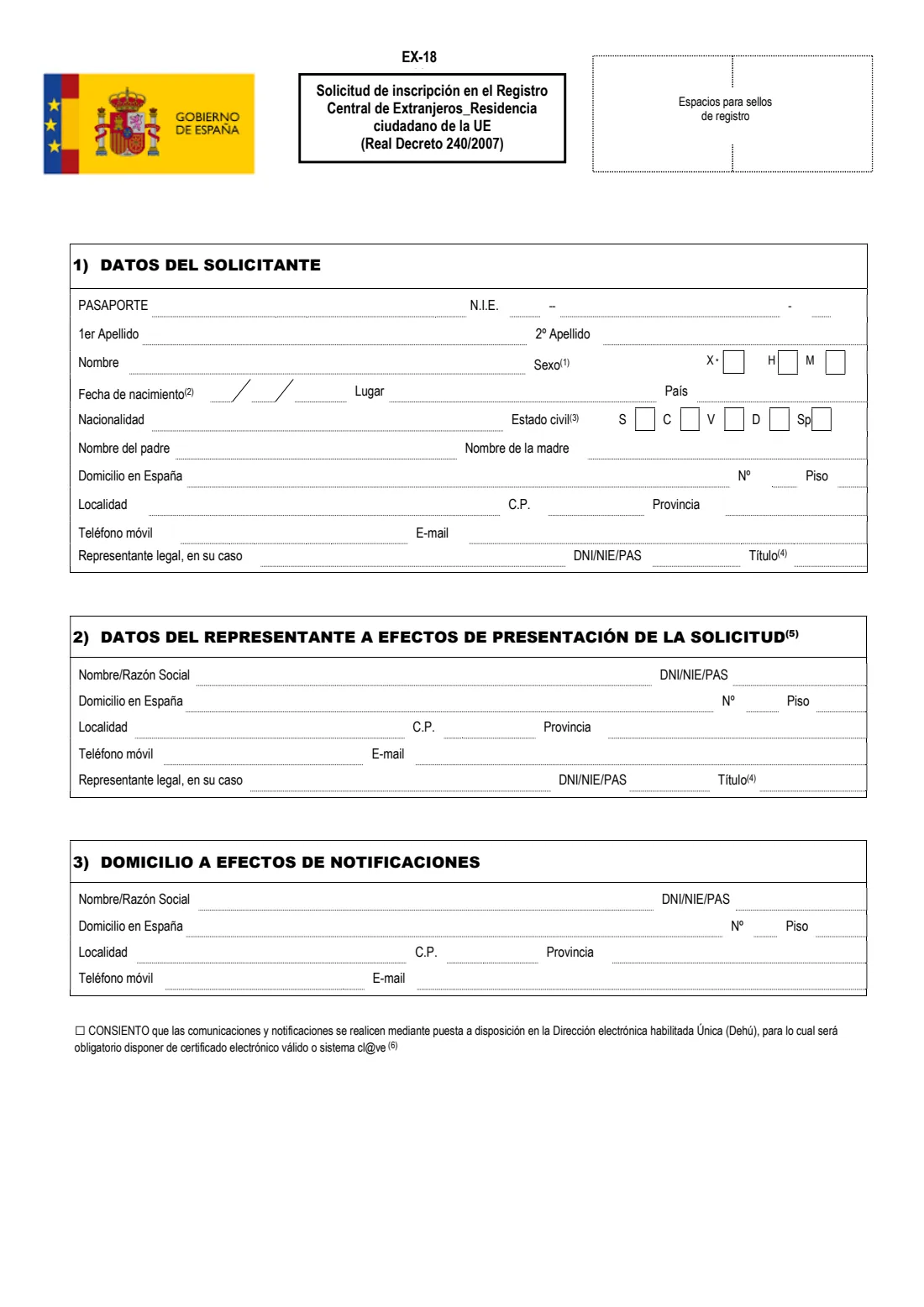
EX-18 (Solicitud de inscripción en el Registro Central de Extranjeros — Residencia ciudadano de la UE) is the official application under Royal Decree 240/2007 for citizens of the European Union, the European Economic Area and Switzerland to register their residence in Spain. Registration gives you the registration certificate (certificado de registro de ciudadano de la Unión), widely known as the green certificate, which shows your NIE.
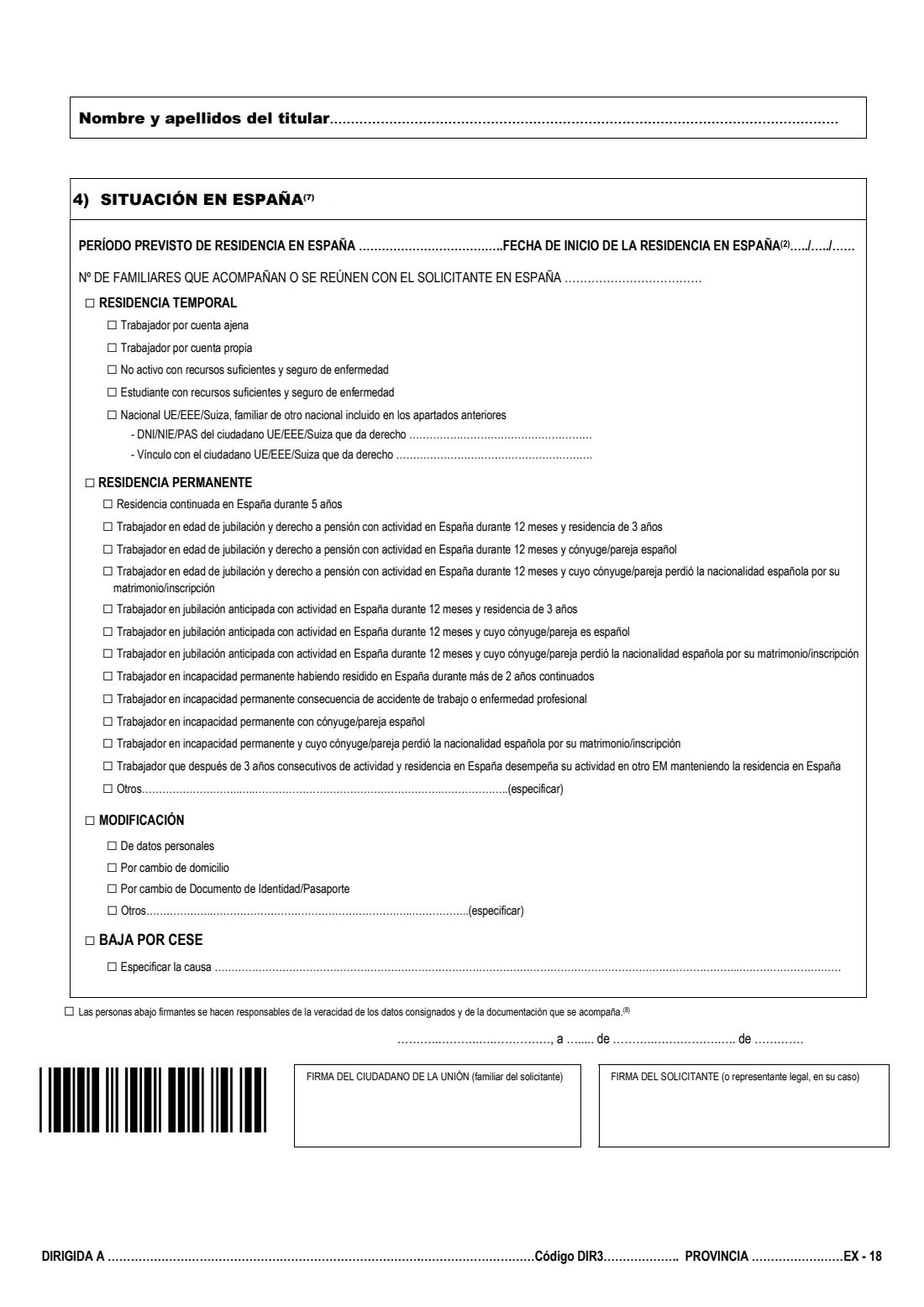
The same form covers four requests: temporary residence (the usual first registration, as an employed or self-employed worker, a person not working with sufficient resources and health insurance, a student, or a family member who is also an EU citizen), permanent residence, a change to your registration, and cancellation when you leave. It asks for your identity details, address in Spain, an optional representative and notification address, and your situation in Spain.
FileIt explains every part in English with the Spanish terms alongside, checks NIE and DNI letters, and prints your answers in capitals onto the official PDF, with the NIE and dates split into their boxes. Your name and date of birth can be pre-filled from People in your FileIt vault, and the finished PDF is saved there. FileIt does not submit anything or book appointments.
- Who fills it
- An EU, EEA or Swiss citizen living in Spain (or their legal representative)
- Given to
- In person at an immigration office (Oficina de Extranjería) or a police station, as the office's information sheet says
- Copies
- The original and a copy of the completed form
- Signatures
- The applicant; also the EU citizen who gives the right when applying as a family member
- Legal basis
- Royal Decree 240/2007
- Price of the form
- The form is free (impreso gratuito); check the official information sheet for any fee for the procedure
Who needs to fill out EX-18 (EU citizen registration certificate)?
- EU, EEA and Swiss citizens moving to Spain for work, self-employment, study or retirement.
- EU citizens living in Spain without working, with sufficient resources and health insurance.
- EU, EEA or Swiss family members of another EU citizen living in Spain.
- Registered EU citizens applying for permanent residence, for example after five years of continuous residence.
- Registered EU citizens who need to update their details, address or identity document, or cancel their registration when they leave Spain.
When to use EX-18 (EU citizen registration certificate)
- When you plan to live in Spain, to register your residence as an EU, EEA or Swiss citizen.
- After five years of continuous legal residence, or in one of the other cases listed on the form, to apply for permanent residence.
- When your personal details, address or identity document change.
- When you leave Spain for good, to cancel your registration (baja por cese).
What you need before you start
- Your valid passport or national identity card.
- Your NIE, if you already have one (needed for a change, a cancellation or permanent residence).
- Your full name, sex, date and place of birth, nationality, marital status and parents' first names.
- Your address in Spain, mobile phone and e-mail.
- Evidence for the basis you choose, such as an employment contract, proof of self-employment, proof of resources and health insurance, or enrolment in studies, as the official information sheet lists.
- For a family member: the EU citizen's DNI, NIE or passport number, your relationship and their signature.
- The original and a copy of the completed form.
What’s on EX-18 (EU citizen registration certificate)
The 2026 edition has 3 pages. FileIt asks for it in 7 parts, and it is signed by Applicant (solicitante) and Eu citizen giving the right:
- 1) Your details (Datos del solicitante)Applicant (solicitante)
- 2) Representative handing in the application (Datos del representante)Applicant (solicitante)
- 3) Address for notifications (Domicilio a efectos de notificaciones)Applicant (solicitante)
- Electronic notifications (Dehú)Applicant (solicitante)
- 4) Your situation in Spain (Situación en España)Applicant (solicitante)
- EU citizen giving you the right (family members only)Eu citizen giving the right
- Declaration, place, date and signatureApplicant (solicitante)
How to fill out EX-18 (EU citizen registration certificate), step by step
1 1) Datos del solicitante (your details)
Passport or ID card number and NIE if you have one, both surnames and first name, sex (H, M, or X only if your country of origin recognises it), date and place of birth, country, nationality, marital status (S, C, V, D, Sp), parents' first names, your address in Spain, mobile phone and e-mail, and a legal representative for a minor.
2 2) Datos del representante (representative)
Only if someone else hands in the application for you, such as a lawyer or agency: their name or company name, DNI, NIE or passport, address and contact details.
3 3) Domicilio a efectos de notificaciones (notifications)
A different name and address for notices, if you want one. Below it, a box to consent to electronic notifications through the Dehú, which needs a digital certificate or Cl@ve.
4 4) Situación en España (your situation)
The intended period of residence, the date your residence in Spain began and how many family members come with you. Then tick temporary residence, permanent residence, a change, or cancellation, and the basis that applies. A family member gives the EU citizen's document number and their relationship.
5 Declaration, place, date and signature
Tick the declaration that the data and documents are true, write the place and date, and sign in the applicant's box. When applying as a family member, the EU citizen also signs. At the foot, name the office the application is addressed to.
Common mistakes to avoid
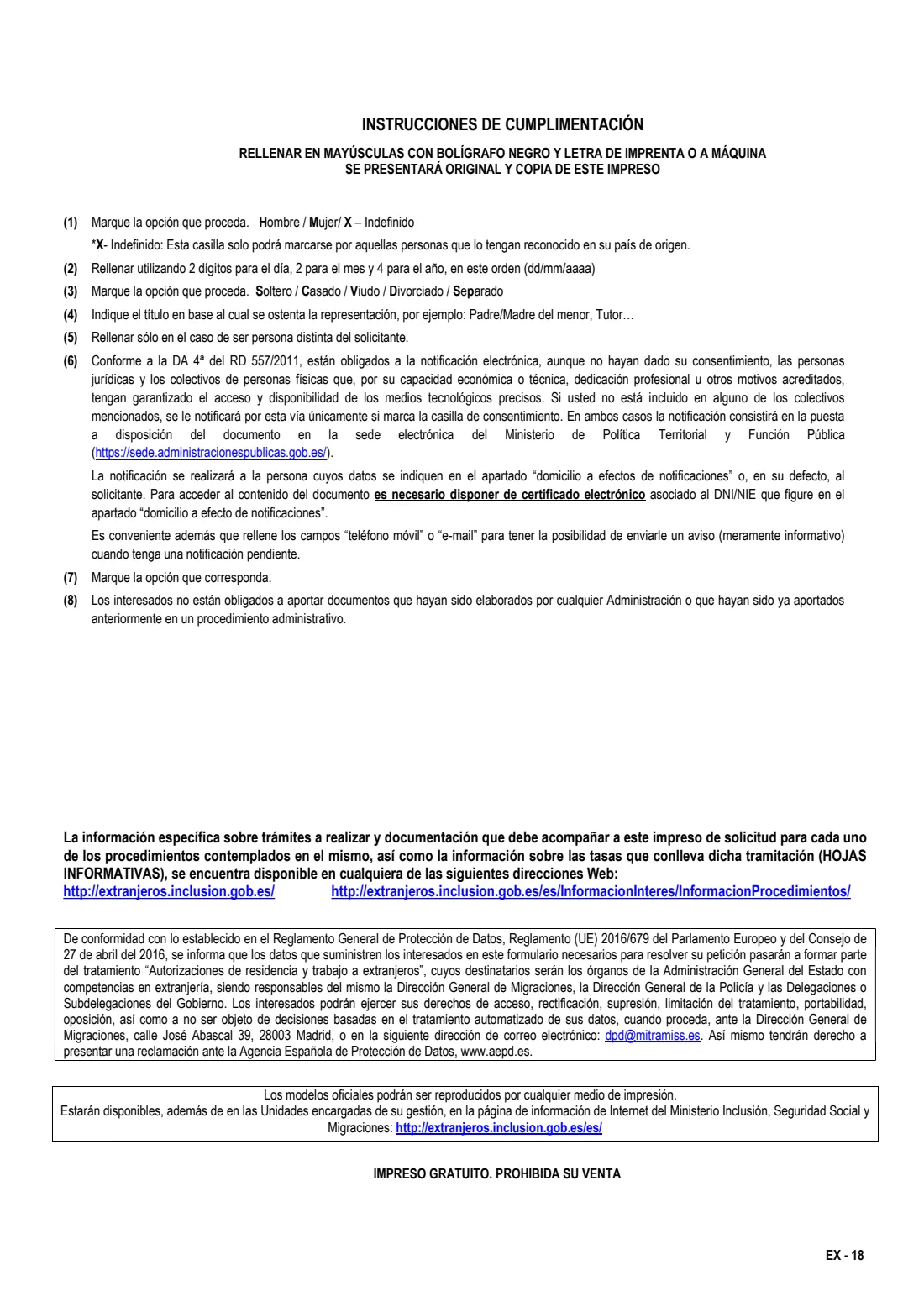
- Writing in lower case — the instructions ask for capitals in black ink or typed.
- Bringing only one copy; the form says to present the original and a copy.
- Choosing the family-member option without the EU citizen's details and signature.
- Ticking X for sex when your country of origin does not recognise it for you.
- Ticking the electronic-notification consent without a digital certificate or Cl@ve to read the notices.
- Turning up without the documents the official information sheet lists for your basis of residence.
After you fill it out
Print the form and sign it. Take the original and a copy, with your passport or ID card and supporting documents, to the immigration office or police station; offices commonly work by appointment (cita previa). FileIt does not submit the form or book appointments.
The information sheets (hojas informativas) on the Ministry's immigration website list the documents and any fees for each procedure; the form refers you to them.
When you receive your registration certificate, add it to your FileIt vault so you have it to hand for employers, banks and landlords.
Fill out EX-18 (EU citizen registration certificate) online with FileIt
- Pick the person. Choose someone from People and FileIt fills in their name, date of birth, address and other details it already knows.
- Answer plain-language questions. One part of the form at a time, with the official help text beside each question — 71 fields in all. Your answers save as you go.
- Check the live preview. Watch your answers land on the real Ministerio de Inclusión, Seguridad Social y Migraciones (MISSM) - Secretaría de Estado de Migraciones, with the Dirección General de la Policía form, and let FileIt do any worksheet arithmetic.
- Generate the official PDF. FileIt prints your answers into the agency’s own PDF and files it in that person’s folder in your vault. Sign it, or send it for e-signature.
FileIt fills the form — it never files or submits anything for you. Deliver the finished form to whoever asked for it, the way the form’s instructions say.
Start EX-18 (EU citizen registration certificate) now — it’s freeEX-18 (EU citizen registration certificate): frequently asked questions
What is form EX-18?
EX-18 is the application for EU, EEA and Swiss citizens to register their residence in Spain's Central Register of Foreigners and get the registration certificate. It is also used for permanent residence, changes and cancellation.
What is the green certificate?
It is the common name for the certificado de registro de ciudadano de la Unión, the registration certificate you get after an EX-18 application for residence. It shows your NIE.
What is the difference between EX-18 and EX-15?
EX-15 is for getting an NIE or a resident or non-resident certificate, for example for a purchase. EX-18 is for EU citizens who are actually living in Spain and register as residents.
Can I fill out EX-18 online?
You can fill it in online with FileIt, which explains each question in English and prints your answers onto the official PDF. You then print it, sign it and hand it in in person.
My spouse is the EU citizen who works in Spain. Which option do I choose?
If you are also an EU, EEA or Swiss national, choose the family-member option under temporary residence and give your spouse's document number and your relationship; your spouse signs too. Family members who are not EU, EEA or Swiss citizens apply for a residence card with form EX-19 instead.
Does FileIt submit the form for me?
No. FileIt fills the official PDF and saves it in your vault. You sign it and hand it in yourself.
Official sources
- Blank form (PDF), published by Ministerio de Inclusión, Seguridad Social y Migraciones (MISSM) - Secretaría de Estado de Migraciones, with the Dirección General de la Policía: https://www.inclusion.gob.es/documents/410169/2156469/18-Certificado_residencia_comunitaria.pdf
- Official instructions and guidance: http://extranjeros.inclusion.gob.es/es/InformacionInteres/InformacionProcedimientos/
- Edition shown on this page: EX-18 (no edition date printed) (checked 2026-09-28).
FileIt is not affiliated with or endorsed by Ministerio de Inclusión, Seguridad Social y Migraciones (MISSM) - Secretaría de Estado de Migraciones, with the Dirección General de la Policía or any government. This page explains the form in general terms and is not legal, tax or immigration advice. Always read the official instructions, and check that you are using the edition the recipient accepts. Page last reviewed 2026-09-28.