What is UDK 320 — Child and youth benefit (EU/EEA/Swiss citizens)?
UDK 320_ENG is the English edition of Udbetaling Danmark's form for claiming Danish child and youth benefit (børne- og ungeydelse, often called børnepenge) when you are a citizen of an EU/EEA country or Switzerland. Because EU rules decide which country pays family benefits when a family lives or works in more than one country, the form asks far more than a Danish citizen's claim would: where you and the child's other parent work, which benefits you receive, where the child lives, where you have both lived and worked over the past ten years, and whether another country already pays you family benefits.
Udbetaling Danmark asks people to apply digitally on borger.dk wherever possible — the pink 'Brug den digitale løsning på borger.dk' stamp on the PDF says exactly that, and it doesn't print. The paper form is for when you can't use the digital route. It is printed, signed by hand and posted to Udbetaling Danmark in Hillerød, together with the documents listed on page 4.
FileIt guides you through every part of UDK 320 in plain English, skips the parts that don't apply to you, pre-fills your name and your employer from the People in your FileIt vault, and prints your answers into Udbetaling Danmark's own PDF — including the CPR boxes and names with Polish, Czech, Baltic or other accented letters. The finished form is saved in your vault. You print it, sign it and post it yourself; FileIt never sends anything to Udbetaling Danmark.
- Who fills it
- A parent who is a citizen of an EU/EEA country or Switzerland, one form per child
- Given to
- Udbetaling Danmark, Family Benefits — by post to Kongens Vænge 8, 3400 Hillerød
- When
- When you start living or working in Denmark with a child, or your family's situation changes
- Signatures
- You sign and date the declaration in part J by hand
- Edition
- UDK 320_ENG, Version 04/26
- Pages
- 7 (4 to fill in, 3 of guidance and privacy information)
Who needs to fill out UDK 320 — Child and youth benefit (EU/EEA/Swiss citizens)?
- Citizens of an EU/EEA country or Switzerland who have moved to Denmark to work and have a child living with them.
- EU/EEA or Swiss workers employed in Denmark whose child lives in another EU/EEA country with the other parent.
- Posted workers, seafarers, offshore workers, pilots and cabin crew, and international transport drivers covered by Danish social security.
- Self-employed EU/EEA or Swiss citizens running a business in Denmark.
- EU/EEA or Swiss citizens in Denmark who are not working but receive Danish benefits such as maternity pay, sickness benefit, unemployment benefit or a pension.
- Anyone Udbetaling Danmark has asked to use this paper form instead of the digital application on borger.dk.
When to use UDK 320 — Child and youth benefit (EU/EEA/Swiss citizens)
- Soon after you start working in Denmark or move here with your child, so Udbetaling Danmark can assess which country should pay.
- When a new child is born or comes to live with you and you are an EU/EEA or Swiss citizen.
- Use one form per child — the form has room for a single child in part C.
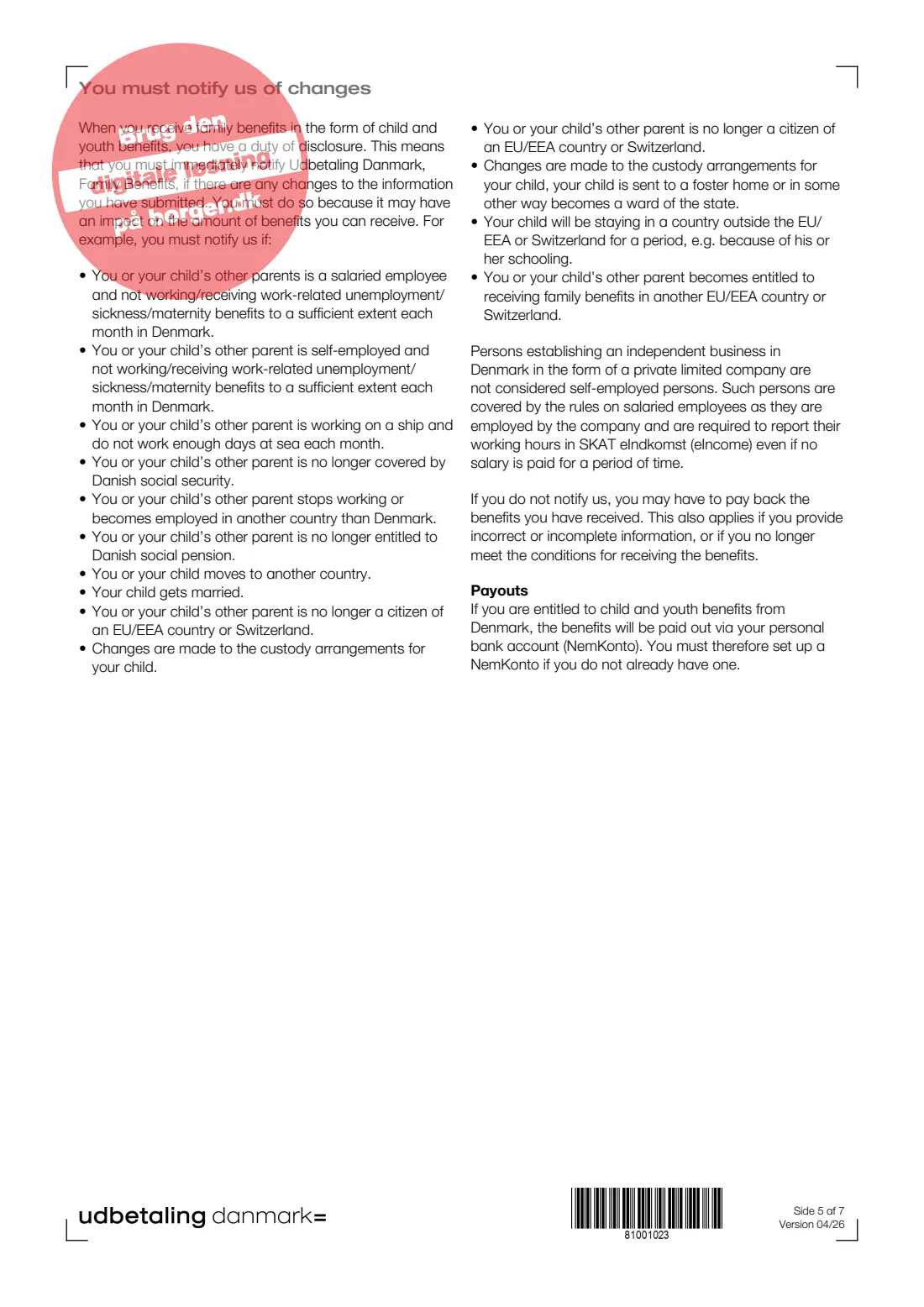
- After applying, you must report changes straight away: page 5 lists examples such as stopping work, moving country, changes in custody or starting to receive family benefits from another country.
What you need before you start
- Your Danish CPR number if you have one, your address in Denmark and your current or most recent address abroad.
- Your personal identification number in your foreign country and your citizenship.
- Your employer's name, CVR number (or RUT number for a foreign service provider), address, your start date and weekly hours in Denmark.
- The child's name and CPR number, or date of birth if the child has no CPR number, plus any ID number abroad.
- The other parent's name, CPR number or date of birth, addresses, citizenship and work situation.
- Years of residence and employment in other EU/EEA countries, Switzerland, Greenland or the Faroe Islands over the past ten years, for you and the other parent.
- Details of any family benefits paid by another EU/EEA country or Switzerland: country, authority, monthly amount and file number.
- A copy of the child's birth certificate (unless the child has a Danish one), and your employment contract or an A1 decision where page 4 asks for it.
- A NemKonto — the account Danish public payments go to — or a plan to set one up with your bank.
What’s on UDK 320 — Child and youth benefit (EU/EEA/Swiss citizens)
The 2026 edition has 7 pages. FileIt asks for it in 10 parts:
- A. Your informationApplicant
- B1. If you are employedApplicant
- B2. If you are unemployedApplicant
- C. Information about the childApplicant
- D. Information about the child's other parentApplicant
- E. Your relationship with the child's other parentApplicant
- F. Residence and employment in EU/EEA countries, Switzerland, Greenland or the Faroe Islands (past ten years)Applicant
- G. Other informationApplicant
- H. Payment to NemKontoApplicant
- J. Declaration, consent and signatureApplicant
How to fill out UDK 320 — Child and youth benefit (EU/EEA/Swiss citizens), step by step
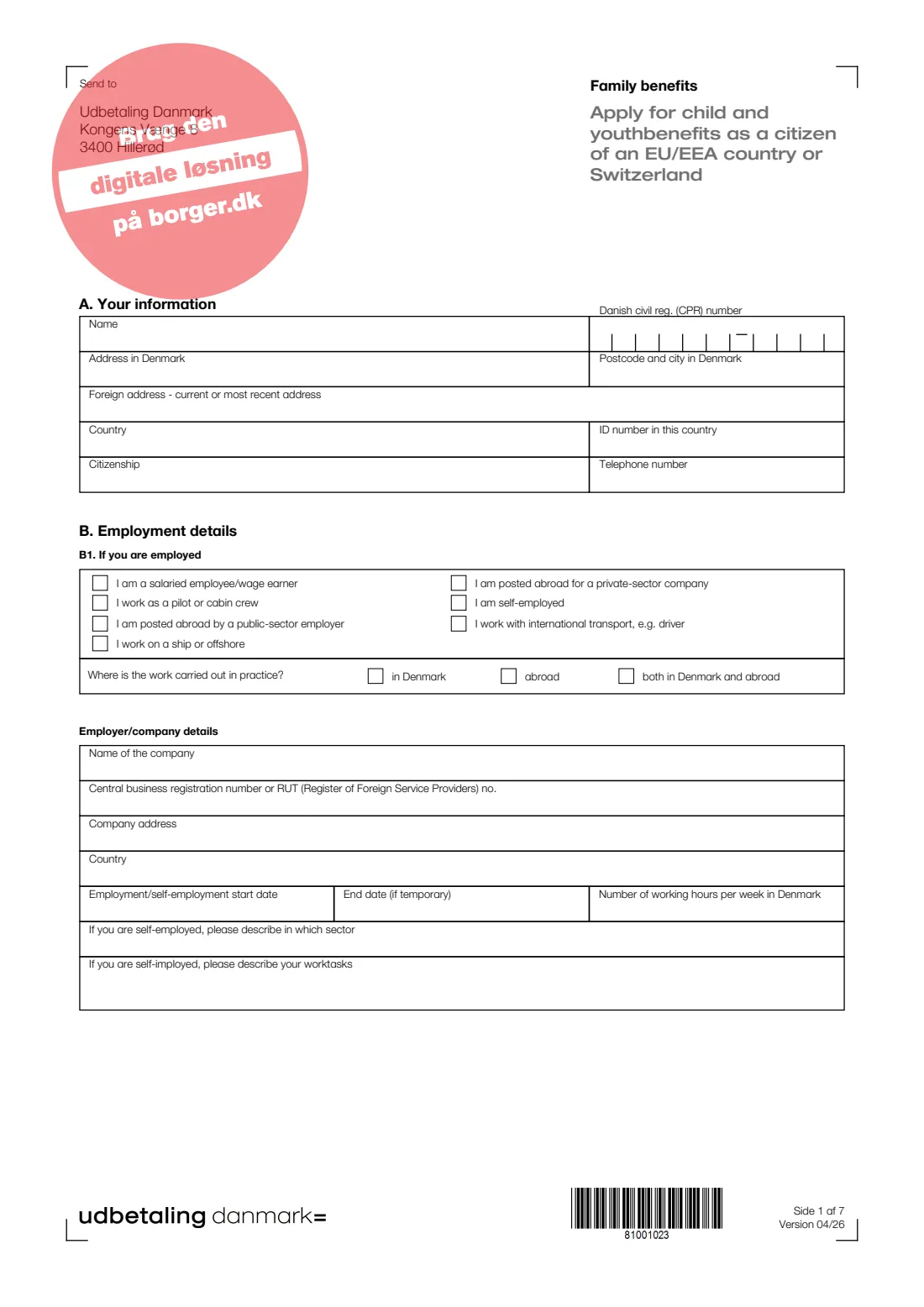
1 A. Your information
Your name, Danish CPR number, address in Denmark, current or most recent foreign address, the country and your ID number there, your citizenship and a phone number.
The CPR number is printed digit by digit in the ten boxes on the form. If you don't have a CPR number yet, leave it empty.
2 B1. If you are employed
Mark what describes your work: salaried employee, pilot or cabin crew, posted abroad by a public-sector employer or a private company, working on a ship or offshore, self-employed, or international transport such as driving. Then say whether the work is done in Denmark, abroad or both.
Give the company's name, CVR or RUT number, address and country, your start date, an end date if the job is temporary, and your weekly hours in Denmark. Self-employed people also describe their sector and work tasks. The guidance notes that someone who sets up their own private limited company counts as an employee of that company, not as self-employed.
3 B2. If you are unemployed
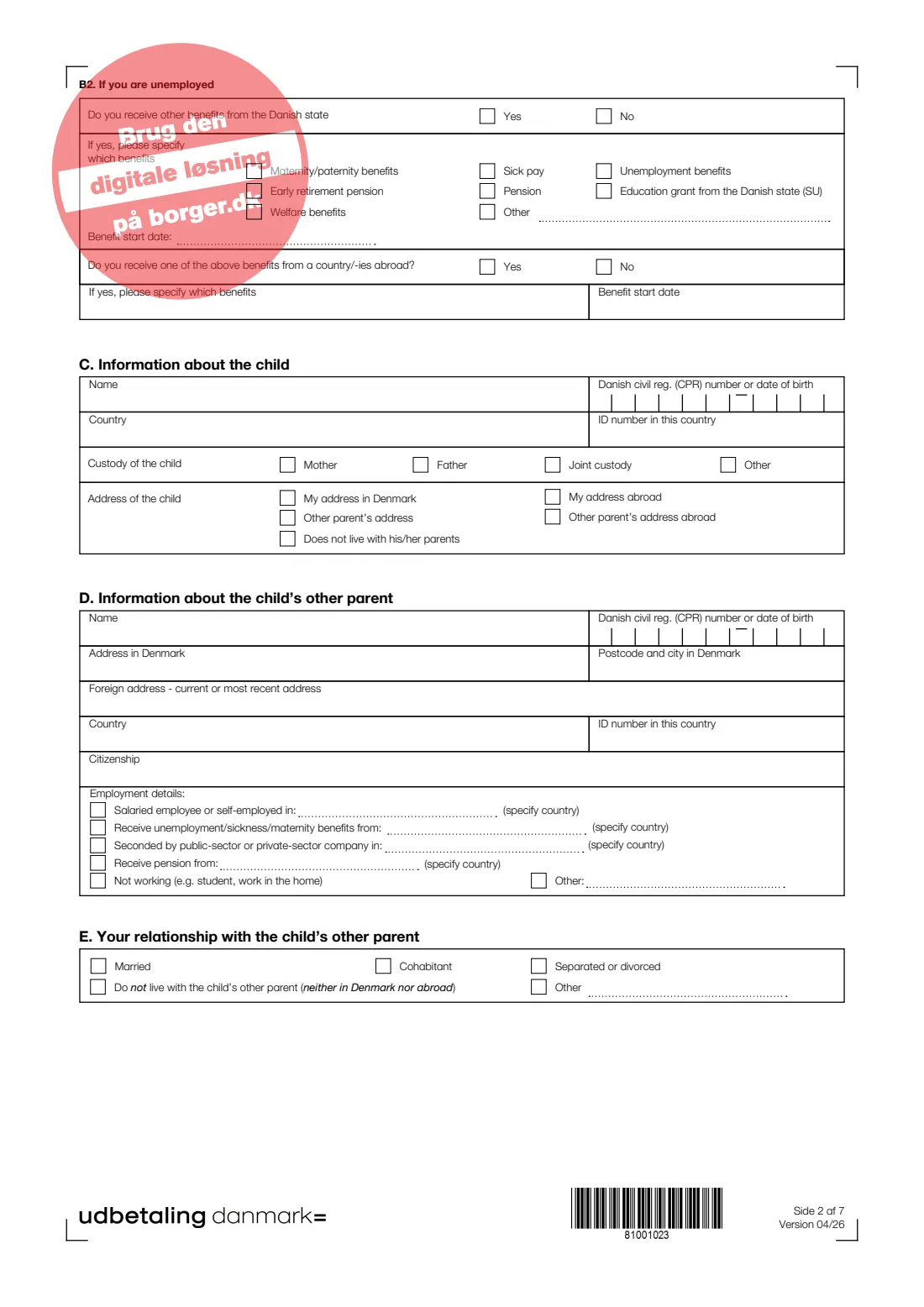
If you are not working, say whether you receive another benefit from the Danish state — maternity or paternity benefit, sick pay, unemployment benefit, early retirement pension, pension, the state education grant (SU), welfare benefits or something else — and when it started. Then say whether you receive any of these from another country, and which.
4 C. Information about the child
The child's name and Danish CPR number — or date of birth if the child has none — the country and ID number abroad, who has custody (mother, father, joint or other) and where the child lives: at your address in Denmark or abroad, at the other parent's address in Denmark or abroad, or not with either parent.
FileIt asks whether the child has a CPR number; a date of birth is printed as DDMMYY in the first six boxes.
5 D. Information about the child's other parent
The other parent's name, CPR number or date of birth, addresses in Denmark and abroad, ID number abroad and citizenship. Under employment details, tick every line that applies — employed or self-employed, receiving unemployment, sickness or maternity benefits, seconded by a company, receiving a pension, not working, or other — and name the country for each.
These answers matter because under EU rules the other parent's work and country can decide which state pays first.
6 E. Your relationship with the child's other parent
Married, cohabiting, separated or divorced, not living with the other parent in Denmark or abroad, or other (with a short description).
7 F. Residence and employment in the past ten years
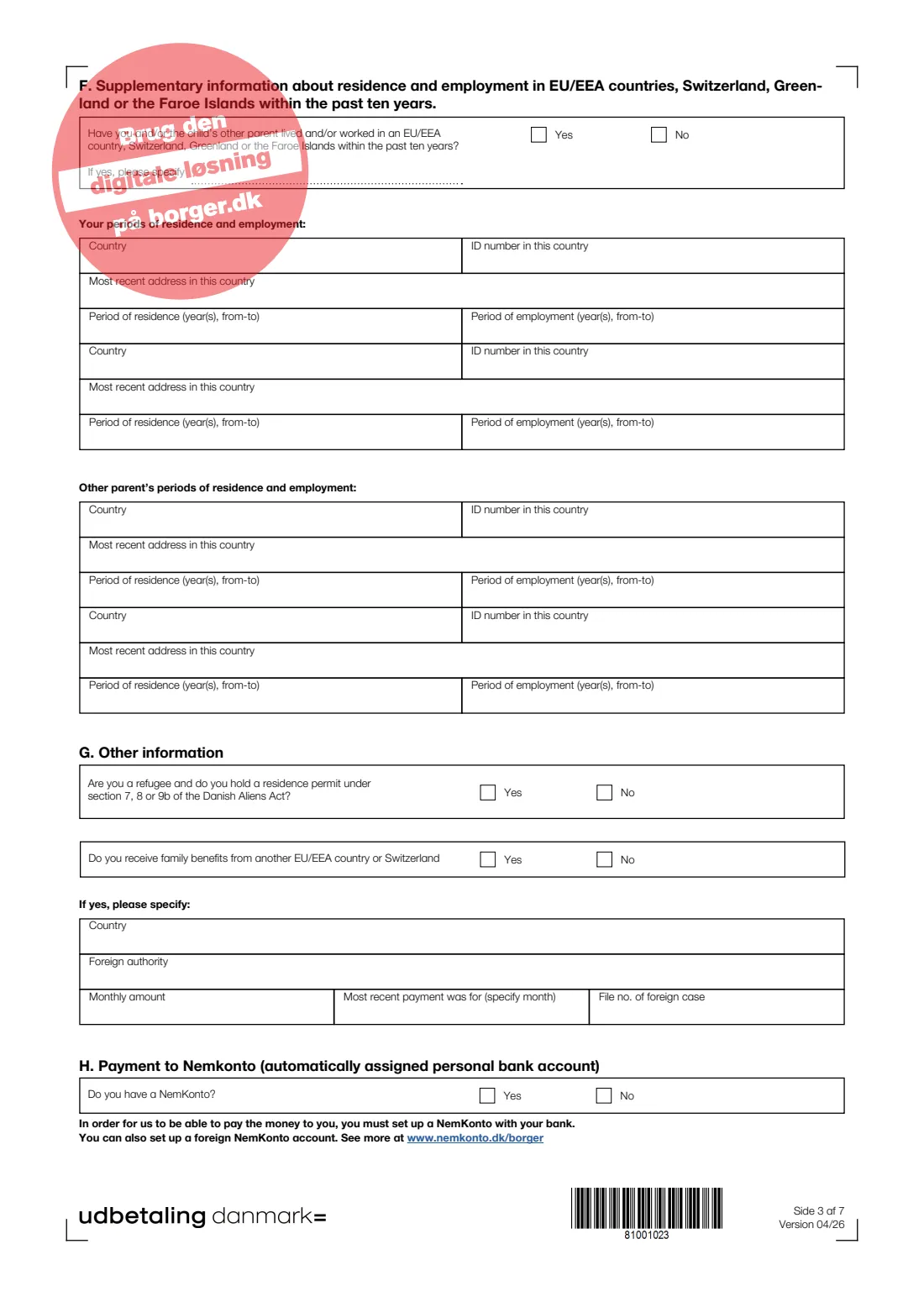
Say whether you and/or the other parent have lived or worked in an EU/EEA country, Switzerland, Greenland or the Faroe Islands in the past ten years. If so, give up to two countries for each of you: the country, your ID number there, your most recent address, and the years you lived and worked there (for example 2017–2022).
8 G. Other information
Two yes/no questions: whether you are a refugee with a residence permit under section 7, 8 or 9b of the Danish Aliens Act, and whether you receive family benefits from another EU/EEA country or Switzerland. If you do, give the country, the foreign authority, the monthly amount, the month of the most recent payment and the foreign file number.
9 H. Payment to NemKonto
Child and youth benefit is paid into your NemKonto, the account registered for payments from Danish public authorities. Say whether you have one. If not, set one up with your bank; the form notes that a foreign account can also be registered as a NemKonto.
10 J. Declaration, consent and signature
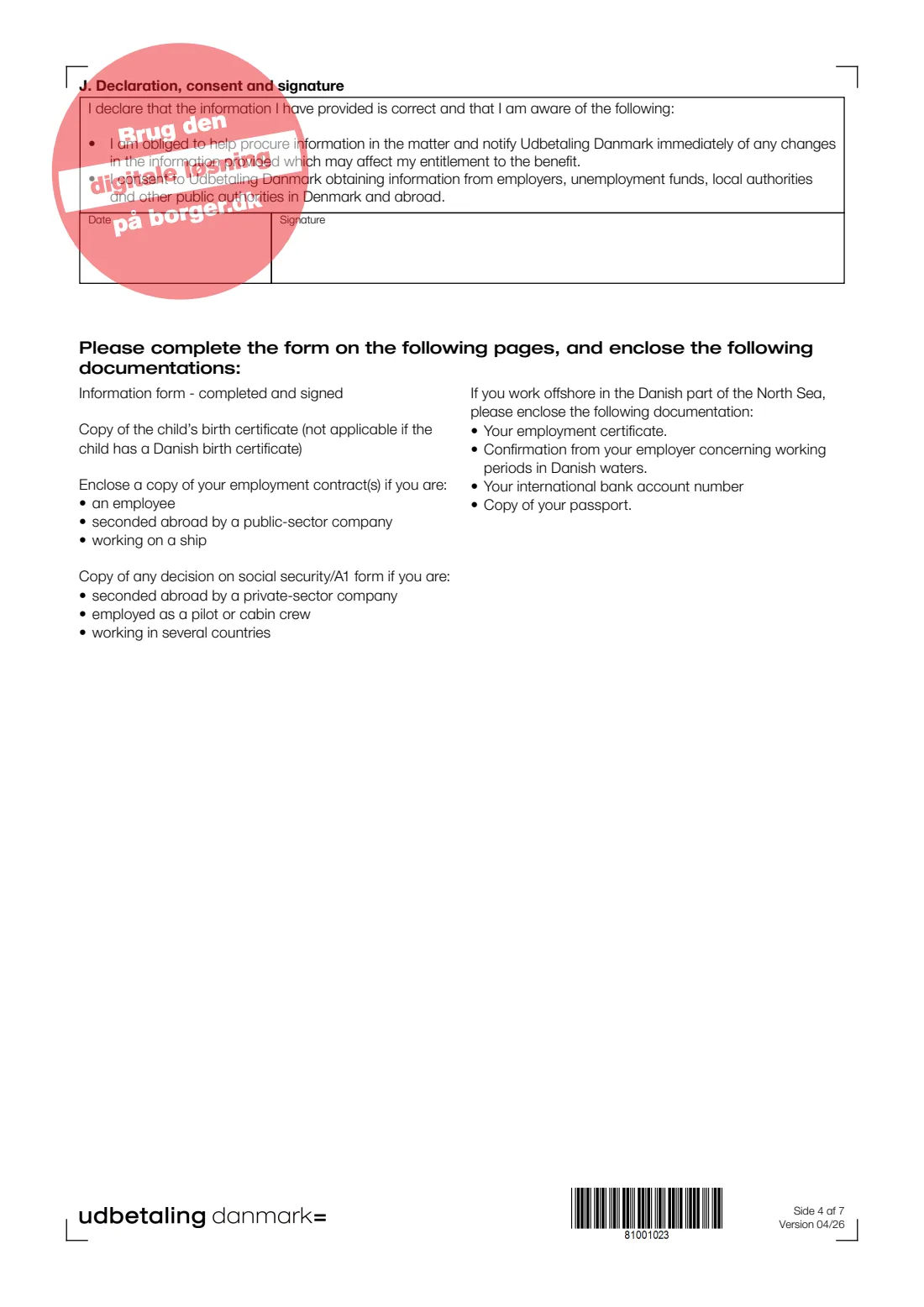
You declare that your information is correct, that you will help obtain information and tell Udbetaling Danmark immediately about changes, and you consent to Udbetaling Danmark getting information from employers, unemployment funds, local authorities and other public authorities in Denmark and abroad. FileIt fills in the date; you sign by hand in the Signature box.
Common mistakes to avoid
- Putting several children on one form — part C holds one child, so fill in a form for each.
- Leaving out the other parent's work and benefits abroad. Under EU coordination rules this can decide which country pays, so incomplete answers slow the case down.
- Skipping part F because the time abroad seems long ago — it covers the whole past ten years, for both parents.
- Forgetting the attachments listed on page 4, such as the child's foreign birth certificate, your employment contract or an A1 decision.
- Not having a NemKonto — the benefit can't be paid until one is set up.
- Posting the form unsigned. The declaration in part J must be signed by hand.
- Not reporting changes afterwards. Page 5 warns that you may have to pay back benefits if you don't tell Udbetaling Danmark about changes.
After you fill it out
Print the form from your FileIt vault, check every page, and sign and date part J by hand. Gather the documents page 4 asks for and post everything to Udbetaling Danmark, Kongens Vænge 8, 3400 Hillerød, the 'Send to' address printed on the form. If you can use MitID, Udbetaling Danmark prefers the digital application on borger.dk.
Keep the filled PDF in your FileIt vault next to the child's documents. If Udbetaling Danmark writes with questions, you'll have your exact answers to hand.
Once you receive child and youth benefit you have a duty of disclosure: tell Udbetaling Danmark, Family Benefits, straight away if anything changes — work, benefits, country of residence, custody, or benefits from another EU/EEA country or Switzerland.
Fill out UDK 320 — Child and youth benefit (EU/EEA/Swiss citizens) online with FileIt
- Pick the person. Choose someone from People and FileIt fills in their name, date of birth, address and other details it already knows.
- Answer plain-language questions. One part of the form at a time, with the official help text beside each question — 89 fields in all. Your answers save as you go.
- Check the live preview. Watch your answers land on the real Udbetaling Danmark (UDK), Family Benefits form, and let FileIt do any worksheet arithmetic.
- Generate the official PDF. FileIt prints your answers into the agency’s own PDF and files it in that person’s folder in your vault.
FileIt fills the form — it never files or submits anything for you. Deliver the finished form to whoever asked for it, the way the form’s instructions say.
Start UDK 320 — Child and youth benefit (EU/EEA/Swiss citizens) now — it’s freeUDK 320 — Child and youth benefit (EU/EEA/Swiss citizens): frequently asked questions
What is UDK 320_ENG?
It is the English edition of Udbetaling Danmark's paper application for Danish child and youth benefit (børne- og ungeydelse) for citizens of an EU/EEA country or Switzerland. It collects the extra information needed to decide which country pays family benefits when a family lives or works across borders.
Can I fill in UDK 320 online?
Yes. FileIt lets you fill it in online for free and prints your answers into Udbetaling Danmark's official PDF, which is saved in your vault. You still print, sign and post it yourself. Separately, Udbetaling Danmark runs its own digital application on borger.dk and asks people to use it where they can.
Where do I send the form?
The form's own 'Send to' address is Udbetaling Danmark, Kongens Vænge 8, 3400 Hillerød. Post the signed form with the attachments listed on page 4.
Do I need one form per child?
Yes. Part C has room for one child, so fill in a separate UDK 320 for each child you claim for.
My child has no Danish CPR number. What do I put?
The boxes read 'CPR number or date of birth'. Give the date of birth instead; FileIt prints it as DDMMYY in the first six boxes. Remember to attach the child's birth certificate unless it is Danish.
Why does the form ask about the other parent's job?
Under EU rules on coordinating social security, the country that pays family benefits first depends on where each parent works or receives benefits. Udbetaling Danmark needs the other parent's situation to work out whether Denmark pays, pays a top-up, or doesn't pay.
What is a NemKonto?
It is the bank account registered to receive payments from Danish public authorities. Child and youth benefit is paid there, so you need one; the form notes you can also register a foreign account as your NemKonto.
What does the pink stamp on the form mean?
'Brug den digitale løsning på borger.dk' means 'Use the digital solution on borger.dk'. It is on a screen-only layer of the PDF, so it shows on screen but doesn't print.
Is this the form for Danish citizens?
No. UDK 320_ENG is for citizens of an EU/EEA country or Switzerland. Other applicants should check the right route with Udbetaling Danmark or on borger.dk.
Official sources
- Blank form (PDF), published by Udbetaling Danmark (UDK), Family Benefits: https://www.klxml.dk/KLB/Blanket/Gaelder/udk320_eng.pdf
- Official instructions and guidance: https://www.borger.dk/familie-og-boern/familieydelser
- Edition shown on this page: UDK 320_ENG, Version 04/26 (checked 2026-09-26).
FileIt is not affiliated with or endorsed by Udbetaling Danmark (UDK), Family Benefits or any government. This page explains the form in general terms and is not legal, tax or immigration advice. Always read the official instructions, and check that you are using the edition the recipient accepts. Page last reviewed 2026-09-26.