What is Haushaltsscheck (Minijob im Privathaushalt)?
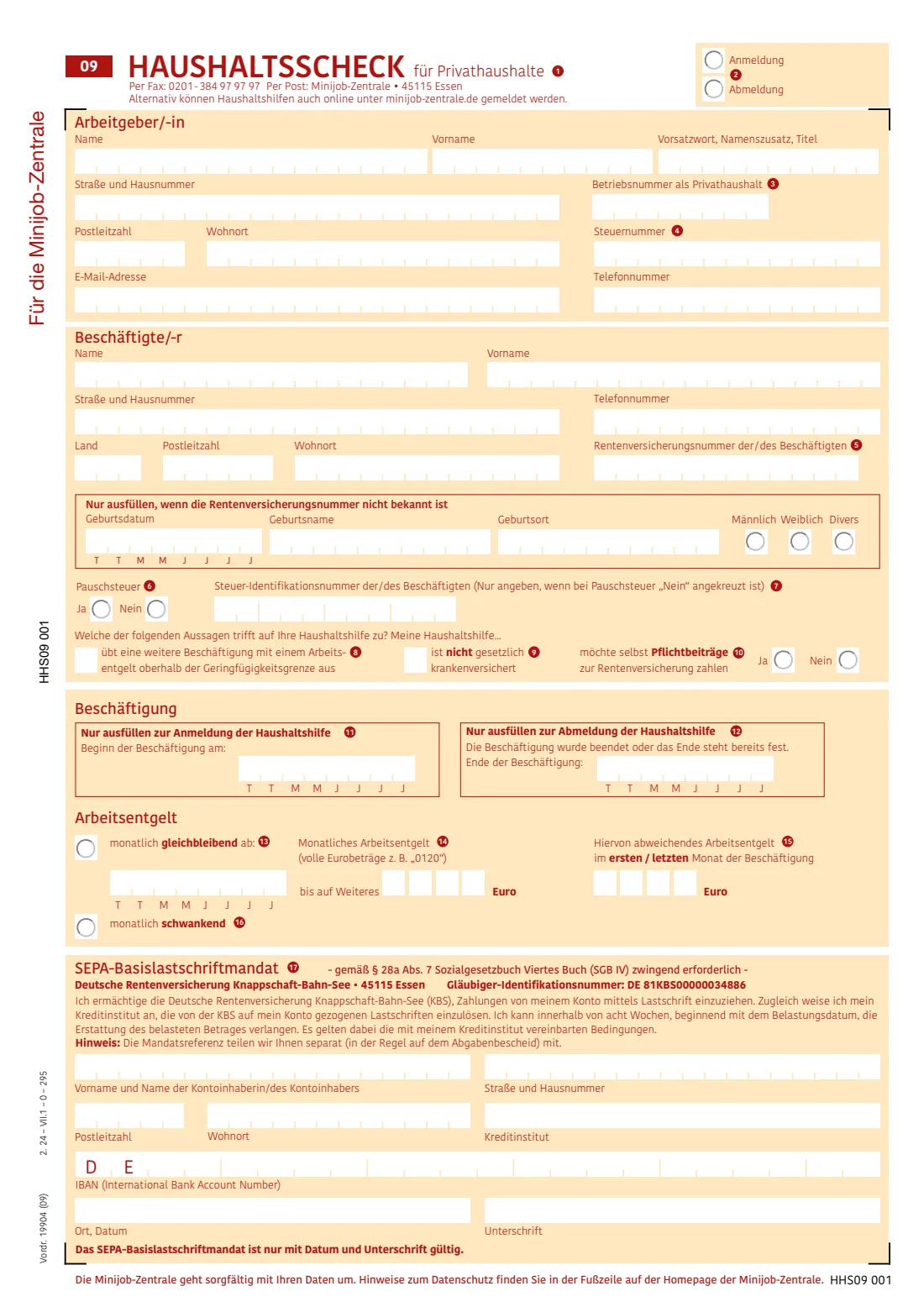
If you employ a cleaner, babysitter, gardener or carer in your private household on a mini-job, you have to register them with the Minijob-Zentrale, part of the Deutsche Rentenversicherung Knappschaft-Bahn-See in Essen. The Haushaltsscheck (Vordruck 19904) is the form for that. According to its own notes it must be used for the registration, and it can also be used to deregister the helper when the job ends.
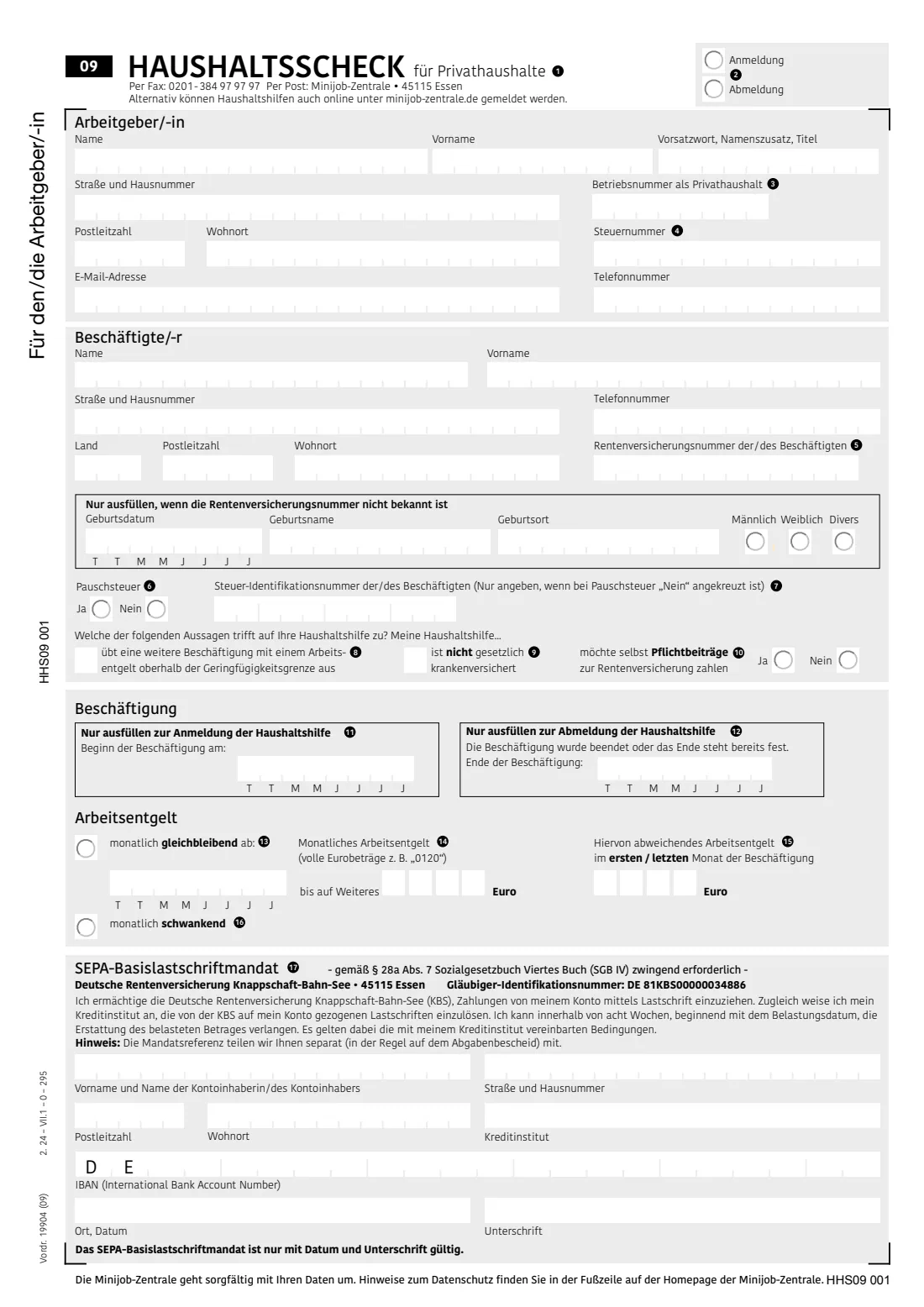
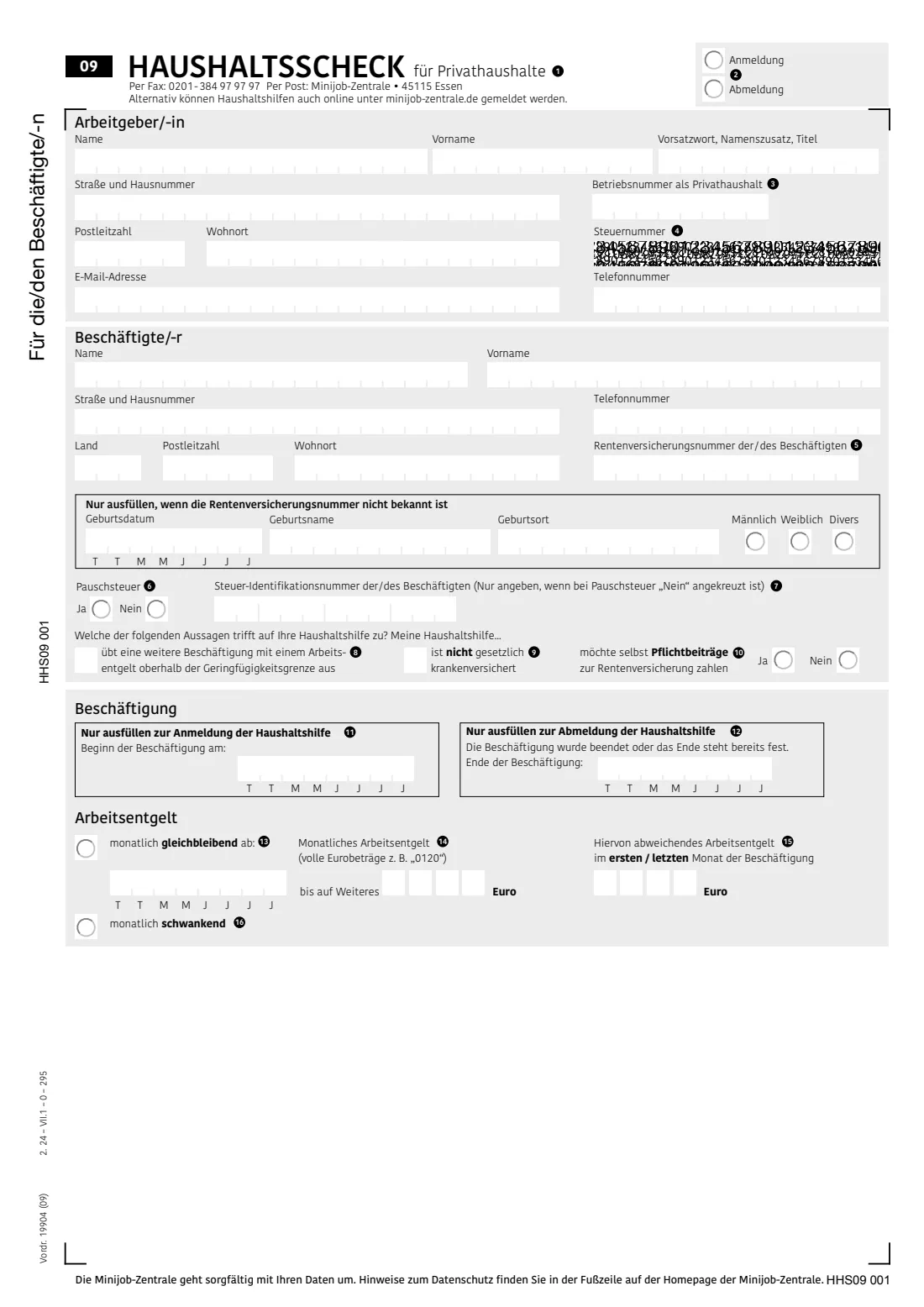
The form asks for your details as the employer, the helper's details and pension insurance number, whether you pay the 2% flat-rate tax, whether the helper wants to pay their own pension contributions, the start date and the monthly pay, and a SEPA direct-debit mandate so the Minijob-Zentrale can collect the contributions. It prints three identical copies: one for the Minijob-Zentrale, one for you and one for your helper.
FileIt explains each box in English with the German term alongside, fills all three copies of the official PDF — one digit per box for dates, pay and IBAN — and saves the result in your vault. You print it, sign the direct-debit mandate by hand and send it yourself. The Minijob-Zentrale also accepts household registrations online.
- Who fills it
- A private person employing a household helper on a mini-job
- Given to
- Minijob-Zentrale, 45115 Essen — by post or by fax to 0201-384 97 97 97
- When
- When the helper starts (registration) and, if you use it for that, when the job ends
- Signatures
- The account holder signs the SEPA direct-debit mandate by hand
- Edition
- Vordruck 19904 (09), 2.24
Who needs to fill out Haushaltsscheck (Minijob im Privathaushalt)?
- Private households employing a cleaner, nanny, babysitter, gardener or carer on a mini-job.
- Only private individuals as employers — not service agencies, flat-owners' associations or property managers.
- Only for work in the private household: a helper who also works in the employer's business premises can't be registered with the Haushaltsscheck.
When to use Haushaltsscheck (Minijob im Privathaushalt)
- Before or when your household helper starts working for you — the Haushaltsscheck is the form for registration.
- When the job ends, to deregister the helper (or use the Änderungsscheck for this and for other changes).
- When the job restarts after a break of more than a full month: register the new start date.
- For a fixed-term job you can give the end date together with the registration.
What you need before you start
- Your name, address, email and phone; your household Betriebsnummer if you already have one, and your tax number from your last tax assessment if you have one.
- Your helper's name, address, phone and pension insurance number (Rentenversicherungsnummer). If it isn't known: their date of birth, birth name, place of birth and sex.
- Your helper's 11-digit tax ID if you don't choose the flat-rate tax.
- Whether your helper has another job above the mini-job limit, isn't in the statutory health insurance, and wants to pay their own pension contributions.
- The start date, and whether the monthly pay is always the same (and how much) or varies.
- The IBAN, bank and address of the account the contributions should be debited from (a German account — DE is preprinted).
What’s on Haushaltsscheck (Minijob im Privathaushalt)
The 2024 edition has 6 pages. FileIt asks for it in 6 parts, and it is signed by Household employer (arbeitgeber/-in):
- Registration or deregistration (Anmeldung / Abmeldung)Household employer (arbeitgeber/-in)
- You, the employer (Arbeitgeber/-in)Household employer (arbeitgeber/-in)
- Your household helper (Beschäftigte/-r)Household employer (arbeitgeber/-in)
- Tax and insurance questionsHousehold employer (arbeitgeber/-in)
- The job and the pay (Beschäftigung, Arbeitsentgelt)Household employer (arbeitgeber/-in)
- Direct-debit mandate (SEPA-Basislastschriftmandat)Household employer (arbeitgeber/-in)
How to fill out Haushaltsscheck (Minijob im Privathaushalt), step by step
1 Anmeldung / Abmeldung
Tick registration for a new helper, or deregistration when the job has ended or its end is already fixed.
2 Arbeitgeber/-in — you
Your name, any name prefix or title, address, email and phone. Add your household Betriebsnummer if you already have one — if not, the Minijob-Zentrale gives you one — and your tax number if you have one.
3 Beschäftigte/-r — your helper
Name, address, phone and pension insurance number. If the number isn't known, fill in the box below it with the date of birth, birth name, place of birth and sex, so the helper can be identified.
4 Pauschsteuer and Steuer-ID
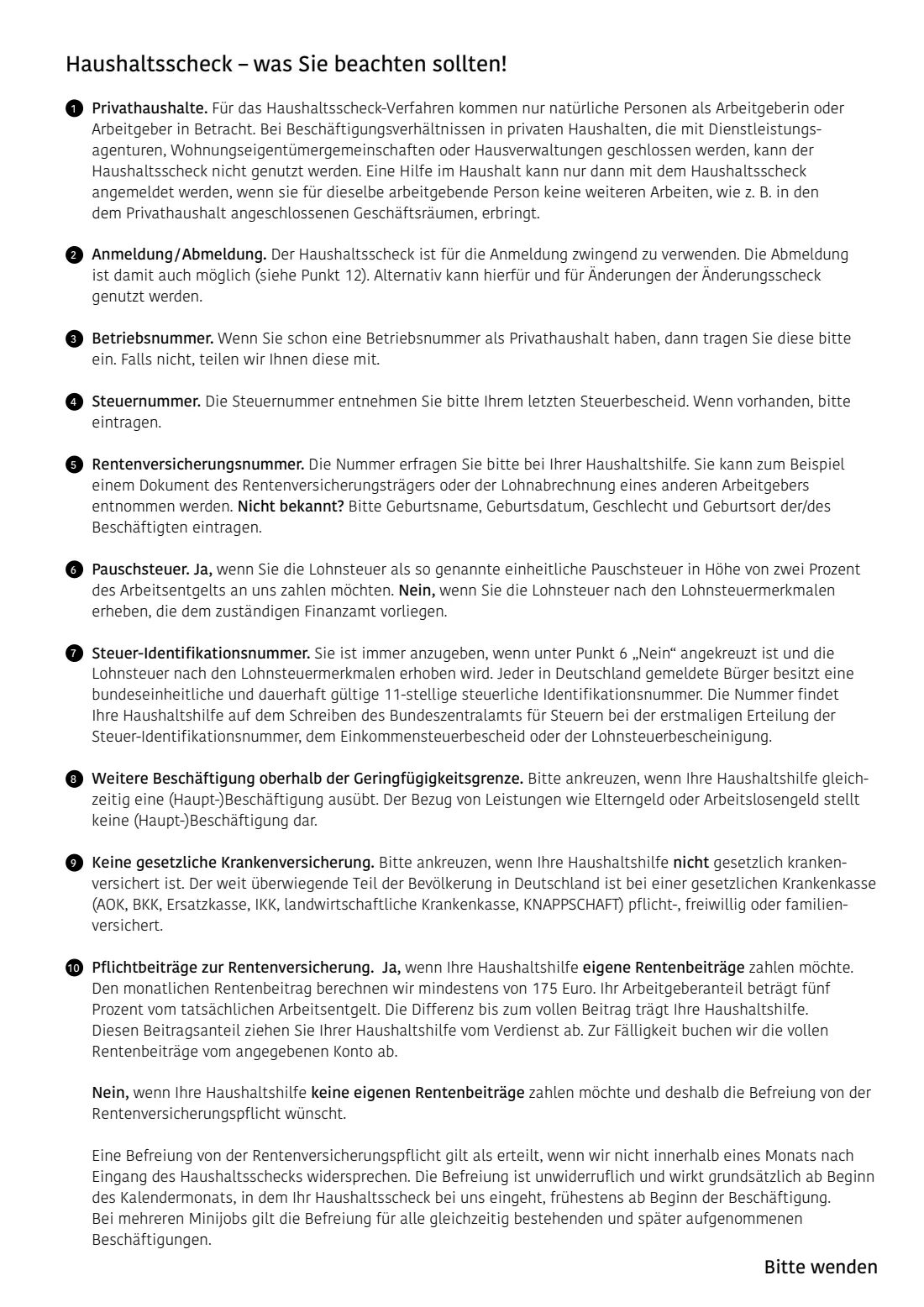
Yes means you pay wage tax as the uniform flat-rate tax of 2% of the pay to the Minijob-Zentrale. No means wage tax is taken according to the helper's tax data at the tax office; then the helper's tax ID is required.
5 Three statements about your helper
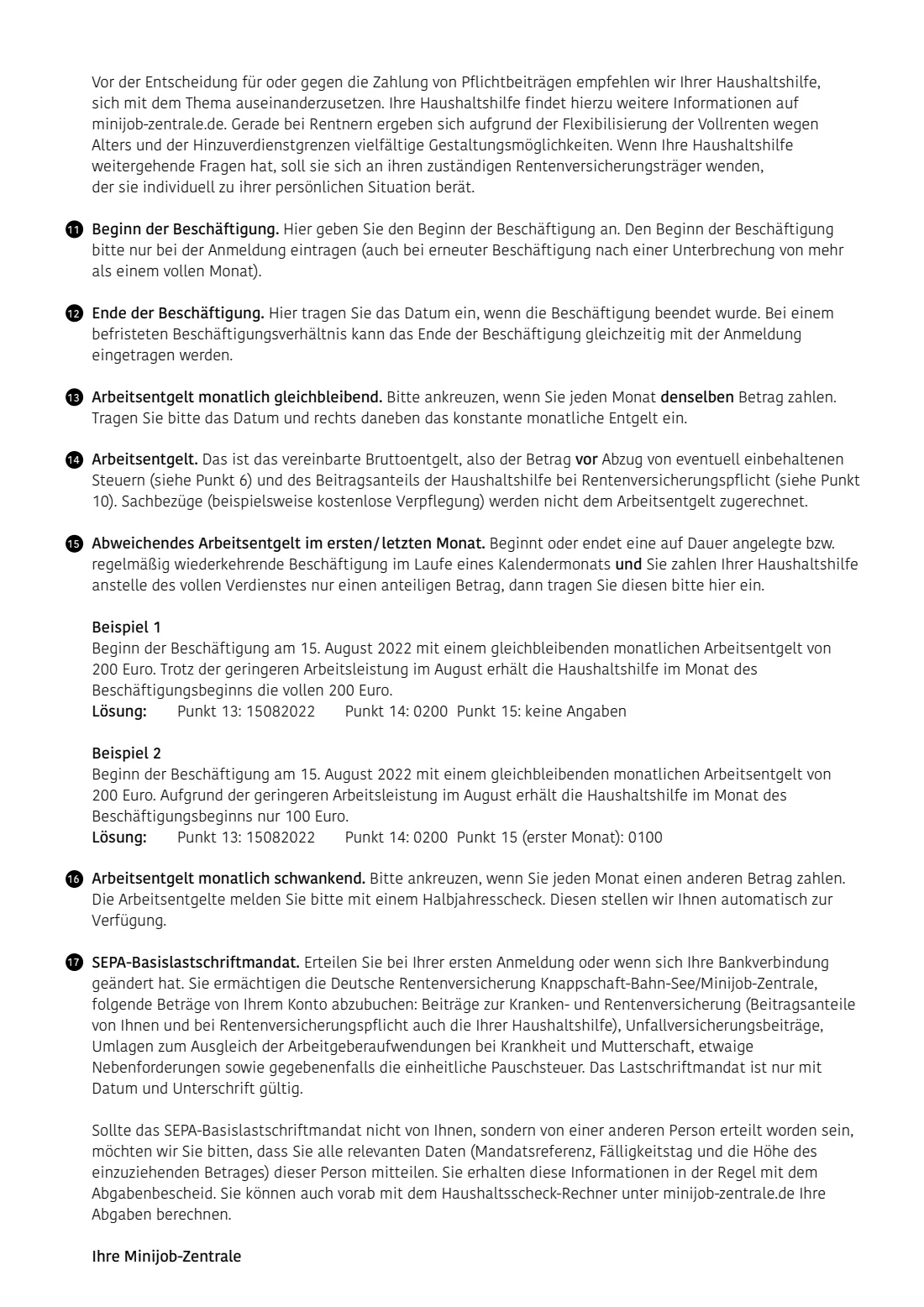
Tick if they also have a (main) job paid above the mini-job limit, and if they aren't in the statutory health insurance. Then say whether they want to pay their own pension contributions (yes) or ask to be exempt (no). The form's notes explain that the monthly pension contribution is worked out from at least 175 euros, that your employer share is 5% of the actual pay, and that an exemption counts as granted unless the Minijob-Zentrale objects within a month — and can't be withdrawn.
6 Beschäftigung — start and end
The start date for a registration, the end date for a deregistration, each as eight digits (TTMMJJJJ).
7 Arbeitsentgelt — pay
If the pay is the same every month, tick 'gleichbleibend', give the date it applies from and the monthly gross amount in whole euros as four digits (e.g. 0120). A reduced amount in a first or last part-month goes in the box on the right. If the pay varies, tick 'schwankend'; you then report the amounts on a Halbjahresscheck.
8 SEPA-Basislastschriftmandat
The direct-debit mandate for the contributions, levies and, if chosen, the flat-rate tax. It is required with the first registration or when your bank details change, and is only valid with date and signature.
Common mistakes to avoid
- Leaving out both the pension insurance number and the birth details — one of the two is needed to identify the helper.
- Choosing 'no' for the flat-rate tax without giving the helper's tax ID.
- Writing euro amounts with cents or without leading zeros — the form wants whole euros as four digits, like 0120.
- Entering the gross pay after deducting the helper's pension share. The form asks for the agreed gross pay.
- Forgetting to sign and date the SEPA mandate — it is only valid with both.
- Using the Haushaltsscheck for a helper who also works in your business premises, or through an agency.
After you fill it out
Print the form, check all three copies and sign the SEPA mandate by hand (the account holder signs).
Send the Minijob-Zentrale's copy by post to Minijob-Zentrale, 45115 Essen, or by fax to 0201-384 97 97 97. Keep your copy and give the third copy to your helper.
The Minijob-Zentrale works out the contributions and debits them from the account in the mandate. Keep the form and its replies in your FileIt vault, and report changes or the end of the job when they happen.
Fill out Haushaltsscheck (Minijob im Privathaushalt) online with FileIt
- Pick the person. Choose someone from People and FileIt fills in their name, date of birth, address and other details it already knows.
- Answer plain-language questions. One part of the form at a time, with the official help text beside each question — 50 fields in all. Your answers save as you go.
- Check the live preview. Watch your answers land on the real Deutsche Rentenversicherung Knappschaft-Bahn-See — Minijob-Zentrale form, and let FileIt do any worksheet arithmetic.
- Generate the official PDF. FileIt prints your answers into the agency’s own PDF and files it in that person’s folder in your vault. Sign it, or send it for e-signature.
FileIt fills the form — it never files or submits anything for you. Deliver the finished form to whoever asked for it, the way the form’s instructions say.
Start Haushaltsscheck (Minijob im Privathaushalt) now — it’s freeHaushaltsscheck (Minijob im Privathaushalt): frequently asked questions
Can I fill out the Haushaltsscheck online?
Yes. FileIt guides you through the Haushaltsscheck in English and fills the official PDF, including all three copies. You print it, sign the direct-debit mandate and send it yourself. The Minijob-Zentrale also offers online registration for household helpers.
Where do I send the Haushaltsscheck?
By post to Minijob-Zentrale, 45115 Essen, or by fax to 0201-384 97 97 97, as printed on the form. FileIt does not send it for you.
What is the Pauschsteuer?
The uniform flat-rate tax of 2% of the pay, which you pay together with the contributions to the Minijob-Zentrale. If you don't choose it, wage tax is taken according to your helper's tax data, and you must give their tax ID.
What if my helper doesn't know their pension insurance number?
Then fill in their date of birth, birth name, place of birth and sex in the box provided for that case.
My helper's pay changes every month. What do I tick?
Tick 'monatlich schwankend'. You then report the actual pay on a Halbjahresscheck, which the Minijob-Zentrale provides.
How do I end the job?
Tick Abmeldung on a new Haushaltsscheck and give the end date, or use the Änderungsscheck, which is also for other changes.
Official sources
- Blank form (PDF), published by Deutsche Rentenversicherung Knappschaft-Bahn-See — Minijob-Zentrale: https://www.minijob-zentrale.de/SharedDocs/Downloads/DE/Formulare/privat/Haushaltsscheck-Formular.pdf?__blob=publicationFile
- Official instructions and guidance: https://www.minijob-zentrale.de/DE/service/formulare/formulare_node.html
- Edition shown on this page: Vordr. 19904 (09), 2.24 (PDF of 22.07.2026) (checked 2026-09-28).
FileIt is not affiliated with or endorsed by Deutsche Rentenversicherung Knappschaft-Bahn-See — Minijob-Zentrale or any government. This page explains the form in general terms and is not legal, tax or immigration advice. Always read the official instructions, and check that you are using the edition the recipient accepts. Page last reviewed 2026-09-28.