What is Employment Separation Certificate?
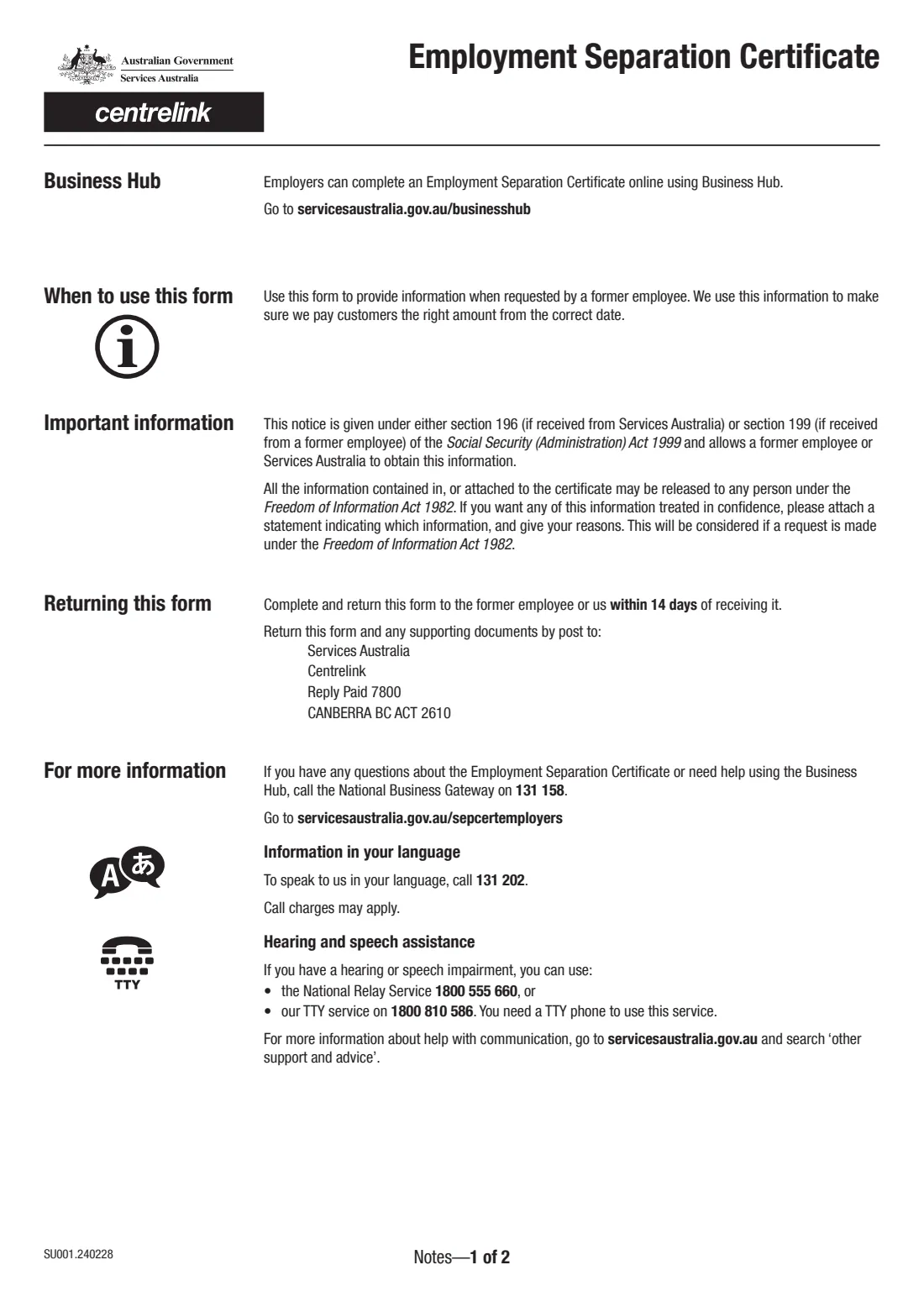
The Employment Separation Certificate (SU001) is a Services Australia form that an employer fills in for a former employee. It records when the person started and stopped working, why the employment ended, their final gross payment, and any leave, redundancy or payment in lieu of notice paid out on termination. Services Australia uses it to pay the person the right amount of income support from the correct date.
The request usually comes from the former employee or from Services Australia. The form asks you to complete it and return it to the former employee, or to Services Australia, within 14 days of receiving it. Employers can also complete the certificate online in Business Hub instead of on paper.
FileIt walks the employer through each question and prints the answers into Services Australia's own PDF (edition SU001.240228), including the leave table on the second page. You then sign it by hand or with FileIt's optional eSignature, and hand or post it yourself. FileIt never sends anything to Services Australia.
- Issued by
- Services Australia (Centrelink)
- Who fills it
- The former employer (or a representative)
- Deadline
- Return within 14 days of receiving the request
- Returned to
- The former employee, or Services Australia by post (Reply Paid 7800, CANBERRA BC ACT 2610)
- Online alternative
- Business Hub (servicesaustralia.gov.au/businesshub)
- Signature
- Employer or representative; stamp if applicable
- Edition
- SU001.240228
Who needs to fill out Employment Separation Certificate?
- Employers asked by a former employee for a separation certificate, for example to support a JobSeeker or other income support claim.
- Employers who receive a request from Services Australia for the same information.
- Payroll staff, bookkeepers and HR teams who complete the certificate for the business.
When to use Employment Separation Certificate
- After someone's employment has ended and they, or Services Australia, ask you for the certificate.
- Within 14 days of receiving the request, as the form asks.
- When you prefer a paper or PDF certificate to completing it in Business Hub.
What you need before you start
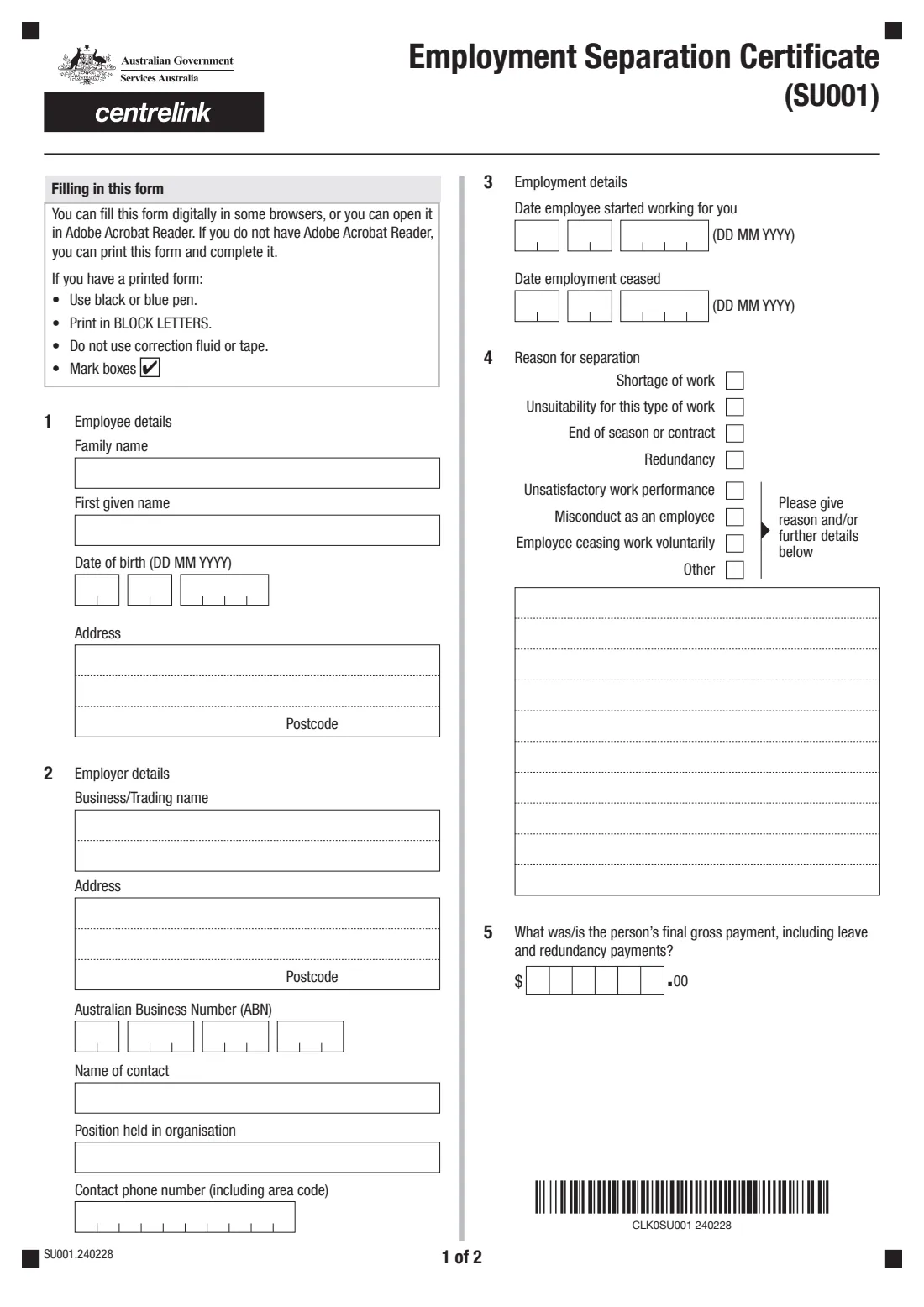
- The former employee's full name, date of birth and address.
- Your business or trading name, address and ABN.
- The name, position and phone number of a contact person.
- The date the person started and the date the employment ceased.
- The reason the employment ended, with details if it was performance, misconduct, the employee leaving voluntarily or another reason.
- The final gross payment, including leave and redundancy payments.
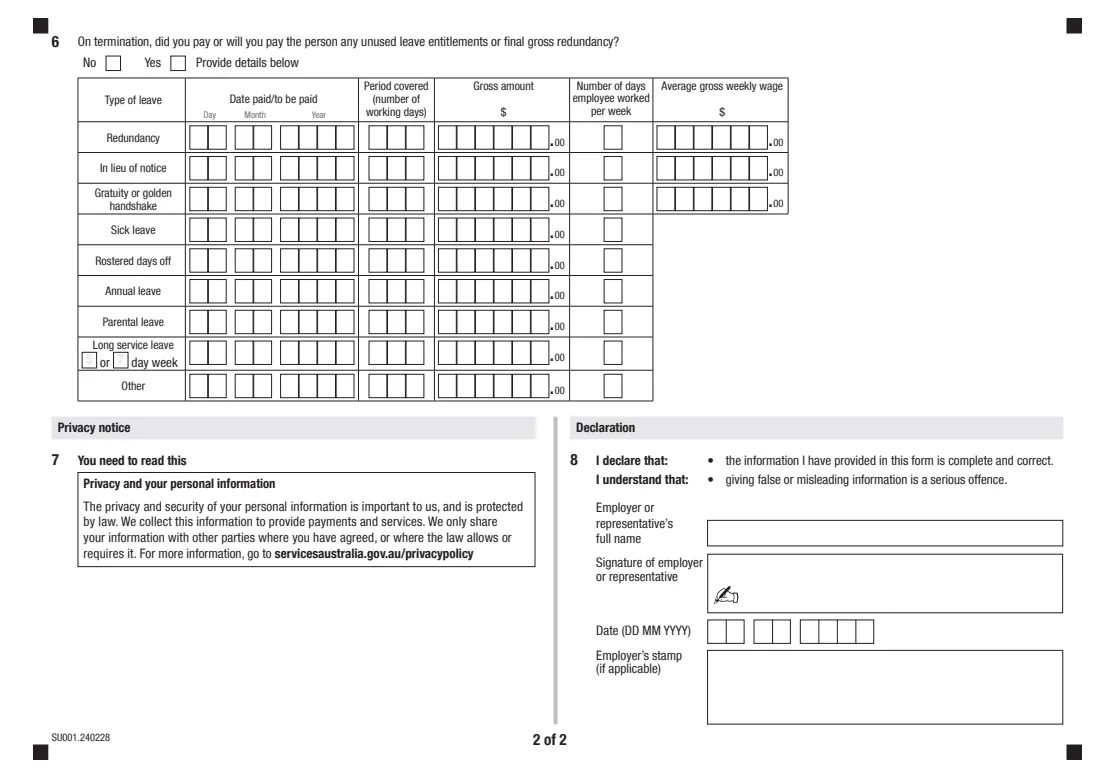
- For each leave or redundancy payment: the date paid, working days covered, gross amount, days worked per week and, for redundancy, notice and gratuity payments, the average gross weekly wage.
What’s on Employment Separation Certificate
The 2024 edition has 4 pages. FileIt asks for it in 7 parts, and it is signed by Employer:
- 1. Employee detailsEmployer
- 2. Employer detailsEmployer
- 3. Employment detailsEmployer
- 4. Reason for separationEmployer
- 5. Final gross paymentEmployer
- 6. Leave and redundancy paid on terminationEmployer
- 8. DeclarationEmployer
How to fill out Employment Separation Certificate, step by step
1 1. Employee details
The former employee's family name, first given name, date of birth and address with postcode.
2 2. Employer details
Your business or trading name, address, ABN, and a contact person with their position and phone number, including the area code.
3 3. Employment details
The date the employee started working for you and the date the employment ceased.
4 4. Reason for separation
Tick one reason: shortage of work, unsuitability for this type of work, end of season or contract, redundancy, unsatisfactory work performance, misconduct, the employee ceasing work voluntarily, or other. For the last four, the form asks you to give the reason and/or further details in the box.
5 5. Final gross payment
The person's final gross payment in whole dollars, including leave and redundancy payments.
6 6. Leave and redundancy paid on termination
Say whether you paid, or will pay, any unused leave entitlements or redundancy. If Yes, fill in a row for each type: redundancy, payment in lieu of notice, gratuity or golden handshake, sick leave, rostered days off, annual leave, parental leave, long service leave or other. Give the date paid, the working days covered, the gross amount and the days the person worked each week.
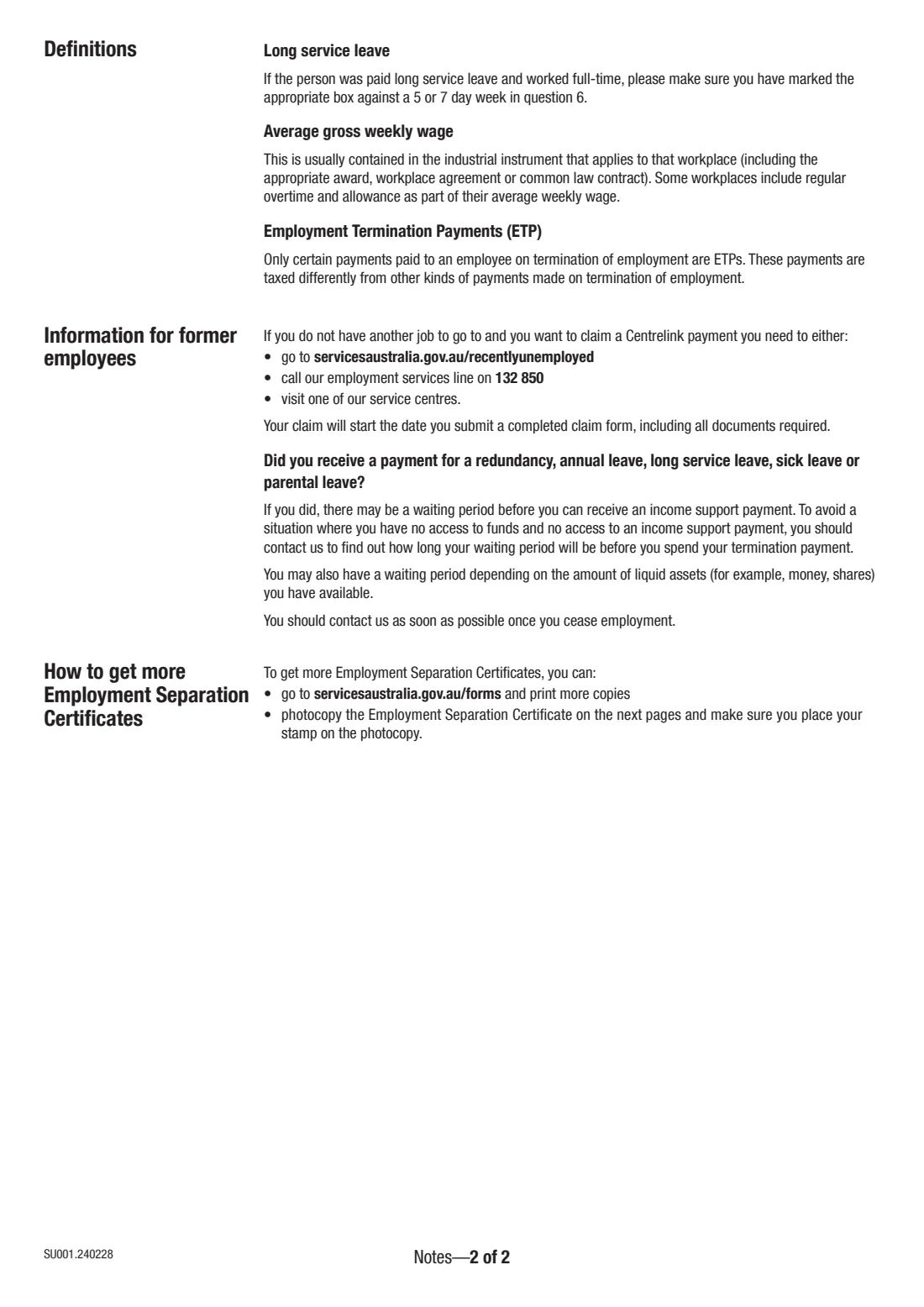
For redundancy, notice and gratuity payments, also give the average gross weekly wage. The notes say this is usually set by the industrial instrument for the workplace. If long service leave was paid to a full-time worker, mark the 5 or 7 day week.
7 8. Declaration
The employer or representative gives their full name, signs, dates the certificate and adds the business stamp if there is one. You declare the information is complete and correct, and that giving false or misleading information is a serious offence.
Common mistakes to avoid
- Missing the 14-day timeframe for returning the certificate.
- Ticking a reason such as misconduct or leaving voluntarily without giving details in the box.
- Leaving the leave table empty after answering Yes to question 6.
- Not marking the 5 or 7 day week for long service leave paid to a full-time worker.
- Giving a net amount instead of the gross amount.
- Forgetting to sign and date the declaration.
After you fill it out
Sign the declaration by hand or with FileIt's eSignature, and add the business stamp if you have one.
Give the certificate to the former employee, or post it with any supporting documents to Services Australia, Centrelink, Reply Paid 7800, CANBERRA BC ACT 2610, within 14 days of the request.
FileIt keeps the finished PDF in your vault. Keep a copy with the person's employment records.
Fill out Employment Separation Certificate online with FileIt
- Pick the person. Choose someone from People and FileIt fills in their name, date of birth, address and other details it already knows.
- Answer plain-language questions. One part of the form at a time, with the official help text beside each question — 87 fields in all. Your answers save as you go.
- Check the live preview. Watch your answers land on the real Services Australia (Centrelink) form, and let FileIt do any worksheet arithmetic.
- Generate the official PDF. FileIt prints your answers into the agency’s own PDF and files it in that person’s folder in your vault. Sign it, or send it for e-signature.
FileIt fills the form — it never files or submits anything for you. Deliver the finished form to whoever asked for it, the way the form’s instructions say.
Start Employment Separation Certificate now — it’s freeEmployment Separation Certificate: frequently asked questions
Who fills in the Employment Separation Certificate?
The former employer, or someone representing the employer. The former employee asks for it, or Services Australia requests it directly.
How long does an employer have to complete it?
The form asks employers to complete and return it within 14 days of receiving it.
Can employers complete the SU001 online?
Yes. Services Australia lets employers complete the certificate online in Business Hub. FileIt is an alternative that fills the official PDF for you to sign and return.
Where do I send it?
Return it to the former employee, or post it to Services Australia, Centrelink, Reply Paid 7800, CANBERRA BC ACT 2610.
Why does the certificate ask about leave and redundancy payments?
Services Australia uses it to pay the right amount from the correct date. The notes for former employees say a payment for redundancy or for annual, long service, sick or parental leave may mean a waiting period before income support is paid.
Who do I call with questions?
The form says employers can call the National Business Gateway on 131 158 about the certificate or about Business Hub.
Official sources
- Blank form (PDF), published by Services Australia (Centrelink): https://www.servicesaustralia.gov.au/sites/default/files/2024-02/su001-240228en-f.pdf
- Official instructions and guidance: https://www.servicesaustralia.gov.au/sepcertemployers
- Edition shown on this page: SU001.240228 (checked 2026-09-28).
FileIt is not affiliated with or endorsed by Services Australia (Centrelink) or any government. This page explains the form in general terms and is not legal, tax or immigration advice. Always read the official instructions, and check that you are using the edition the recipient accepts. Page last reviewed 2026-09-28.