What is the user acceptance testing sign-off form template?
User acceptance testing ends with a decision, and it's surprising how often that decision lives in a chat thread or a thumbs-up emoji. When a defect turns up in production, nobody can say what was tested, what was knowingly accepted, or who agreed to go live.
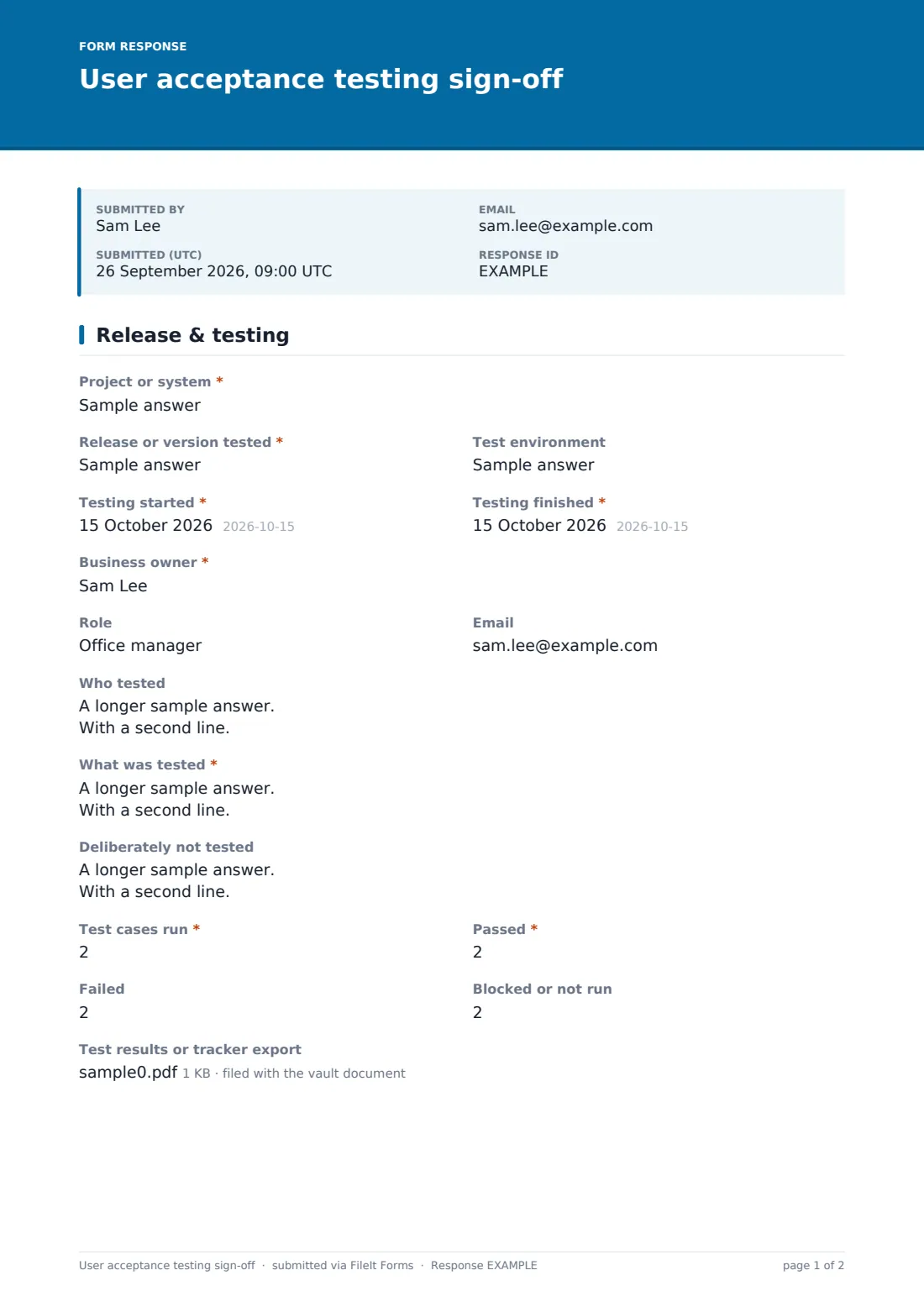
This two-page sign-off makes the decision explicit. The first page records the project, release, test environment and dates, the business owner and their role, who tested, what was tested and what was deliberately left out. Test case counts for run, passed, failed and blocked give a quick picture, and a results file or tracker export can be attached.
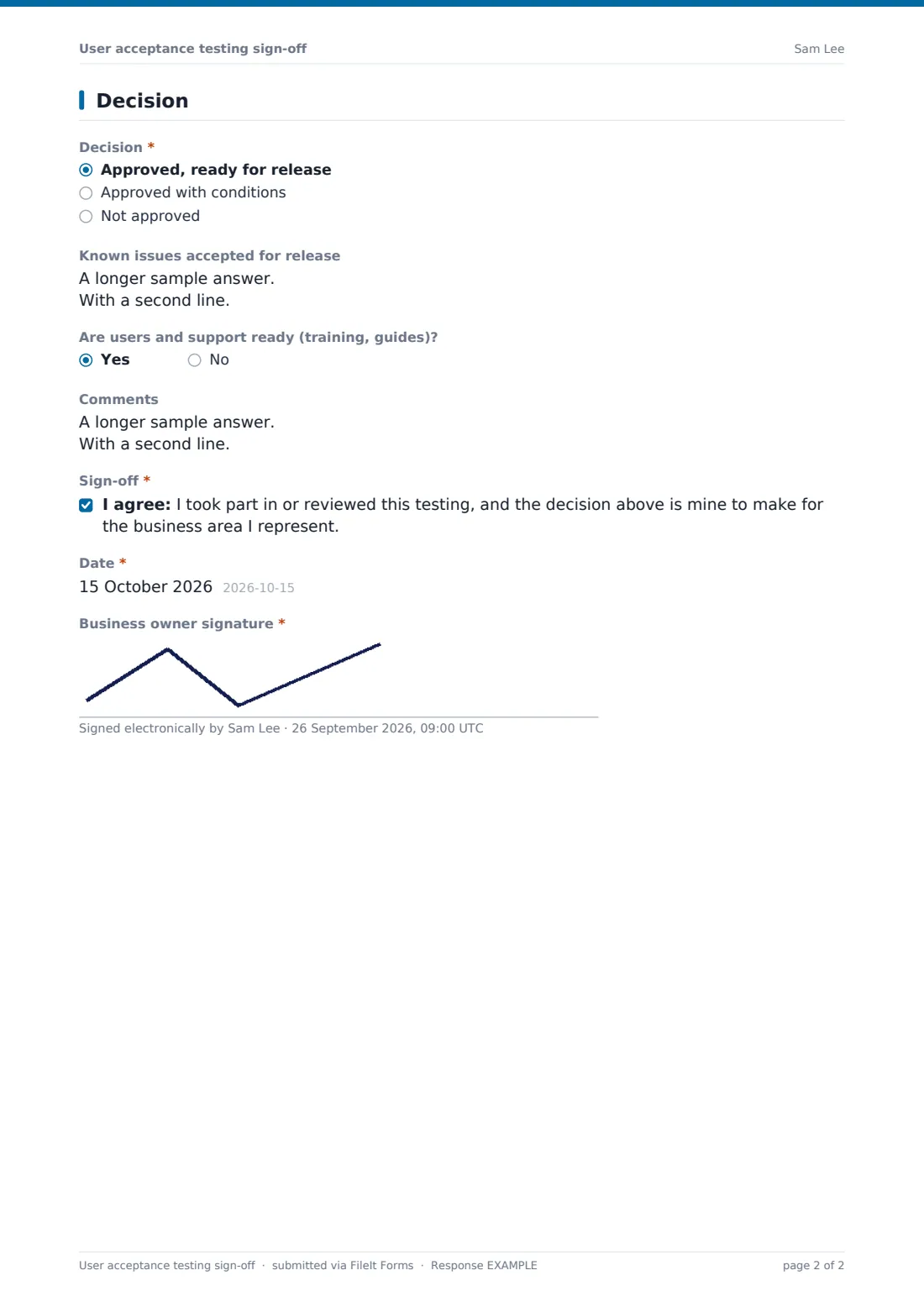
The second page is the decision itself: approved, approved with conditions, or not approved. Conditional approvals ask what must happen and by when. A rejection asks for the Blocking defects and when a retest is planned. Approvals list the known issues accepted for release. The business owner confirms the sign-off and signs, and the PDF is filed in your FileIt vault.
- Best for
- Project managers, QA leads and business owners of software changes
- Filled in by
- The business owner or product owner accepting the release
- Time to complete
- About 10 minutes
- Includes
- Scope and exclusions, test case counts, results upload, three-way decision, blocking defects and signature
Who uses a user acceptance testing sign-off form?
- Signing off a new finance system before go-live
- Accepting a release from an outside software supplier
- Agency projects where the client signs off each phase
- Approving an ERP upgrade with known issues accepted
- Rejecting a release with a clear list of blocking defects
- Phase-gate approvals in a regulated environment
Questions on this user acceptance testing sign-off form
26 questions over 2 pages · includes signature, file upload, conditional questions, multiple pages, consent checkbox.
1 Release & testing
- Project or system*
- Release or version tested*
- Test environment
- Testing started*
- Testing finished*
- Business owner*
- Role
- Who tested
- What was tested*
- Deliberately not tested
- Test cases run*
- Passed*
- Failed
- Blocked or not run
- Test results or tracker export
2 Decision
- Decision* Approved, ready for release · Approved with conditions · Not approved
- Conditions* asked only when it applies
- Blocking defects* asked only when it applies
- Retest planned for asked only when it applies
- Known issues accepted for release asked only when it applies
- Are users and support ready (training, guides)?
- Comments
- Sign-off*
- Date*
- Business owner signature*
The user acceptance testing sign-off form, page by page
1 Release & testing
Project or system and Release or version tested are required, with the test environment and the dates testing started and finished. The business owner gives their name, role and email. Who tested, What was tested and Deliberately not tested set out the scope. Test cases run and passed are required, with failed and blocked or not run alongside. A test results file or tracker export can be uploaded.
2 Decision
Decision offers Approved, ready for release; Approved with conditions; or Not approved. Conditions explain what must happen for a conditional approval to stand. Not approved asks for Blocking defects, one per line, and the planned retest date. Approved releases record known issues accepted for release, with any workaround. Are users and support ready (training, guides)? and comments follow, then the sign-off statement, the date and the business owner's signature.
Make the template yours
- Add a matrix of business processes with pass or fail per row
- Require a second signature from IT or the supplier
- Add your defect tracker's ID format to the blocking defects help text
- Email the project team on every sign-off
- File sign-offs into a vault folder per project
Tips for a better user acceptance testing sign-off form
- Agree the acceptance criteria before testing starts
- Record what wasn't tested; it matters as much as what was
- Keep conditions specific and dated
- Don't let blocked tests count as passed
- Sign off the exact version that will be deployed
- Attach the test log or a screenshot of the test run to the sign-off so the evidence stays with the decision in the vault
Every response becomes a PDF in your vault
The signed sign-off is filed as a PDF in your FileIt vault with the test results attached, and the form owner is emailed straight away.
Use the Responses table to see every sign-off for a project, and the CSV export to track approvals, rejections and retests across releases.
- Start from this template. It opens in the FileIt Forms designer — change any question, add pages, set the rules for when questions appear.
- Share it. Turn on a public link, or send it to people by email, each with their own link. They don’t need a FileIt account.
- Get the answers as PDFs. Each response is saved as a PDF in the vault folder you choose, with uploaded files attached — and listed in a Responses table you can export to CSV.
User acceptance testing sign-off form: frequently asked questions
Is this UAT sign-off template free?
Yes. It's one of the FileIt Forms starter templates, available on every plan.
Does FileIt manage test cases?
No. Keep test cases in your own tool or spreadsheet and attach an export. This form records the outcome and the decision.
What happens when the release is not approved?
The form asks for the blocking defects and when a retest is planned, so the team knows exactly what to fix.
Can a supplier's client sign it?
Yes. Send the form by email or share its link; the signer doesn't need a FileIt account.
Can I use it for each phase of a project?
Yes. Submit a new sign-off for each phase or release, and they'll all be in the Responses table.