What is the project closeout report form template?
Projects often just fade out — the last deliverable goes over, the team moves on, and nobody records whether the objectives were met or what should be done differently next time. Months later, when a question comes up about acceptance or the final cost, there's nothing to point to.
This project closeout report template brings the ending into one document: the original objectives and whether they were met, the deliverables handed over and their acceptance status, the approved budget against actual cost, the planned and actual completion dates, a structured lessons-learned review, a handover checklist, and the client's sign-off with a signature.
The completed report is saved as a PDF in your FileIt vault alongside any acceptance documents, giving you a clear record that the project was closed and on what terms.
- Best for
- Project managers, agencies, consultants and contractors finishing client projects
- Filled in by
- The project manager, with the client completing the sign-off
- Time to complete
- About 15–20 minutes
- Includes
- Acceptance status, budget vs actual, a lessons-learned grid, handover checklist, satisfaction rating and client signature
Who uses a project closeout report form?
- An agency closing a website or campaign project with a client
- An IT team handing a new system over to the business
- A consultant finishing an engagement and recording what was delivered
- A fit-out or refurbishment contractor getting final client sign-off
- A PMO collecting lessons learned from every project in one format
- An internal project closing out before the team is released to other work
Questions on this project closeout report form
32 questions over 5 pages · includes signature, file upload, conditional questions, multiple pages, consent checkbox, ratings.
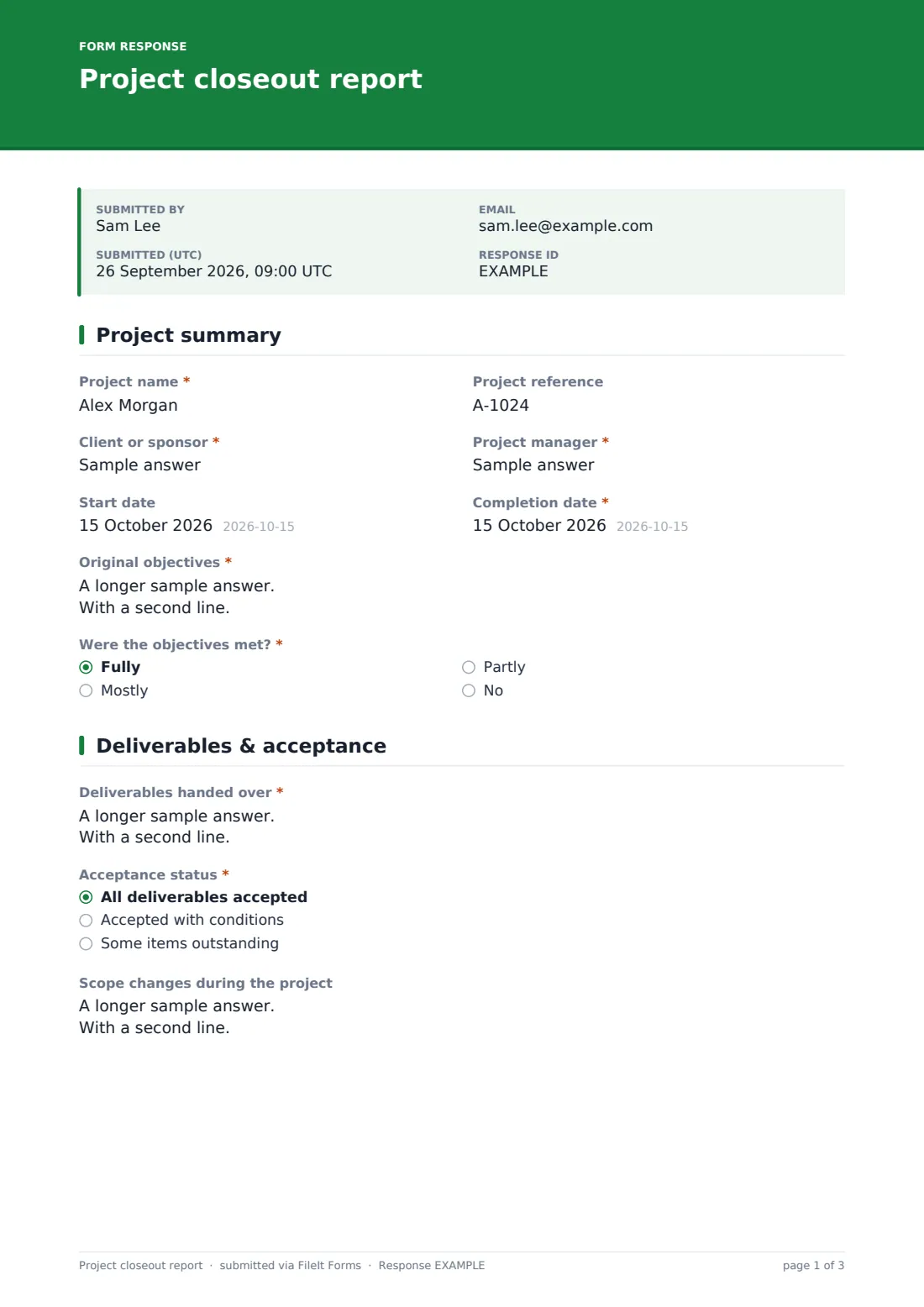
1 Project summary
- Project name*
- Project reference
- Client or sponsor*
- Project manager*
- Start date
- Completion date*
- Original objectives*
- Were the objectives met?* Fully · Mostly · Partly · No
- What wasn't achieved, and why? asked only when it applies
2 Deliverables & acceptance
- Deliverables handed over*
- Acceptance status* All deliverables accepted · Accepted with conditions · Some items outstanding
- Outstanding items or conditions, with owners and dates* asked only when it applies
- Scope changes during the project
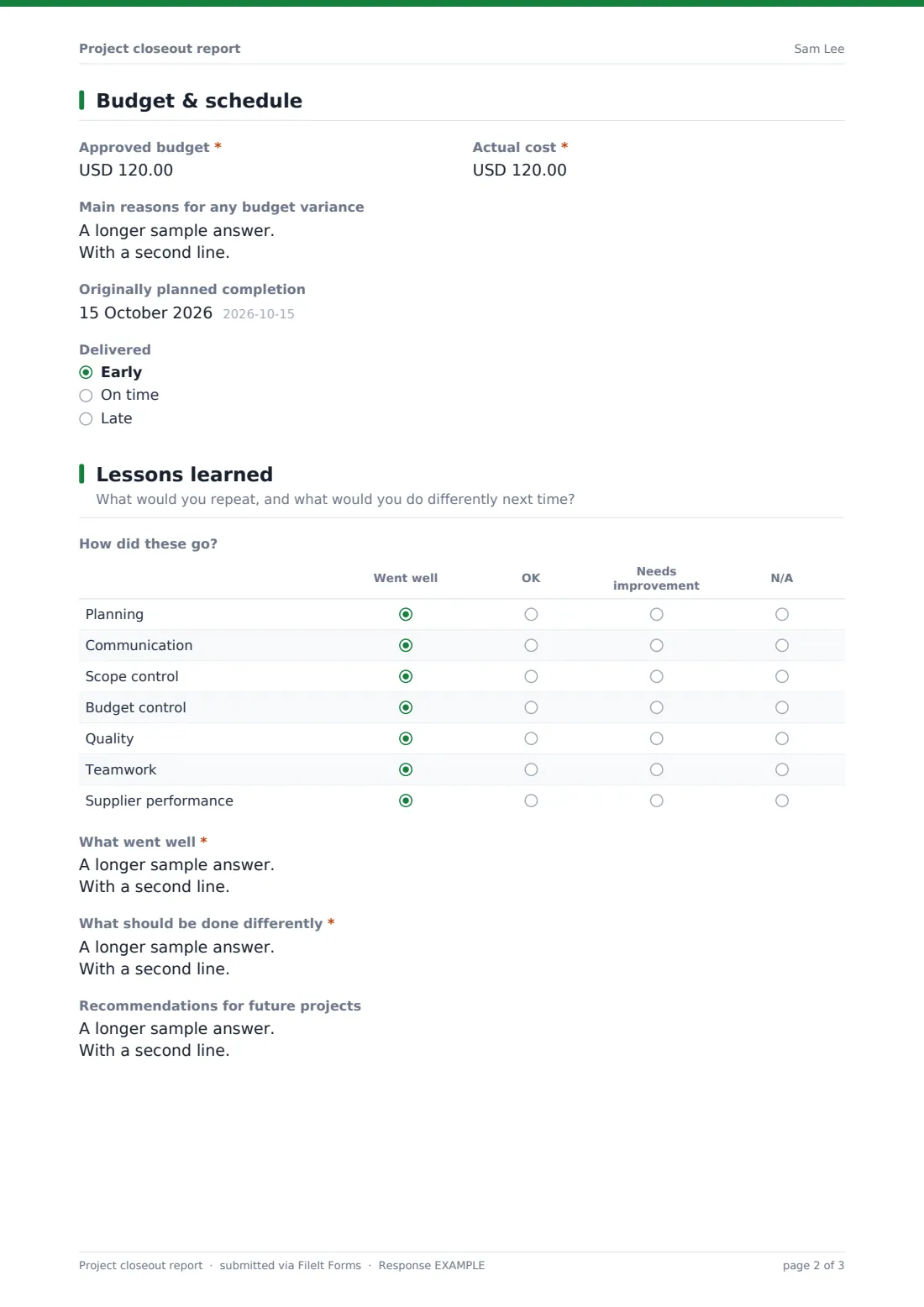
3 Budget & schedule
- Approved budget*
- Actual cost*
- Main reasons for any budget variance
- Originally planned completion
- Delivered Early · On time · Late
- What caused the delay? asked only when it applies
4 Lessons learned
- How did these go? Went well · OK · Needs improvement · N/A
- What went well*
- What should be done differently*
- Recommendations for future projects
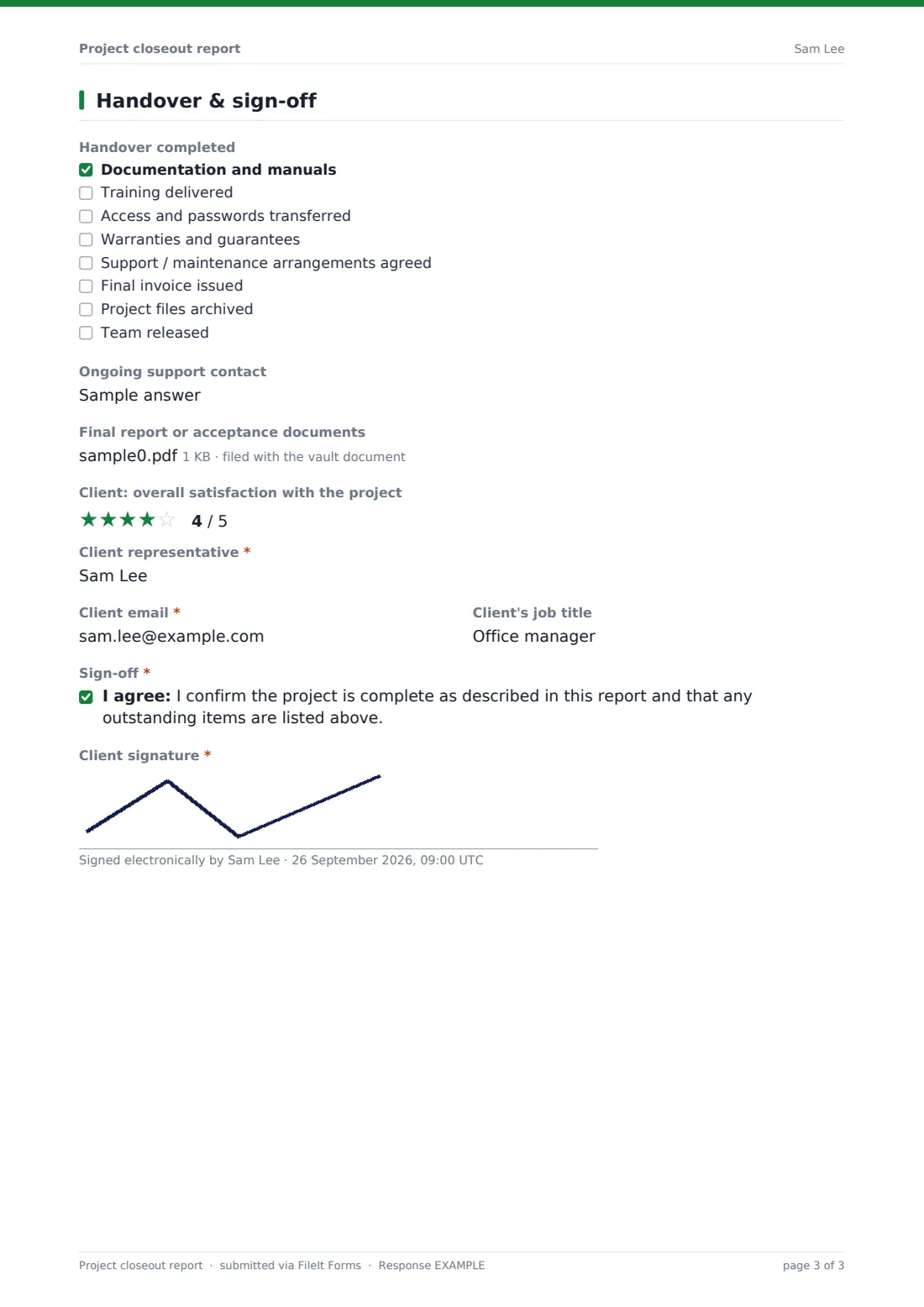
5 Handover & sign-off
- Handover completed Documentation and manuals · Training delivered · Access and passwords transferred · Warranties and guarantees · Support / maintenance arrangements agreed · Final invoice issued · Project files archived · Team released
- Ongoing support contact
- Final report or acceptance documents
- Client: overall satisfaction with the project
- Client representative*
- Client email*
- Client's job title
- Sign-off*
- Client signature*
The project closeout report form, page by page
1 Project summary
Enter the project name and reference, client or sponsor, project manager, start and completion dates and the original objectives. Say whether the objectives were met fully, mostly, partly or not at all — anything short of fully opens a question about what wasn't achieved and why.
2 Deliverables & acceptance
List the deliverables handed over and where to find them, then choose the acceptance status. If items are outstanding or accepted with conditions, a required box records them with owners and dates. Scope changes made during the project have their own box.
3 Budget & schedule
Record the approved budget and the actual cost with the main reasons for any variance, plus the originally planned completion date and whether the project was delivered early, on time or late. Late delivery opens a question about the cause.
4 Lessons learned
A grid rates planning, communication, scope control, budget control, quality, teamwork and supplier performance as went well, OK or needs improvement. Then record what went well, what should be done differently and any recommendations for future projects.
5 Handover & sign-off
Tick the handover items completed — documentation, training, access, warranties, support arrangements, final invoice, archiving and team release — and name the ongoing support contact. Upload final documents, then the client rates their overall satisfaction, gives their name, email and job title, confirms the project is complete and signs.
Make the template yours
- Change the currency on the budget fields to match your contracts
- Edit the handover checklist to reflect what your projects actually hand over
- Add rows to the lessons-learned grid for areas you want to track across projects
- Remove the client signature for internal projects, or replace it with a sponsor's
- File each closeout report in the client's or project's folder with the original brief
- Send it as a request to the client contact so the signature comes straight back to you
Tips for a better project closeout report form
- Hold a short lessons-learned conversation with the team before you fill in the form
- Be specific about outstanding items — an owner and a date turn them into commitments
- Compare actual cost against the approved budget, including approved changes, not the first estimate
- Collect the sign-off while the project is fresh; it's much harder weeks later
- Read the lessons from past closeout reports when you start the next similar project
Every response becomes a PDF in your vault
Once submitted, FileIt saves the closeout report as a PDF with the signature and any uploaded documents, files it in your vault and notifies you. The client can receive their own copy as a record of what they signed off.
Across projects, the Responses table gives you a view of how projects closed — on budget or not, on time or late — and you can export it to CSV to look for patterns in the lessons learned.
- Start from this template. It opens in the FileIt Forms designer — change any question, add pages, set the rules for when questions appear.
- Share it. Turn on a public link, or send it to people by email, each with their own link. They don’t need a FileIt account.
- Get the answers as PDFs. Each response is saved as a PDF in the vault folder you choose, with uploaded files attached — and listed in a Responses table you can export to CSV.
Project closeout report form: frequently asked questions
Is this project closeout template free?
Yes. It's included in FileIt's Forms app on all plans, including the free plan, and you can edit every section.
Can the client sign it online?
Yes. The last page has a client signature field and a confirmation statement, so the client can sign on screen from a link, without a FileIt account.
What if some deliverables are still outstanding?
Choose 'Accepted with conditions' or 'Some items outstanding' and a required box appears to list those items with owners and dates.
Can I use it for internal projects?
Yes. Replace the client sign-off with the internal sponsor, or remove the signature if you don't need one.
Is this a legally binding acceptance certificate?
It's a record of what both sides confirmed. If your contract specifies a particular acceptance process or wording, follow that and adapt the statement to match.
Where is the report stored?
The signed report is saved as a PDF in your FileIt vault and listed in the Responses table.