
What is the tuition assistance request form template?
Supporting staff to gain qualifications is one of the most valued benefits an employer can offer. It's also one of the easiest to get muddled: who agreed to pay what, for which course, on what terms, and what happens if someone leaves halfway through? This template makes those answers explicit before the money is spent.
The employee describes the course: the qualification type, provider, delivery method, whether they're funding the whole course or one module or term, dates and a link. They explain how it relates to their role and how the organisation will benefit, and ask for study leave if they need it. The costs page breaks down fees, exams, materials and other costs, records tuition support already received this year and any other funding, and lets them choose how they'd like to be paid.
The final page summarises typical conditions of tuition support and asks for four signed agreements, covering completion evidence, passing the course, the repayment terms in your policy and study time. Every request is saved as a signed PDF in your FileIt vault.
- Best for
- Employers offering tuition assistance, education funding or professional qualification support
- Filled in by
- The employee, before enrolling
- Time to complete
- About 10 minutes
- Includes
- Course details, a business case, a cost breakdown with prior support and other funding, payment options and signed repayment terms
Who uses a tuition assistance request form?
- Funding a professional qualification such as HR, accounting or project management
- Part-funding an evening degree or master's programme
- Paying for technical certifications and their exam fees
- Funding one module or semester at a time, with reimbursement on passing
- Recording study leave alongside the funding request
- Keeping signed repayment terms on file for every funded course
Questions on this tuition assistance request form
36 questions over 4 pages · includes signature, file upload, conditional questions, multiple pages, consent checkbox.
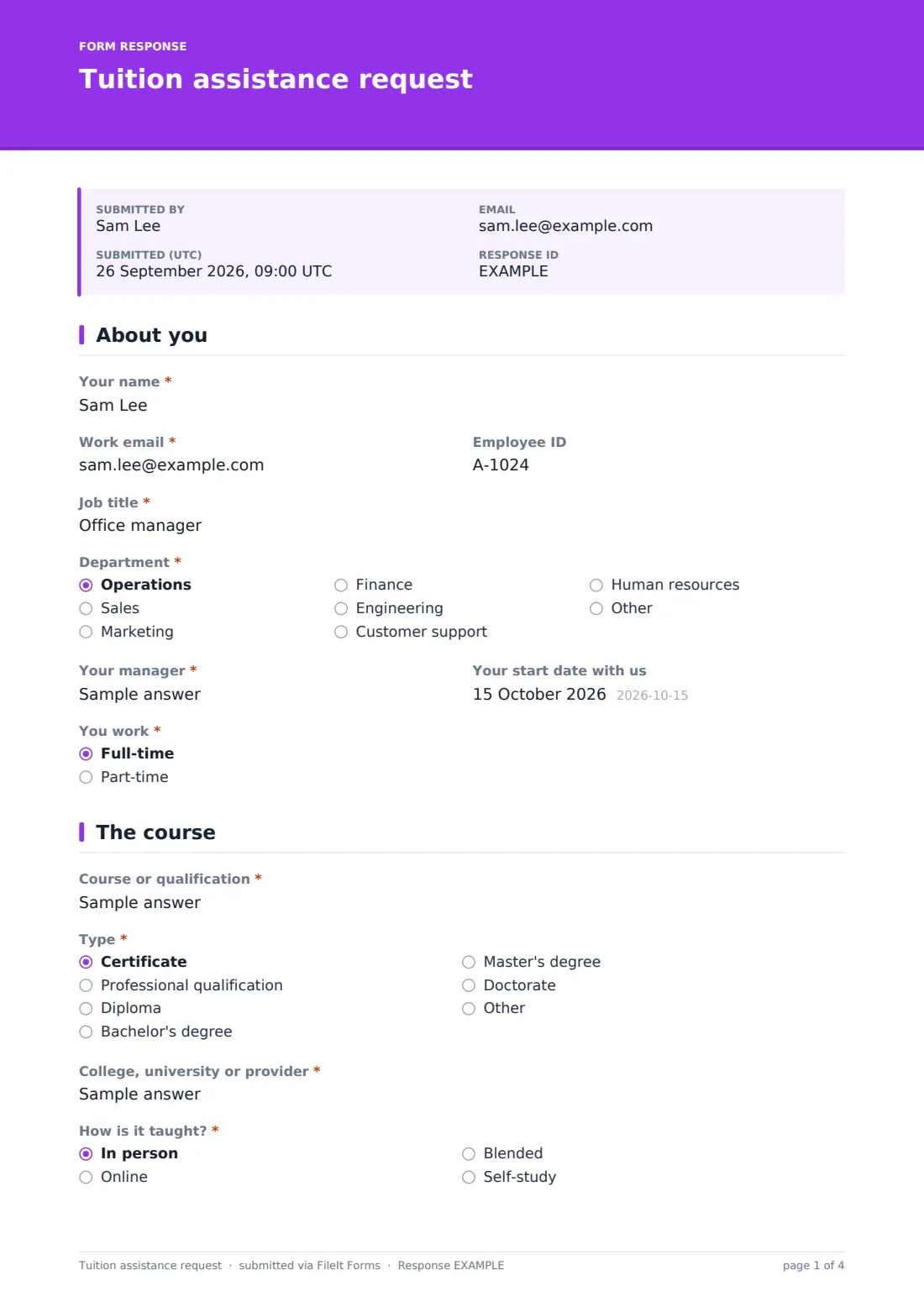
1 About you
- Your name*
- Work email*
- Employee ID
- Job title*
- Department* Operations · Sales · Marketing · Finance · Engineering · Customer support · Human resources · Other
- Your manager*
- Your start date with us
- You work* Full-time · Part-time
2 The course
- Course or qualification*
- Type* Certificate · Professional qualification · Diploma · Bachelor's degree · Master's degree · Doctorate · Other
- College, university or provider*
- How is it taught?* In person · Online · Blended · Self-study
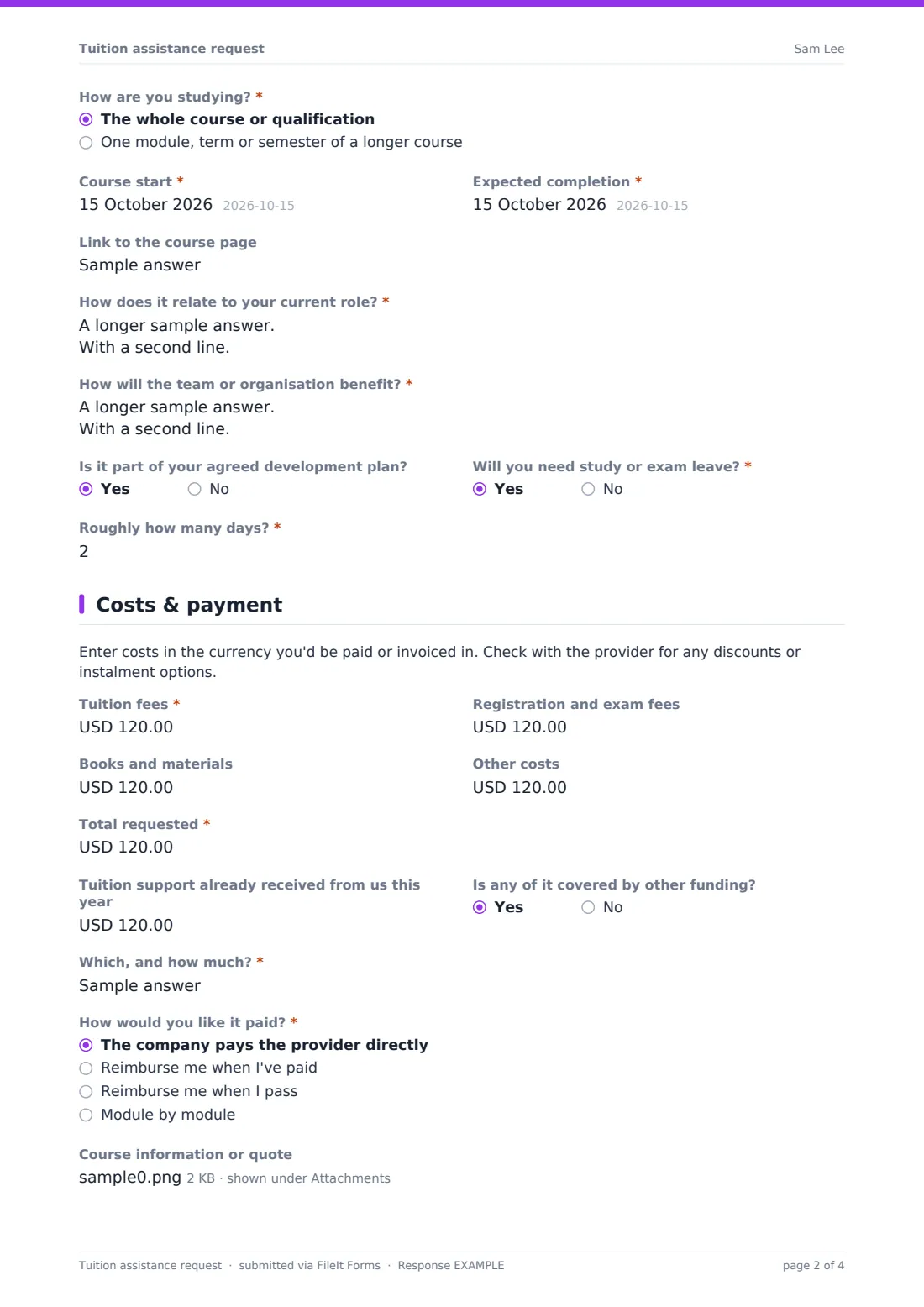
- How are you studying?* The whole course or qualification · One module, term or semester of a longer course
- Course start*
- Expected completion*
- Link to the course page
- How does it relate to your current role?*
- How will the team or organisation benefit?*
- Is it part of your agreed development plan?
- Will you need study or exam leave?*
- Roughly how many days?* asked only when it applies
3 Costs & payment
- Tuition fees*
- Registration and exam fees
- Books and materials
- Other costs
- Total requested*
- Tuition support already received from us this year
- Is any of it covered by other funding?
- Which, and how much?* asked only when it applies
- How would you like it paid?* The company pays the provider directly · Reimburse me when I've paid · Reimburse me when I pass · Module by module
- Course information or quote
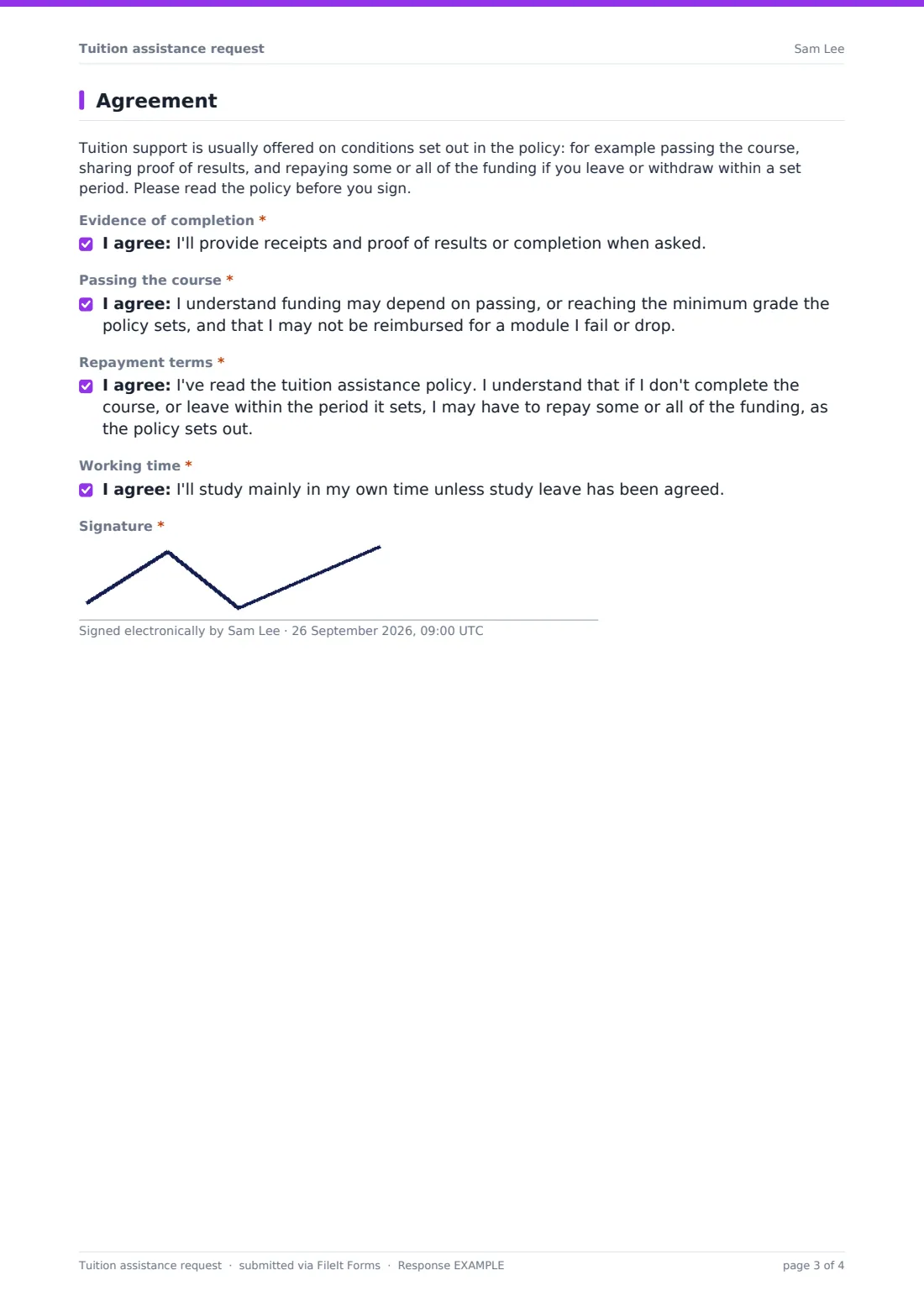
4 Agreement
- Evidence of completion*
- Passing the course*
- Repayment terms*
- Working time*
- Signature*
The tuition assistance request form, page by page
1 About you
The employee gives Your name, Work email, Employee ID, Job title, Department, Your manager, their start date and whether they work full-time or part-time.
2 The course
The employee names the Course or qualification and picks its type, from a certificate up to a doctorate (short courses and conferences are pointed to the training request form). They say whether the request covers the whole course or one module, term or semester. They give the provider, how it's taught, the start and expected completion dates, and a link to the course page. They explain how it relates to their current role and how the team or organisation will benefit. They say whether it's in their agreed development plan and whether they need study or exam leave, and if so roughly how many days.
3 Costs & payment
The employee enters tuition fees, registration and exam fees, books and materials, and other costs, plus a required Total requested, and any tuition support already received this year, which matters where your policy has an annual cap. If other funding covers part of it, the form asks which and how much. They choose how they'd like it paid: directly to the provider, reimbursed when they've paid, reimbursed on passing, or module by module. They can attach a brochure, invoice or fee breakdown.
4 Agreement
A short paragraph explains the kinds of conditions tuition support usually carries. The employee agrees to provide evidence of completion, accepts that funding may depend on passing or a minimum grade, confirms they've read the policy and understand any repayment terms, and agrees to study mainly in their own time unless leave is agreed. They then sign.
Make the template yours
- Put your own policy's conditions, such as the repayment period and sliding scale, in the agreement paragraph
- Link the tuition assistance policy from the cover text so employees can read it first
- Set the currency on the cost fields to the one you pay in
- Put your annual funding cap in the help text of the support-already-received question so employees know the limit before asking
- Remove payment options you don't offer
- File approved requests in each employee's vault folder, alongside their certificates when they pass
Tips for a better tuition assistance request form
- Agree the repayment terms before the course starts, never after someone resigns
- Ask for the provider's invoice or fee breakdown so the amount is clear
- Check the course against the employee's development plan and the team's needs
- Put study leave in the team calendar early so cover can be arranged
- Celebrate completions. It encourages others to use the benefit
Every response becomes a PDF in your vault
When the employee submits, FileIt saves the signed request and any course documents as a PDF in your vault and notifies the form owner. The employee keeps a copy of the terms they agreed to.
HR or the manager usually reviews the business case and costs, then replies with a decision. Because the signed agreement is filed with the request, any later question about repayment or what was funded can be answered from the record.
- Start from this template. It opens in the FileIt Forms designer — change any question, add pages, set the rules for when questions appear.
- Share it. Turn on a public link, or send it to people by email, each with their own link. They don’t need a FileIt account.
- Get the answers as PDFs. Each response is saved as a PDF in the vault folder you choose, with uploaded files attached — and listed in a Responses table you can export to CSV.
Tuition assistance request form: frequently asked questions
Is this tuition assistance request template free?
Yes. It's included in FileIt's Forms app on every account, including the free plan, and you can edit every question.
Do employees need a FileIt account to apply?
No. You share the form as a link and employees fill it in and submit it without an account.
How is this different from the training request form?
Use this form for degrees, diplomas and accredited qualifications funded over months or years, with a pass condition and repayment terms. Short courses, workshops and conferences fit the simpler training request form.
Does the template include a repayment clause?
It includes a general agreement that the employee has read your policy and may have to repay funding under it. The actual terms, such as the repayment period, belong in your policy or can be added to the agreement text.
Does the form add up the costs?
No. The employee enters each cost and the total, so the approver should check them against the quote.
Can employees request study leave too?
Yes. A yes/no question asks whether study or exam leave is needed and roughly how many days.
Can we pay the provider directly?
Yes. That's one of the payment options, alongside reimbursement on payment, on passing, or module by module.