
What is the swim lesson enrollment form template?
Placing a child in the right swimming class starts with knowing what they can already do. This enrolment template asks parents the questions swim teachers actually need: how confident the child is in the water, whether they've had lessons before, which strokes they can swim, and what days and times work for the family.
Parents give their contact details and the child's name, date of birth and optional gender. The ability page offers six clear descriptions, from new or nervous to strong swimmers ready for squad work, plus previous lessons (with an optional certificate upload), strokes and a request for an in-water assessment. The schedule page covers the type of lessons — parent and baby, preschool, group, small group, private or a holiday course — and preferred days, times, start date and instructor.
Health questions cover common conditions, medication to bring to the pool and additional needs, with emergency contacts and who may collect the child. Consents for taking part, first aid, your lesson terms and optional photos close the form with the parent's signature, and every enrolment is saved as a PDF in your FileIt vault.
- Best for
- Swim schools, leisure centres and swimming clubs
- Filled in by
- A parent or guardian
- Time to complete
- About 5 minutes
- Includes
- Ability levels, schedule preferences, medical and additional needs, parent consents
Who uses a swim lesson enrollment form?
- A parent enrols a nervous four-year-old in preschool lessons
- A family moving from another swim school uploads their child's last certificate
- A parent books parent-and-toddler sessions and names the adult in the water
- A swim school collects enrolments for a new term's timetable
- A parent requests private lessons for a child with sensory needs
- A club enrols children for a holiday intensive course
Questions on this swim lesson enrollment form
36 questions over 5 pages · includes signature, file upload, conditional questions, multiple pages, consent checkbox.
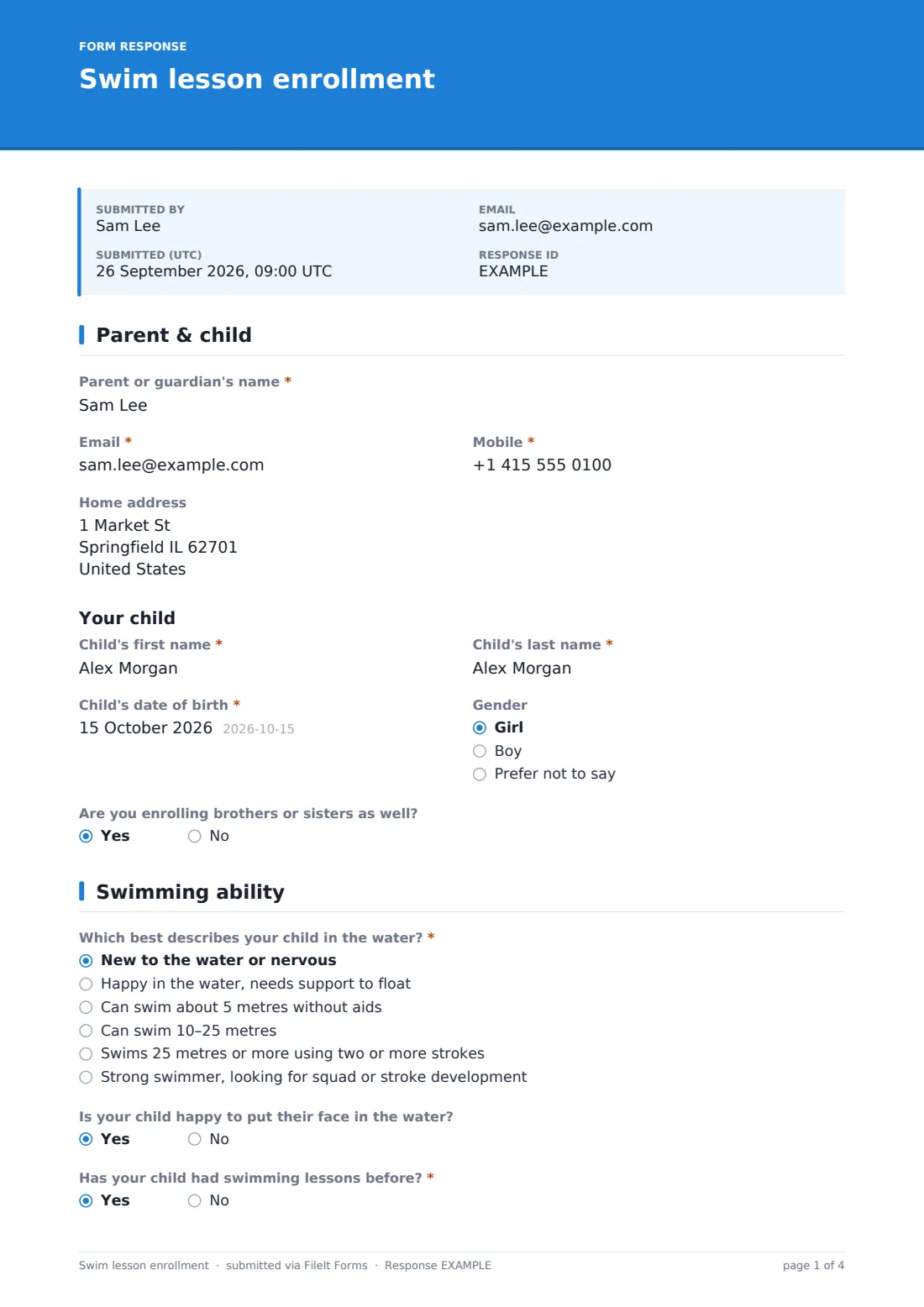
1 Parent & child
- Parent or guardian's name*
- Email*
- Mobile*
- Home address
- Child's first name*
- Child's last name*
- Child's date of birth*
- Gender Girl · Boy · Prefer not to say
- Are you enrolling brothers or sisters as well?
2 Swimming ability
- Which best describes your child in the water?* New to the water or nervous · Happy in the water, needs support to float · Can swim about 5 metres without aids · Can swim 10–25 metres · Swims 25 metres or more using two or more strokes · Strong swimmer, looking for squad or stroke development
- Is your child happy to put their face in the water?
- Has your child had swimming lessons before?*
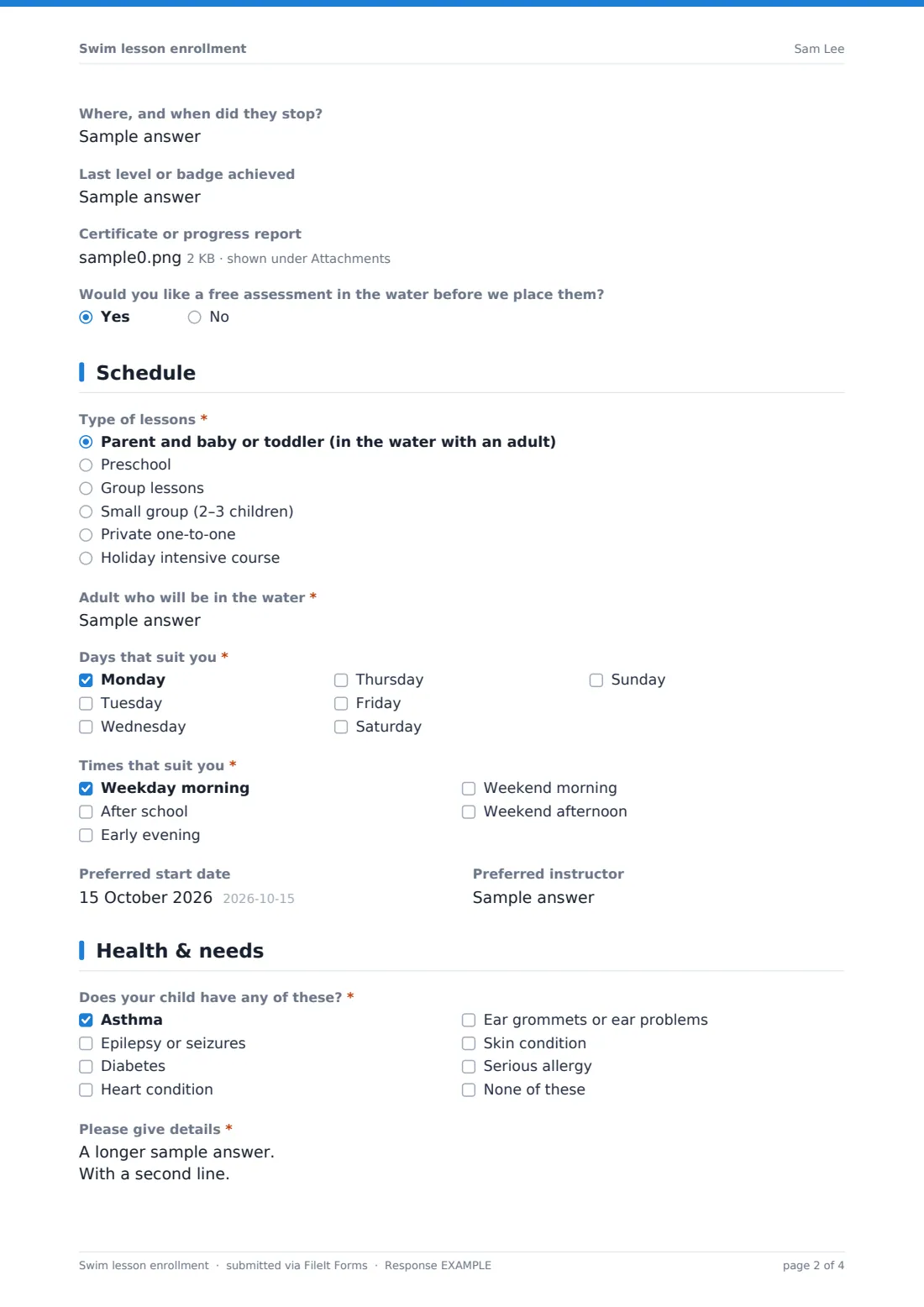
- Where, and when did they stop? asked only when it applies
- Last level or badge achieved asked only when it applies
- Certificate or progress report asked only when it applies
- Strokes they can already swim asked only when it applies Front crawl · Backstroke · Breaststroke · Butterfly · None yet
- Would you like a free assessment in the water before we place them?
3 Schedule
- Type of lessons* Parent and baby or toddler (in the water with an adult) · Preschool · Group lessons · Small group (2–3 children) · Private one-to-one · Holiday intensive course
- Adult who will be in the water* asked only when it applies
- Days that suit you* Monday · Tuesday · Wednesday · Thursday · Friday · Saturday · Sunday
- Times that suit you* Weekday morning · After school · Early evening · Weekend morning · Weekend afternoon
- Preferred start date
- Preferred instructor
4 Health & needs
- Does your child have any of these?* Asthma · Epilepsy or seizures · Diabetes · Heart condition · Ear grommets or ear problems · Skin condition · Serious allergy · None of these
- Please give details* asked only when it applies
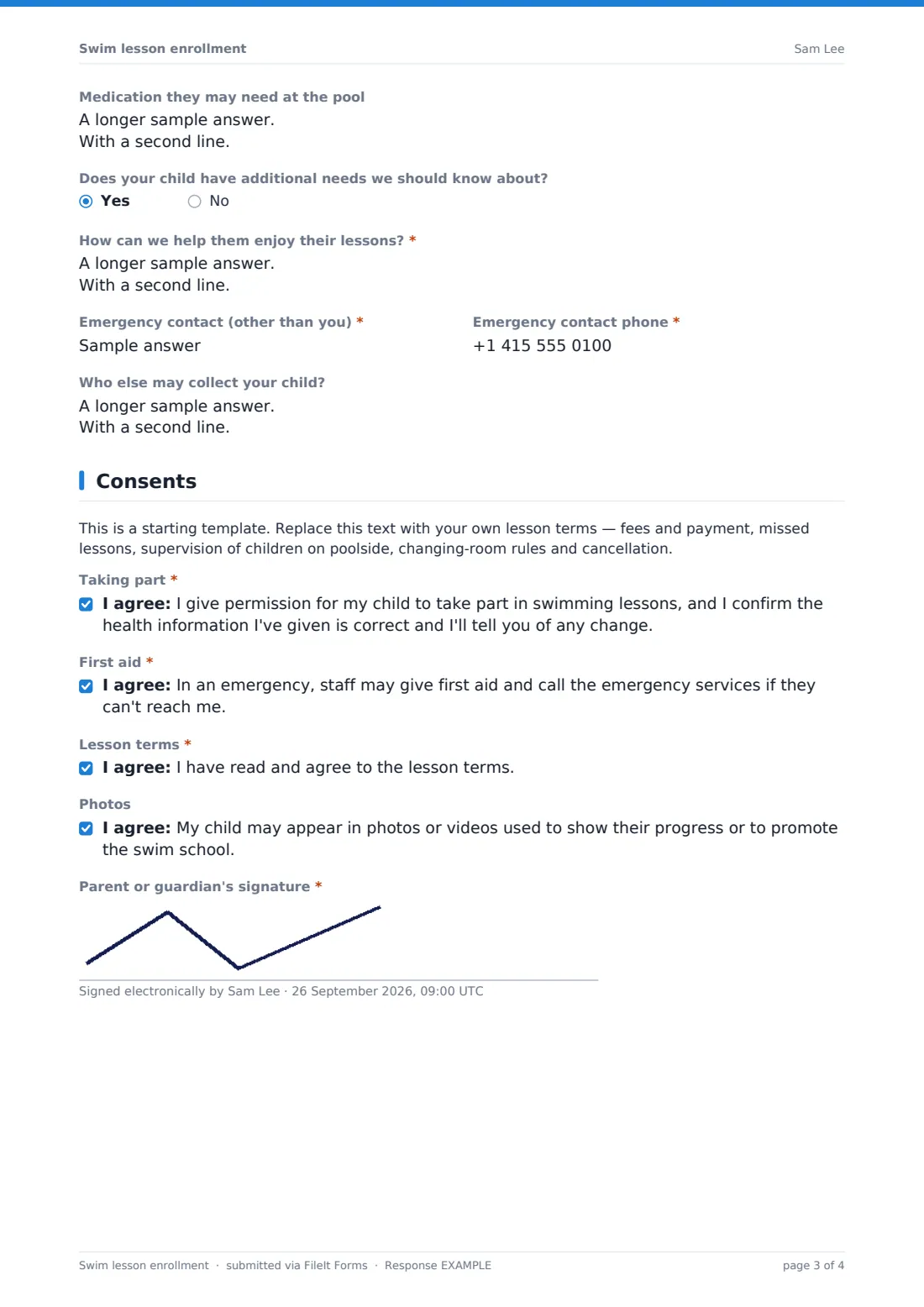
- Medication they may need at the pool
- Does your child have additional needs we should know about?
- How can we help them enjoy their lessons?* asked only when it applies
- Emergency contact (other than you)*
- Emergency contact phone*
- Who else may collect your child?
5 Consents
- Taking part*
- First aid*
- Lesson terms*
- Photos
- Parent or guardian's signature*
The swim lesson enrollment form, page by page
1 Parent & child
Parent or guardian's name, email, mobile and address, then the child's first and last name, date of birth and optional gender, and whether siblings are enrolling too (one form per child).
2 Swimming ability
A required choice of six ability descriptions, whether they'll put their face in the water, and a required question on previous lessons — a yes asks where, the last level or badge, and allows a certificate upload. Children who aren't brand new tick the strokes they can swim, and parents can ask for a free in-water assessment.
3 Schedule
A required lesson type: parent and baby or toddler (which asks who'll be in the water), preschool, group, small group, private or holiday intensive. Then required days and times that suit, a preferred start date and an optional preferred instructor.
4 Health & needs
A required checklist of conditions — asthma, epilepsy, diabetes, heart conditions, ear problems, skin conditions and serious allergies — with details asked unless 'None of these' is ticked. Medication to bring to the pool, additional needs with a box for how to help, a required emergency contact and who else may collect the child.
5 Consents
A placeholder for your lesson terms, then required consents to take part, for first aid in an emergency and to your terms, an optional photo consent, and the parent or guardian's signature.
Make the template yours
- Rename the ability descriptions to match your swim school's stages or badges
- Replace the placeholder with your fees, missed-lesson and poolside supervision rules
- Add your term dates and timetable as a paragraph on the schedule page
- Remove parent-and-baby options if you only teach older children
- Add a question for school name if you run school swimming
- File enrolments in a folder per term
Tips for a better swim lesson enrollment form
- Offer an assessment for children moving from another school — ability descriptions are only a guide
- Share medical and additional-needs answers with the child's teacher before the first lesson
- Ask parents to bring inhalers or other medication to every lesson
- Confirm the class, day, time and start date in one email to cut down on queries
- Re-send the form each year to keep health information current
Every response becomes a PDF in your vault
Each enrolment is saved as a signed PDF in your vault and your team is emailed. Parents see a message saying you'll confirm the class, day and start date.
Use the Responses table to group children by ability and preferred times when you build the timetable, and to find any child with medical notes quickly.
- Start from this template. It opens in the FileIt Forms designer — change any question, add pages, set the rules for when questions appear.
- Share it. Turn on a public link, or send it to people by email, each with their own link. They don’t need a FileIt account.
- Get the answers as PDFs. Each response is saved as a PDF in the vault folder you choose, with uploaded files attached — and listed in a Responses table you can export to CSV.
Swim lesson enrollment form: frequently asked questions
Is this swim lesson enrollment template free?
Yes, it's included in the Forms app on every FileIt account, including the free plan, and every question can be edited.
Can I enrol more than one child?
Yes — fill in one form per child. The form asks whether siblings are enrolling so the school can try to schedule them together.
Does the form place my child in a class automatically?
No. The swim school uses your answers to choose a class and confirms by email. You can also ask for an in-water assessment.
Can I upload a certificate from another swim school?
Yes. Answering yes to previous lessons shows an optional upload for a certificate or progress report.
What if my child has additional needs?
The form asks about additional needs and gives space to explain how staff can help your child enjoy their lessons.
Do parents need a FileIt account?
No. They fill in and sign the form from a link.