What is the suspected fraud report form template?
When someone thinks they've spotted fraud, the first report is often the most useful one, and it often goes nowhere. A customer phones a general line, an employee mentions it to a colleague, a supplier forwards a strange email. By the time the right person hears about it, dates are fuzzy and screenshots have been deleted.
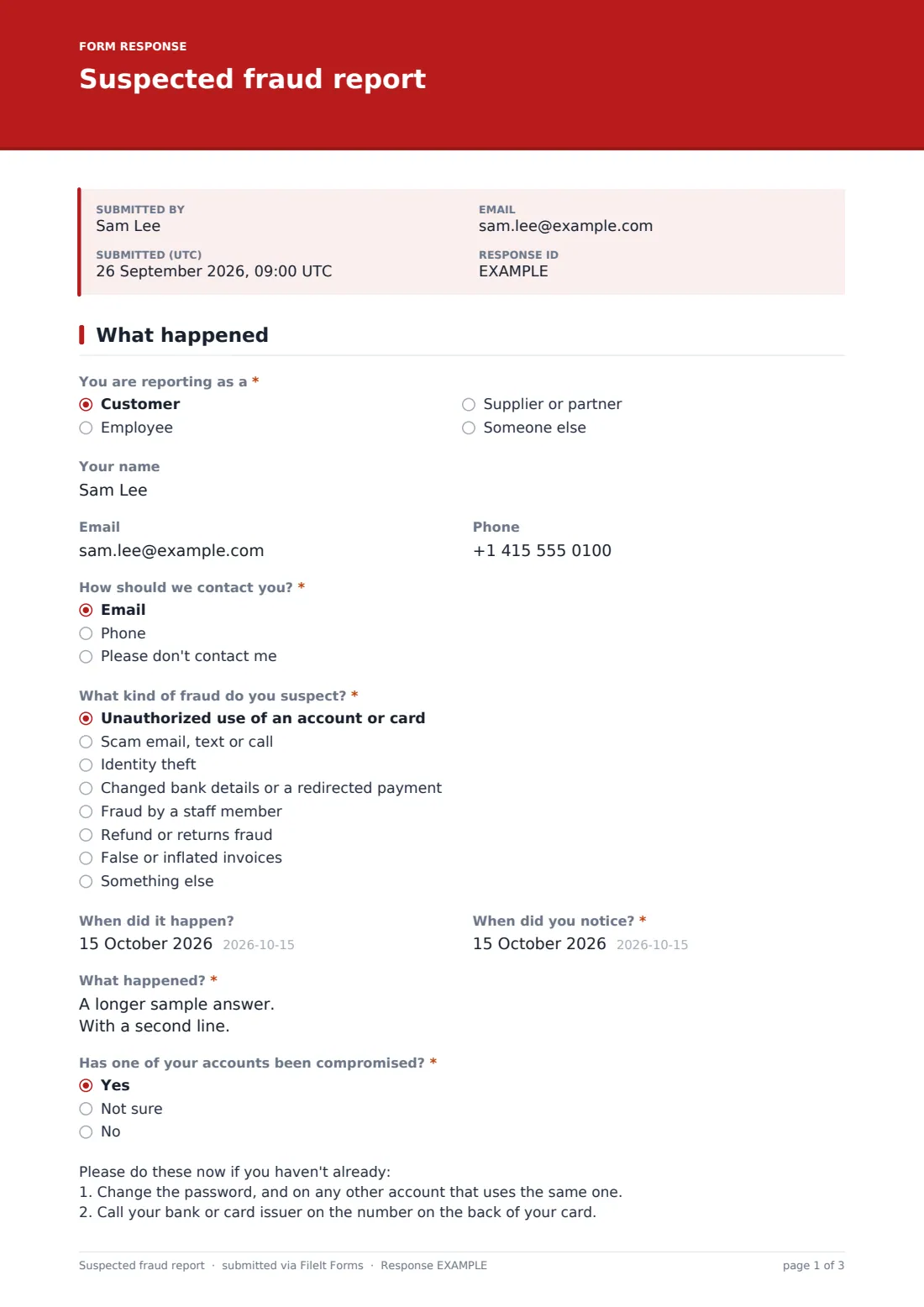
This fraud report template captures it while it's fresh. The person reporting says whether they're a customer, employee, supplier or someone else, how they'd like to be contacted, and what kind of fraud they suspect, from unauthorized account use and scam messages to changed bank details, staff fraud and false invoices. They describe what happened in their own words, with dates.
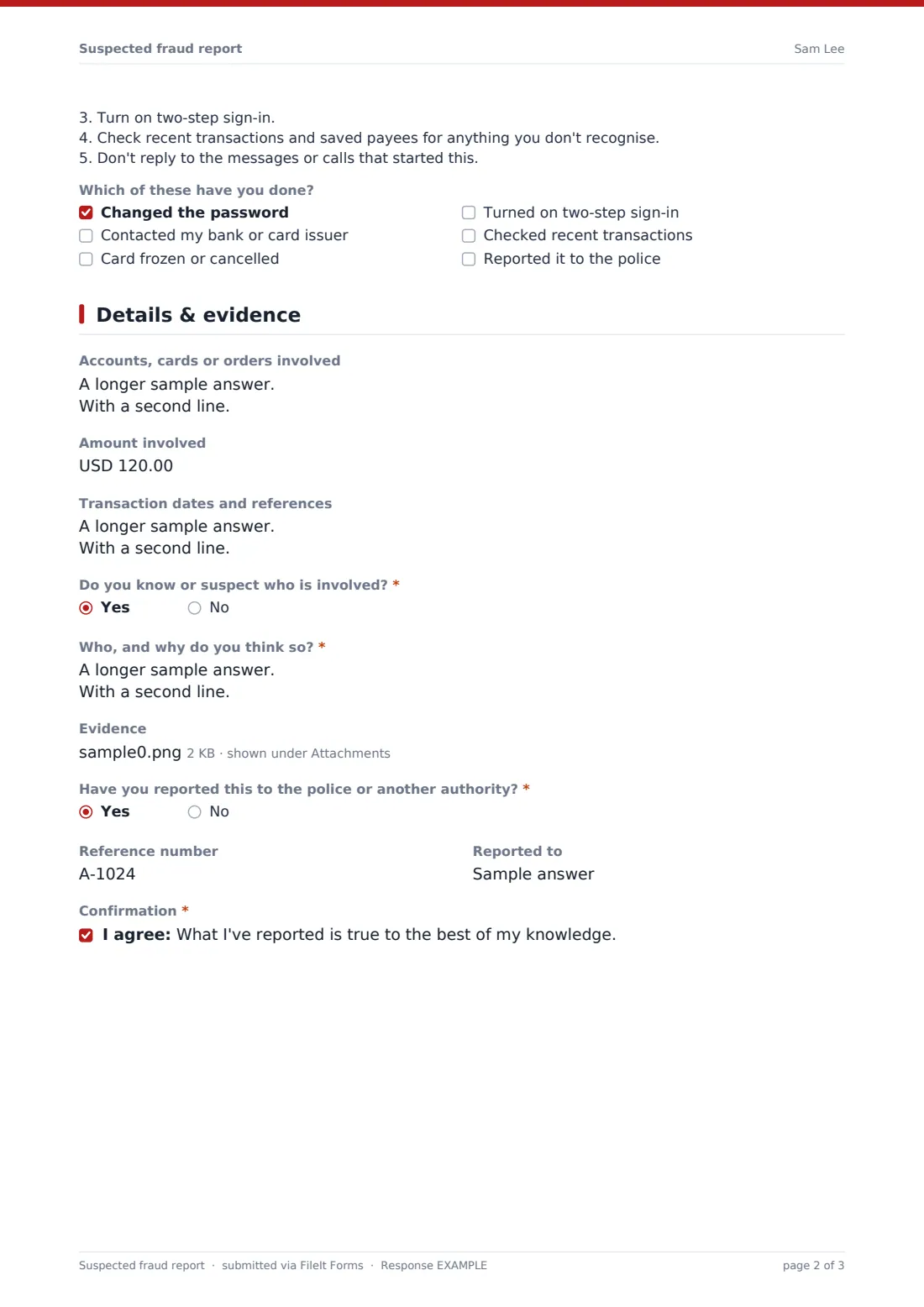
One question matters more than the rest: Has one of your accounts been compromised? Answering Yes shows a short list of things to do straight away, such as changing passwords and calling the bank, and a checklist of which steps they've already taken. The second page gathers accounts, amounts, transaction references, any suspected person, evidence uploads and any police report. Each report is filed as a PDF in your FileIt vault.
- Best for
- Banks and credit unions, online retailers, finance teams and membership organisations
- Filled in by
- Customers, employees, suppliers or members of the public
- Time to complete
- About 5-8 minutes
- Pages
- 2: what happened, then accounts, evidence and reports
Who uses a suspected fraud report form?
- A customer reporting card payments they didn't make on their online account
- An accounts clerk flagging an email asking to change a supplier's bank details
- A member reporting a scam text that used the organisation's name
- An employee raising concerns about a colleague's expense claims
- A retailer collecting reports of suspicious refund patterns from store staff
- A supplier reporting invoices sent in their name that they didn't issue
Questions on this suspected fraud report form
21 questions over 2 pages · includes file upload, conditional questions, multiple pages, consent checkbox.
1 What happened
- You are reporting as a* Customer · Employee · Supplier or partner · Someone else
- Your name
- Phone
- How should we contact you?* Email · Phone · Please don't contact me
- What kind of fraud do you suspect?* Unauthorized use of an account or card · Scam email, text or call · Identity theft · Changed bank details or a redirected payment · Fraud by a staff member · Refund or returns fraud · False or inflated invoices · Something else
- When did it happen?
- When did you notice?*
- What happened?*
- Has one of your accounts been compromised?* Yes · Not sure · No
- Which of these have you done? asked only when it applies Changed the password · Contacted my bank or card issuer · Card frozen or cancelled · Turned on two-step sign-in · Checked recent transactions · Reported it to the police
2 Details & evidence
- Accounts, cards or orders involved
- Amount involved
- Transaction dates and references
- Do you know or suspect who is involved?*
- Who, and why do you think so?* asked only when it applies
- Evidence
- Have you reported this to the police or another authority?*
- Reference number asked only when it applies
- Reported to asked only when it applies
- Confirmation*
The suspected fraud report form, page by page
1 What happened
You are reporting as a offers customer, employee, supplier or partner, and someone else. Your name, email and phone are optional, and How should we contact you? includes Please don't contact me. What kind of fraud do you suspect? lists eight types, followed by When did it happen? and When did you notice?, then What happened? for the full account.
Has one of your accounts been compromised? has Yes, Not sure and No. Yes reveals the immediate steps (change passwords, call the bank, turn on two-step sign-in, check transactions and payees, and stop replying) and Which of these have you done? to record what's already been done.
2 Details & evidence
Accounts, cards or orders involved asks for numbers or the last four digits of a card, with a clear warning never to enter a full card number or password. Amount involved and Transaction dates and references follow.
Do you know or suspect who is involved? asks for details on a Yes. Evidence takes up to six screenshots, emails, statements or receipts. Have you reported this to the police or another authority? asks for a reference number and who it was reported to. The reporter confirms the report is true to the best of their knowledge.
Make the template yours
- Put your fraud team's phone number in the immediate-steps note so urgent cases can call
- Remove the employee option and use a separate whistleblowing form for internal reports
- Add your own account number format to the help text
- Notify a shared fraud inbox as well as your own address
- Adjust the fraud types to what you actually see
- Change the currency on the amount field
Tips for a better suspected fraud report form
- Acknowledge every report quickly, even if you can't say much yet
- Never ask reporters for full card numbers, PINs or passwords, and say so on the form
- Restrict the vault folder to the people who investigate fraud
- Keep the original evidence files; don't edit or annotate them
- Review the fraud types reported each month to spot patterns early
Every response becomes a PDF in your vault
Each report is saved as a PDF in the vault folder you choose, with evidence attached to the same document. You're notified by email straight away, and you can add your fraud team to the notification list. Reporters who give an email can receive a copy.
Use the Responses table to triage: search by name, account or reference, and export to CSV to track reports by type and date.
- Start from this template. It opens in the FileIt Forms designer — change any question, add pages, set the rules for when questions appear.
- Share it. Turn on a public link, or send it to people by email, each with their own link. They don’t need a FileIt account.
- Get the answers as PDFs. Each response is saved as a PDF in the vault folder you choose, with uploaded files attached — and listed in a Responses table you can export to CSV.
Suspected fraud report form: frequently asked questions
Is this suspected fraud report template free?
Yes. It's a starter template in FileIt's Forms app on every account, and every question can be changed.
Can people report anonymously?
Name, email and phone are optional, and the reporter can ask not to be contacted. Leave identity collection off in the form's settings if you want it fully anonymous.
Does the form stop fraudulent payments?
No. It records the report and shows the reporter urgent steps. Freezing accounts or recovering money happens through your own processes and the reporter's bank.
When do the immediate steps appear?
When the reporter answers Yes to Has one of your accounts been compromised?
Is the information kept secure?
Answers are encrypted at rest, and the PDF sits in the vault folder you choose, so only people with access to that folder can see it.
Should staff use this for concerns about colleagues?
They can, but many organisations prefer a dedicated whistleblowing route. FileIt has a whistleblower report template you can use alongside this one.