What is the submittal transmittal form template?
Submittals are how a design team checks that what the contractor plans to build matches what was specified. On a busy job there are hundreds of them, and the ones that cause trouble are usually the ones with no clear number, no spec section, a quietly substituted product or no date by which the contractor needs an answer.
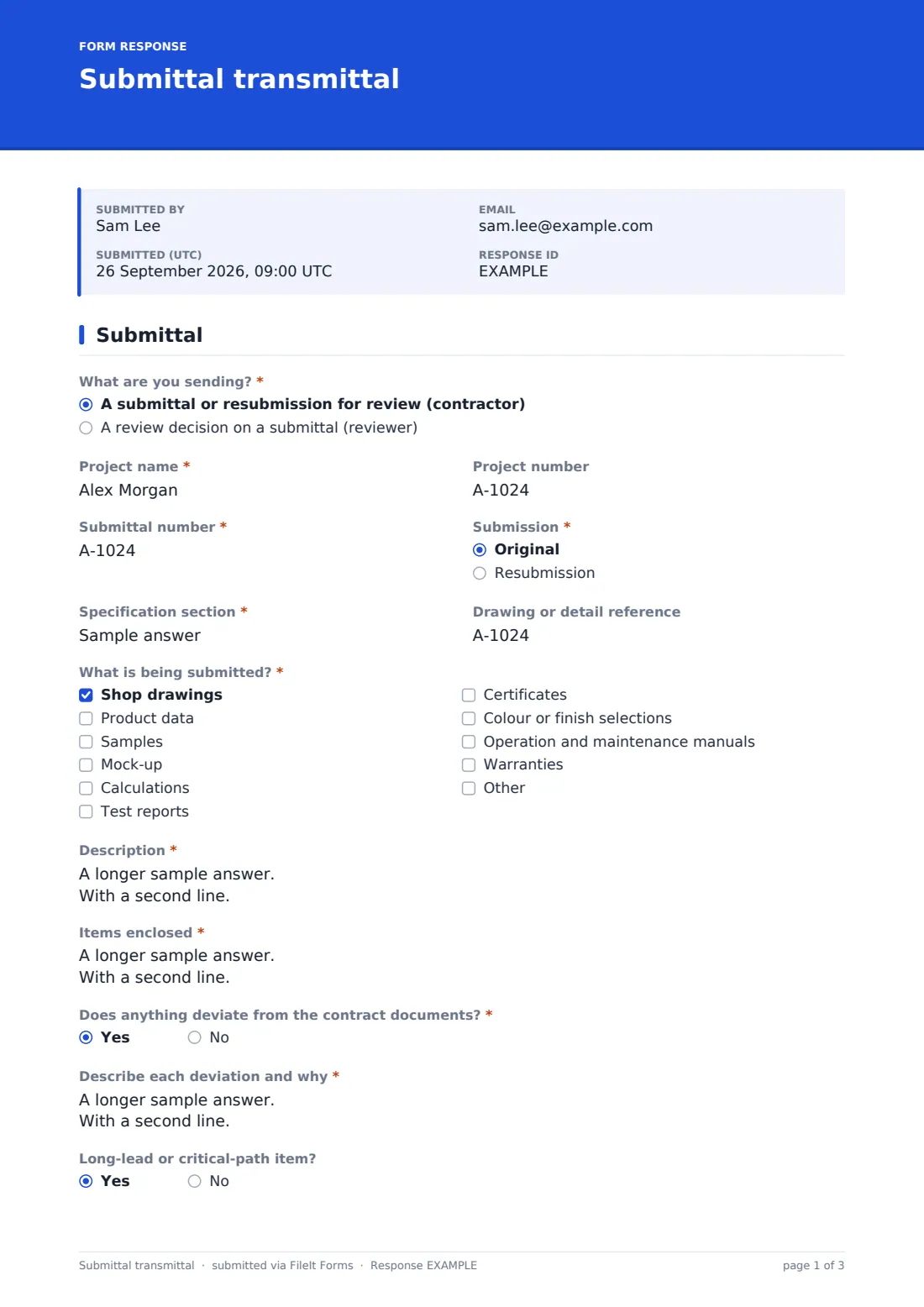
This submittal transmittal template makes each package consistent. The contractor gives the project, submittal number, original or resubmission (with the revision and previous action), the specification section and drawing reference, and ticks what is being submitted — shop drawings, product data, samples, calculations, test reports and more. Items enclosed are listed line by line, and any deviation from the contract documents has to be described.
Dates, parties, documents and the contractor's signed review statement follow, and the reviewer uses the same form to record the action taken. Each transmittal is filed as a PDF with its attachments in your FileIt vault, giving you a searchable submittal record for the job.
- Best for
- General contractors, subcontractors, suppliers and the architects or engineers who review their submittals
- Filled in by
- The contractor's project engineer or manager; the architect or engineer returning the decision
- Time to complete
- About 5 minutes, plus attaching documents
- Includes
- Revision tracking, submittal types, deviation flag, up to ten documents, contractor signature, reviewer action
Who uses a submittal transmittal form?
- A general contractor sending door hardware shop drawings to the architect
- A mechanical subcontractor submitting product data for air handling units
- A supplier sending finish samples for a colour selection
- Resubmitting a package after a revise-and-resubmit response
- Flagging a substitute product as a deviation from the specification
- A small builder keeping a tidy submittal record on a residential job
Questions on this submittal transmittal form
35 questions over 3 pages · includes signature, file upload, conditional questions, multiple pages, consent checkbox.
1 Submittal
- What are you sending?* A submittal or resubmission for review (contractor) · A review decision on a submittal (reviewer)
- Project name*
- Project number
- Submittal number*
- Submission* Original · Resubmission
- Revision* asked only when it applies
- Previous reviewer action and date asked only when it applies
- Specification section*
- Drawing or detail reference asked only when it applies
- What is being submitted?* asked only when it applies Shop drawings · Product data · Samples · Mock-up · Calculations · Test reports · Certificates · Colour or finish selections · Operation and maintenance manuals · Warranties
- Description* asked only when it applies
- Items enclosed* asked only when it applies
- Does anything deviate from the contract documents?* asked only when it applies
- Describe each deviation and why* asked only when it applies
- Long-lead or critical-path item? asked only when it applies
2 Dates & parties
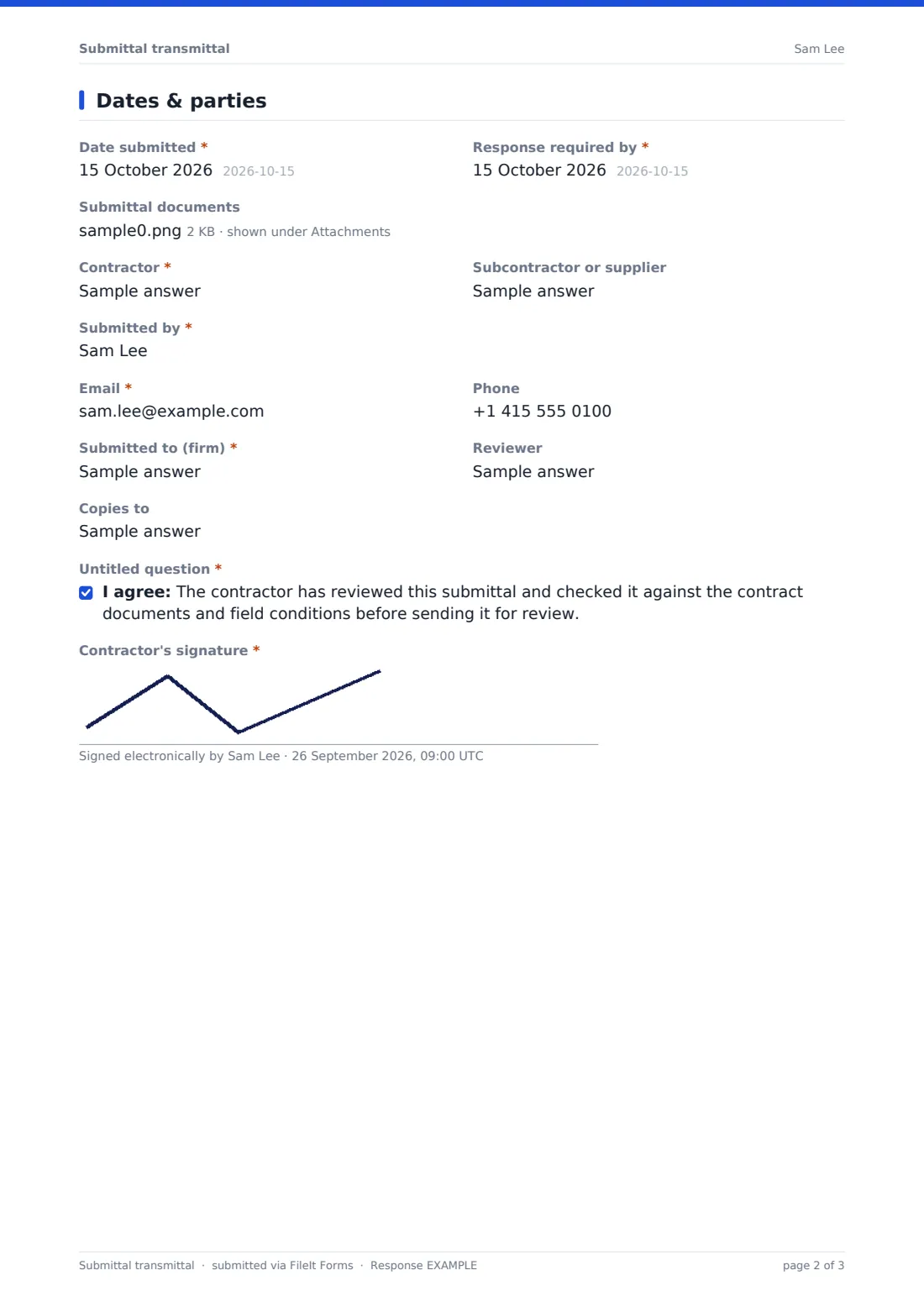
- Date submitted* asked only when it applies
- Response required by* asked only when it applies
- Submittal documents asked only when it applies
- Contractor* asked only when it applies
- Subcontractor or supplier asked only when it applies
- Submitted by* asked only when it applies
- Email* asked only when it applies
- Phone asked only when it applies
- Submitted to (firm)* asked only when it applies
- Reviewer asked only when it applies
- Copies to asked only when it applies
- * asked only when it applies
- Contractor's signature* asked only when it applies
3 Reviewer action
- Reviewer action* asked only when it applies No exceptions taken · Make corrections noted · Revise and resubmit · Rejected · Submit specified item · Received for information only
- Resubmit by asked only when it applies
- Reviewer comments asked only when it applies
- Marked-up documents asked only when it applies
- Reviewed by* asked only when it applies
- Reviewer email asked only when it applies
- Date reviewed* asked only when it applies
The submittal transmittal form, page by page
1 Submittal
The form opens by asking What are you sending? — a submittal from the contractor, or a review decision from the reviewer — and shows only the questions for that job. Project name, Project number and Submittal number come first for both. Submission is original or a resubmission; a resubmission asks for the Revision and the Previous reviewer action and date. Specification section and, for the contractor, Drawing or detail reference tie the package to the contract documents.
What is being submitted? lists ten types, from shop drawings and product data to warranties, with an Other option. Description and Items enclosed — one line per document, sheet or sample — are required. Does anything deviate from the contract documents? asks for each deviation and the reason, and Long-lead or critical-path item? flags urgency.
2 Dates & parties
Date submitted and Response required by set the clock. Up to ten Submittal documents can be attached as PDFs, images, spreadsheets or Word files. Contractor, Subcontractor or supplier, Submitted by, Email and Phone identify the sender, and Submitted to (firm), Reviewer and Copies to identify the review team. The contractor confirms the submittal has been reviewed against the contract documents and field conditions, and signs.
3 Reviewer action
When the reviewer chooses a review decision, the contractor's questions are skipped and this page asks for the Reviewer action — from no exceptions taken to rejected or for information only — with Resubmit by for a revise-and-resubmit, Reviewer comments, Marked-up documents, Reviewed by, an optional Reviewer email for a copy, and Date reviewed. Using the same submittal number keeps the decision next to the transmittal in the Responses table.
Make the template yours
- Add a dropdown of your project's specification divisions
- Rename the reviewer actions to match the wording on your review stamp
- Remove the reviewer option and its questions if reviews come back on marked-up PDFs
- Add the design team's addresses to notification emails for each project
- File each project's transmittals into its own vault folder
- Set the document title to include the submittal number
Tips for a better submittal transmittal form
- Use one numbering scheme for the whole job, such as spec section plus a sequence number
- Always flag substitutions as deviations — hidden changes are what cause rejections
- Give reviewers a realistic response date and mark long-lead items
- Check field dimensions before submitting shop drawings
- Export the Responses table to CSV to keep a running submittal log
Every response becomes a PDF in your vault
Each transmittal is filed as a PDF in the vault folder you choose, with every attached document kept with it. You're notified straight away and the sender can receive a copy as proof of what was submitted and when.
The Responses table can be searched by submittal number, project or spec section and exported to CSV as a submittal log showing what's outstanding.
- Start from this template. It opens in the FileIt Forms designer — change any question, add pages, set the rules for when questions appear.
- Share it. Turn on a public link, or send it to people by email, each with their own link. They don’t need a FileIt account.
- Get the answers as PDFs. Each response is saved as a PDF in the vault folder you choose, with uploaded files attached — and listed in a Responses table you can export to CSV.
Submittal transmittal form: frequently asked questions
Is this submittal transmittal template free?
Yes. It's a starter template in FileIt's Forms app, which is included on every plan, including the free one.
Can I attach drawings and data sheets?
Yes. Up to ten files per transmittal, as PDF, JPG, PNG, Excel or Word.
How does the reviewer return a decision?
Responses can't be edited once submitted, so the reviewer opens the same form, chooses a review decision and gives the same submittal number; only the project, submittal and Reviewer action questions are shown. You can also remove the reviewer questions if marked-up PDFs are returned by email.
Does this replace our project management software?
No. It's a simple, consistent transmittal with a vault record. Teams with a project platform may still prefer it for smaller jobs or external suppliers.
Do subcontractors need a FileIt account?
No. Anyone with the form's link can submit a transmittal.
Can I track resubmissions?
Yes. The form records original or resubmission, the revision and the previous action, and the Responses table shows every revision of a submittal number.