What is the sSL certificate request form template?
Certificate requests often arrive as a one-line ticket: "Can we get SSL for the new site?" Then come the questions: which names exactly, wildcard or not, which server, who can approve the domain validation, and does someone already have a CSR? An expired certificate that nobody remembered to renew is the other common outcome.
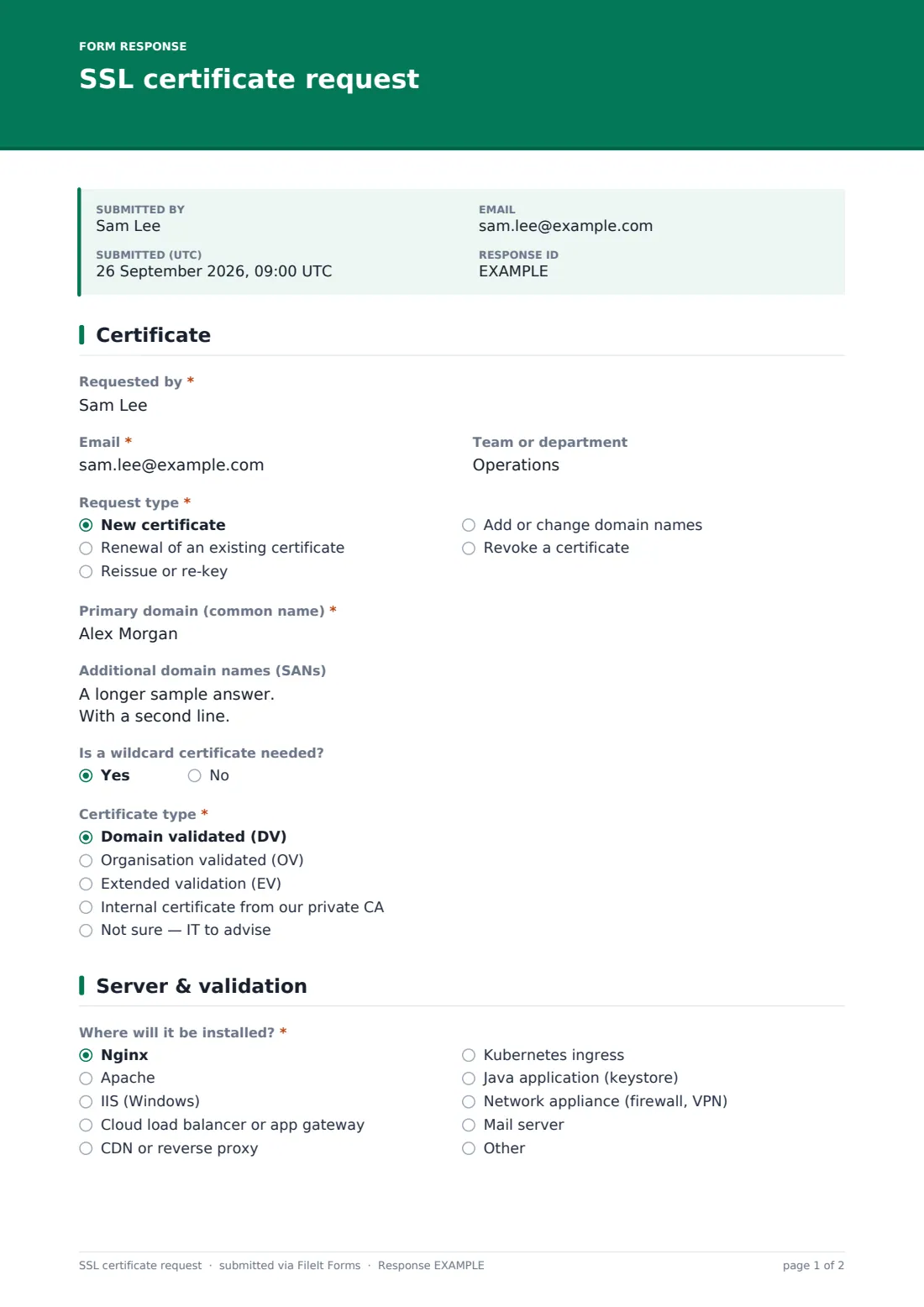
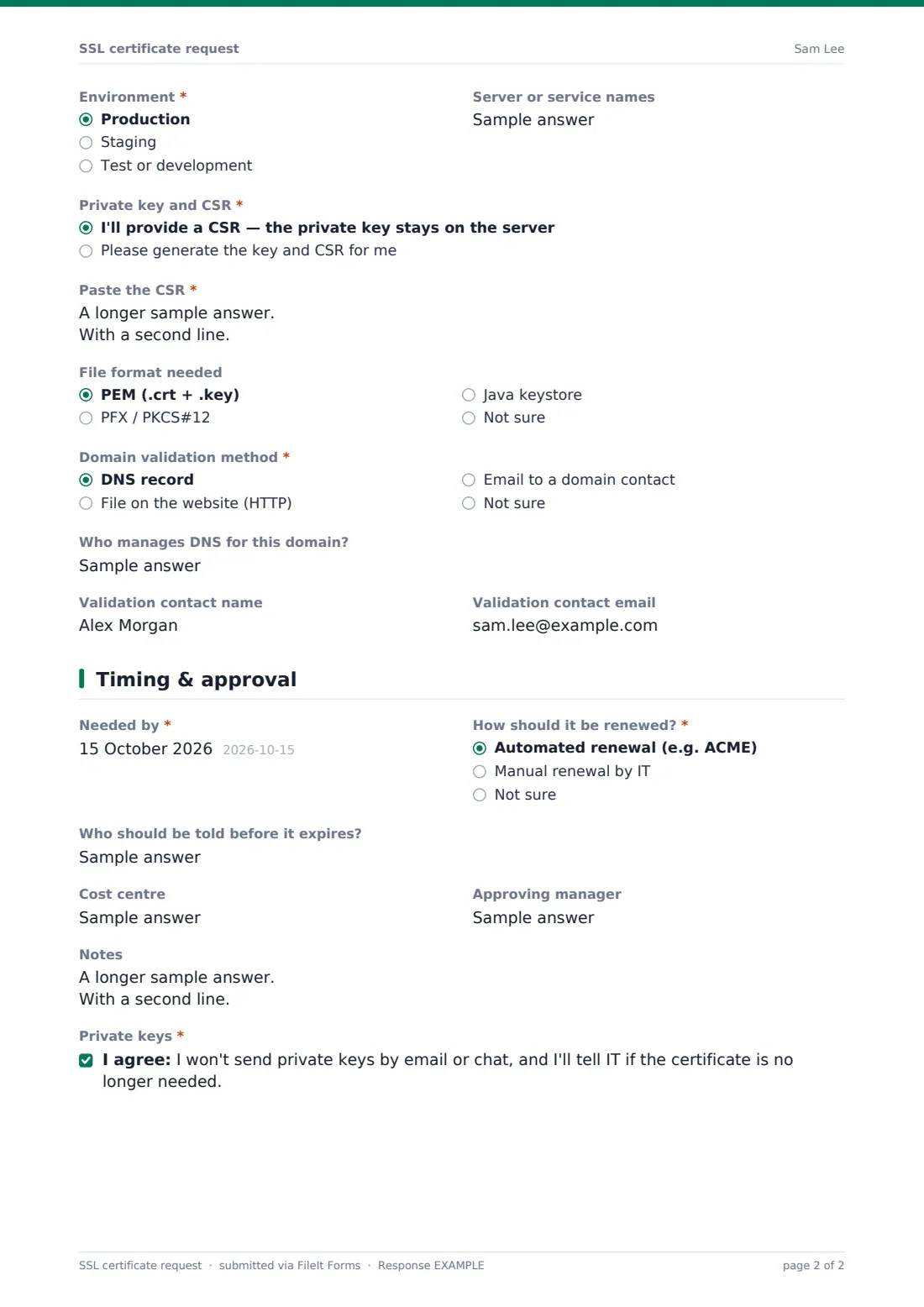
This form handles new certificates, renewals, reissues, domain changes and revocations. It asks for the primary domain and additional names, whether a wildcard is needed, and the certificate type; organisation and extended validation types add the legal organisation name. The second page covers the platform, environment, CSR or key generation, file format, validation method and validation contact.
The last page records when it's needed, how it should be renewed and who should be told before it expires. Each request is saved as a PDF in your FileIt vault, and the requester confirms they won't send private keys by email or chat.
- Best for
- IT, infrastructure and web teams that issue or buy certificates
- Filled in by
- Developers, web owners or system administrators
- Time to complete
- About 5 minutes
- Includes
- Renewal, revocation and organisation-validation follow-ups, CSR paste box, validation method, renewal plan and private key acknowledgement
Who uses a sSL certificate request form?
- A marketing team launching a new campaign site
- Renewing a certificate before it expires
- Adding new subdomains to an existing certificate
- Re-keying after a server was rebuilt
- Revoking a certificate whose private key may be compromised
- Internal certificates for intranet services from a private CA
Questions on this sSL certificate request form
31 questions over 3 pages · includes conditional questions, multiple pages, consent checkbox.
1 Certificate
- Requested by*
- Email*
- Team or department
- Request type* New certificate · Renewal of an existing certificate · Reissue or re-key · Add or change domain names · Revoke a certificate
- Current certificate expiry date* asked only when it applies
- Current certificate serial or thumbprint asked only when it applies
- Reason for revocation* asked only when it applies Private key may be compromised · Domain no longer used · Replaced by a new certificate · Details are wrong
- Primary domain (common name)*
- Additional domain names (SANs)
- Is a wildcard certificate needed? asked only when it applies
- Certificate type* asked only when it applies Domain validated (DV) · Organisation validated (OV) · Extended validation (EV) · Internal certificate from our private CA · Not sure — IT to advise
- Legal organisation name for the certificate* asked only when it applies
- Department or business unit asked only when it applies
2 Server & validation
- Where will it be installed?* Nginx · Apache · IIS (Windows) · Cloud load balancer or app gateway · CDN or reverse proxy · Kubernetes ingress · Java application (keystore) · Network appliance (firewall, VPN) · Mail server · Other
- Environment* Production · Staging · Test or development
- Server or service names
- Private key and CSR* asked only when it applies I'll provide a CSR — the private key stays on the server · Please generate the key and CSR for me
- Paste the CSR* asked only when it applies
- Key type asked only when it applies RSA 2048 · RSA 3072 · RSA 4096 · ECDSA P-256 · ECDSA P-384 · No preference
- File format needed asked only when it applies PEM (.crt + .key) · PFX / PKCS#12 · Java keystore · Not sure
- Domain validation method* asked only when it applies DNS record · File on the website (HTTP) · Email to a domain contact · Not sure
- Who manages DNS for this domain? asked only when it applies
- Validation contact name
- Validation contact email
3 Timing & approval
- Needed by*
- How should it be renewed?* asked only when it applies Automated renewal (e.g. ACME) · Manual renewal by IT · Not sure
- Who should be told before it expires?
- Cost centre
- Approving manager
- Notes
- Private keys*
The sSL certificate request form, page by page
1 Certificate
The requester, email and team come first. Request type is new, renewal, reissue or re-key, add or change domain names, or revoke. Renewals require the current expiry date, anything other than a new certificate asks for the current serial or thumbprint, and revocations require a reason.
The primary domain is required, with additional names one per line and whether a wildcard is needed. Certificate type covers DV, OV, EV, an internal certificate from your private CA, or not sure; OV and EV ask for the legal organisation name and department. For a revocation, the wildcard and certificate type questions are skipped.
2 Server & validation
Where will it be installed? lists common web servers, load balancers, CDNs, Kubernetes ingress, Java keystores, appliances and mail servers. Environment is required, with server or service names.
The requester chooses whether they'll provide a CSR, which opens a box to paste it, or whether IT should generate the key and CSR, which asks for a preferred key type. For revocations, the key, CSR, file format and validation questions are skipped. Otherwise file format, the domain validation method for public certificates, who manages DNS when validating by DNS, and a validation contact follow.
3 Timing & approval
Needed by is required, and except for revocations so is how it should be renewed (automated, manual or not sure). Who should be told before it expires, cost centre, approving manager and notes complete the request, followed by a required acknowledgement not to send private keys by email or chat.
Make the template yours
- Remove certificate types your organisation doesn't use, such as EV
- Add your approved certificate authorities as a dropdown
- Add your domains as a dropdown if requests are only for a known set
- Send notifications to the team that manages certificates
- Record issued certificates in a license and certificate register so renewals are tracked
Tips for a better sSL certificate request form
- List every hostname the certificate must cover; a missing SAN means a reissue later
- Generate keys on the server that will use them where possible
- Automate renewal wherever the platform supports it
- Use a team mailbox for expiry warnings rather than one person
- Revoke promptly if a private key may have been exposed
Every response becomes a PDF in your vault
Each request is saved as a PDF in your FileIt vault and, with notifications on, emailed to IT. The requester receives a copy.
Once issued, record the certificate's expiry in your vault or a certificate register so a reminder can be set before it runs out.
- Start from this template. It opens in the FileIt Forms designer — change any question, add pages, set the rules for when questions appear.
- Share it. Turn on a public link, or send it to people by email, each with their own link. They don’t need a FileIt account.
- Get the answers as PDFs. Each response is saved as a PDF in the vault folder you choose, with uploaded files attached — and listed in a Responses table you can export to CSV.
SSL certificate request form: frequently asked questions
Is this SSL certificate request template free?
Yes. It's included in the FileIt Forms app on every account, including the free plan, and every question can be edited, removed or added to in the form designer.
Does FileIt issue the certificate?
No. The form collects the request. Your IT team or provider issues the certificate through its certificate authority or ACME client.
Should people paste private keys into the form?
No. The CSR box says never to paste a private key, and the requester confirms they won't send keys by email or chat. A CSR contains only the public key and the requested names.
Can it track certificate expiry?
The request records the current expiry for renewals. To track issued certificates, store them in your vault with an expiry date, or use the software license and certificate register template.
What's the difference between DV, OV and EV?
They differ in how much the certificate authority checks: DV checks control of the domain, OV also checks the organisation, and EV involves more extensive organisation checks. Your IT team can advise which you need.
Can it be used for internal certificates?
Yes. Choose Internal certificate from our private CA; the public domain validation question is then skipped.