What is the server provisioning request form template?
"Can I get a server?" is where a lot of avoidable back-and-forth starts. How big? Which operating system? Does it need to be reachable from the internet? Who pays for it, who gets paged at night, and when can it be switched off? Each missing answer costs a day.
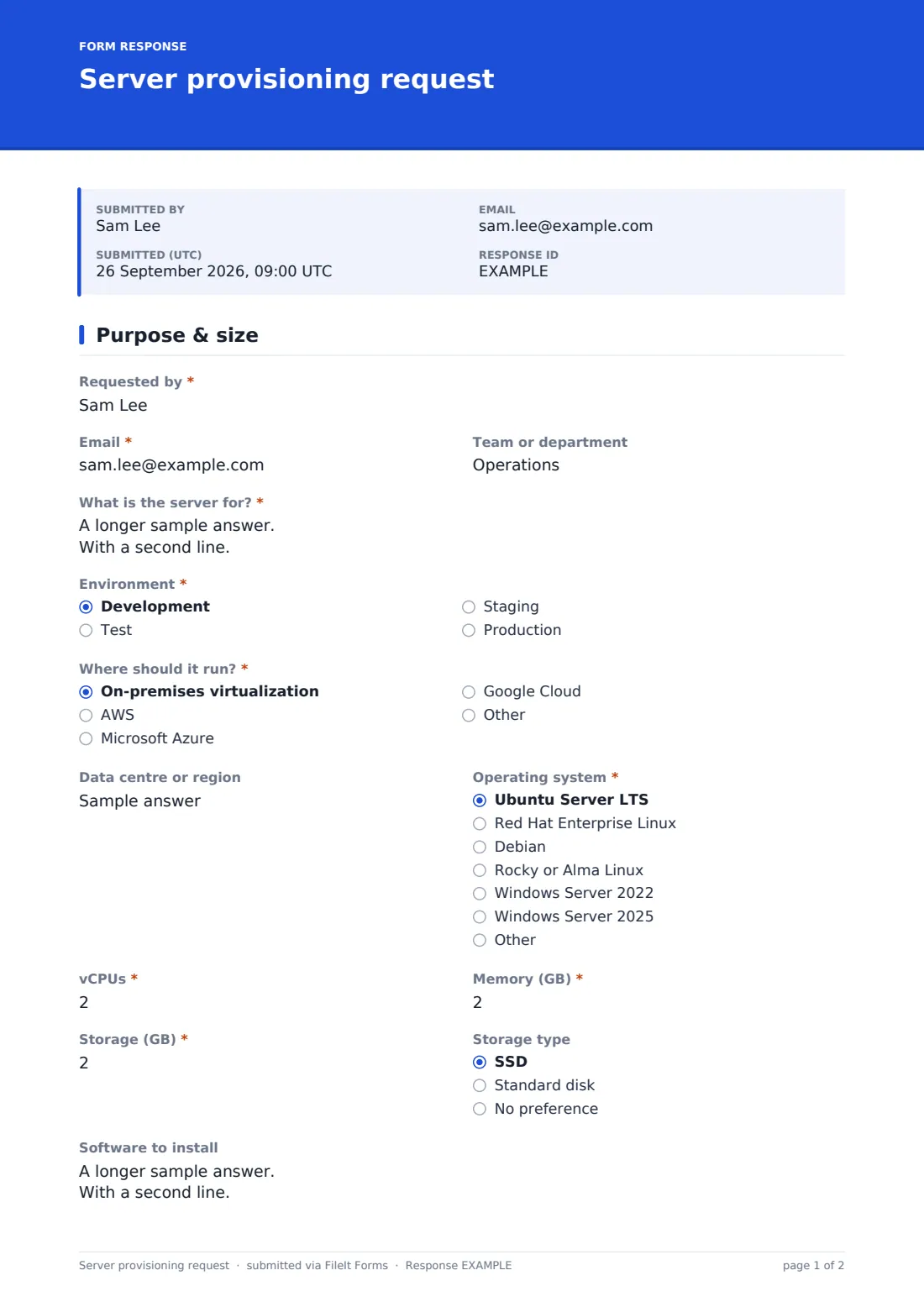
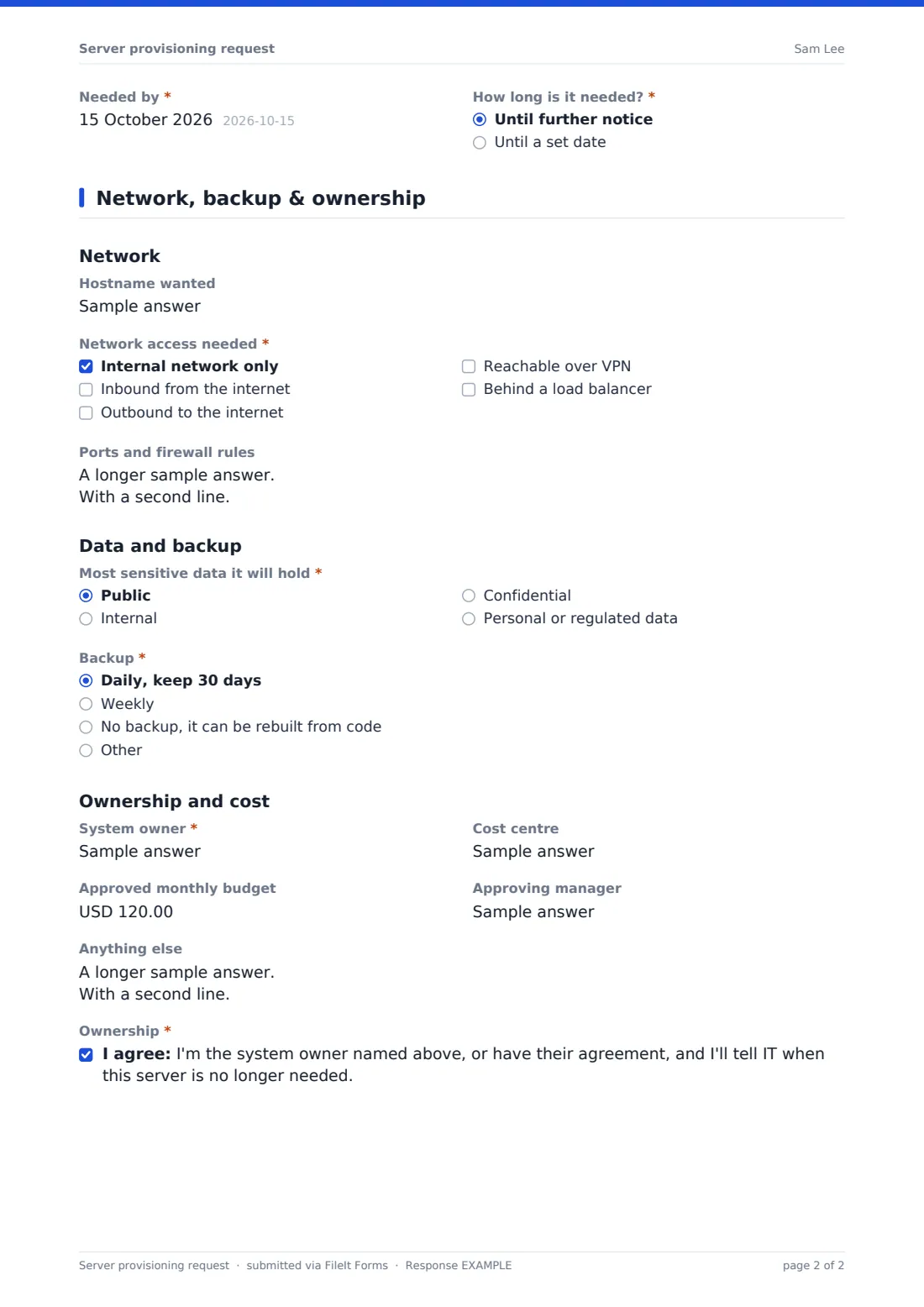
This request form asks those questions up front over two pages. The first covers what the server is for, the environment (development, test, staging or production), where it should run, the operating system and its size in vCPUs, memory and storage, along with software to install, a needed-by date and how long it will be needed. The second covers hostname, network access and firewall rules, the most sensitive data it will hold, backup, and ownership and cost.
Choosing Production adds a short readiness section: which monitoring is needed, who gets alerts out of hours, how disaster recovery is handled, the longest acceptable outage and a patching window. Each request is filed in your FileIt vault as a PDF, so there's a record of who asked for what and why.
- Best for
- IT, infrastructure and platform teams taking build requests
- Filled in by
- The developer, team lead or system owner who needs the server
- Time to complete
- About 10 minutes
- Includes
- Sizing, network and firewall needs, data classification, production monitoring and DR questions, owner confirmation
Who uses a server provisioning request form?
- A development team asking for a new staging environment
- Requesting a production VM for a new internal application
- Cloud instances for a short project, with a set removal date
- A data team asking for a build server with lots of memory
- MSPs taking server requests from client staff
- Keeping an audit trail of every server and its owner
Questions on this server provisioning request form
32 questions over 2 pages · includes conditional questions, multiple pages, consent checkbox.
1 Purpose & size
- Requested by*
- Email*
- Team or department
- What is the server for?*
- Environment* Development · Test · Staging · Production
- Where should it run?* On-premises virtualization · AWS · Microsoft Azure · Google Cloud
- Data centre or region
- Operating system* Ubuntu Server LTS · Red Hat Enterprise Linux · Debian · Rocky or Alma Linux · Windows Server 2022 · Windows Server 2025 · Other
- vCPUs*
- Memory (GB)*
- Storage (GB)*
- Storage type SSD · Standard disk · No preference
- Software to install
- Needed by*
- How long is it needed?* Until further notice · Until a set date
- Remove after* asked only when it applies
2 Network, backup & ownership
- Hostname wanted
- Network access needed* Internal network only · Inbound from the internet · Outbound to the internet · Reachable over VPN · Behind a load balancer
- Ports and firewall rules
- Most sensitive data it will hold* Public · Internal · Confidential · Personal or regulated data
- Backup* Daily, keep 30 days · Weekly · No backup, it can be rebuilt from code
- Monitoring needed* asked only when it applies Uptime and availability · CPU, memory and disk · Application logs · Security alerts · Certificate expiry
- Who gets alerts out of hours?* asked only when it applies
- Disaster recovery* asked only when it applies Rebuilding from backup is enough · Replicate to a second site or region · Covered by an existing DR plan
- Longest acceptable outage (hours) asked only when it applies
- Preferred patching window asked only when it applies
- System owner*
- Cost centre
- Approved monthly budget
- Approving manager
- Anything else
- Ownership*
The server provisioning request form, page by page
1 Purpose & size
The requester gives their name, email and team, and answers What is the server for? Environment and Where should it run? (on-premises virtualization, AWS, Azure, Google Cloud or something else) come next, with a data centre or region. The Operating system dropdown covers common Linux distributions and Windows Server versions. vCPUs, Memory (GB) and Storage (GB) are required, with a storage type and software to install. How long is it needed? can be until further notice or until a set date, which asks when to remove it.
2 Network, backup & ownership
Network access needed covers internal-only, inbound and outbound internet, VPN and load balancers, with a box for ports and firewall rules. Most sensitive data it will hold runs from public to personal or regulated data, and Backup offers daily, weekly or none for rebuildable servers. Production requests add the monitoring checklist, the out-of-hours contact, a disaster recovery choice, maximum outage and patching window. The system owner, cost centre, approved monthly budget, approving manager and an ownership confirmation finish the request.
Make the template yours
- Replace the operating system list with your approved images
- Add standard sizes such as small, medium and large if you offer them
- Pre-fill your cloud regions or data centres as a dropdown
- Add your change or ticketing reference as a required question
- Notify the infrastructure team's shared mailbox on every request
Tips for a better server provisioning request form
- Ask for the smallest size that works; resizing up is usually easy
- Set a removal date for anything temporary
- Agree the backup and DR approach before go-live, not after the first outage
- Make sure the named owner knows they're the owner
- Review servers without an active owner every quarter
Every response becomes a PDF in your vault
Each request is filed as a PDF in the vault folder you choose, and the form owner is emailed for every new one, with extra addresses added if the whole team should hear.
The Responses table and CSV export give you a running list of servers requested, by environment, owner and cost centre.
- Start from this template. It opens in the FileIt Forms designer — change any question, add pages, set the rules for when questions appear.
- Share it. Turn on a public link, or send it to people by email, each with their own link. They don’t need a FileIt account.
- Get the answers as PDFs. Each response is saved as a PDF in the vault folder you choose, with uploaded files attached — and listed in a Responses table you can export to CSV.
Server provisioning request form: frequently asked questions
Is this server request form free?
Yes. It's one of the FileIt Forms starter templates, and you can change any question.
Does FileIt create the server?
No. The form collects and files the request. Your team builds the server with its own tools.
Why are some questions only shown for production?
Monitoring, out-of-hours alerts, disaster recovery and patching matter most for production, so those questions appear only when Production is chosen.
Can it be used for cloud and on-premises servers?
Yes. Where should it run? covers on-premises virtualization and the main cloud providers, with an Other option.
Do requesters need a FileIt account?
No. Share the form link internally and anyone with the link can submit a request.