What is the disaster recovery test record form template?
Plenty of organisations have backups; fewer have proof those backups can actually be restored in the time the business needs. Regular recovery tests close that gap, and a written record of each one shows insurers, customers and auditors that the plan has been tried, not just written.
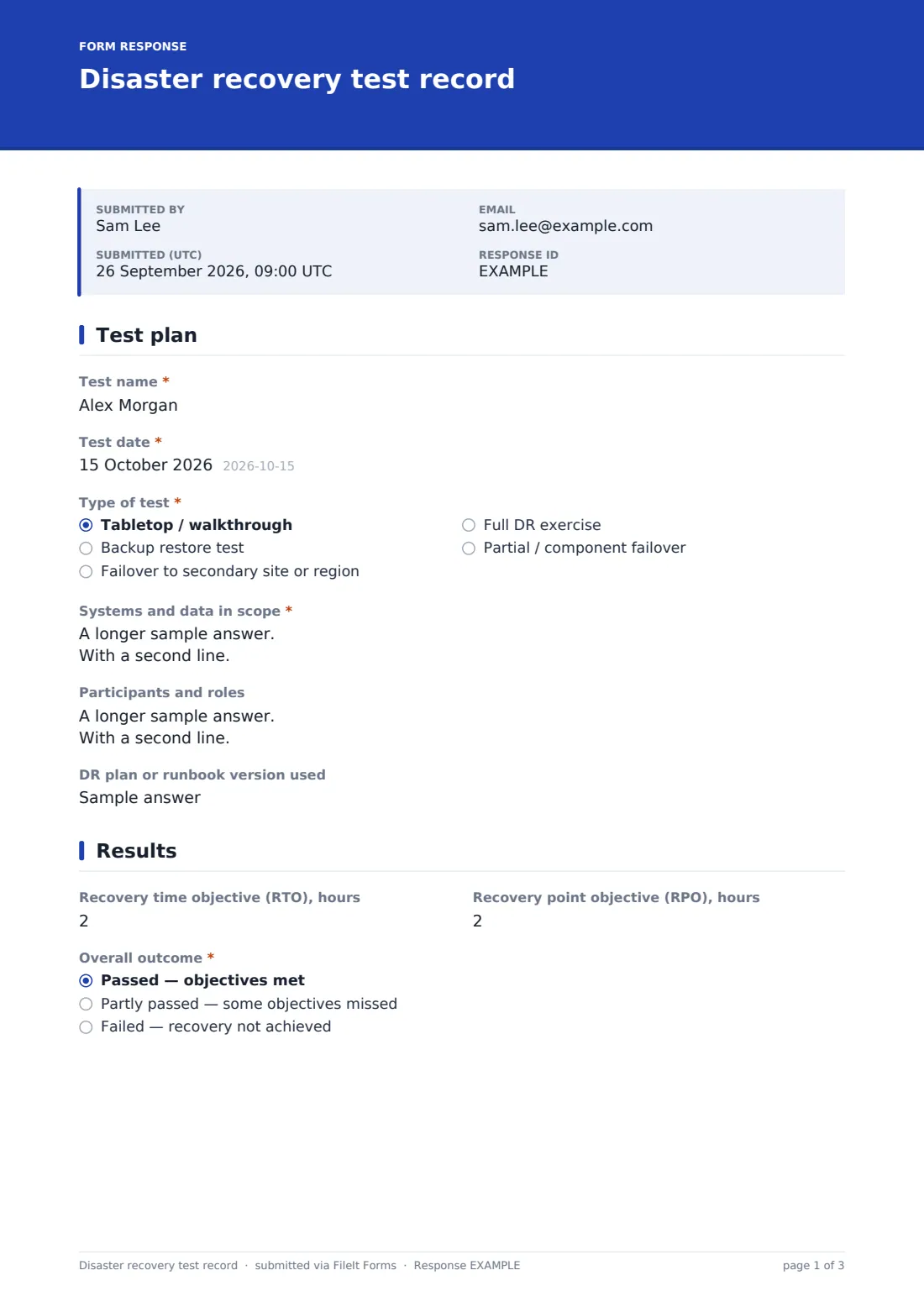
This disaster recovery test record documents the type of test — from a tabletop walkthrough to a full failover — the systems in scope, where recovery happened, which backup was used, participants and the runbook version. It compares recovery time and data loss against RTO and RPO targets, gives an overall outcome and a grid of checks, and records how recovery was verified. The last page covers issues, improvements, actions, plan updates, the next test date, evidence and sign-off.
Each record is saved as a signed PDF in your FileIt vault. The next-test-due date is recorded on each one, so you can sort past tests by it to see what's coming up.
- Best for
- IT teams, MSPs and business continuity leads
- Filled in by
- The test lead, after the exercise
- Time to complete
- About 10–15 minutes
- Includes
- RTO and RPO targets vs actuals, checks grid, questions skipped for tabletop tests, evidence upload, signature
Who uses a disaster recovery test record form?
- A quarterly file server restore test
- An annual failover exercise to a secondary site or cloud region
- A tabletop walkthrough of the DR plan with the leadership team
- An MSP proving to a client that their backups restore
- Evidence for a cyber insurance renewal or customer security questionnaire
- Testing recovery of a single critical application after a change
Questions on this disaster recovery test record form
25 questions over 3 pages · includes signature, file upload, conditional questions, multiple pages, ratings.
1 Test plan
- Test name*
- Test date*
- Type of test* Tabletop / walkthrough · Backup restore test · Failover to secondary site or region · Full DR exercise · Partial / component failover
- Systems and data in scope*
- Where was it restored or failed over to? asked only when it applies An isolated test environment · Secondary site or region · Cloud recovery service · Production
- Backup or replica used asked only when it applies
- Participants and roles
- DR plan or runbook version used
2 Results
- Recovery time objective (RTO), hours
- Actual recovery time, hours asked only when it applies
- Recovery point objective (RPO), hours
- Actual data loss window, hours asked only when it applies
- Overall outcome* Passed — objectives met · Partly passed — some objectives missed · Failed — recovery not achieved
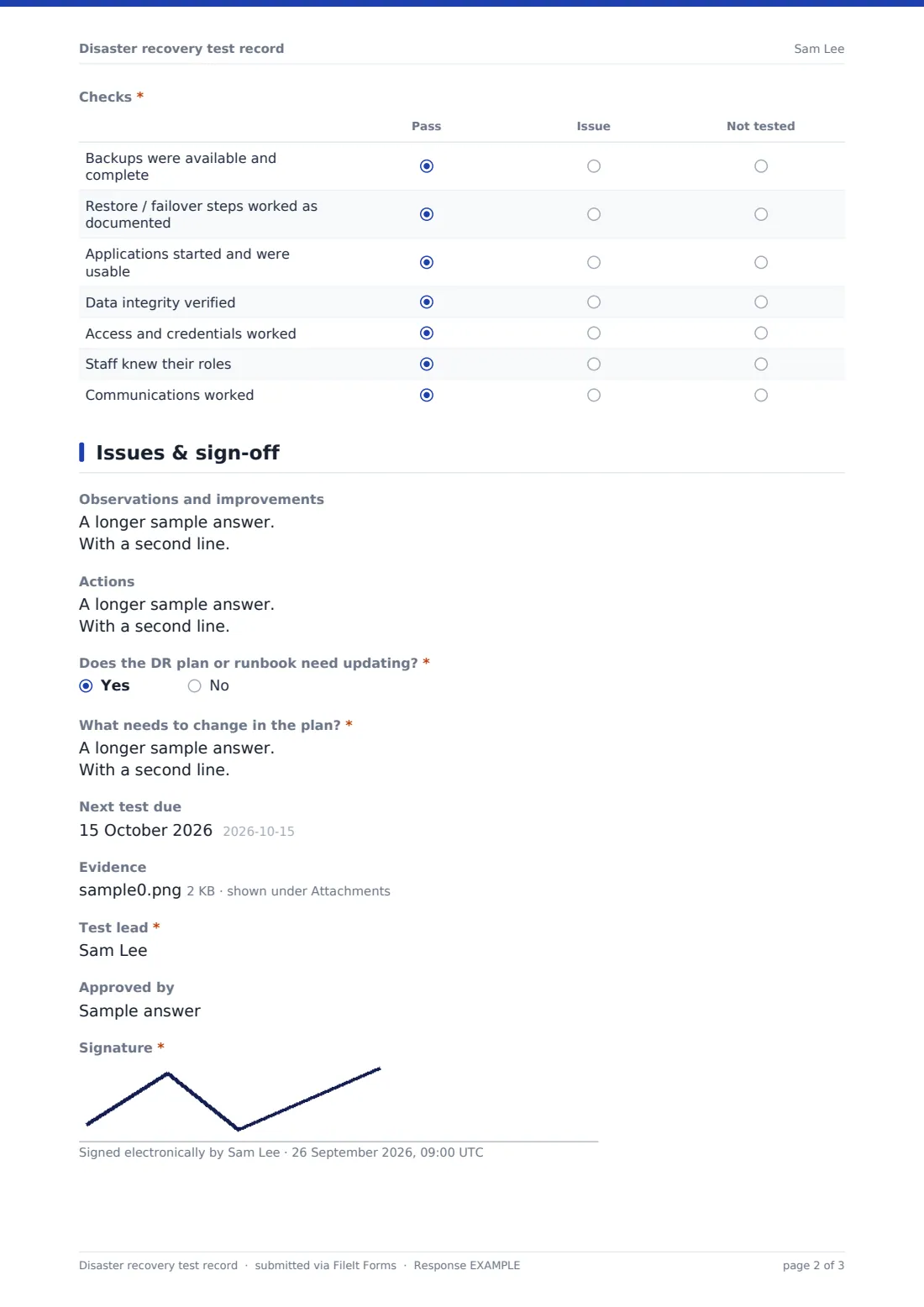
- Checks* Pass · Issue · Not tested
- How was the recovery verified? asked only when it applies
3 Issues & sign-off
- Issues found* asked only when it applies
- Observations and improvements
- Actions
- Does the DR plan or runbook need updating?*
- What needs to change in the plan?* asked only when it applies
- Next test due
- Evidence
- Test lead*
- Approved by
- Signature*
The disaster recovery test record form, page by page
1 Test plan
The test lead names the test, dates it and chooses the type: tabletop, backup restore, failover, full DR exercise or partial failover. They describe the systems and data in scope. For anything other than a tabletop, the form asks where recovery happened and which backup or replica was used. Participants and the plan or runbook version are recorded.
2 Results
RTO and RPO targets are entered in hours, with the actual recovery time and data loss window for hands-on tests. The overall outcome is passed, partly passed or failed. A grid marks seven checks — backups available, steps worked as documented, applications usable, data integrity, access and credentials, staff roles and communications — as pass, issue or not tested, and hands-on tests describe how recovery was verified.
3 Issues & sign-off
Any outcome short of a full pass requires a list of issues. Observations and actions follow, then whether the DR plan needs updating — and if so, what. The next test due date, evidence uploads such as restore logs and timings, the test lead's name, an approver and a signature complete the record.
Make the template yours
- Pre-fill the RTO and RPO help text with your agreed targets per system
- Add rows to the checks grid for steps specific to your environment
- Switch hours to minutes if your recovery objectives are that tight
- File records into a vault folder per year to show a testing history
- Make the approver field required if tests need management sign-off
- Link your DR plan in the cover text
Tips for a better disaster recovery test record form
- Test restores of real data, not just that a backup job reported success
- Time the test from the moment recovery starts, not from when the backup was found
- Rotate what you test so every critical system is covered over the year
- Update the runbook straight after the test while the gaps are fresh
- Include people and communications, not just technology
- Set the next test date before you close the record
Every response becomes a PDF in your vault
Each test record is saved as a signed PDF in your FileIt vault with its evidence attached, and the form owner is notified by email.
The Responses table and CSV export let you compare recovery times against targets across tests, and see which systems were tested when.
- Start from this template. It opens in the FileIt Forms designer — change any question, add pages, set the rules for when questions appear.
- Share it. Turn on a public link, or send it to people by email, each with their own link. They don’t need a FileIt account.
- Get the answers as PDFs. Each response is saved as a PDF in the vault folder you choose, with uploaded files attached — and listed in a Responses table you can export to CSV.
Disaster recovery test record form: frequently asked questions
Is this disaster recovery test template free?
Yes. It's a starter template in the FileIt Forms app, available on every plan including free.
Does FileIt run or monitor backups?
No. The form records the results of a test your team performs with its own backup and recovery tools.
Can I use it for a tabletop exercise?
Yes. Choosing tabletop hides the questions that only apply to hands-on tests, such as actual recovery time and verification.
What are RTO and RPO?
The recovery time objective is how quickly a system needs to be back; the recovery point objective is how much data loss, measured in time, is acceptable. The form compares your targets with what the test achieved.
Can I attach restore logs?
Yes. The evidence upload accepts PDF, images, text, CSV and Excel files, up to ten.
How often should we test?
That depends on how critical the systems are and what your policies, customers or insurers expect. The next-test-due date helps you keep to whatever schedule you set.