
What is the sports club membership renewal form template?
Renewal season is when a club's records either get refreshed or quietly go out of date. Members move house, children join a new age group, someone picks up an injury over the summer, and the volunteer list from three years ago no longer matches who actually turns up. This template asks existing members to confirm what's changed and choose their membership for the coming season.
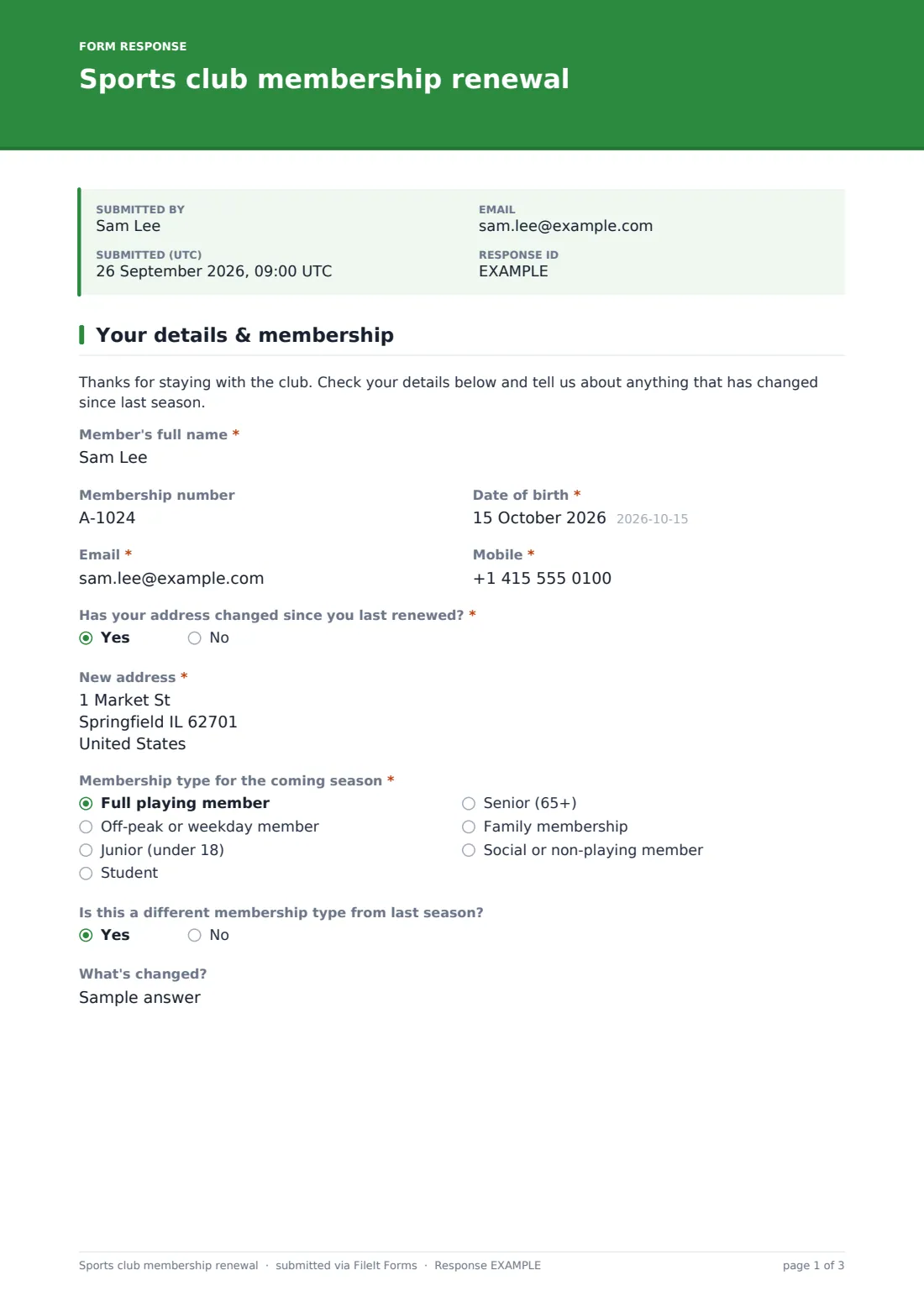
Page one is the member: name, membership number, date of birth, email, mobile and 'Has your address changed since you last renewed?', which asks for the new address only when it has. They pick a membership type, from full playing member to social. Choosing 'Family membership' asks 'How many family members are you adding to your membership?', and the second page then shows a short block for each person (full name, date of birth, relationship and teams or sessions they'll join), up to five.
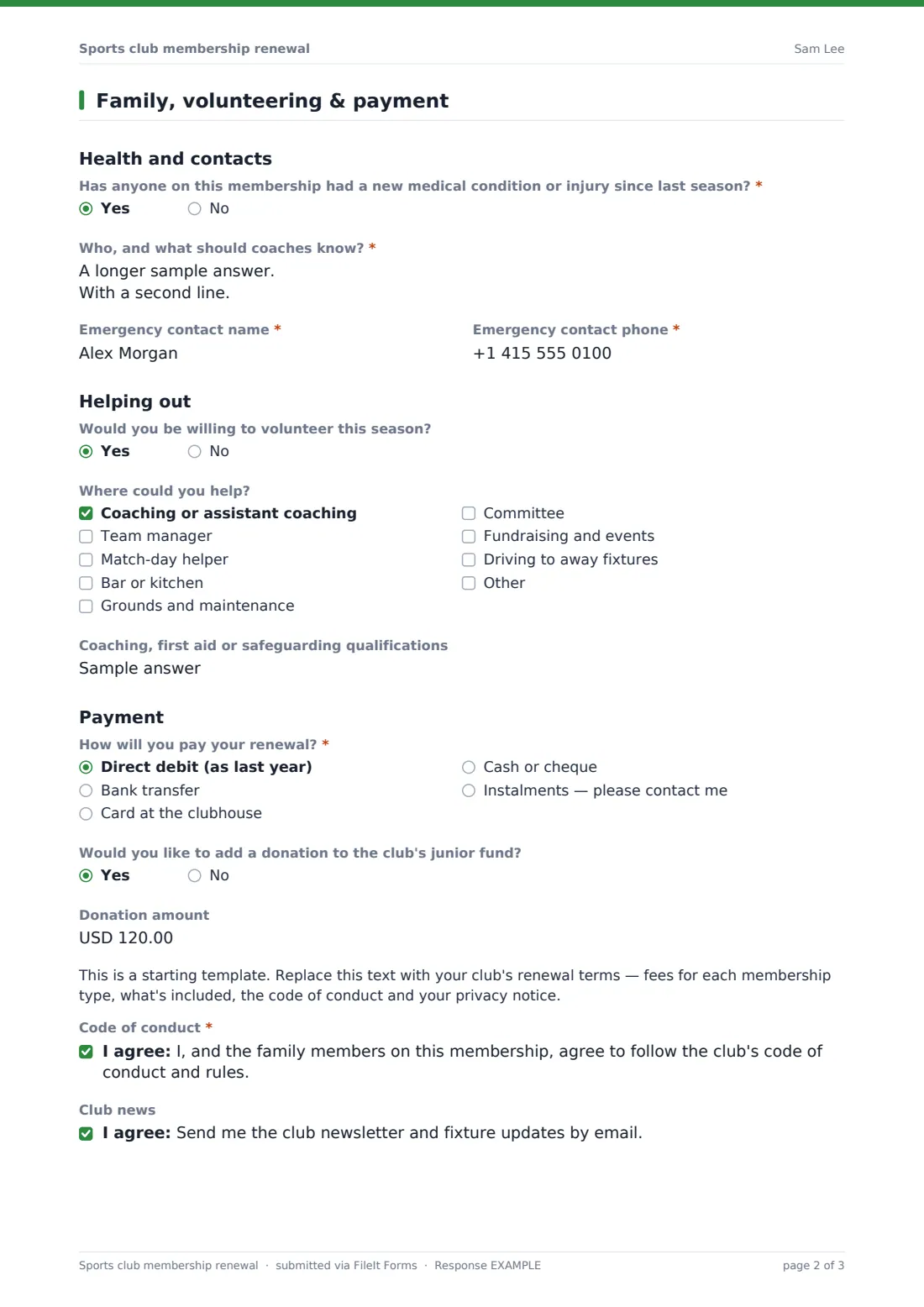
The rest of the form updates health information and the emergency contact, invites volunteers to say where they could help, and records how the member will pay. A code-of-conduct consent and a signature finish it. Each renewal is saved as a signed PDF in your FileIt vault, and the Responses table gives the membership secretary one list to work from.
- Best for
- Community sports clubs, tennis and cricket clubs, swimming and athletics clubs
- Filled in by
- An existing member, for themselves and their family
- Time to complete
- 3–6 minutes
- Includes
- Membership type, up to five family members, health update, volunteer roles, payment method
Who uses a sports club membership renewal form?
- A tennis club sends every member the renewal link a month before the season starts
- A parent renews a family membership and adds a child moving up to the juniors
- A member switches from full playing to social membership after retiring from the team
- A cricket club finds new team managers and drivers from the volunteer answers
- A swimming club updates medical notes for every swimmer before training resumes
- A membership secretary exports renewals to reconcile against payments received
Questions on this sports club membership renewal form
44 questions over 2 pages · includes signature, conditional questions, multiple pages, consent checkbox.
1 Your details & membership
- Member's full name*
- Membership number
- Date of birth*
- Email*
- Mobile*
- Has your address changed since you last renewed?*
- New address* asked only when it applies
- Membership type for the coming season* Full playing member · Off-peak or weekday member · Junior (under 18) · Student · Senior (65+) · Family membership · Social or non-playing member
- Is this a different membership type from last season?
- What's changed? asked only when it applies
- How many family members are you adding to your membership? asked only when it applies
2 Family, volunteering & payment
- Full name* asked only when it applies
- Date of birth* asked only when it applies
- Relationship to you asked only when it applies Partner · Child · Parent · Other family member
- Teams or sessions they'll join asked only when it applies
- Full name* asked only when it applies
- Date of birth* asked only when it applies
- Relationship to you asked only when it applies Partner · Child · Parent · Other family member
- Teams or sessions they'll join asked only when it applies
- Full name* asked only when it applies
- Date of birth* asked only when it applies
- Relationship to you asked only when it applies Partner · Child · Parent · Other family member
- Teams or sessions they'll join asked only when it applies
- Full name* asked only when it applies
- Date of birth* asked only when it applies
- Relationship to you asked only when it applies Partner · Child · Parent · Other family member
- Teams or sessions they'll join asked only when it applies
- Full name* asked only when it applies
- Date of birth* asked only when it applies
- Relationship to you asked only when it applies Partner · Child · Parent · Other family member
- Teams or sessions they'll join asked only when it applies
- Has anyone on this membership had a new medical condition or injury since last season?*
- Who, and what should coaches know?* asked only when it applies
- Emergency contact name*
- Emergency contact phone*
- Would you be willing to volunteer this season?
- Where could you help? asked only when it applies Coaching or assistant coaching · Team manager · Match-day helper · Bar or kitchen · Grounds and maintenance · Committee · Fundraising and events · Driving to away fixtures
- Coaching, first aid or safeguarding qualifications asked only when it applies
- How will you pay your renewal?* Direct debit (as last year) · Bank transfer · Card at the clubhouse · Cash or cheque · Instalments — please contact me
- Would you like to add a donation to the club's junior fund?
- Donation amount asked only when it applies
- Code of conduct*
- Club news
- Member's signature*
The sports club membership renewal form, page by page
1 Your details & membership
A short welcome, then 'Member's full name', membership number, date of birth, email and mobile. A required question about a change of address shows a new-address field when the answer is yes. 'Membership type for the coming season' is required. Members say whether that's a change and why, and a family membership asks how many family members they're adding (0–5).
2 Family, volunteering & payment
One block per family member, shown only for the number given: full name, date of birth, 'Relationship to you' and 'Teams or sessions they'll join'. Then a required question about new medical conditions or injuries (with details on a yes) and an emergency contact. 'Would you be willing to volunteer this season?' opens a list of roles and a box for qualifications. A required 'How will you pay your renewal?', an optional donation to the junior fund, a placeholder for your terms, the code-of-conduct consent, newsletter opt-in and signature.
Make the template yours
- Rename the membership types to match your fee structure
- Change the volunteer roles to the jobs your club really needs filled
- Replace the terms placeholder with your fees, code of conduct and privacy notice
- Raise or lower the five-person family limit by copying or removing a block
- Change the donation question to your own fund, or remove it
- Set a close date for the end of your renewal window
Tips for a better sports club membership renewal form
- Send the form with Send so you can see who hasn't renewed and remind them
- Sort the Responses table by membership type to check numbers against your fee list
- Pass new medical notes to the relevant coach before the first session
- Follow up volunteer offers within a week, while people are still keen
- Ask members to have their membership number to hand — it speeds up matching
Every response becomes a PDF in your vault
Each renewal is filed as a signed PDF in your vault, and the club gets an email. The member receives a copy of their renewal when they give an email address.
Export to CSV to update your membership list, and filter by the volunteer answers to build a helper rota.
- Start from this template. It opens in the FileIt Forms designer — change any question, add pages, set the rules for when questions appear.
- Share it. Turn on a public link, or send it to people by email, each with their own link. They don’t need a FileIt account.
- Get the answers as PDFs. Each response is saved as a PDF in the vault folder you choose, with uploaded files attached — and listed in a Responses table you can export to CSV.
Sports club membership renewal form: frequently asked questions
Is this membership renewal template free?
Yes. It's a starter template in the Forms app on every FileIt account, including the free plan.
How do family members get added?
When the member chooses a family membership, the form asks how many people they're adding. The next page then shows a short block for each one: name, date of birth, relationship and the teams or sessions they'll join.
Can members pay through the form?
No. The form records how the member will pay. Collect the money through your usual method and mention the details in your terms or confirmation message.
Can I send the renewal to every member and track who's done it?
Yes. Use Send to email members a personal link. You can see who has opened and submitted it, and send reminders.
Can I use this for new members too?
It's written for renewals. For new joiners, start from the membership application or sports team registration templates.
Do members need a FileIt account?
No. They open the link, fill it in and sign on any device.