What is the speaker booking request form template?
Speakers, agencies and speaker bureaus get enquiries that say little more than a date and "what's your fee?". This form asks for what decides the answer: the event and audience, the slot, in person or online, the topic, whether it's recorded, the budget and what travel is covered.
Logic follows the format. An in-person or hybrid event asks for the venue and city, and later which travel costs are covered and what AV is available. A virtual or hybrid event asks for the platform. Organisers can say whether they want a nonprofit or education rate and when they need to confirm.
Every enquiry is saved as a PDF in FileIt, so you can quote, compare dates and keep the brief for the day itself.
- Best for
- Professional speakers, speaker bureaus, authors, trainers and talent agencies
- Filled in by
- Event organisers, HR and L&D teams, associations and schools
- Time to complete
- About 8 minutes
- Includes
- Organisation, event type, date and slot, format, venue or platform, audience, speaker, session type, topic, takeaway, recording, fee budget, travel, AV, dress code, decision date
Who uses a speaker booking request form?
- A conference booking a keynote for its opening session
- A company offsite wanting a motivational speaker
- An association looking for a panel moderator
- A school booking an author visit
- A webinar host inviting an industry expert
Questions on this speaker booking request form
34 questions over 4 pages · includes conditional questions, multiple pages.
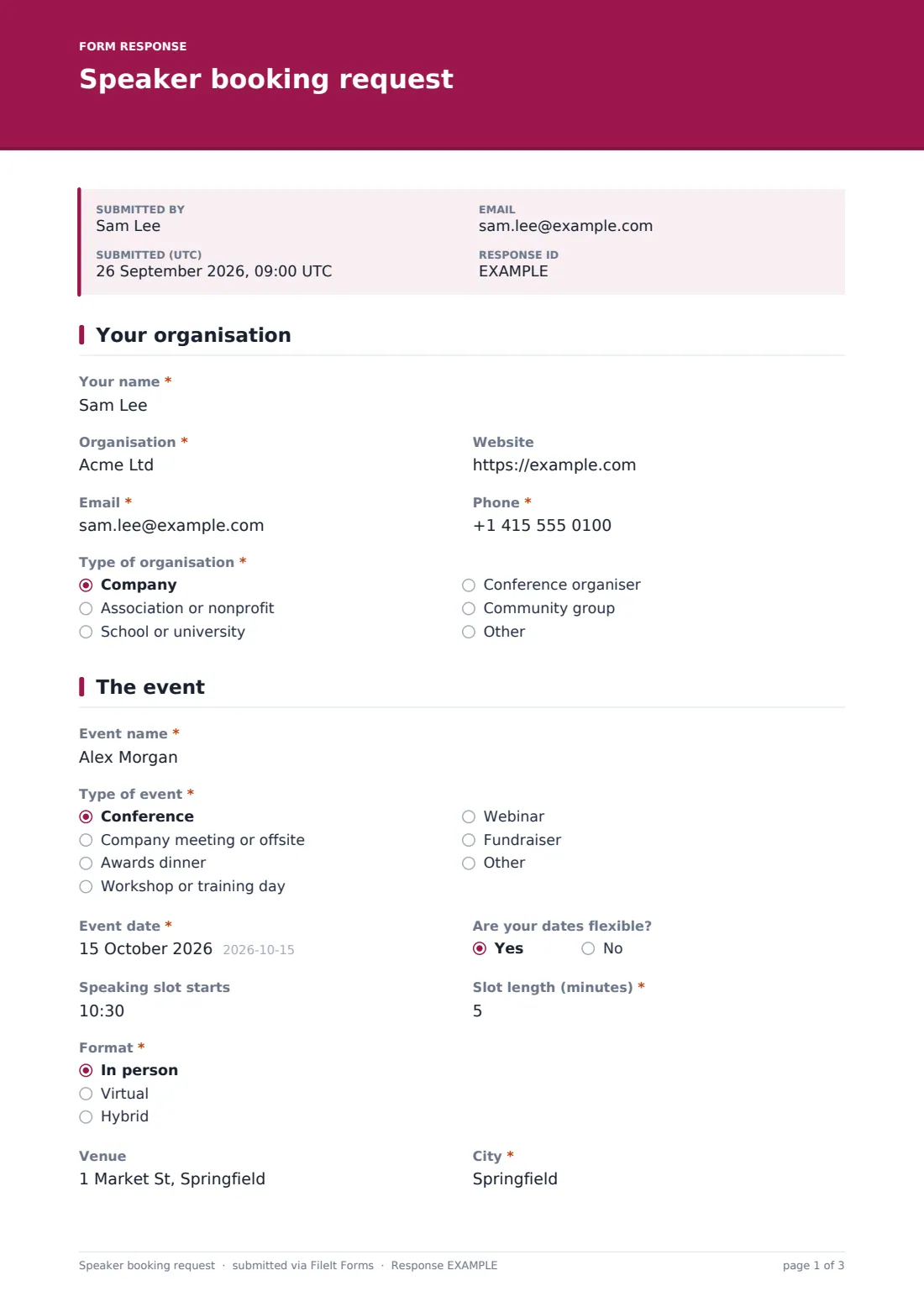
1 Your organisation
- Your name*
- Organisation*
- Website
- Email*
- Phone*
- Type of organisation* Company · Association or nonprofit · School or university · Conference organiser · Community group
2 The event
- Event name*
- Type of event* Conference · Company meeting or offsite · Awards dinner · Workshop or training day · Webinar · Fundraiser
- Event date*
- Are your dates flexible?
- Speaking slot starts
- Slot length (minutes)*
- Format* In person · Virtual · Hybrid
- Venue asked only when it applies
- City* asked only when it applies
- Platform asked only when it applies
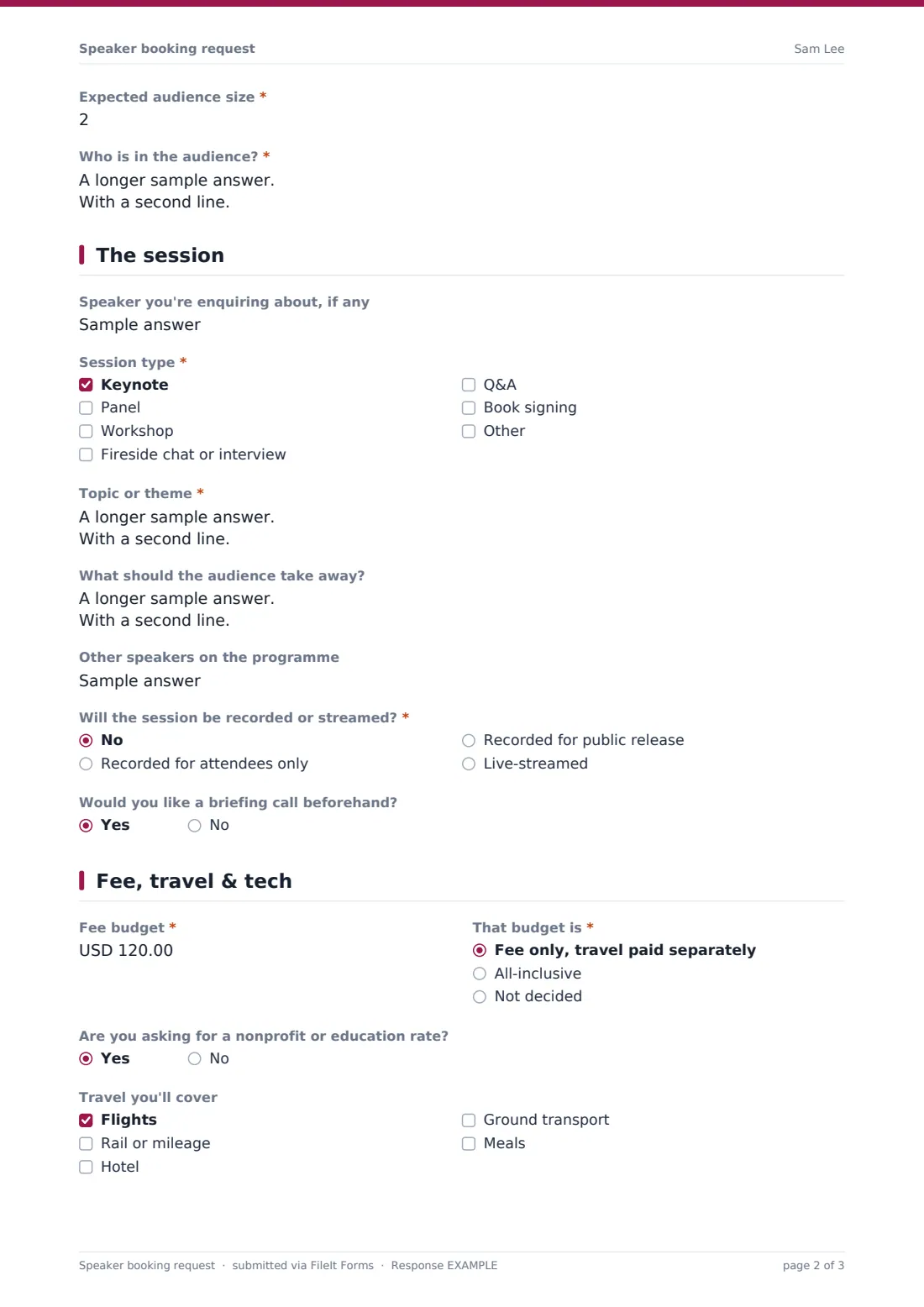
- Expected audience size*
- Who is in the audience?*
3 The session
- Speaker you're enquiring about, if any
- Session type* Keynote · Panel · Workshop · Fireside chat or interview · Q&A · Book signing
- Topic or theme*
- What should the audience take away?
- Other speakers on the programme
- Will the session be recorded or streamed?* No · Recorded for attendees only · Recorded for public release · Live-streamed
- Would you like a briefing call beforehand?
4 Fee, travel & tech
- Fee budget*
- That budget is* Fee only, travel paid separately · All-inclusive · Not decided
- Are you asking for a nonprofit or education rate?
- Travel you'll cover asked only when it applies Flights · Rail or mileage · Hotel · Ground transport · Meals
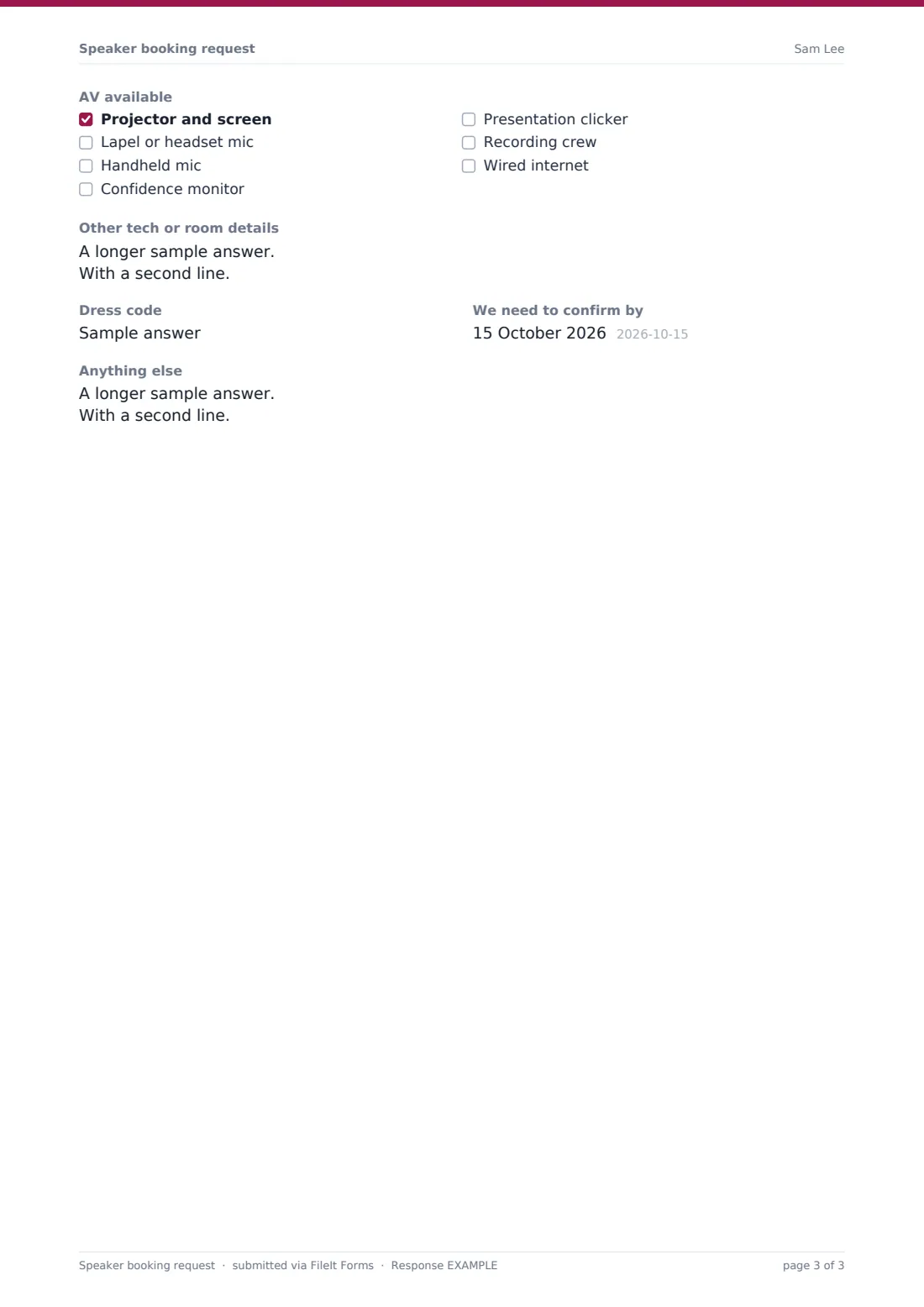
- AV available asked only when it applies Projector and screen · Lapel or headset mic · Handheld mic · Confidence monitor · Presentation clicker · Recording crew · Wired internet
- Other tech or room details
- Dress code
- We need to confirm by
- Anything else
The speaker booking request form, page by page
1 Your organisation
Name, organisation, website, email, phone and "Type of organisation".
2 The event
"Event name", "Type of event", the date and whether it's flexible, when the slot starts and its length in minutes. "Format" (in person, virtual or hybrid) decides whether venue and city or a platform are asked. The organiser gives the expected audience size and "Who is in the audience?".
3 The session
An optional named speaker, "Session type" (keynote, panel, workshop, fireside chat, Q&A or book signing), "Topic or theme", "What should the audience take away?" and other speakers on the programme. "Will the session be recorded or streamed?" and whether a briefing call is wanted finish the page.
4 Fee, travel & tech
"Fee budget" and whether it's fee only, all-inclusive or not decided, plus a nonprofit or education rate question. For in-person events, "Travel you'll cover" and "AV available" list flights, hotel, mics, confidence monitors and more. Other tech details, dress code, the confirm-by date and notes close the form.
Make the template yours
- Change the session types to the talks and workshops you actually offer
- Put your standard fee range or minimum in the cover text, if you share it
- Change the currency on the fee budget
- Add a question about rights to use the recording if you license it separately
- List the speakers on your roster as a dropdown if you're a bureau
Tips for a better speaker booking request form
- Reply quickly to enquiries with a close confirm-by date
- Check the recording answer before quoting; public release often changes the fee
- Read the audience description before agreeing to a topic
- Confirm AV in writing a week before the event
- Keep the PDF with your contract so the brief and the booking stay together
Every response becomes a PDF in your vault
Each enquiry is saved as a PDF in your FileIt vault and you're emailed straight away. The organiser gets a copy if you leave that on.
The Responses table lists enquiries by date, organisation and budget. Export to CSV to see which events and fees come up most.
- Start from this template. It opens in the FileIt Forms designer — change any question, add pages, set the rules for when questions appear.
- Share it. Turn on a public link, or send it to people by email, each with their own link. They don’t need a FileIt account.
- Get the answers as PDFs. Each response is saved as a PDF in the vault folder you choose, with uploaded files attached — and listed in a Responses table you can export to CSV.
Speaker booking request form: frequently asked questions
Is this speaker booking template free?
Yes. It's one of the starter templates in the Forms app, included on every FileIt account, and you can edit any question.
Does it check the speaker's calendar?
No. It collects the request. You check availability and reply yourself.
Can organisers pay a deposit through the form?
The form doesn't take payments. Send your contract and invoice once the booking is agreed.
Do organisers need a FileIt account?
No. They open your link, answer the questions and submit. No account is needed.
Can a bureau use it for several speakers?
Yes. The speaker question is open text, or you can turn it into a dropdown of your roster.