What is the dJ booking request form template?
Most DJ enquiries start as a message like 'are you free on the 14th?' and turn into a dozen messages before a quote is possible. This template asks for everything you need to check availability and price the job, and it collects the musical brief at the same time, so you know a 90s night from a jazz-lounge wedding before you reply.
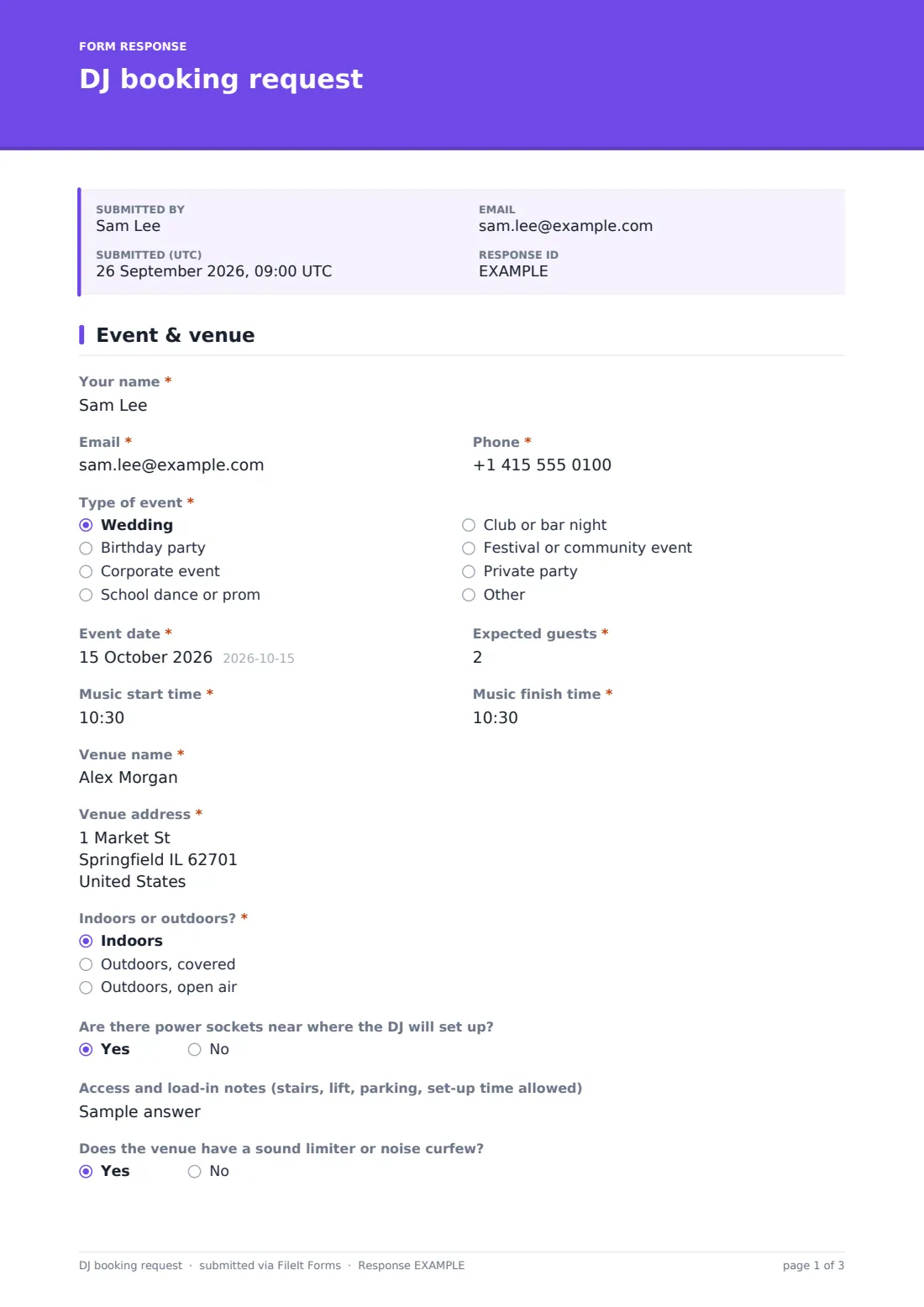
The first page covers the event: the client's name and contact details, 'Type of event', date, expected guests, music start and finish times, venue name and address, whether it's indoors or outdoors, power near the set-up spot, load-in notes and any sound limiter or noise curfew. Clients tick the extras they're interested in, such as lighting, a microphone for speeches or a photo booth, and give a budget.
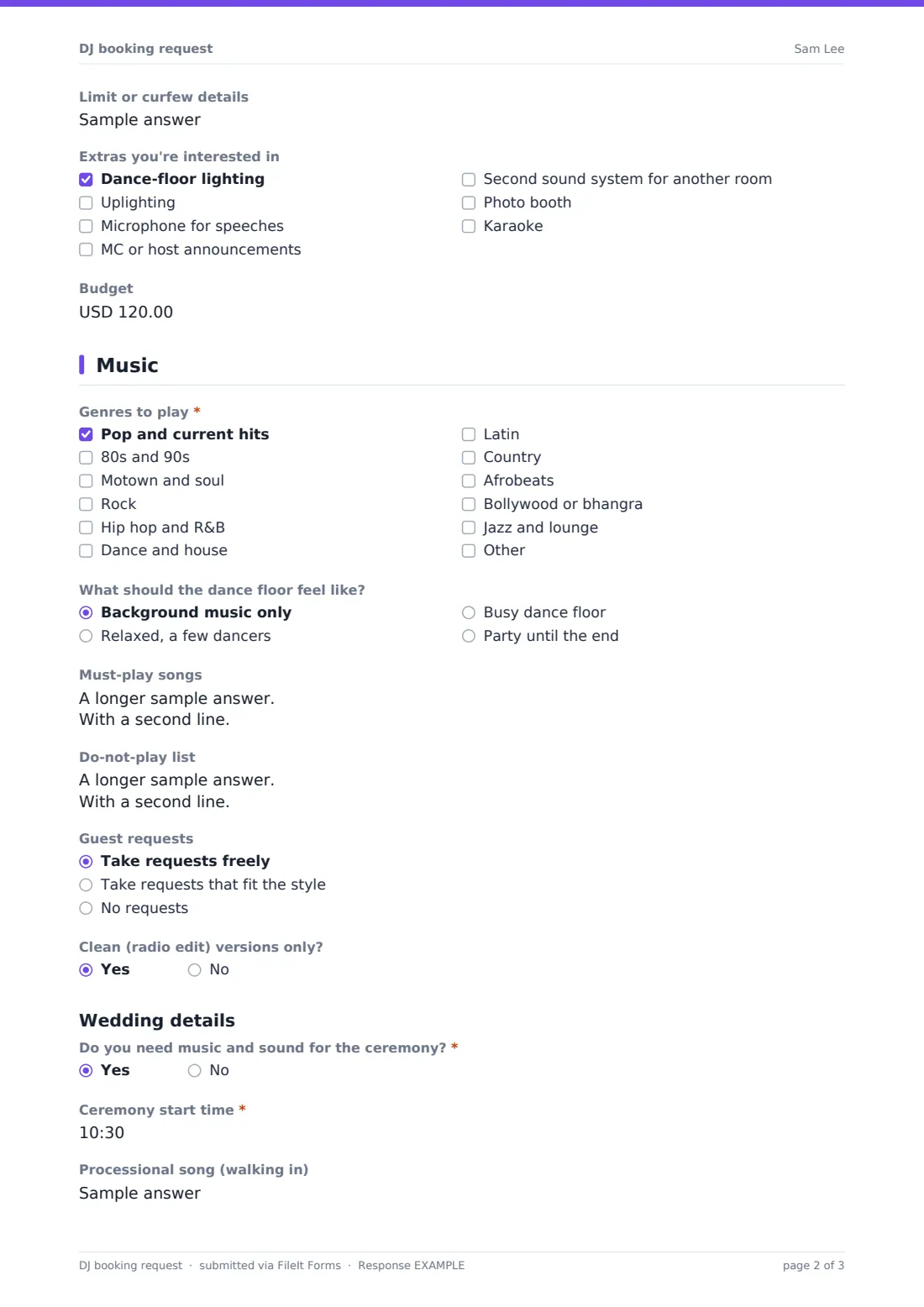
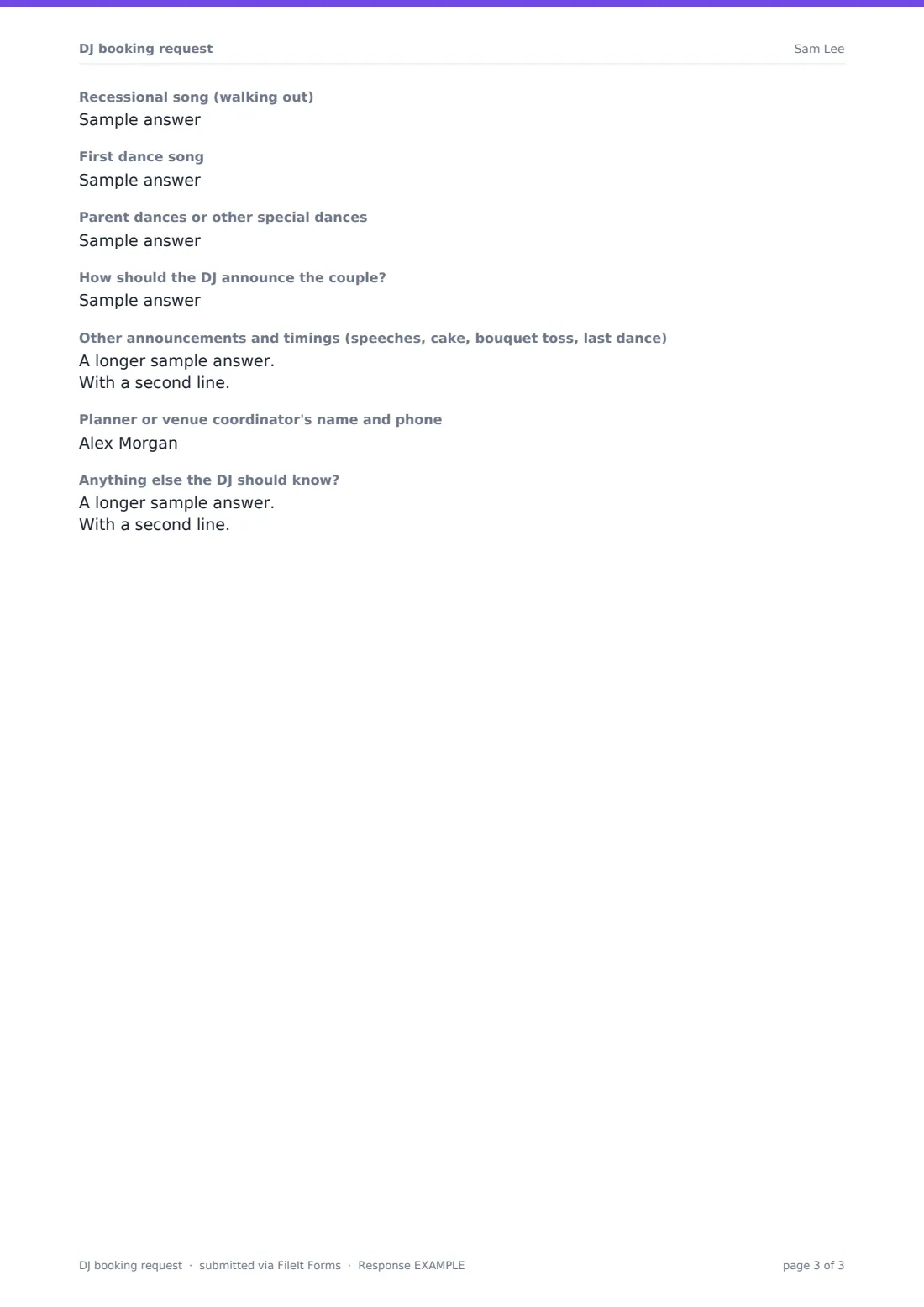
The second page is the music: genres, how busy the dance floor should be, must-play songs, a do-not-play list, how to handle guest requests and whether you should play clean edits only. Choosing 'Wedding' adds ceremony music (with times and processional and recessional songs), the first dance, other special dances, how to announce the couple, other announcements and timings, and the planner's contact. Each request is saved as a PDF in your FileIt vault.
- Best for
- Mobile DJs, wedding DJs, entertainment agencies
- Filled in by
- The client booking the DJ
- Time to complete
- 5–10 minutes, longer with a full playlist
- Includes
- Venue logistics, noise limits, genres, must-play and do-not-play lists, wedding running order
Who uses a dJ booking request form?
- A couple books a wedding DJ and lists their first dance and announcements
- A company books a DJ for its end-of-year party
- A parent books a DJ for a sixteenth birthday and asks for clean edits only
- A school committee requests a quote for prom
- A DJ agency collects enquiries and passes them to its DJs
- A bar books a guest DJ for a themed night
Questions on this dJ booking request form
33 questions over 2 pages · includes conditional questions, multiple pages.
1 Event & venue
- Your name*
- Email*
- Phone*
- Type of event* Wedding · Birthday party · Corporate event · School dance or prom · Club or bar night · Festival or community event · Private party
- Event date*
- Expected guests*
- Music start time*
- Music finish time*
- Venue name*
- Venue address*
- Indoors or outdoors?* Indoors · Outdoors, covered · Outdoors, open air
- Are there power sockets near where the DJ will set up?
- Access and load-in notes (stairs, lift, parking, set-up time allowed)
- Does the venue have a sound limiter or noise curfew?
- Limit or curfew details asked only when it applies
- Extras you're interested in Dance-floor lighting · Uplighting · Microphone for speeches · MC or host announcements · Second sound system for another room · Photo booth · Karaoke
- Budget
2 Music
- Genres to play* Pop and current hits · 80s and 90s · Motown and soul · Rock · Hip hop and R&B · Dance and house · Latin · Country · Afrobeats · Bollywood or bhangra · Jazz and lounge
- What should the dance floor feel like? Background music only · Relaxed, a few dancers · Busy dance floor · Party until the end
- Must-play songs
- Do-not-play list
- Guest requests Take requests freely · Take requests that fit the style · No requests
- Clean (radio edit) versions only?
- Do you need music and sound for the ceremony?* asked only when it applies
- Ceremony start time* asked only when it applies
- Processional song (walking in) asked only when it applies
- Recessional song (walking out) asked only when it applies
- First dance song asked only when it applies
- Parent dances or other special dances asked only when it applies
- How should the DJ announce the couple? asked only when it applies
- Other announcements and timings (speeches, cake, bouquet toss, last dance) asked only when it applies
- Planner or venue coordinator's name and phone asked only when it applies
- Anything else the DJ should know?
The dJ booking request form, page by page
1 Event & venue
Required name, email and phone, 'Type of event' (with Other), event date, expected guests, music start and finish times, venue name and address, and indoors or outdoors. Then power sockets, load-in notes, a sound-limiter question that asks for details on a yes, extras and a budget.
2 Music
Required 'Genres to play', then the dance-floor feel, 'Must-play songs', 'Do-not-play list', guest requests and clean edits. For weddings, 'Do you need music and sound for the ceremony?' (with ceremony start time, processional and recessional songs on a yes), 'First dance song', special dances, 'How should the DJ announce the couple?', announcements and the planner's contact. A final note for anything else.
Make the template yours
- Change the genres to the styles you actually play
- Replace the extras with the equipment and add-ons you offer
- Add a package choice with your prices
- Add a corporate section shown only for corporate events, for awards or a presentation
- Set your currency for the budget question
- File confirmed bookings in a separate vault folder from enquiries
Tips for a better dJ booking request form
- Check the noise-limit answer before quoting for big sound or lighting
- Send the form again closer to the date so couples can update their must-play list
- Print the wedding announcements for the night, with names spelled as the couple wrote them
- Ask the planner for the run-sheet. The form records their contact
- Reply to enquiries quickly. Dates go fast in wedding season
Every response becomes a PDF in your vault
Each request is saved as a PDF in your vault and you're emailed straight away. The client gets a copy of their request.
Sort the Responses table by event date to spot double bookings, and export to CSV to keep a bookings list.
- Start from this template. It opens in the FileIt Forms designer — change any question, add pages, set the rules for when questions appear.
- Share it. Turn on a public link, or send it to people by email, each with their own link. They don’t need a FileIt account.
- Get the answers as PDFs. Each response is saved as a PDF in the vault folder you choose, with uploaded files attached — and listed in a Responses table you can export to CSV.
DJ booking request form: frequently asked questions
Is the DJ booking request template free?
Yes. It's a starter template in the Forms app, included on every FileIt account, including the free plan.
What extra questions appear for weddings?
Choosing 'Wedding' adds ceremony music and timings, processional and recessional songs, the first dance, special dances, how to announce the couple, other announcements and the planner's contact.
Can clients send a long playlist?
Yes. The must-play box takes up to 2,000 characters, roughly 60–80 songs listed one per line.
Does the form confirm the booking?
No. It's a request. You reply with availability and a quote, and confirm the booking your usual way.
Can I use it for bands or other entertainers?
Yes. Rename the questions in the designer. The structure works for most live music bookings.
Do clients need a FileIt account?
No. They fill in the request from a link.