What is the science fair entry form template?
Running a science fair means gathering the same information from every entrant: who's on the project, which category it belongs in, what question it answers, whether it involved anything that needs a safety review, and how much table space and power it needs on the day. Paper entry slips get lost and emails arrive half-complete. This template gives students one form, with the questions changing to fit their project.
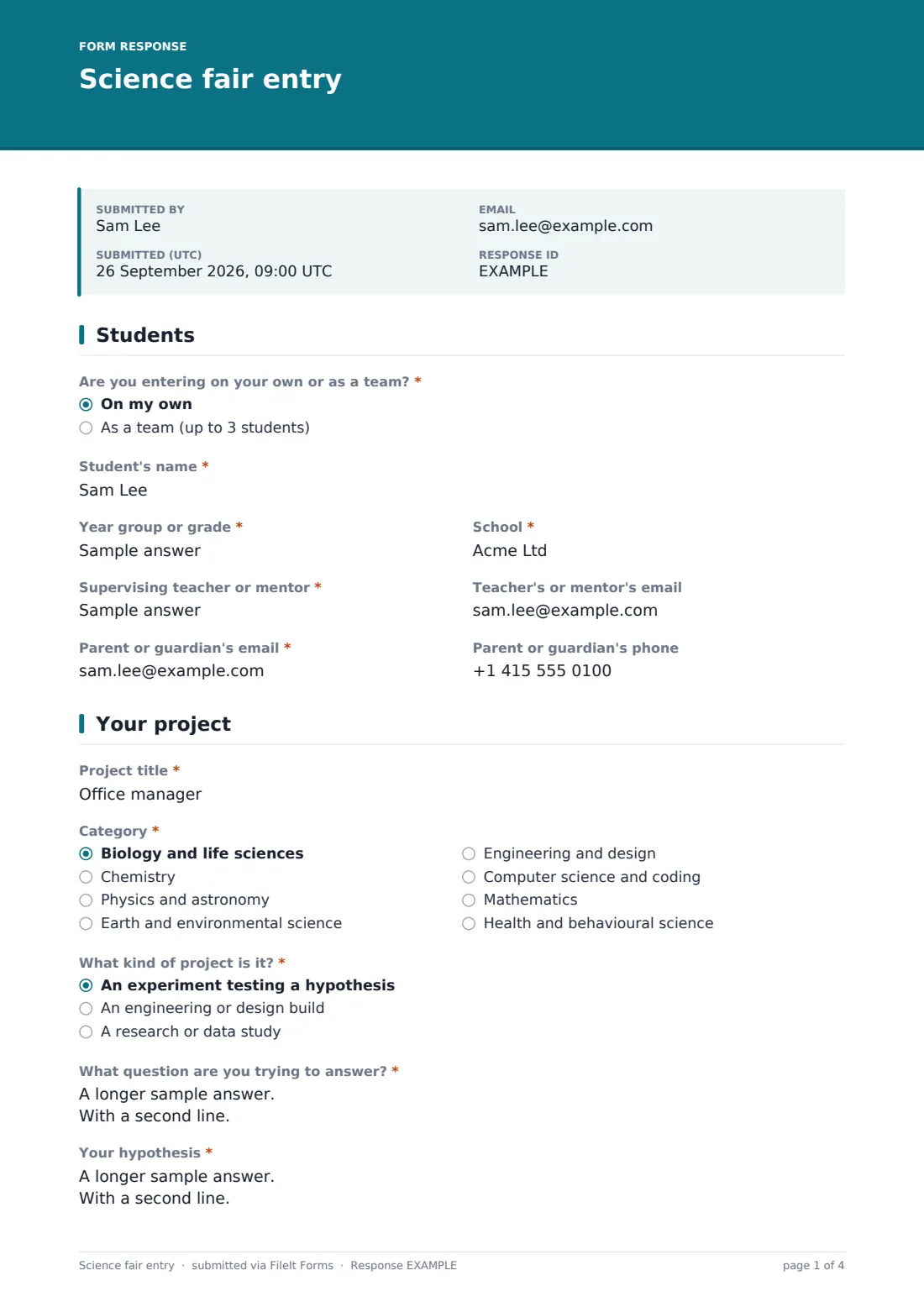
The first page records whether it's an individual or team entry, the lead student's name, year group or grade and school, other team members, the supervising teacher or mentor and a parent or guardian's contact details. The project page asks for a title, one of eight categories and the kind of project — an experiment shows a hypothesis question, an engineering build asks what problem the design solves — plus the research question and a summary of up to 250 words.
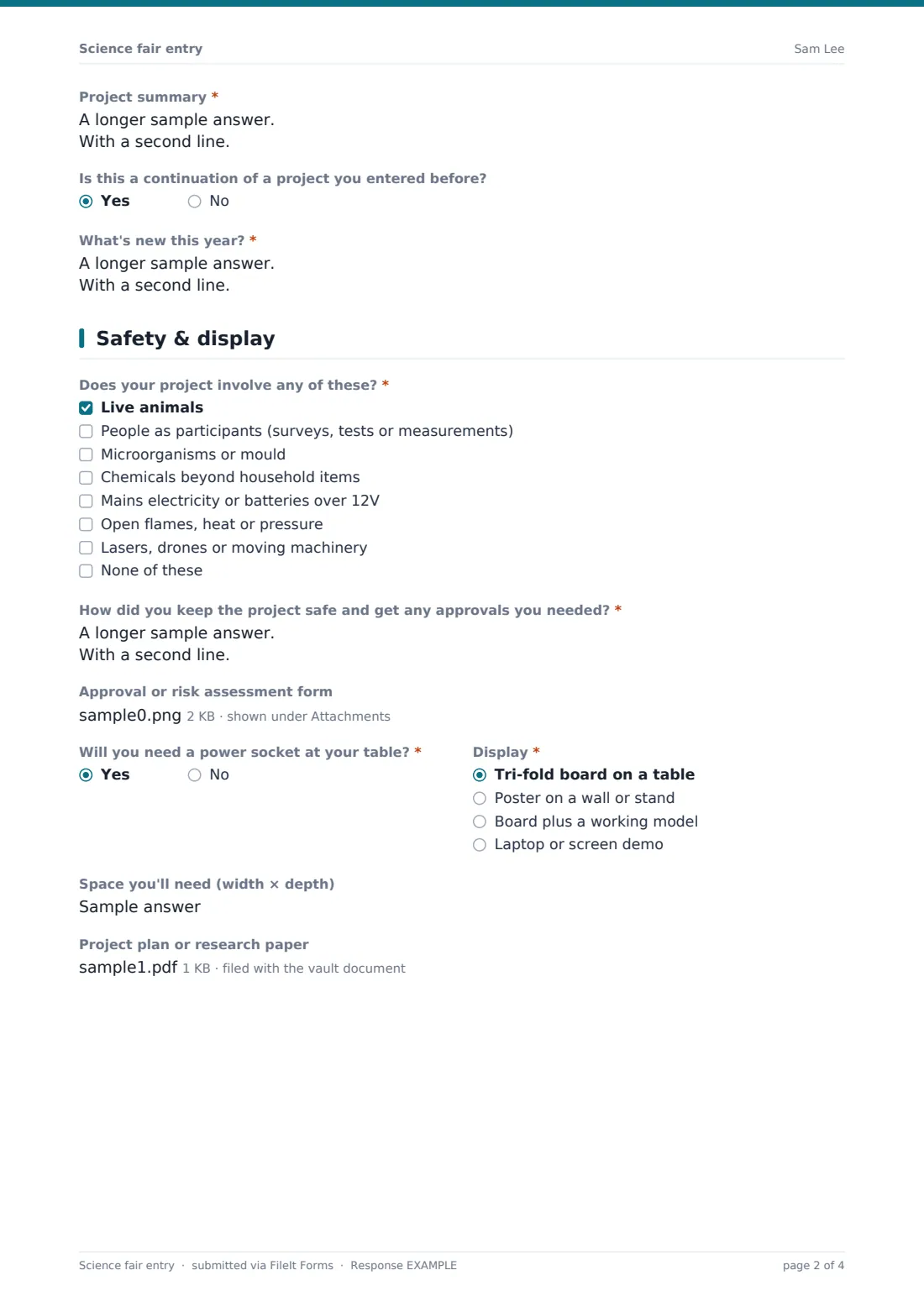
The safety page lists the things judges usually want to know about, such as live animals, people as participants, microorganisms, chemicals, electricity and flames; ticking any of them asks how the project was kept safe and allows an approval form upload. Display needs, an optional project plan, consents and a parent's signature finish the entry, which is saved as a PDF in your FileIt vault.
- Best for
- School, district and regional science and STEM fairs
- Filled in by
- A student or team, signed by a parent or guardian
- Time to complete
- About 10 minutes
- Includes
- Team entries, eight categories, hypothesis or design goal, safety checklist, uploads, parent signature
Who uses a science fair entry form?
- A primary school collects entries for its spring science fair
- A secondary science department screens projects for safety before the fair
- A district STEM fair receives team entries from several schools
- A coding club enters a computer science project with a laptop demo
- Organisers plan the hall layout from the display and power answers
Questions on this science fair entry form
30 questions over 4 pages · includes signature, file upload, conditional questions, multiple pages, consent checkbox.
1 Students
- Are you entering on your own or as a team?* On my own · As a team (up to 3 students)
- Student's name*
- Year group or grade*
- School*
- Other team members* asked only when it applies
- Supervising teacher or mentor*
- Teacher's or mentor's email
- Parent or guardian's email*
- Parent or guardian's phone
2 Your project
- Project title*
- Category* Biology and life sciences · Chemistry · Physics and astronomy · Earth and environmental science · Engineering and design · Computer science and coding · Mathematics · Health and behavioural science
- What kind of project is it?* An experiment testing a hypothesis · An engineering or design build · A research or data study
- What question are you trying to answer?*
- Your hypothesis* asked only when it applies
- What problem does your design solve?* asked only when it applies
- Project summary*
- Is this a continuation of a project you entered before?
- What's new this year?* asked only when it applies
3 Safety & display
- Does your project involve any of these?* Live animals · People as participants (surveys, tests or measurements) · Microorganisms or mould · Chemicals beyond household items · Mains electricity or batteries over 12V · Open flames, heat or pressure · Lasers, drones or moving machinery · None of these
- How did you keep the project safe and get any approvals you needed?* asked only when it applies
- Approval or risk assessment form asked only when it applies
- Will you need a power socket at your table?*
- Display* Tri-fold board on a table · Poster on a wall or stand · Board plus a working model · Laptop or screen demo
- Space you'll need (width × depth)
- Project plan or research paper
4 Agreement
- Own work*
- Fair rules*
- Photos
- Parent or guardian's name*
- Parent or guardian's signature*
The science fair entry form, page by page
1 Students
"Are you entering on your own or as a team?" — a team entry asks for the other team members. Then the student's name, year group or grade and school, the supervising teacher or mentor (with an optional email), and the parent or guardian's email (required) and phone.
2 Your project
Project title, one of eight categories, and "What kind of project is it?": an experiment asks for "Your hypothesis", an engineering build asks "What problem does your design solve?", and a research study asks neither. Every entry gives "What question are you trying to answer?" and a project summary of up to 250 words. A continuation of an earlier project asks what's new this year.
3 Safety & display
A required checklist of live animals, people as participants, microorganisms, chemicals, mains electricity or higher-voltage batteries, flames or heat, and lasers, drones or machinery — anything other than "None of these" asks how the project was kept safe and offers an upload for approval or risk assessment forms. Then whether a power socket is needed, the display type, the space needed, and an optional project plan or research paper.
4 Agreement
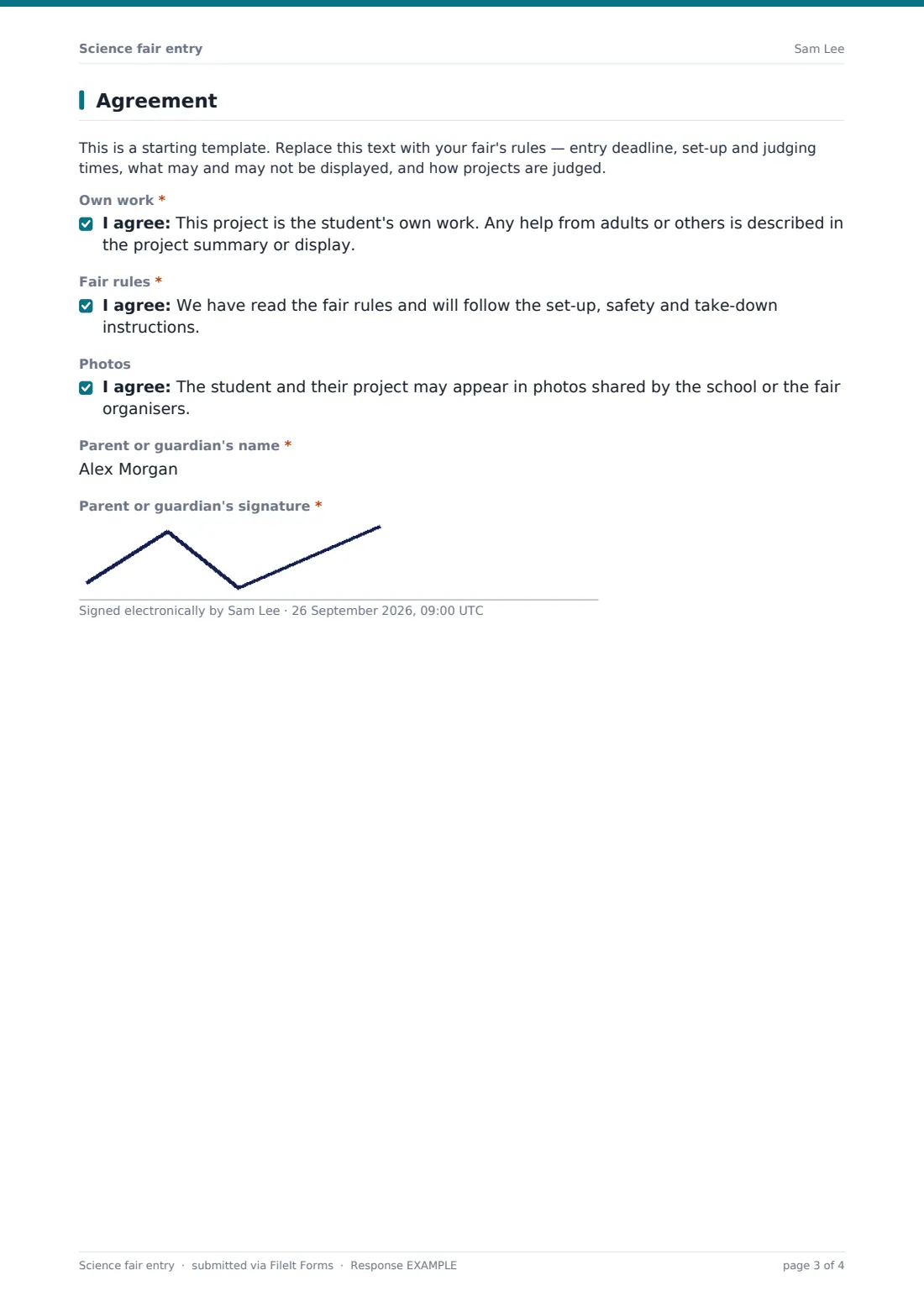
A placeholder for your fair rules, required consents that the project is the student's own work and that the rules will be followed, an optional photo consent, and the parent or guardian's name and signature.
Make the template yours
- Replace the categories with your fair's own divisions or judging tracks
- Put your entry deadline, set-up and judging times in the rules paragraph
- Set a close date in Settings so entries stop at the deadline
- Add an age division question if you judge by grade band
- Remove the team option if the fair is individual entries only
- File entries in a folder per category for judges
Tips for a better science fair entry form
- Review the safety answers early so students have time to fix a project before the fair
- Use the Responses table to count entries needing power before you plan the hall
- Export to CSV to assign table numbers and judges by category
- Remind students that the summary is often read by judges before they reach the table
- Share the PDF of each entry with its judges ahead of the day
Every response becomes a PDF in your vault
Each entry is saved as a signed PDF in the vault folder you choose, with any approval form or project plan filed as an attachment. Your organising team is emailed, and the parent receives a copy at the address they gave.
From the Responses table you can search by category, school or title, open any entry and export the list to CSV for table and judging plans. If an entry needs a fix, ask the family to submit an updated form.
- Start from this template. It opens in the FileIt Forms designer — change any question, add pages, set the rules for when questions appear.
- Share it. Turn on a public link, or send it to people by email, each with their own link. They don’t need a FileIt account.
- Get the answers as PDFs. Each response is saved as a PDF in the vault folder you choose, with uploaded files attached — and listed in a Responses table you can export to CSV.
Science fair entry form: frequently asked questions
Is this science fair entry template free?
Yes. It comes with the Forms app on every FileIt account, and every question can be edited.
Can teams enter together?
Yes. Choosing "As a team" asks for the other team members' names and year groups on the same form.
Does the form approve a project for safety?
No. It collects what the project involves and how it was kept safe, so your organisers can review it under your own rules.
Can students upload their research paper?
Yes. There's an optional upload for a project plan or paper, and a separate one for approval forms when the safety checklist calls for it.
Why does a parent sign the entry?
Most fairs ask a parent or guardian to confirm the rules and consents for students under 18. You can remove the signature if your fair doesn't need it.
Do students or parents need a FileIt account?
No. They fill in the form from a link the school shares.