What is the restroom cleaning log form template?
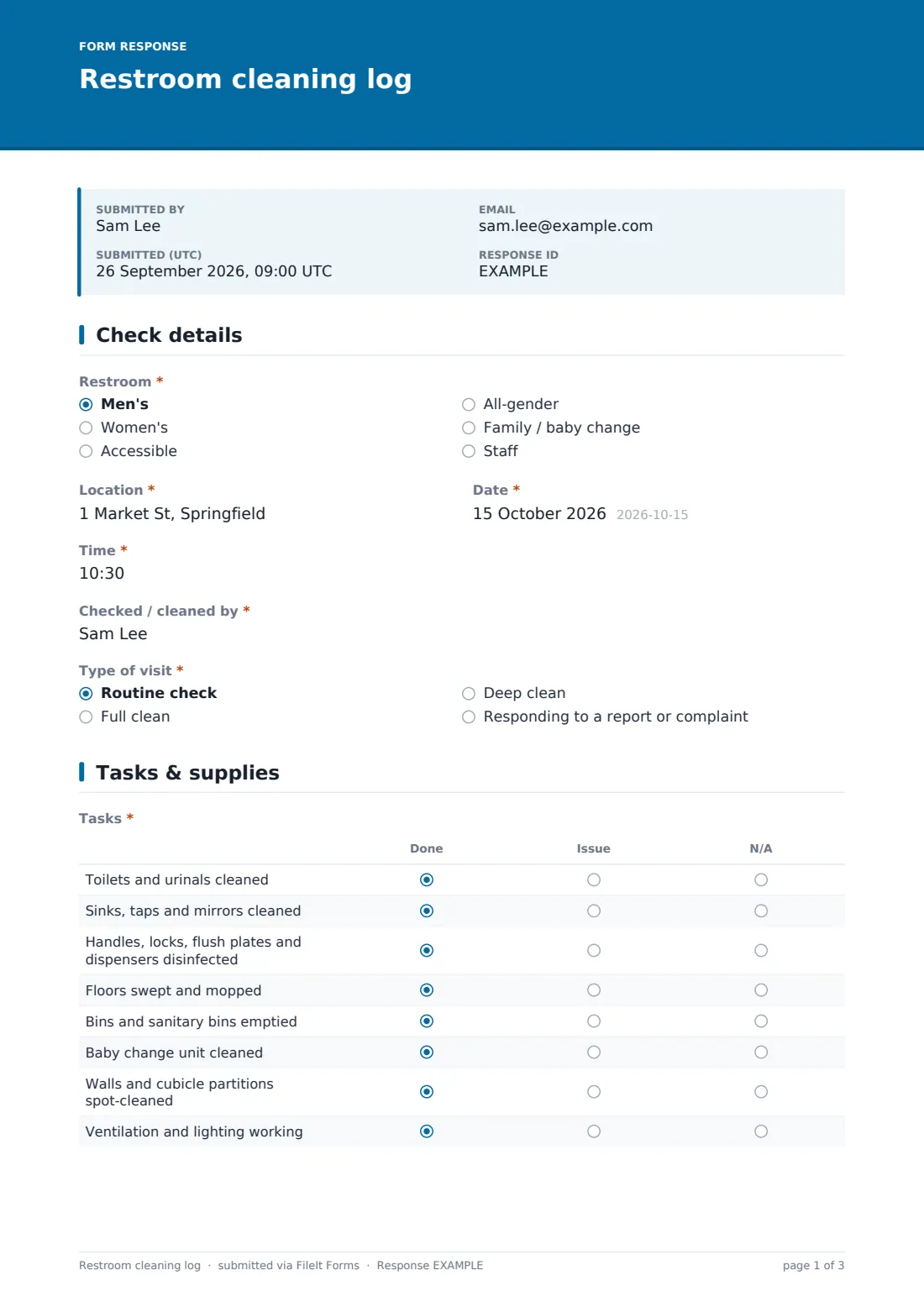
A restroom cleaning log shows customers, staff and managers that washrooms are checked regularly — and gives you a record when someone complains. This template records each visit: which restroom, when, who, whether it was a routine check, a full or deep clean or a response to a complaint, what was done, what was refilled and what needed fixing.
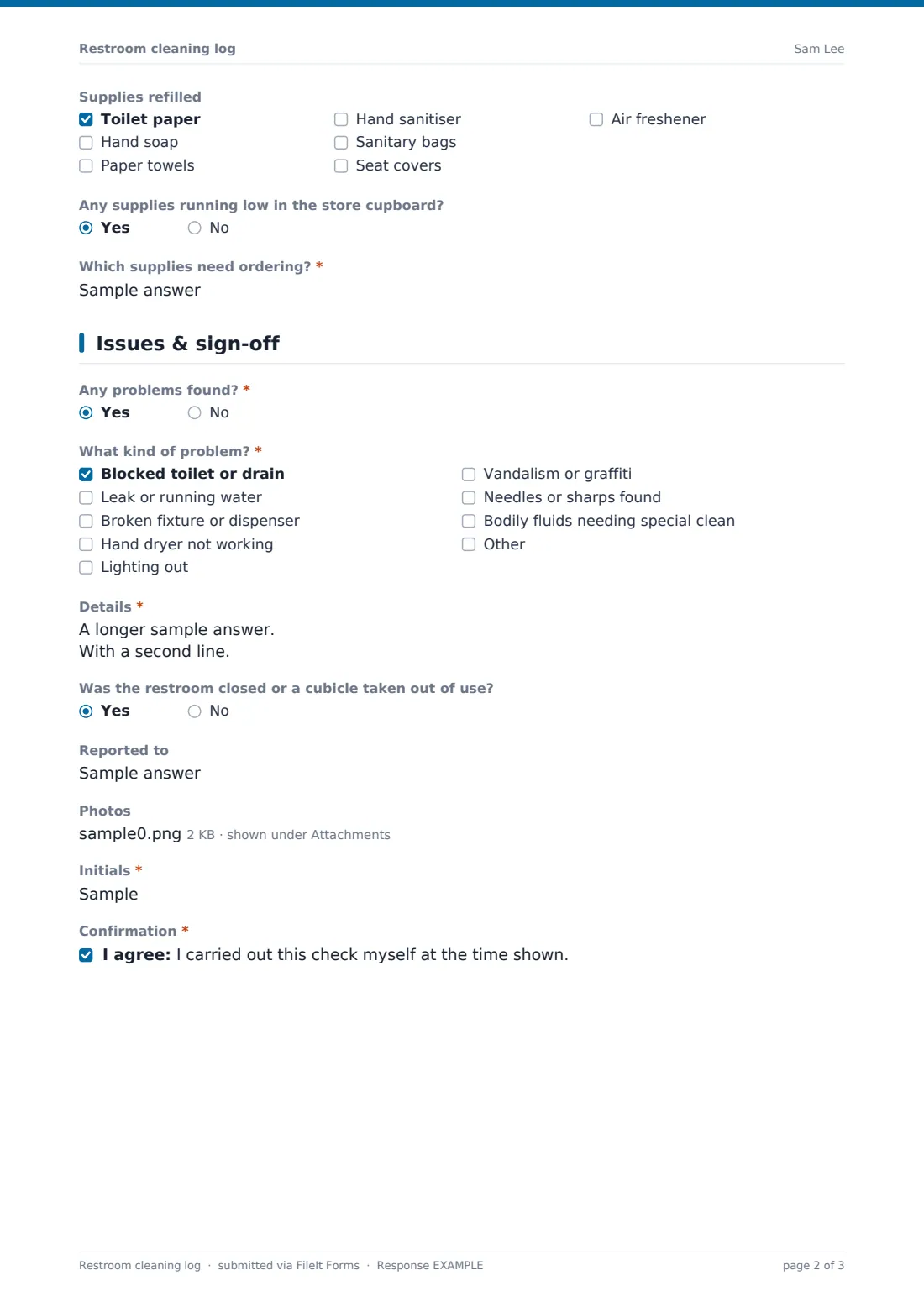
Cleaners mark eight standard tasks Done, Issue or N/A and tick the supplies they refilled. If something's wrong — a blocked toilet, a leak, a broken dryer, vandalism — they pick the problem, describe it, note who it was reported to and add a photo. Ticking needles or sharps shows a reminder not to handle them by hand.
Every check is saved as a PDF in your FileIt vault, replacing a paper sheet that gets wet, torn or filled in all at once at the end of the day.
- Best for
- Restaurants, hotels, offices, shops, gyms, venues and facilities teams
- Filled in by
- Cleaners and staff doing restroom checks
- Time to complete
- About 1 minute
- Includes
- Eight-task grid, supplies checklist, problem reporting with photos, sharps reminder, initials
Who uses a restroom cleaning log form?
- A restaurant checking its customer toilets every hour during service
- An office cleaning contractor proving scheduled cleans were done
- A shopping centre responding to a complaint and recording the fix
- A gym logging changing-room restrooms through the day
- An event venue running restroom checks during a busy show
- A facilities manager tracking supply use to plan orders
Questions on this restroom cleaning log form
20 questions over 3 pages · includes file upload, conditional questions, multiple pages, consent checkbox, ratings.
1 Check details
- Restroom* Men's · Women's · Accessible · All-gender · Family / baby change · Staff
- Location*
- Date*
- Time*
- Checked / cleaned by*
- Type of visit* Routine check · Full clean · Deep clean · Responding to a report or complaint
- What was reported?* asked only when it applies
2 Tasks & supplies
- Tasks* Done · Issue · N/A
- Supplies refilled Toilet paper · Hand soap · Paper towels · Hand sanitiser · Sanitary bags · Seat covers · Air freshener
- Any supplies running low in the store cupboard?
- Which supplies need ordering?* asked only when it applies
- Wet floor sign put out while cleaning? asked only when it applies
3 Issues & sign-off
- Any problems found?*
- What kind of problem?* asked only when it applies Blocked toilet or drain · Leak or running water · Broken fixture or dispenser · Hand dryer not working · Lighting out · Vandalism or graffiti · Needles or sharps found · Bodily fluids needing special clean
- Details* asked only when it applies
- Was the restroom closed or a cubicle taken out of use? asked only when it applies
- Reported to asked only when it applies
- Photos asked only when it applies
- Initials*
- Confirmation*
The restroom cleaning log form, page by page
1 Check details
Which restroom (men's, women's, accessible, all-gender, family or staff), its location, date, time, who did it and the type of visit. Responding to a report asks what was reported.
2 Tasks & supplies
An eight-row grid: toilets and urinals, sinks and mirrors, touch points, floors, bins, baby change, walls and partitions, ventilation and lighting — each Done, Issue or N/A. Supplies refilled is a quick checklist; running low in the store cupboard asks which supplies need ordering. For anything other than a routine check, the form asks whether a wet floor sign was put out.
3 Issues & sign-off
Any problems found? is required. Yes asks what kind — blocked, leaking, broken, dryer, lighting, vandalism, sharps, bodily fluids — with details, whether the restroom was closed, who it was reported to and photos. Choosing sharps shows a safety reminder. Initials and a confirmation finish the check.
Make the template yours
- Replace the restroom list with the actual washrooms in your building
- Print a QR code for each restroom door that opens the form
- Add your maintenance team to notifications so reported problems reach them
- Edit the sharps reminder to match your site's procedure
- Remove the baby change row where there isn't one
- File logs by site and month
Tips for a better restroom cleaning log form
- Log the check when you do it, not later
- Report problems even if you fixed them — patterns matter
- Don't handle sharps without the right kit and training
- Keep the store cupboard stocked so refills never wait
- Check at busy times more often, not just on a fixed schedule
- Review the log weekly for recurring faults
Every response becomes a PDF in your vault
Each check is saved as a PDF in the vault folder you chose and the form owner is notified, so problems reported by cleaners reach a manager straight away.
The Responses table shows every check by restroom, date and time. Filter for checks with problems or export to CSV to see how often each restroom is visited. The form doesn't raise maintenance tickets on its own.
- Start from this template. It opens in the FileIt Forms designer — change any question, add pages, set the rules for when questions appear.
- Share it. Turn on a public link, or send it to people by email, each with their own link. They don’t need a FileIt account.
- Get the answers as PDFs. Each response is saved as a PDF in the vault folder you choose, with uploaded files attached — and listed in a Responses table you can export to CSV.
Restroom cleaning log form: frequently asked questions
Is this restroom cleaning log template free?
Yes. It's part of the Forms app on every FileIt account, including the free plan.
Can cleaners use it without an account?
Yes. A link or a QR code on the door is all they need.
Can I post the log publicly for customers?
The form keeps records privately in your vault. If you want a visible sign-off sheet on the door, you can print one from your records.
Does it remind cleaners when a check is due?
No. Use your cleaning schedule for timing; the log records the visits.
Can I add more tasks?
Yes. Add rows to the task grid in the designer.
Can I attach photos of problems?
Yes — up to four photos when a problem is reported.