What is the residency declaration form template?
Many places and services depend on where someone lives: a school with a catchment area, a resident parking scheme, a local leisure discount, a community program for one neighbourhood. Checking eligibility usually means chasing documents and a signature by email.
This template collects the address, how long the person has lived there and a previous address if it's been under a year. It asks whether they own, rent, live with family or friends, or are in temporary housing — with the landlord's name or the homeowner's details where relevant — and who else lives there.
The applicant says what the declaration is for, ticks which documents they're attaching, uploads proof of address and signs a declaration that the information is true and the address is their main home. Everything is filed as one PDF in your FileIt vault, with the documents attached.
- Best for
- Schools, councils, residents' associations, clubs and local programs with address-based eligibility
- Filled in by
- Applicants, parents or residents
- Time to complete
- About 4 minutes
- Includes
- Address history, tenure with follow-ups, household, purpose, document checklist, required upload and signed declaration
Who uses a residency declaration form?
- School admissions that depend on a catchment area
- Residents' parking permit applications
- Local resident discounts at a leisure center or library
- Neighbourhood grants or community programs
- Families living with relatives who can't show a bill in their own name
- Annual re-checks of residency for an ongoing membership
Questions on this residency declaration form
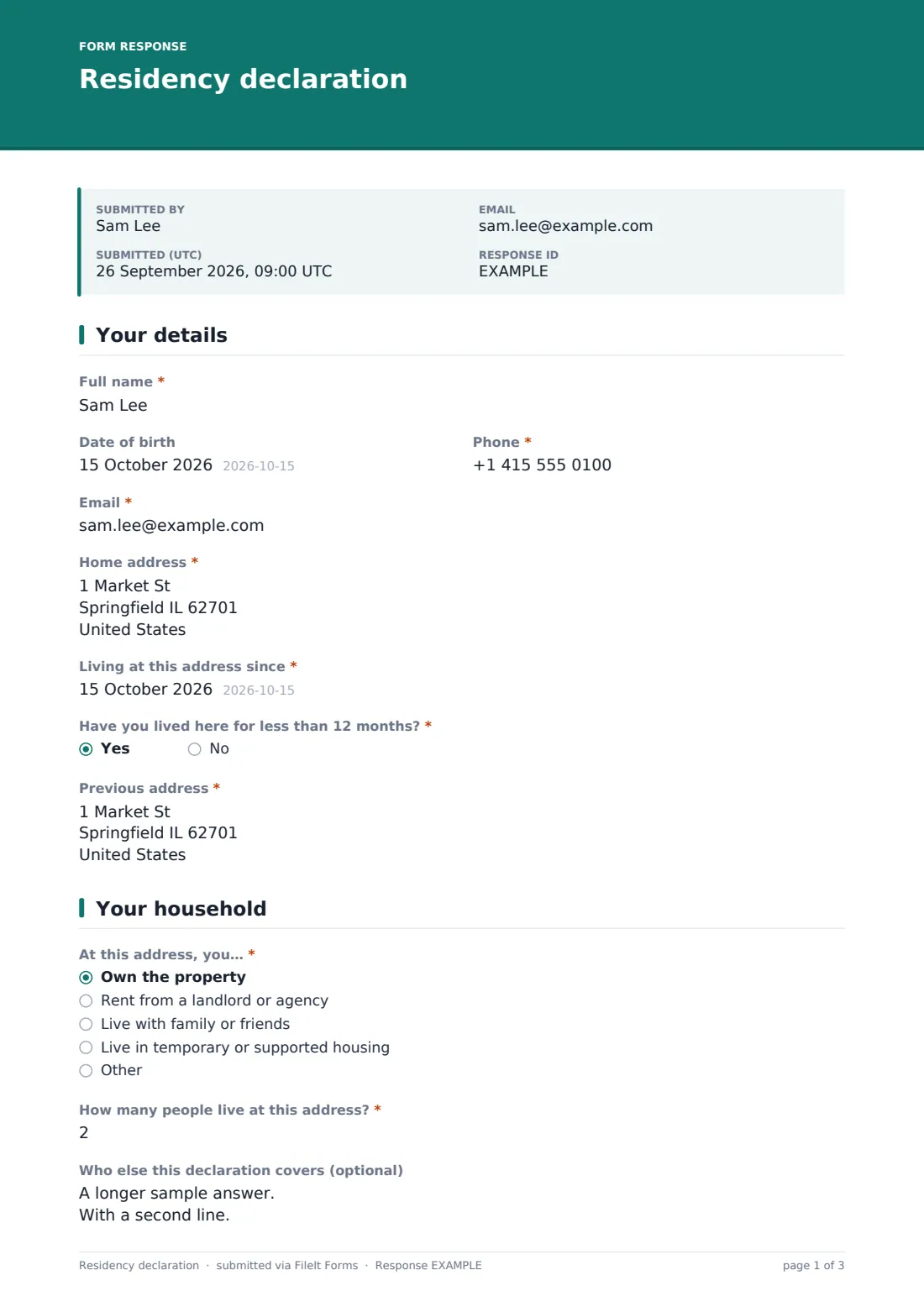
20 questions over 4 pages · includes signature, file upload, conditional questions, multiple pages, consent checkbox.
1 Your details
- Full name*
- Date of birth
- Phone*
- Email*
- Home address*
- Living at this address since*
- Have you lived here for less than 12 months?*
- Previous address* asked only when it applies
2 Your household
- At this address, you…* Own the property · Rent from a landlord or agency · Live with family or friends · Live in temporary or supported housing
- Landlord or agency name asked only when it applies
- Name of the homeowner or tenant you live with* asked only when it applies
- Their phone asked only when it applies
- How many people live at this address?*
- Who else this declaration covers (optional)
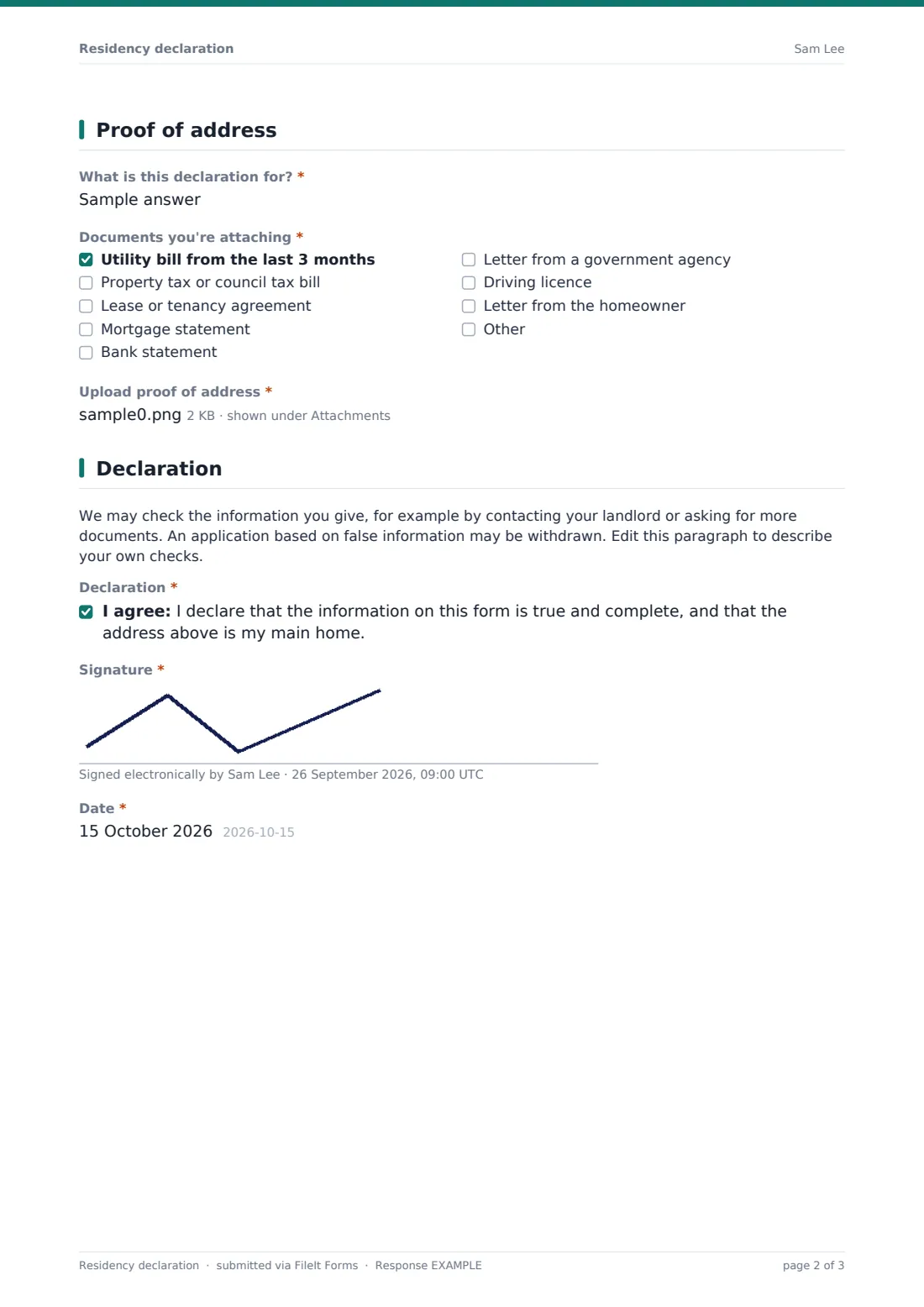
3 Proof of address
- What is this declaration for?*
- Documents you're attaching* Utility bill from the last 3 months · Property tax or council tax bill · Lease or tenancy agreement · Mortgage statement · Bank statement · Letter from a government agency · Driving licence · Letter from the homeowner
- Upload proof of address*
4 Declaration
- Declaration*
- Signature*
- Date*
The residency declaration form, page by page
1 Your details
Full name, phone, email and home address are required, along with 'Living at this address since'. Date of birth is optional. 'Have you lived here for less than 12 months?' is required; yes asks for the previous address.
2 Your household
'At this address, you…' — own the property, rent from a landlord or agency, live with family or friends, live in temporary or supported housing, or something else. Renters can name their landlord or agency. People living with family or friends must give the homeowner or tenant's name, and can add their phone. 'How many people live at this address?' is required, and 'Who else this declaration covers' can list children's names and dates of birth.
3 Proof of address
'What is this declaration for?' is required, with examples such as school admission or residents' parking. 'Documents you're attaching' lists a recent utility bill, property or council tax bill, lease, mortgage statement, bank statement, government letter, driving licence and a letter from the homeowner. 'Upload proof of address' is required, up to four files, with a reminder that name and address must be readable.
4 Declaration
An editable paragraph says you may check the information and that an application based on false information may be withdrawn. The applicant ticks the declaration, signs and dates.
Make the template yours
- Edit the purpose question into a dropdown if you only use it for one scheme
- Change the document list to what you'll accept
- Rewrite the checks paragraph to describe your real verification steps
- Remove date of birth if you don't need it
- File responses to a restricted folder; they contain personal documents
- Set a close date for an admissions round
Tips for a better residency declaration form
- Say how recent bills must be, and check the dates
- When someone lives with family, a letter from the homeowner plus their bill is a common combination
- Ask for documents in the applicant's own name where possible
- Delete documents you no longer need after the decision
- Treat a declaration as one piece of evidence, not the only one
- Explain in the cover text why you need the information
Every response becomes a PDF in your vault
Each declaration is saved as a PDF titled with the applicant's name in your chosen vault folder, with the uploaded proof attached, and the applicant is emailed a copy.
Use the Responses tab to search by name, open each declaration with its documents, and export to CSV to track applications for a scheme.
- Start from this template. It opens in the FileIt Forms designer — change any question, add pages, set the rules for when questions appear.
- Share it. Turn on a public link, or send it to people by email, each with their own link. They don’t need a FileIt account.
- Get the answers as PDFs. Each response is saved as a PDF in the vault folder you choose, with uploaded files attached — and listed in a Responses table you can export to CSV.
Residency declaration form: frequently asked questions
Is this residency declaration template free?
Yes. It's a starter template in the FileIt Forms app, included with every account.
Is this an official government form?
No. It's a template for your own organization's process. If an authority requires its own form, use that.
What if the applicant has no bills in their name?
They can choose 'Live with family or friends', give the homeowner's details and attach a letter from them.
Can applicants upload photos of documents?
Yes. PDFs and images, including phone photos, are accepted, up to four files.
Do applicants need a FileIt account?
No. They open the link, upload their documents and sign on screen.
Is this legal advice?
No. It's a starting template. Rules differ between countries, states and sectors, so check the wording against your own situation and take advice where you need it.