What is the redundancy consultation record form template?
When roles are at risk, consultation is a conversation that usually runs over several meetings. If those meetings are written up inconsistently — or not at all — it's hard to show what the employee was told, whether alternatives were really considered, and what was promised for next time.
This template gives managers and HR a consistent record for each meeting. It captures the employee and their role, which meeting it is, the date, format, attendees and whether the employee was accompanied. A tick list records which topics were covered, from the business reasons and selection criteria to vacancies, estimated payments and support available, with uploads for documents shared and a summary of what was explained.
The discussion page records the employee's views in their own words, alternatives discussed, interest in vacancies, any challenge to selection and questions raised. Next steps cover agreed actions, the next meeting, any outcome communicated and whether the employee gets a copy. The process and its requirements vary by country, so check your obligations; each record is filed as a PDF in your FileIt vault.
- Best for
- HR teams and managers running a redundancy or restructuring process
- Filled in by
- The manager or HR person who took notes
- Time to complete
- About 10–15 minutes after each meeting
- Includes
- Companion, topics covered, document uploads, employee views, selection challenge, actions and signature
Who uses a redundancy consultation record form?
- A small business consulting with one employee whose role is at risk
- An HR team running individual meetings alongside collective consultation
- A restructure where several roles are pooled and scored
- Recording a voluntary redundancy discussion
- A final meeting where the outcome is confirmed
- Keeping a consistent file in case a decision is later questioned
Questions on this redundancy consultation record form
28 questions over 4 pages · includes signature, file upload, conditional questions, multiple pages.
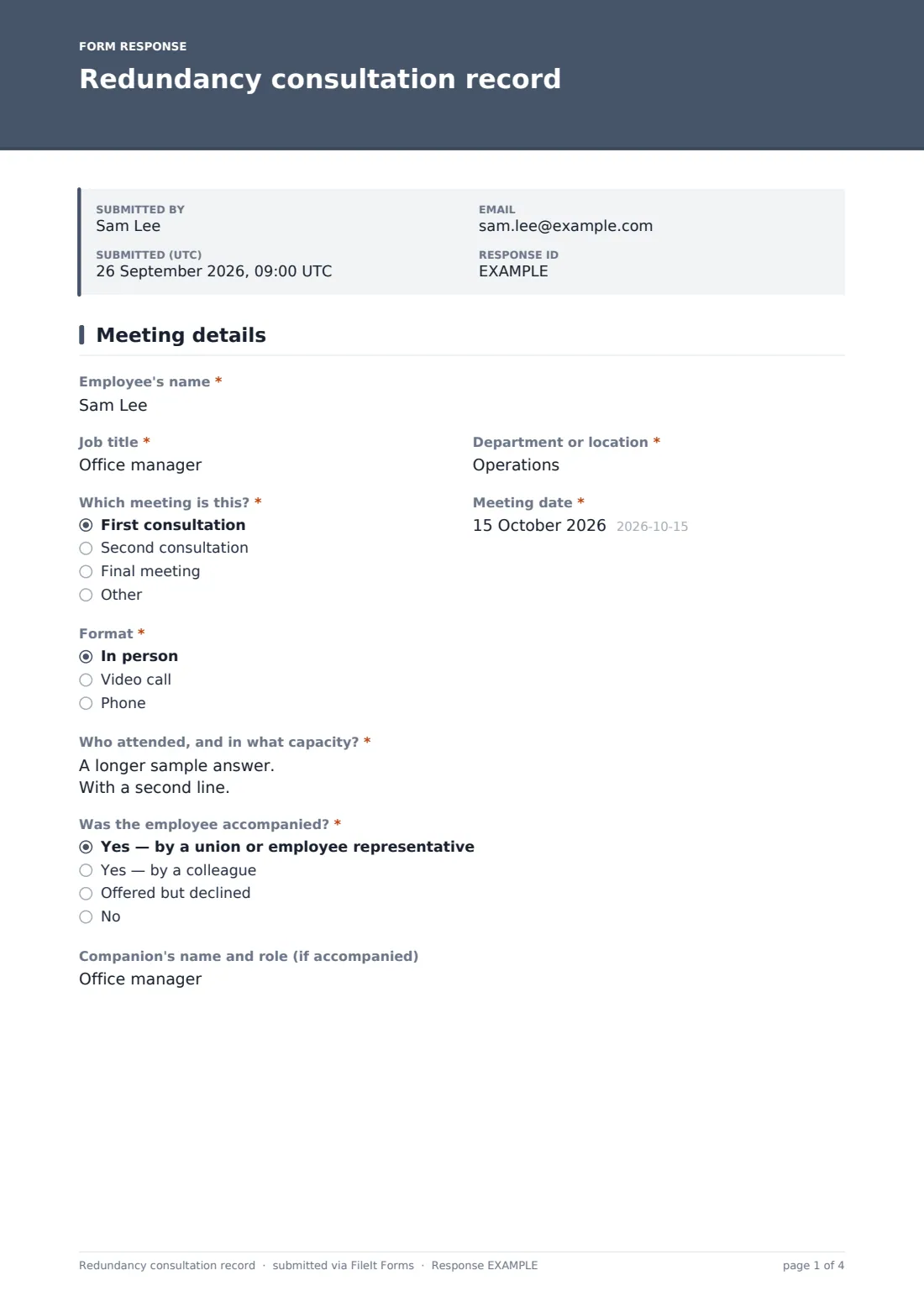
1 Meeting details
- Employee's name*
- Job title*
- Department or location*
- Which meeting is this?* First consultation · Second consultation · Final meeting
- Meeting date*
- Format* In person · Video call · Phone
- Who attended, and in what capacity?*
- Was the employee accompanied?* Yes — by a union or employee representative · Yes — by a colleague · Offered but declined · No
- Companion's name and role (if accompanied)
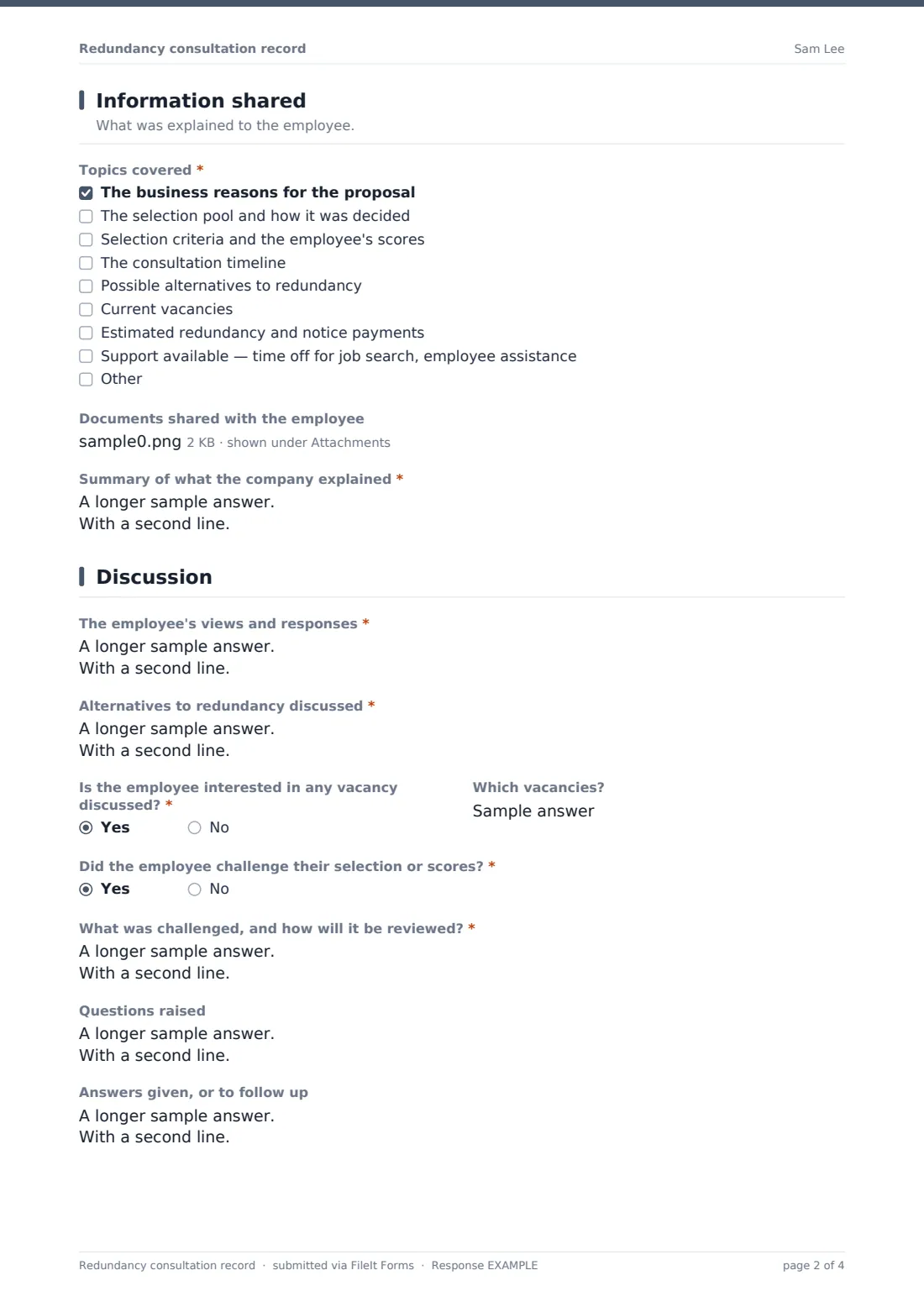
2 Information shared
- Topics covered* The business reasons for the proposal · The selection pool and how it was decided · Selection criteria and the employee's scores · The consultation timeline · Possible alternatives to redundancy · Current vacancies · Estimated redundancy and notice payments · Support available — time off for job search, employee assistance
- Documents shared with the employee
- Summary of what the company explained*
3 Discussion
- The employee's views and responses*
- Alternatives to redundancy discussed*
- Is the employee interested in any vacancy discussed?*
- Which vacancies? asked only when it applies
- Did the employee challenge their selection or scores?*
- What was challenged, and how will it be reviewed?* asked only when it applies
- Questions raised
- Answers given, or to follow up
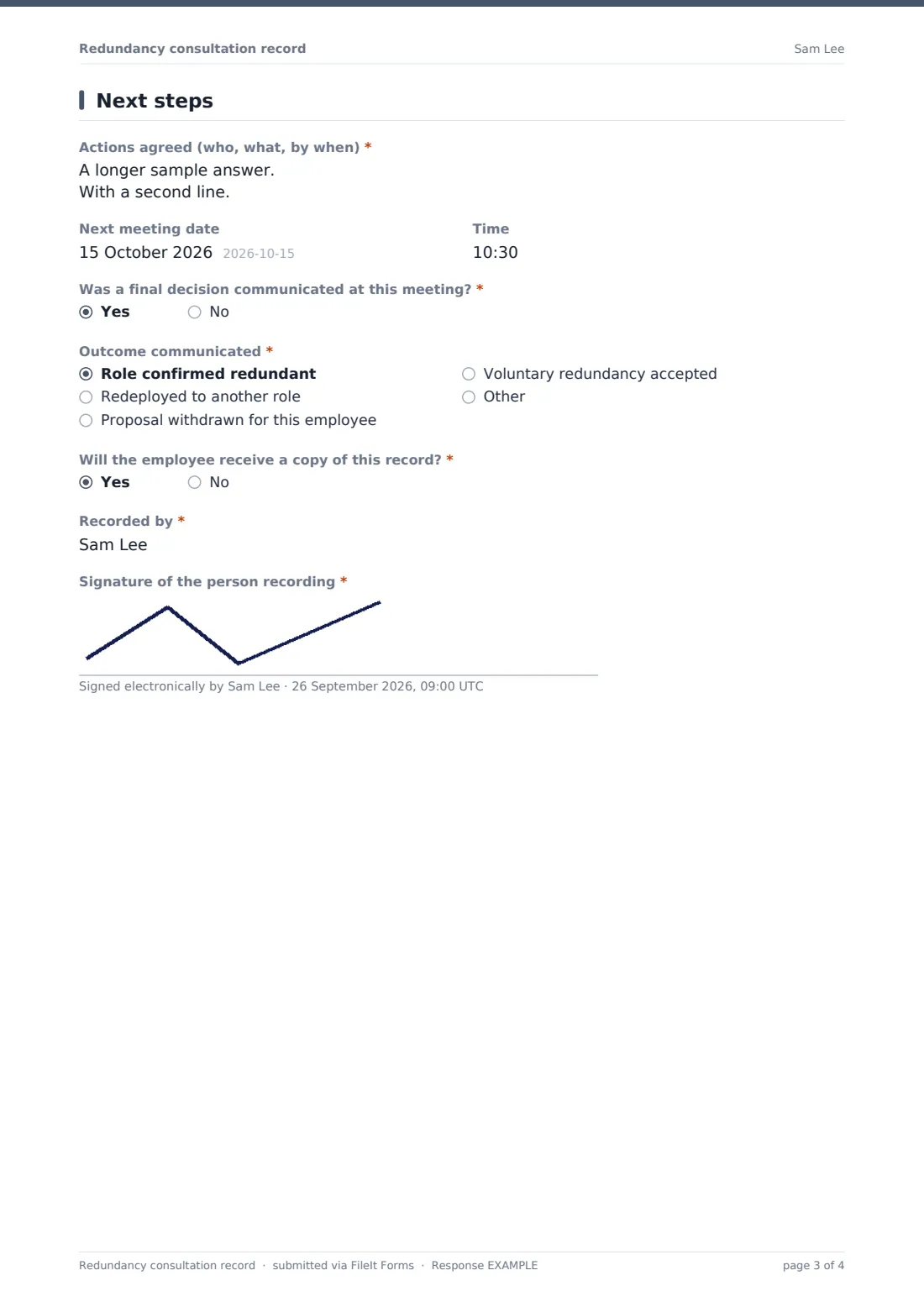
4 Next steps
- Actions agreed (who, what, by when)*
- Next meeting date
- Time
- Was a final decision communicated at this meeting?*
- Outcome communicated* asked only when it applies Role confirmed redundant · Redeployed to another role · Proposal withdrawn for this employee · Voluntary redundancy accepted
- Will the employee receive a copy of this record?*
- Recorded by*
- Signature of the person recording*
The redundancy consultation record form, page by page
1 Meeting details
The note-taker records the Employee's name, Job title, Department or location, which meeting this is (first, second, final or other), the Meeting date and Format, and who attended in what capacity. Was the employee accompanied? covers a representative, a colleague, declined or no; the companion's name and role can be noted.
2 Information shared
Topics covered is a tick list: business reasons, the selection pool, criteria and scores, the timeline, alternatives, vacancies, estimated payments and support available, plus anything else. Documents shared can be uploaded, and a required summary records what the company explained.
3 Discussion
The record captures the employee's views and responses, alternatives to redundancy discussed, whether they're interested in any vacancy (and which), and whether they challenged their selection or scores — a challenge requires a note of what was challenged and how it will be reviewed. Questions raised and the answers given or to follow up complete the page.
4 Next steps
Actions agreed, the next meeting's date and time, and whether a final decision was communicated are recorded. If it was, the outcome is chosen — redundant, redeployed, proposal withdrawn or voluntary redundancy accepted. The note-taker says whether the employee will receive a copy, gives their name and signs.
Make the template yours
- Edit the topics list to match the steps in your own redundancy policy
- Add your local consultation requirements to the cover text so note-takers have them to hand
- Route records into a restricted folder for the restructure project
- Pre-fill the employee's name and role by sending personal links to each manager
- Add an HR adviser's email to notifications so every record is reviewed
- Remove the final outcome questions if outcomes are always confirmed by letter
Tips for a better redundancy consultation record form
- Write the record the same day while the conversation is fresh
- Record the employee's own words for their views and questions, not a paraphrase
- Show genuine consideration of alternatives — note what was discussed and why each was or wasn't possible
- Follow up open questions in writing before the next meeting
- Get advice on your obligations before starting, as they differ by country and by the number of roles affected
- Offer the employee a copy so they can correct anything they think is wrong
Every response becomes a PDF in your vault
Each meeting record is saved as a signed PDF in your vault with any documents shared, so the full consultation history for each employee sits together in order. Every record carries the note-taker's name and signature.
HR can track each employee's progress through the process in the Responses table and export a CSV of meeting dates and outcomes for the project file.
- Start from this template. It opens in the FileIt Forms designer — change any question, add pages, set the rules for when questions appear.
- Share it. Turn on a public link, or send it to people by email, each with their own link. They don’t need a FileIt account.
- Get the answers as PDFs. Each response is saved as a PDF in the vault folder you choose, with uploaded files attached — and listed in a Responses table you can export to CSV.
Redundancy consultation record form: frequently asked questions
Is this redundancy consultation record template free?
Yes. It's included in the FileIt Forms app on every plan, including the free plan.
Does this form make our process legally compliant?
No. It's a structured record of each meeting. Consultation requirements depend on where you are and how many roles are affected, so take advice on your obligations.
Do we fill in one form per meeting?
Yes. Which meeting is this? lets you record the first, second, final or any other meeting, building a history for each employee.
Can we attach the documents we gave the employee?
Yes. Up to five files, such as letters, selection scores or a vacancy list, can be uploaded with the record.
Should the employee see the record?
Many employers share it. The form asks whether the employee will receive a copy, so write it factually.
Can the employee fill it in?
It's designed for the manager or HR note-taker. Employees' views are recorded in their own words during the meeting.