What is the pool season pass application form template?
Opening week at a community pool usually means a line of families at the office with cash, a utility bill and a phone full of photos to email in. This template moves the application online: one form per household, with names, ages, proof of address and photos uploaded together, so passes can be printed before the gates open.
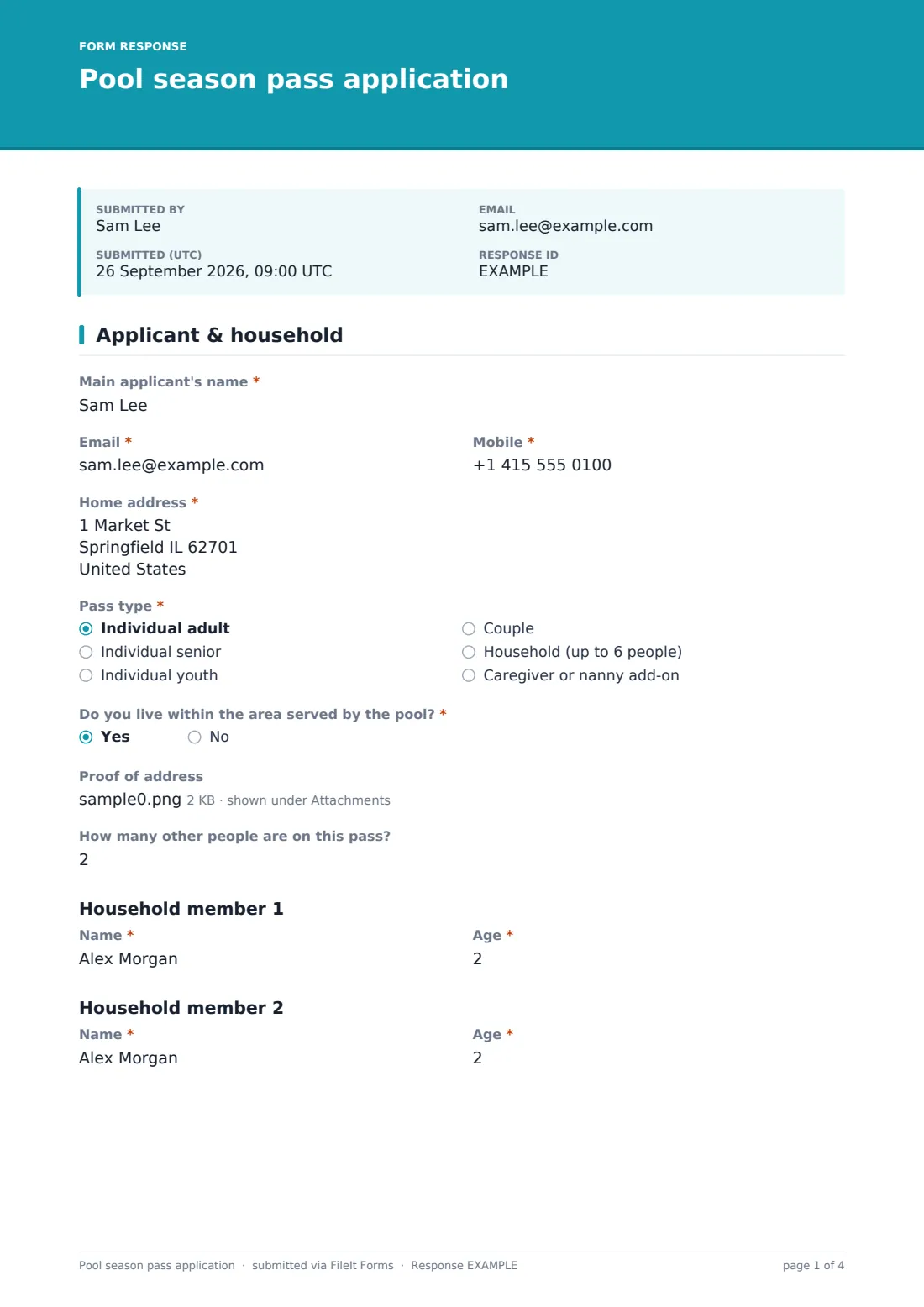
The main applicant gives their name, contact details and home address, chooses a pass type from individual adult to household, and says whether they live in the area the pool serves. A yes allows a proof-of-address upload. 'How many other people are on this pass?' then shows a name and age pair for each additional person, up to five.
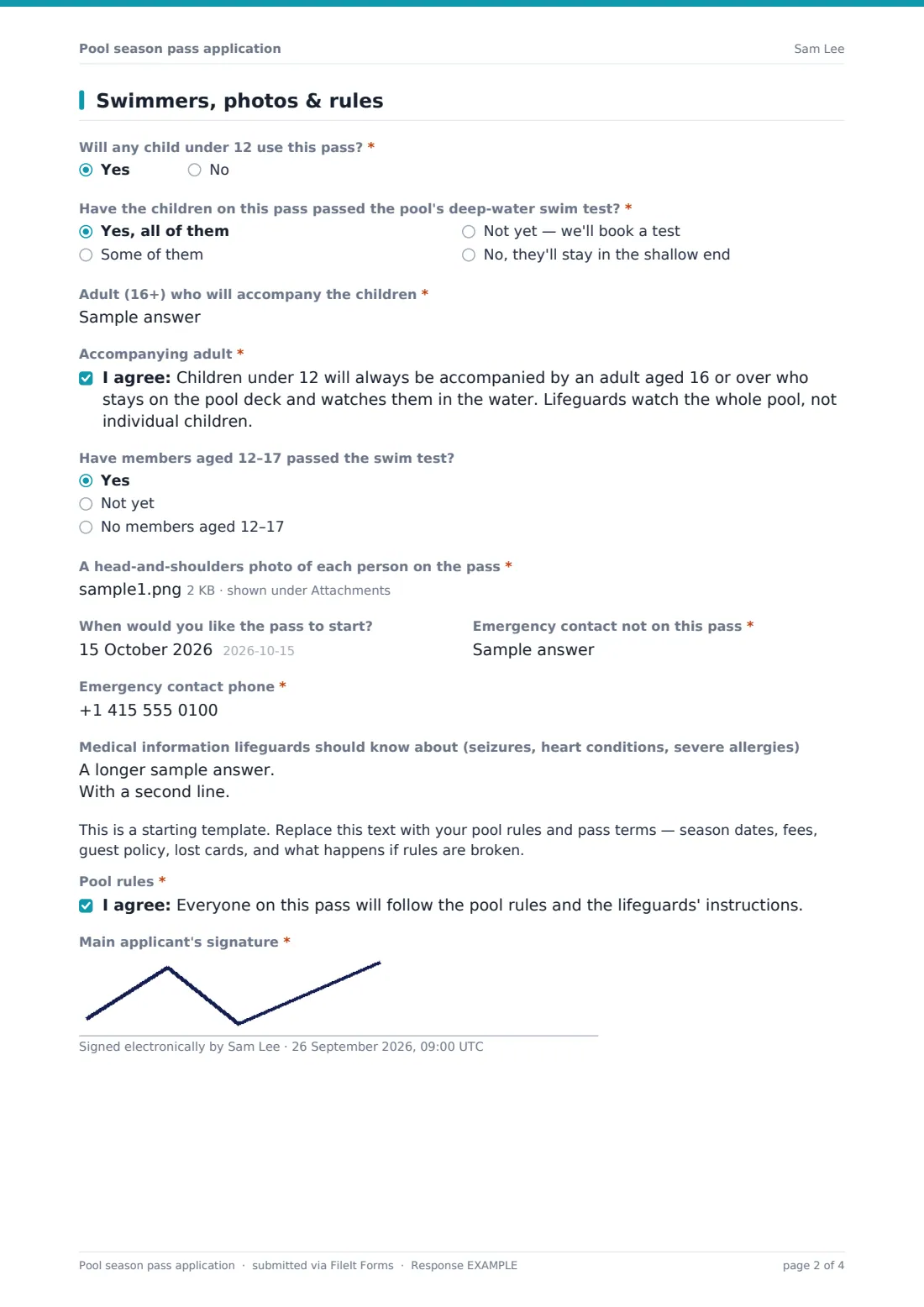
The second page deals with young swimmers. 'Will any child under 12 use this pass?' adds questions about the deep-water swim test, the name of the adult who will come with them, and an accompanying-adult acknowledgement that has to be ticked. Every applicant also answers about 12–17-year-olds' swim tests, uploads a photo of each person on the pass, adds an emergency contact and any medical notes for lifeguards, and signs the pool rules. Each application is saved as a PDF in your FileIt vault, with the photos attached.
- Best for
- Municipal and community pools, HOA and neighbourhood pools, swim and tennis clubs
- Filled in by
- The main adult in the household
- Time to complete
- About 5 minutes, plus finding the photos
- Includes
- Up to six people, residency proof, swim-test status, accompanying-adult acknowledgement, photos
Who uses a pool season pass application form?
- A town pool takes resident season pass applications in the spring
- An HOA pool issues passes to each household before Memorial Day
- A family of five applies with photos of every child
- A swim and tennis club checks which children still need a deep-water test
- A household adds a nanny so the children can swim on weekdays
- Pool staff look up a pass holder's medical notes from the vault
Questions on this pool season pass application form
31 questions over 2 pages · includes signature, file upload, conditional questions, multiple pages, consent checkbox.
1 Applicant & household
- Main applicant's name*
- Email*
- Mobile*
- Home address*
- Pass type* Individual adult · Individual senior · Individual youth · Couple · Household (up to 6 people) · Caregiver or nanny add-on
- Do you live within the area served by the pool?*
- Proof of address asked only when it applies
- How many other people are on this pass?
- Name* asked only when it applies
- Age* asked only when it applies
- Name* asked only when it applies
- Age* asked only when it applies
- Name* asked only when it applies
- Age* asked only when it applies
- Name* asked only when it applies
- Age* asked only when it applies
- Name* asked only when it applies
- Age* asked only when it applies
2 Swimmers, photos & rules
- Will any child under 12 use this pass?*
- Have the children on this pass passed the pool's deep-water swim test?* asked only when it applies Yes, all of them · Some of them · Not yet — we'll book a test · No, they'll stay in the shallow end
- Which children have passed? asked only when it applies
- Adult (16+) who will accompany the children* asked only when it applies
- Accompanying adult* asked only when it applies
- Have members aged 12–17 passed the swim test? Yes · Not yet · No members aged 12–17
- A head-and-shoulders photo of each person on the pass*
- When would you like the pass to start?
- Emergency contact not on this pass*
- Emergency contact phone*
- Medical information lifeguards should know about (seizures, heart conditions, severe allergies)
- Pool rules*
- Main applicant's signature*
The pool season pass application form, page by page
1 Applicant & household
'Main applicant's name', email, mobile and home address, all required. 'Pass type' is required, with six choices. 'Do you live within the area served by the pool?' adds a proof-of-address upload on a yes. 'How many other people are on this pass?' (0–5) shows a heading with a required name and age for each person.
2 Swimmers, photos & rules
A required question about children under 12. On a yes, it asks whether they've passed the deep-water swim test (and which ones, if only some have), the accompanying adult's name and the required acknowledgement. Then the swim-test status for 12–17-year-olds, required photos (up to six), a start date, an emergency contact, medical notes for lifeguards, a placeholder for your rules, the pool-rules consent and the signature.
Make the template yours
- Change the pass types and age bands to match your fee schedule
- Raise the household size by adding more member rows
- Change the under-12 age and the 16+ accompanying age to your own policy
- Remove the residency question if your pool has one rate for everyone
- Replace the rules placeholder with your season dates, guest policy and lost-card fee
- Set a close date at the end of your application window
Tips for a better pool season pass application form
- Ask for photos against a plain background. They print better on cards
- Sort responses by the swim-test answer to plan test sessions on opening weekend
- Check proof of address before printing resident-rate passes
- Share medical notes for lifeguards with the head guard, not the whole team
- Remind families that every child's photo is needed before the pass can be printed
Every response becomes a PDF in your vault
Each application is saved as a signed PDF in your vault. The proof of address and every photo are stored as attachments of that document, at full size. The applicant gets a copy by email.
Export to CSV to build the pass-holder list, and open single responses to download photos for printing.
- Start from this template. It opens in the FileIt Forms designer — change any question, add pages, set the rules for when questions appear.
- Share it. Turn on a public link, or send it to people by email, each with their own link. They don’t need a FileIt account.
- Get the answers as PDFs. Each response is saved as a PDF in the vault folder you choose, with uploaded files attached — and listed in a Responses table you can export to CSV.
Pool season pass application form: frequently asked questions
Is the pool season pass application template free?
Yes. It's a starter template in the Forms app, included with every FileIt account, including the free plan.
How are household members added?
The applicant says how many other people are on the pass, and the form shows a name and age row for each one, up to five.
What happens when a child under 12 is on the pass?
The form asks about the swim test, the name of the adult who will accompany them, and a required acknowledgement that an adult 16 or over will stay on deck and watch them.
Can families upload photos for the pass cards?
Yes. Up to six photos can be uploaded. They're kept with the application in your vault.
Can people pay for the pass on the form?
No. FileIt Forms doesn't take payments. Explain how to pay in your rules text or confirmation message.
Do applicants need a FileIt account?
No. They apply from a link on any device.