What is the photography client questionnaire form template?
The best sessions are planned. A photographer who knows in advance that there'll be a toddler and a dog, that the grandparents must be in one shot together, that the client loves a bright, airy look, and that the images will be used on a website, can plan light, time and shots before they arrive.
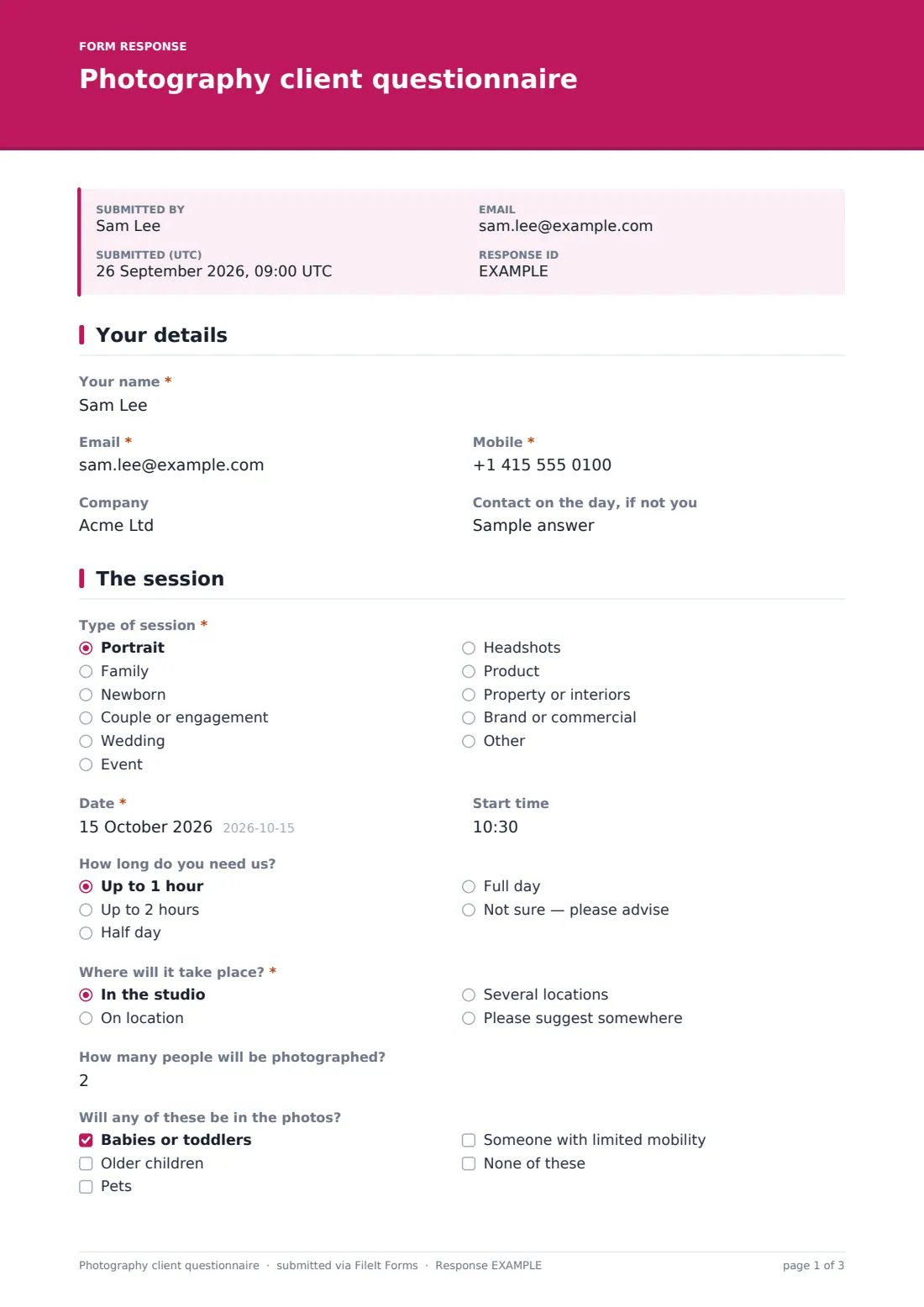
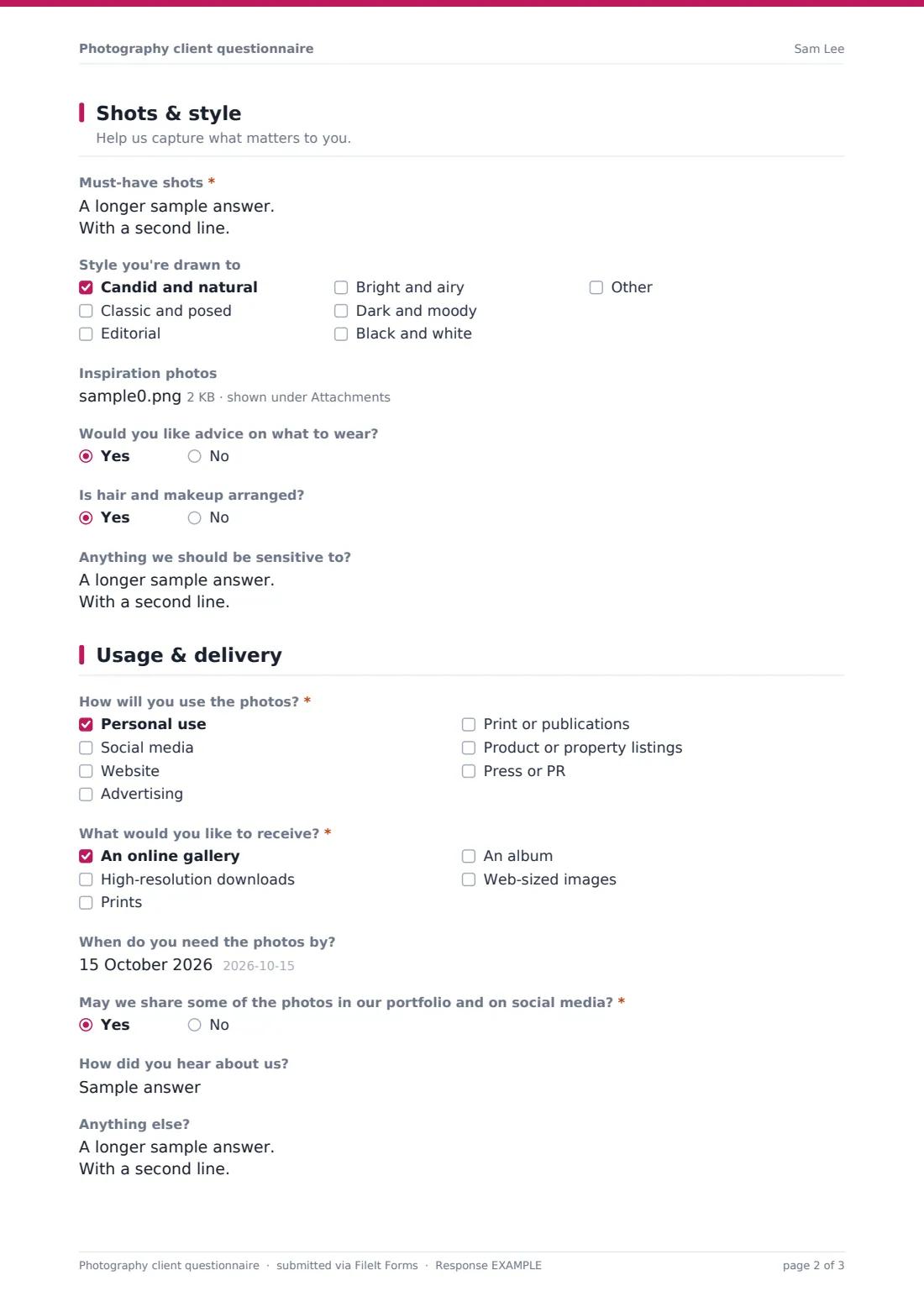
This photography client questionnaire collects those details for any kind of shoot. Clients give their contact details and who to call on the day, then describe the session: type, date and time, how long, where, a bad-weather plan and who will be in the photos. They list their must-have shots — with group combinations for weddings and a product list for product shoots — pick a style, upload inspiration and flag anything to be sensitive to. The last page covers how the images will be used, what they'd like to receive, and portfolio permission.
Every questionnaire is saved as a PDF in your FileIt vault with the inspiration images attached, ready to check before and during the shoot.
- Best for
- Portrait, family, wedding, event, product and commercial photographers
- Filled in by
- Clients who have booked a session
- Time to complete
- About 8-10 minutes
- Includes
- Session-specific follow-ups for weddings, products and locations, inspiration uploads and a usage question
Who uses a photography client questionnaire form?
- A family photographer preparing for an outdoor autumn session
- A wedding photographer collecting the group shot list weeks before the day
- A headshot photographer booking a team session at a client's office
- A product photographer confirming items, angles and backgrounds
- A property photographer scheduling interior shoots
- A brand photographer finding out where the images will be used before quoting for usage
Questions on this photography client questionnaire form
31 questions over 4 pages · includes file upload, conditional questions, multiple pages.
1 Your details
- Your name*
- Email*
- Mobile*
- Company
- Contact on the day, if not you
2 The session
- Type of session* Portrait · Family · Newborn · Couple or engagement · Wedding · Event · Headshots · Product · Property or interiors · Brand or commercial · Other
- What kind of session?* asked only when it applies
- Date*
- Start time
- How long do you need us? Up to 1 hour · Up to 2 hours · Half day · Full day · Not sure — please advise
- Where will it take place?* In the studio · On location · Several locations · Please suggest somewhere
- Location address* asked only when it applies
- Locations and timings* asked only when it applies
- If the weather is bad asked only when it applies Move indoors · Reschedule · Go ahead anyway
- How many people will be photographed?
- Will any of these be in the photos? Babies or toddlers · Older children · Pets · Someone with limited mobility · None of these
3 Shots & style
- Must-have shots*
- Group photo combinations asked only when it applies
- Products to photograph asked only when it applies
- Style you're drawn to Candid and natural · Classic and posed · Editorial · Bright and airy · Dark and moody · Black and white
- Inspiration photos
- Would you like advice on what to wear?
- Is hair and makeup arranged?
- Anything we should be sensitive to?
4 Usage & delivery
- How will you use the photos?* Personal use · Social media · Website · Advertising · Print or publications · Product or property listings · Press or PR
- Tell us about the advertising use asked only when it applies
- What would you like to receive?* An online gallery · High-resolution downloads · Prints · An album · Web-sized images
- When do you need the photos by?
- May we share some of the photos in our portfolio and on social media?*
- How did you hear about us?
- Anything else?
The photography client questionnaire form, page by page
1 Your details
The client gives their name, email and mobile, their company for business shoots, and a contact for the day if it isn't them.
2 The session
The client chooses the type of session — portrait, family, newborn, couple, wedding, event, headshots, product, property, brand or other — and gives the date, start time and how long they need you. They say whether the shoot is in the studio, on location (which asks for the address), across several locations (which asks for locations and timings), or somewhere you suggest.
For anything outside the studio, a bad-weather question asks whether to move indoors, reschedule or go ahead. The client says how many people will be photographed and whether babies, older children, pets or someone with limited mobility will be involved.
3 Shots & style
A required Must-have shots box lists the photos they'd be disappointed not to get. Wedding clients also list group combinations, and product clients list the products, angles and backgrounds. The client picks the styles they're drawn to, uploads up to ten inspiration images, says whether they want wardrobe advice and whether hair and makeup are arranged, and notes anything you should be sensitive to.
4 Usage & delivery
The client ticks how they'll use the photos — personal use, social media, website, advertising, print, listings or press — and advertising use asks where, for how long and in which regions. They choose what they'd like to receive, when they need the photos, whether you can share some in your portfolio and on social media, how they heard about you and anything else.
Make the template yours
- Trim the session types to the ones you actually offer
- Replace the delivery options with the products in your packages
- Add a question about the venue's photography rules for weddings and events
- Put your cancellation and weather policy in the cover text
- Send the questionnaire as a personal link once a session is booked
- Route questionnaires to a folder per client or per month in your vault
Tips for a better photography client questionnaire form
- Send the questionnaire at least a week before the shoot, and earlier for weddings
- Print the must-have shot list or keep it on your phone during the session
- Visit or look up the location in advance if it's somewhere new
- Treat the sensitivities answer with care and never mention it in front of others
- Confirm usage before you quote for commercial work — it affects licensing
- Respect a no to portfolio sharing and make a note on the client's file
Every response becomes a PDF in your vault
Each questionnaire is saved as a PDF in your vault with the client's inspiration photos attached. With notifications on, you're emailed when it arrives, and the client gets a copy of their answers.
The Responses table lists upcoming sessions with their dates and locations, which you can export to a CSV to plan your calendar. The portfolio permission answer stays on the PDF, so you can check it before sharing any image.
- Start from this template. It opens in the FileIt Forms designer — change any question, add pages, set the rules for when questions appear.
- Share it. Turn on a public link, or send it to people by email, each with their own link. They don’t need a FileIt account.
- Get the answers as PDFs. Each response is saved as a PDF in the vault folder you choose, with uploaded files attached — and listed in a Responses table you can export to CSV.
Photography client questionnaire form: frequently asked questions
Is this photography questionnaire template free?
Yes. It's a starter template in the FileIt Forms app, and you can change any of its questions.
Is this a model release?
No. The portfolio question records the client's preference, but it isn't a full release. Use a separate photo and video release if you need one.
Does it work for weddings?
Yes. Choosing Wedding as the session type adds a question for group photo combinations. Many wedding photographers also send a more detailed timeline questionnaire closer to the day.
Can clients upload inspiration photos from their phone?
Yes. The inspiration upload accepts JPG, PNG, HEIC and PDF files, up to ten.
Do clients need an account?
No. Clients open the link and submit without creating an account.
Does it handle booking and payment?
No. It's for session planning once a booking is agreed. Deposits and contracts are handled separately.