What is the networking matchmaking profile form template?
Matchmaking at conferences, trade shows and investor days works best when organisers know what each attendee can offer and what they're looking for. This profile asks for both, along with who they want to meet, the topics they'd like to talk about, and when they're free.
It's short enough to finish in a few minutes. Attendees can flag anyone they'd rather not be matched with, such as direct competitors, and choose to meet in person, by video or either. A consent statement explains that profile answers may be shared with other attendees, while email and phone are shared only with people they agree to meet.
Each profile is saved in FileIt and listed in the Responses table, where organisers can search and export answers by industry, role and who people want to meet. The matching itself is done by the organisers.
- Best for
- Conference organisers, trade shows, accelerators, chambers of commerce and investor events
- Filled in by
- Registered attendees
- Time to complete
- About 5 minutes
- Includes
- Name, contact, company, title, industry, size, location, photo, role, offer and need, who to meet, topics, exclusions, meeting format, free slots, meeting count, languages, sharing consent
Who uses a networking matchmaking profile form?
- Startup founders meeting investors at a demo day
- Buyers and suppliers at a trade show
- Mentors and mentees at an accelerator kick-off
- Members at a chamber of commerce mixer
- Researchers and industry partners at a conference
Questions on this networking matchmaking profile form
21 questions over 3 pages · includes file upload, multiple pages, consent checkbox.
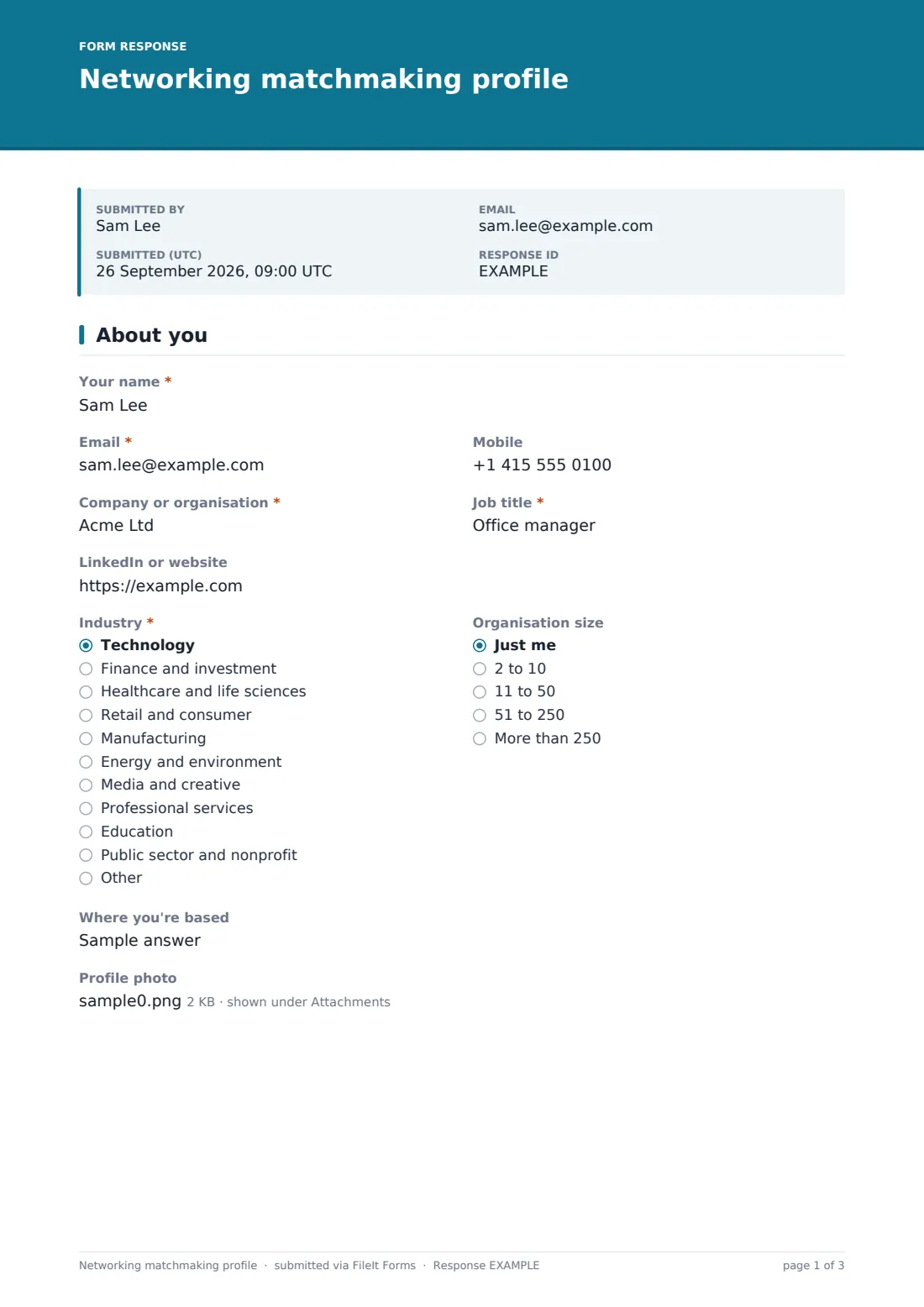
1 About you
- Your name*
- Email*
- Mobile
- Company or organisation*
- Job title*
- LinkedIn or website
- Industry* Technology · Finance and investment · Healthcare and life sciences · Retail and consumer · Manufacturing · Energy and environment · Media and creative · Professional services · Education · Public sector and nonprofit · Other
- Organisation size Just me · 2 to 10 · 11 to 50 · 51 to 250 · More than 250
- Where you're based
- Profile photo
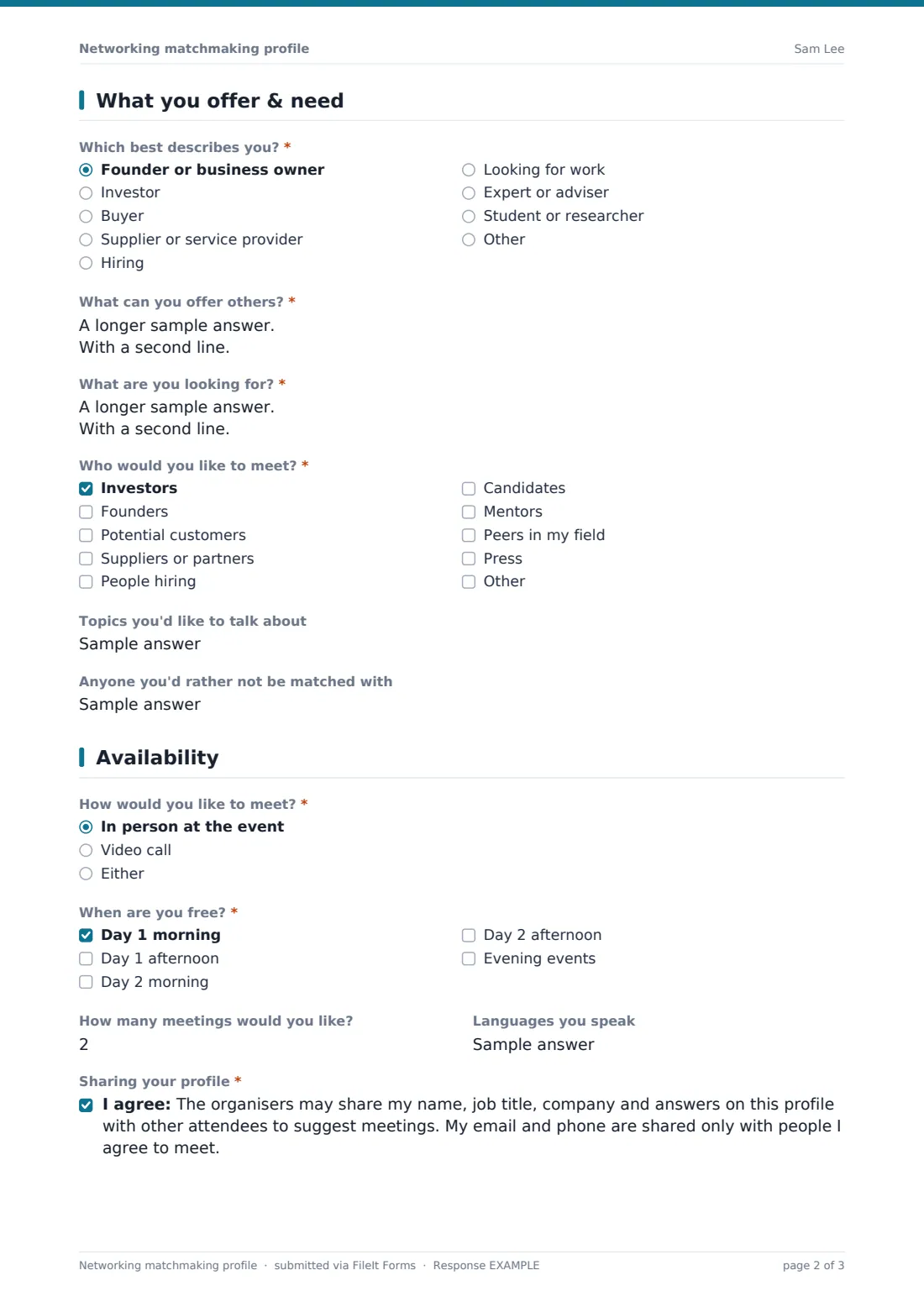
2 What you offer & need
- Which best describes you?* Founder or business owner · Investor · Buyer · Supplier or service provider · Hiring · Looking for work · Expert or adviser · Student or researcher
- What can you offer others?*
- What are you looking for?*
- Who would you like to meet?* Investors · Founders · Potential customers · Suppliers or partners · People hiring · Candidates · Mentors · Peers in my field · Press
- Topics you'd like to talk about
- Anyone you'd rather not be matched with
3 Availability
- How would you like to meet?* In person at the event · Video call · Either
- When are you free?* Day 1 morning · Day 1 afternoon · Day 2 morning · Day 2 afternoon · Evening events
- How many meetings would you like?
- Languages you speak
- Sharing your profile*
The networking matchmaking profile form, page by page
1 About you
Name, email, mobile, company, job title, LinkedIn or website, "Industry", "Organisation size", where they're based and an optional profile photo.
2 What you offer & need
"Which best describes you?" covers founders, investors, buyers, suppliers, people hiring or looking for work, experts and students. "What can you offer others?" and "What are you looking for?" are the core of the match. "Who would you like to meet?", the topics they'd like to talk about, and "Anyone you'd rather not be matched with" finish the page.
3 Availability
"How would you like to meet?", "When are you free?" across two days and evening events, how many meetings they'd like, languages spoken, and the sharing consent.
Make the template yours
- Rename the time slots to match your agenda
- Change the industry list to your event's sectors
- Add a question for company stage or investment size at investor events
- Send personal links to registered attendees so their name and email are prefilled
- Set a closing date a few days before the event so you have time to match
Tips for a better networking matchmaking profile form
- Close profiles early enough to send meeting suggestions before the event
- Match on what one person offers and another needs, not just on industry
- Respect the "rather not be matched with" answers
- Check time slots before suggesting a meeting
- Ask attendees afterwards which meetings were useful, to improve next time
Every response becomes a PDF in your vault
Each profile is saved in your FileIt vault as a PDF, and the Responses table lists every attendee's answers.
Export to CSV to sort and match attendees in a spreadsheet, or work from the table with search by industry or role.
- Start from this template. It opens in the FileIt Forms designer — change any question, add pages, set the rules for when questions appear.
- Share it. Turn on a public link, or send it to people by email, each with their own link. They don’t need a FileIt account.
- Get the answers as PDFs. Each response is saved as a PDF in the vault folder you choose, with uploaded files attached — and listed in a Responses table you can export to CSV.
Networking matchmaking profile form: frequently asked questions
Is this matchmaking profile template free?
Yes. It's one of the starter templates in the Forms app, included on every FileIt account, and you can edit any question.
Does FileIt match attendees automatically?
No. The form collects profiles. Organisers make the matches, for example from the CSV export.
Are attendees' contact details shown to everyone?
The consent statement says email and phone are shared only with people they agree to meet. Make sure your process follows that.
Do attendees need a FileIt account?
No. They open your link, answer the questions and submit. No account is needed.
Can we use it for a virtual event?
Yes. Attendees can choose video calls, and you can rename the time slots for an online schedule.