What is the mystery shopper report form template?
Mystery shopping works only when every evaluator reports the same things in the same way. A free-text email after each visit is hard to compare across branches; a structured report with timings, yes/partly/no checklists and required narrative gives an operations or retail manager findings they can act on.
This template takes an evaluator through a visit in order: assignment details and timings, the outside of the store and the greeting, the sales conversation, store condition and checkout, then an overall score and the most important positives and improvements. If they bought something, the report asks for the amount, checkout experience and a photo of the receipt.
It ends with a declaration that the evaluator stayed undercover and has no connection to the staff, plus a drawn signature. Every report is saved as a PDF in your FileIt vault, and the evaluator gets a copy by email.
- Best for
- Retailers, franchisors, banks, hospitality groups and mystery shopping agencies
- Filled in by
- Mystery shoppers or internal evaluators, straight after a visit
- Time to complete
- About 10–15 minutes
- Includes
- Timed visit details, four checklist grids, receipt upload, photos, declaration and signature
Who uses a mystery shopper report form?
- A retail chain checking greeting and sales standards across every branch each quarter
- A franchisor auditing brand standards at franchisee locations
- A mystery shopping agency collecting reports from its evaluators in one consistent format
- Testing how a returns or exchange process is handled on the shop floor
- Measuring the effect of a new sales training program before and after rollout
- Checking showrooms, branches or service counters, not just stores
Questions on this mystery shopper report form
32 questions over 5 pages · includes signature, file upload, conditional questions, multiple pages, consent checkbox, ratings.
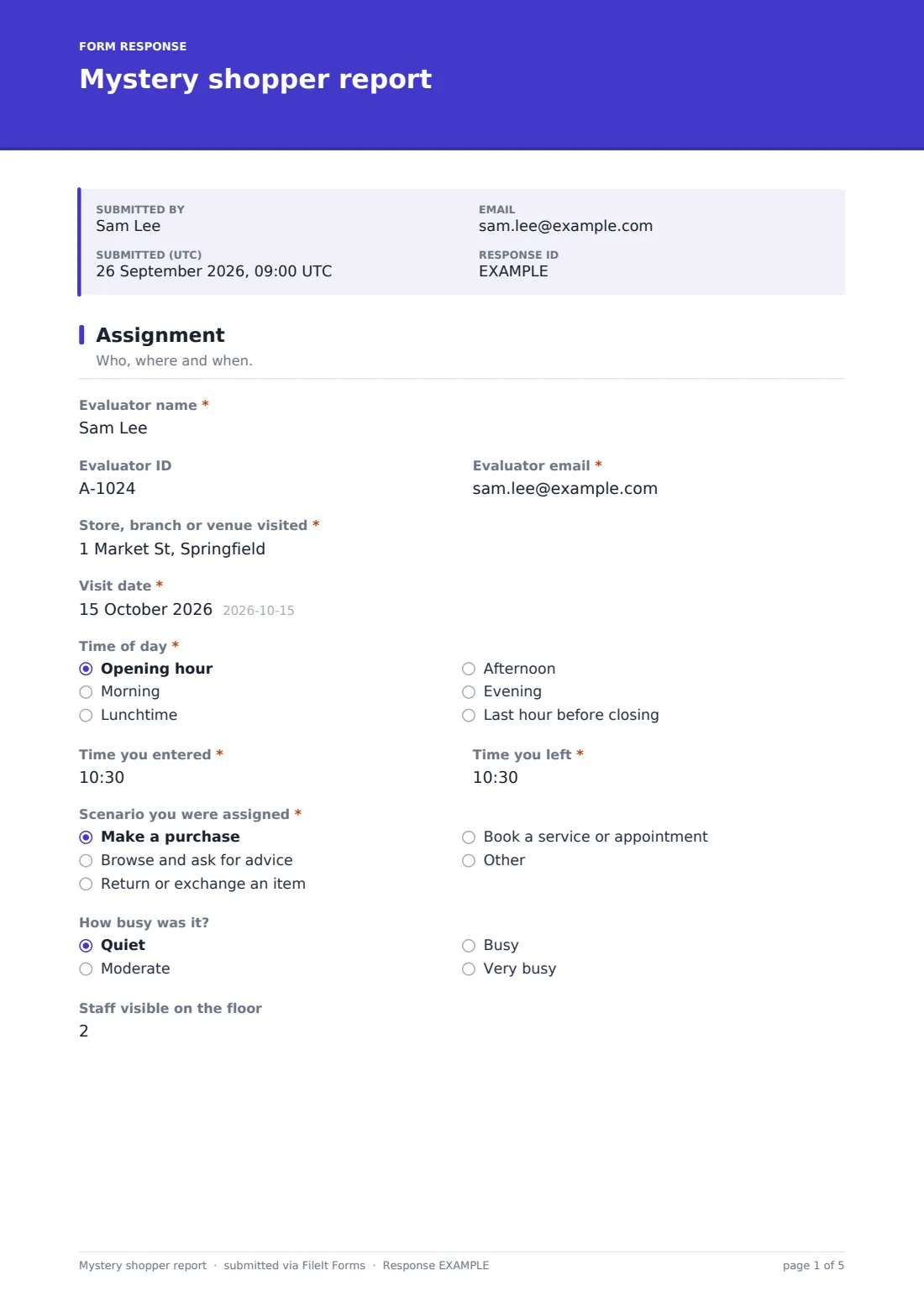
1 Assignment
- Evaluator name*
- Evaluator ID
- Evaluator email*
- Store, branch or venue visited*
- Visit date*
- Time of day* Opening hour · Morning · Lunchtime · Afternoon · Evening · Last hour before closing
- Time you entered*
- Time you left*
- Scenario you were assigned* Make a purchase · Browse and ask for advice · Return or exchange an item · Book a service or appointment
- How busy was it? Quiet · Moderate · Busy · Very busy
- Staff visible on the floor
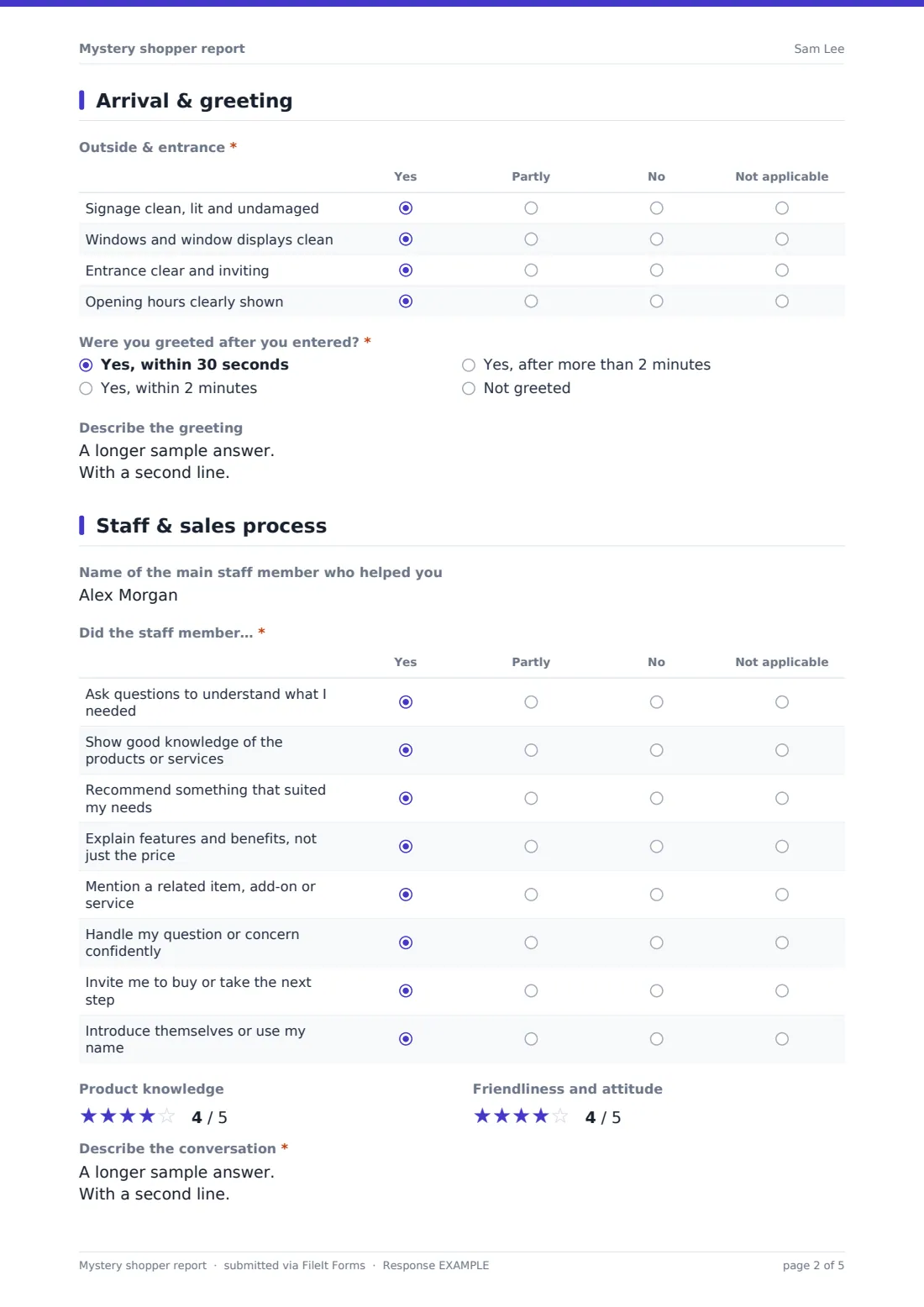
2 Arrival & greeting
- Outside & entrance* Yes · Partly · No · Not applicable
- Were you greeted after you entered?* Yes, within 30 seconds · Yes, within 2 minutes · Yes, after more than 2 minutes · Not greeted
- Describe the greeting asked only when it applies
3 Staff & sales process
- Name of the main staff member who helped you
- Did the staff member…* Yes · Partly · No · Not applicable
- Product knowledge
- Friendliness and attitude
- Describe the conversation*
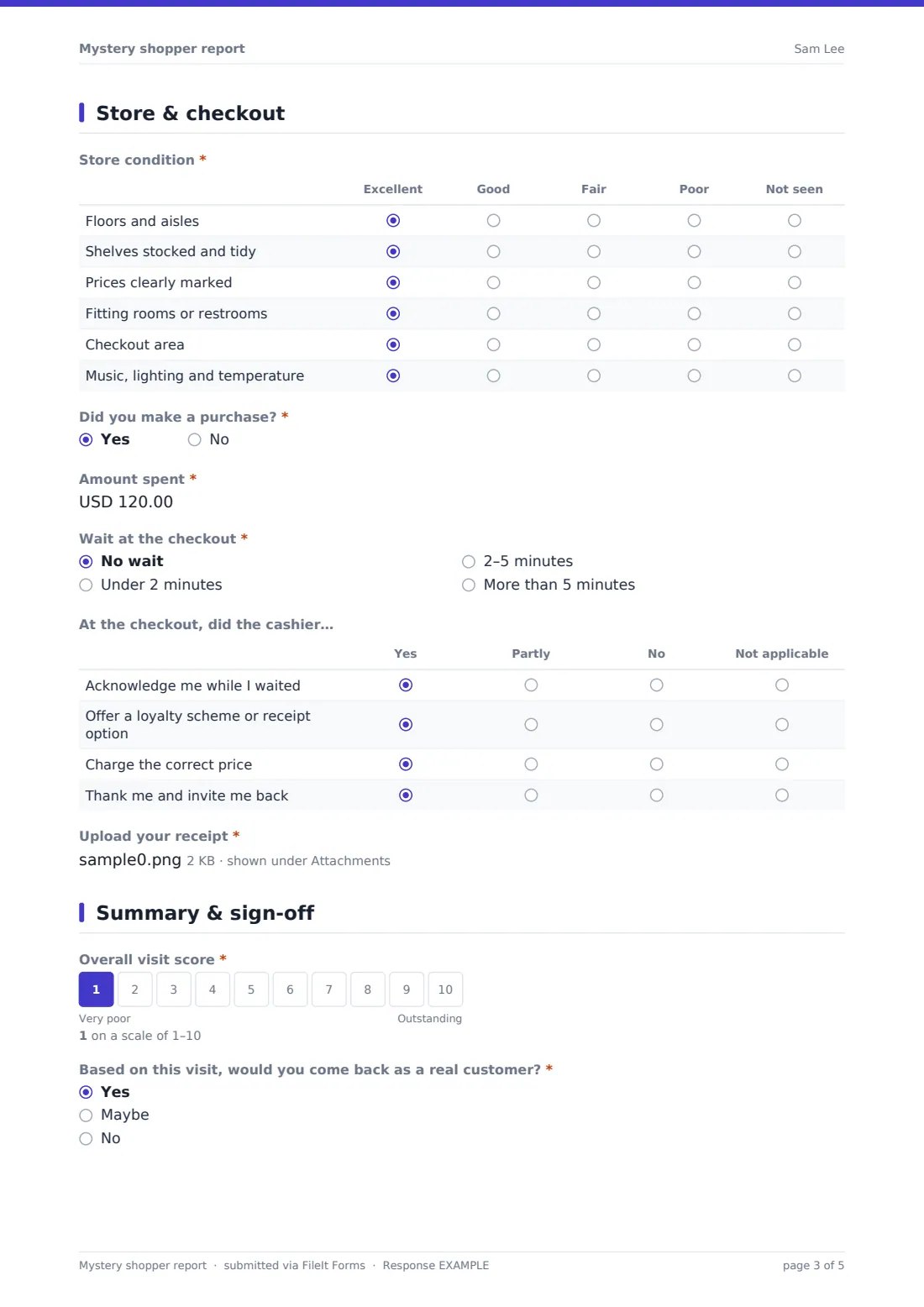
4 Store & checkout
- Store condition* Excellent · Good · Fair · Poor · Not seen
- Did you make a purchase?*
- Amount spent* asked only when it applies
- Wait at the checkout* asked only when it applies No wait · Under 2 minutes · 2–5 minutes · More than 5 minutes
- At the checkout, did the cashier… asked only when it applies Yes · Partly · No · Not applicable
- Upload your receipt* asked only when it applies
5 Summary & sign-off
- Overall visit score*
- Based on this visit, would you come back as a real customer?* Yes · Maybe · No
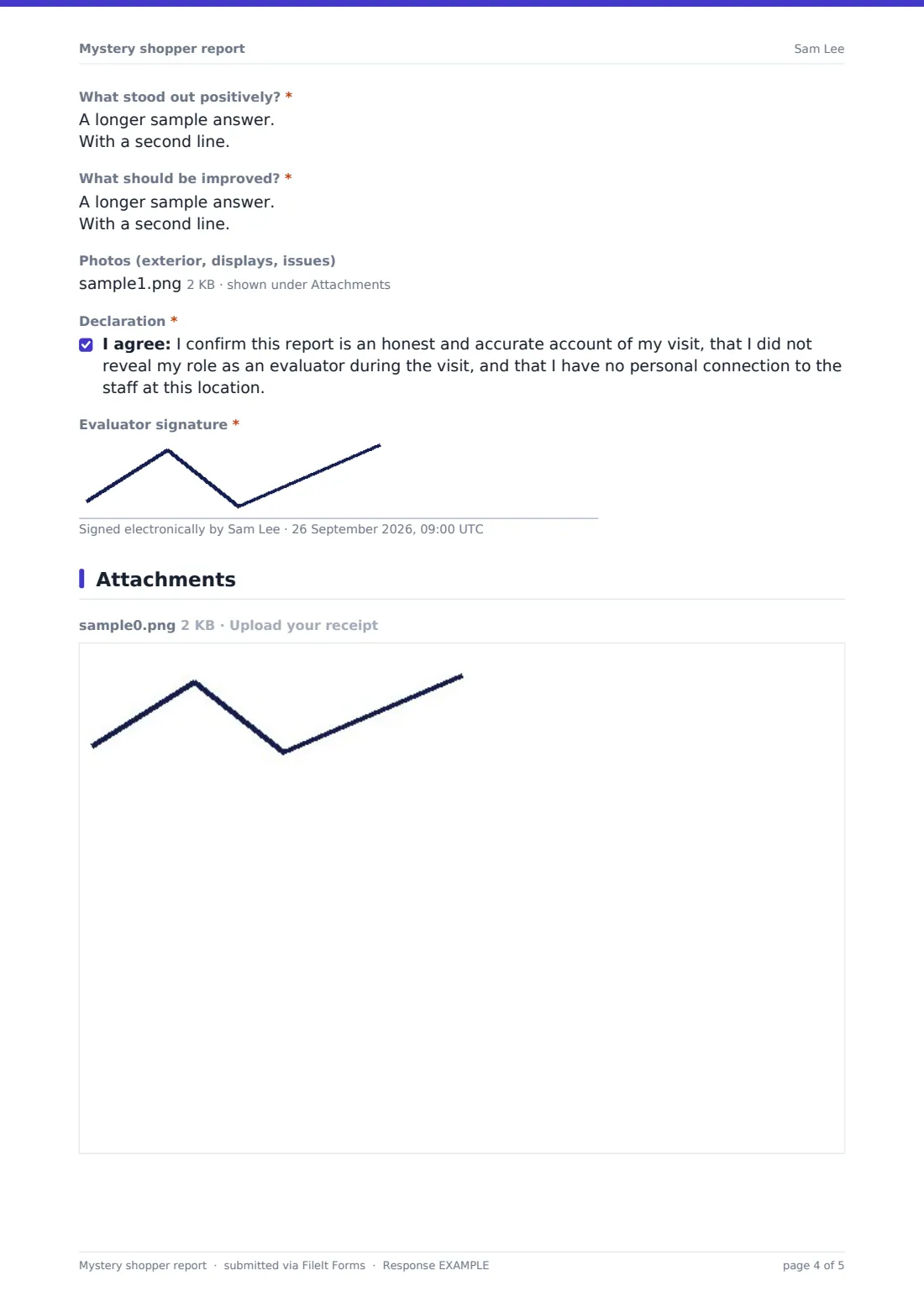
- What stood out positively?*
- What should be improved?*
- Photos (exterior, displays, issues)
- Declaration*
- Evaluator signature*
The mystery shopper report form, page by page
1 Assignment
The evaluator gives their name, ID and email, the store or branch visited, the visit date, time of day and exact times in and out. They record the scenario assigned (purchase, browse and ask for advice, return or exchange, book a service, or other), how busy it was and how many staff were visible.
2 Arrival & greeting
A grid rates the outside and entrance — signage, window displays, a clear entrance and visible opening hours — as Yes, Partly, No or Not applicable. The evaluator then says whether and how quickly they were greeted; unless the answer was 'Not greeted', a box asks them to describe the words used, eye contact and whether the staff member stopped what they were doing.
3 Staff & sales process
After naming or describing the main staff member, the evaluator works through an eight-row checklist: asking about needs, product knowledge, a suitable recommendation, features and benefits, an add-on, handling a concern, inviting the sale and introducing themselves. Star ratings for knowledge and attitude and a required narrative of the conversation follow.
4 Store & checkout
A grid rates floors, shelves, pricing, fitting rooms or restrooms, the checkout area and the atmosphere. If a purchase was made, the form asks for the amount, the checkout wait, a four-point checkout checklist, and a required receipt upload.
5 Summary & sign-off
The evaluator gives a 1–10 overall score, says whether they'd return as a real customer, and writes what stood out positively and what should improve. Optional photos can be added (with a reminder not to photograph staff or customers), then they agree to the declaration and sign.
Make the template yours
- Rewrite the sales checklist rows around your own service standards or steps of sale
- Change the currency of the amount spent field for your market
- Replace the scenario options with the scripts your program uses
- Add NotifyEmails for area managers so they see reports for their region
- Remove the photo upload if your program doesn't allow photos
- Duplicate the form per brand or region so reports file into separate vault folders
Tips for a better mystery shopper report form
- Brief evaluators to complete the report the same day, while details are fresh
- Ask for observed behaviour and quotes, not opinions — the narrative fields prompt for this
- Vary visit times across the week so you see more than one shift
- Share results with store teams as coaching, and recognise good visits as well as poor ones
- Check the time in and time out against the receipt before approving reimbursement
- Keep the checklist the same between rounds so you can compare scores over time
Every response becomes a PDF in your vault
Each report is saved as a PDF titled with the evaluator's name and visit date in the vault folder you choose, with the receipt and any photos attached. You're notified by email and the evaluator receives a copy.
The Responses table lets you filter by store, scenario or purchase, open each report, and export all answers to CSV to compare branches or track scores between rounds.
- Start from this template. It opens in the FileIt Forms designer — change any question, add pages, set the rules for when questions appear.
- Share it. Turn on a public link, or send it to people by email, each with their own link. They don’t need a FileIt account.
- Get the answers as PDFs. Each response is saved as a PDF in the vault folder you choose, with uploaded files attached — and listed in a Responses table you can export to CSV.
Mystery shopper report form: frequently asked questions
Is this mystery shopper report template free?
Yes. It's a starter template in the FileIt Forms app, and you can edit every question.
Do evaluators need a FileIt account?
No. Send them the link or a personal request; they can complete it on a phone or computer.
Can evaluators upload their receipt?
Yes. When they say they made a purchase, a required receipt upload appears, taking PDFs or photos.
Does it calculate a score automatically?
No. The evaluator gives an overall 1–10 score, and you can export the checklist answers to CSV to calculate your own weighted scores.
Is the signature legally binding?
The form records a drawn signature and an agreed declaration as part of the response. Whether that meets any particular requirement depends on your own agreements with evaluators.
Can I use it for phone or online mystery shopping?
It's designed for in-person visits, but you can edit the arrival and store condition pages to suit a call or website evaluation.