What is the music lesson registration form template?
Matching a new student to a teacher and a lesson slot takes a few key facts: the instrument, their level, what they want to achieve, and when they're free. Getting those over the phone or by email often means several back-and-forth messages.
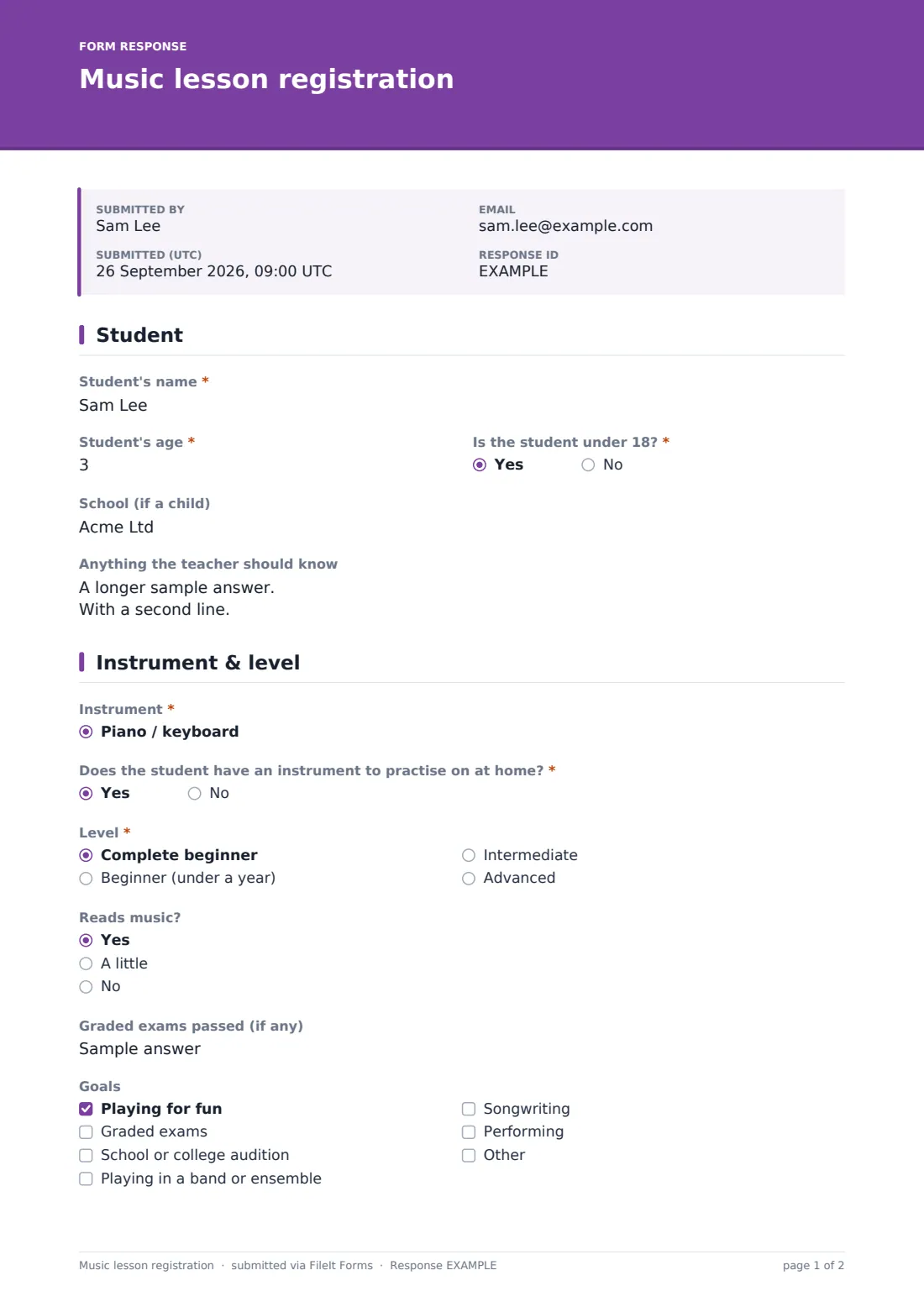
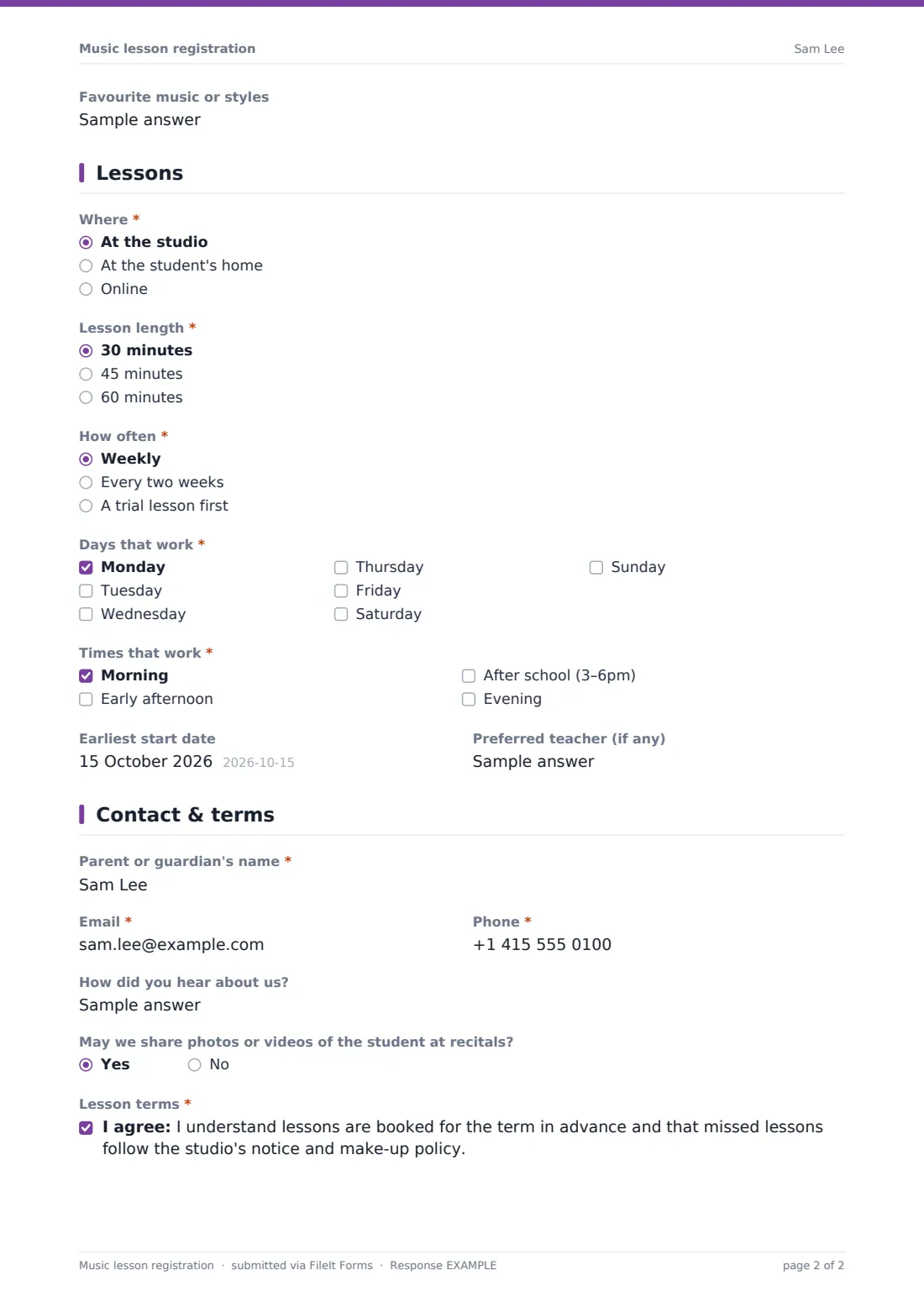
This template collects it all up front. Students or parents enter the student's details, instrument and level, years playing and whether they read music, goals and favourite styles, then choose where, how long and how often they want lessons, and which days and times work. It finishes with contact details, photo permission and the studio's lesson terms.
Every registration becomes a PDF in your vault, and the Responses table gives you a clear list of new students waiting for a slot.
- Best for
- Private music teachers, music schools and community music programs
- Filled in by
- Adult students, or parents registering a child
- Time to complete
- About 5 minutes
- Includes
- Instrument and level questions, home-lesson address, day and time availability, and a terms consent
Who uses a music lesson registration form?
- New student sign-ups for a music school or studio
- Private teachers taking on students for piano, guitar, singing and more
- Collecting availability to build a weekly teaching timetable
- Offering trial lessons before a term commitment
- Home visits and online lessons as well as studio lessons
- Adult learners returning to an instrument
Questions on this music lesson registration form
28 questions over 4 pages · includes conditional questions, multiple pages, consent checkbox.
1 Student
- Student's name*
- Student's age*
- Is the student under 18?*
- School (if a child) asked only when it applies
- Anything the teacher should know
2 Instrument & level
- Instrument* Piano / keyboard · Guitar · Bass guitar · Violin · Viola · Cello · Flute · Clarinet · Saxophone · Trumpet · Drums / percussion · Voice / singing
- Which instrument?* asked only when it applies
- Does the student have an instrument to practise on at home?*
- Level* Complete beginner · Beginner (under a year) · Intermediate · Advanced
- Years playing asked only when it applies
- Reads music? Yes · A little · No
- Graded exams passed (if any)
- Goals Playing for fun · Graded exams · School or college audition · Playing in a band or ensemble · Songwriting · Performing
- Favourite music or styles
3 Lessons
- Where* At the studio · At the student's home · Online
- Address for home lessons* asked only when it applies
- Lesson length* 30 minutes · 45 minutes · 60 minutes
- How often* Weekly · Every two weeks · A trial lesson first
- Days that work* Monday · Tuesday · Wednesday · Thursday · Friday · Saturday · Sunday
- Times that work* Morning · Early afternoon · After school (3–6pm) · Evening
- Earliest start date
- Preferred teacher (if any)
4 Contact & terms
- Parent or guardian's name* asked only when it applies
- Email*
- Phone*
- How did you hear about us?
- May we share photos or videos of the student at recitals?
- Lesson terms*
The music lesson registration form, page by page
1 Student
The student's name and age are required, along with whether they're under 18 — a yes asks for their school. An optional box lets the family share anything the teacher should know, such as learning differences or how the student learns best.
2 Instrument & level
A dropdown covers piano, guitar, bass, violin, viola, cello, flute, clarinet, saxophone, trumpet, drums, voice, ukulele and music theory, with an 'Other' that asks which instrument. Required questions ask whether there's an instrument at home to practise on and the student's level; anyone beyond complete beginner is asked for years playing. Optional fields cover reading music, graded exams passed, goals and favourite styles.
3 Lessons
Families choose studio, home or online lessons — home lessons ask for the address — plus 30, 45 or 60 minutes and weekly, fortnightly or a trial lesson first. Days and times that work are both required checklists, followed by an earliest start date and any preferred teacher.
4 Contact & terms
A parent or guardian's name is required when the student is under 18. Email and phone are required for everyone, with optional questions on how they heard about you and photo or video permission for recitals. A consent statement confirms lessons are booked for the term in advance and missed lessons follow the studio's notice and make-up policy.
Make the template yours
- Trim the instrument list to what you actually teach
- Replace the terms statement with your studio's own policy
- Add your prices to the cover text or a paragraph
- Add a question about the exam board if you prepare students for graded exams
- File registrations in a folder per teacher
- Close the form when your timetable is full
Tips for a better music lesson registration form
- Ask about an instrument at home early — it affects progress more than anything
- Offer a trial lesson for complete beginners
- Use the availability answers to build your timetable before replying
- Link your full terms and cancellation policy from the cover text
- Only use recital photos where you have permission
- Keep registrations on file for the student's time with you
Every response becomes a PDF in your vault
When a registration is submitted, FileIt saves it as a PDF and files it in the vault folder you've chosen, and you get a notification. The family can receive a copy by email.
Most studios sort new registrations by instrument and availability in the Responses table, then contact each family with a teacher and slot. The CSV export helps when building a term timetable.
- Start from this template. It opens in the FileIt Forms designer — change any question, add pages, set the rules for when questions appear.
- Share it. Turn on a public link, or send it to people by email, each with their own link. They don’t need a FileIt account.
- Get the answers as PDFs. Each response is saved as a PDF in the vault folder you choose, with uploaded files attached — and listed in a Responses table you can export to CSV.
Music lesson registration form: frequently asked questions
Is this music lesson registration template free?
Yes. It's included with the Forms app on every FileIt account, including the free plan.
Can parents register a child?
Yes. When the student is under 18 the form asks for a parent or guardian's name.
Can I offer home and online lessons?
Yes. Families choose studio, home or online lessons, and home lessons ask for an address.
Can I change the instrument list?
Yes. Edit the dropdown in the Forms designer to list the instruments you teach.
Does it take payment?
No. The form collects registrations and agreement to your terms. You invoice or take payment separately.
Do families need a FileIt account?
No. They register from a link without an account.