What is the jury duty leave request form template?
A jury summons usually lands with a few weeks' notice and a lot of uncertainty. The employee isn't sure whether they'll sit for one day or three weeks, the manager needs to plan cover, and payroll needs to know whether to pay normally, top up a court allowance or record unpaid leave. A one-line email rarely covers it all.
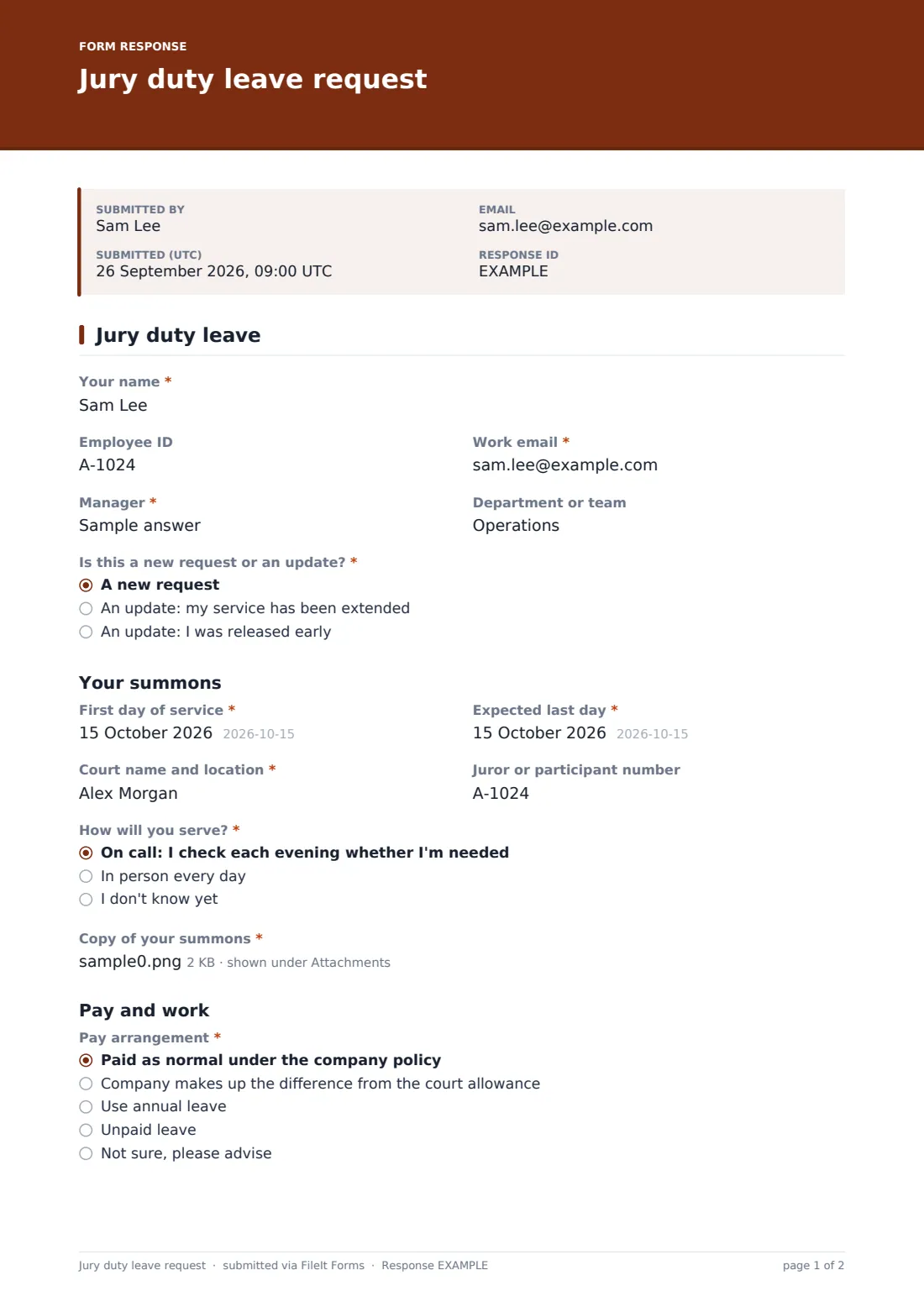
This one-page jury duty leave request sets out the facts. The employee gives their details and manager, then the dates from the summons, the court and their juror number, and says whether they'll be on call or attending every day. A copy of the summons is a required upload. Under Pay and work, they choose a pay arrangement, say whether the court pays an allowance, and whether they'll come in on days they're not needed.
Jury service rarely goes to plan, so the first question asks whether this is a new request or an update. Choosing that service has been extended asks for the new end date. Choosing an early release asks for the last day served. Every request and update is filed as a PDF in your FileIt vault next to the summons.
- Best for
- HR teams and small employers handling jury service
- Filled in by
- The employee who has been summoned
- Time to complete
- About 3 minutes
- Includes
- Summons upload, on-call or daily service, pay arrangement, cover notes and extension updates
Who uses a jury duty leave request form?
- An employee receiving a summons for two weeks next month
- Updating HR when a trial runs a week longer than planned
- Letting the manager know an on-call juror will work on days they're not needed
- A small business recording jury leave consistently for payroll
- Asking HR for a supporting letter when the dates clash with a critical project
- Keeping the summons and attendance record together for each employee
Questions on this jury duty leave request form
23 questions · includes file upload, conditional questions, consent checkbox.
1 Jury duty leave
- Your name*
- Employee ID
- Work email*
- Manager*
- Department or team
- Is this a new request or an update?* A new request · An update: my service has been extended · An update: I was released early
- New end date* asked only when it applies
- What did the court tell you? asked only when it applies
- Last day of service* asked only when it applies
- First day of service*
- Expected last day*
- Court name and location*
- Juror or participant number
- How will you serve?* On call: I check each evening whether I'm needed · In person every day · I don't know yet
- Copy of your summons*
- Pay arrangement* Paid as normal under the company policy · Company makes up the difference from the court allowance · Use annual leave · Unpaid leave · Not sure, please advise
- Will you receive an allowance or expenses from the court?
- Will you come in on days or half-days you're not needed?*
- Cover and handover
- Would you like a letter from us supporting a request to defer?
- What clashes with the dates?* asked only when it applies
- Confirmation*
- Date*
The jury duty leave request form, page by page
1 Jury duty leave
The employee enters Your name, Employee ID, work email, Manager and team. Is this a new request or an update? offers a new request, an update because service has been extended (asking for the New end date and what the court said), or an update after an early release (asking for the Last day of service).
Under Your summons come the First day of service, Expected last day, Court name and location and Juror or participant number. How will you serve? distinguishes being on call from attending in person every day. Copy of your summons is a required upload.
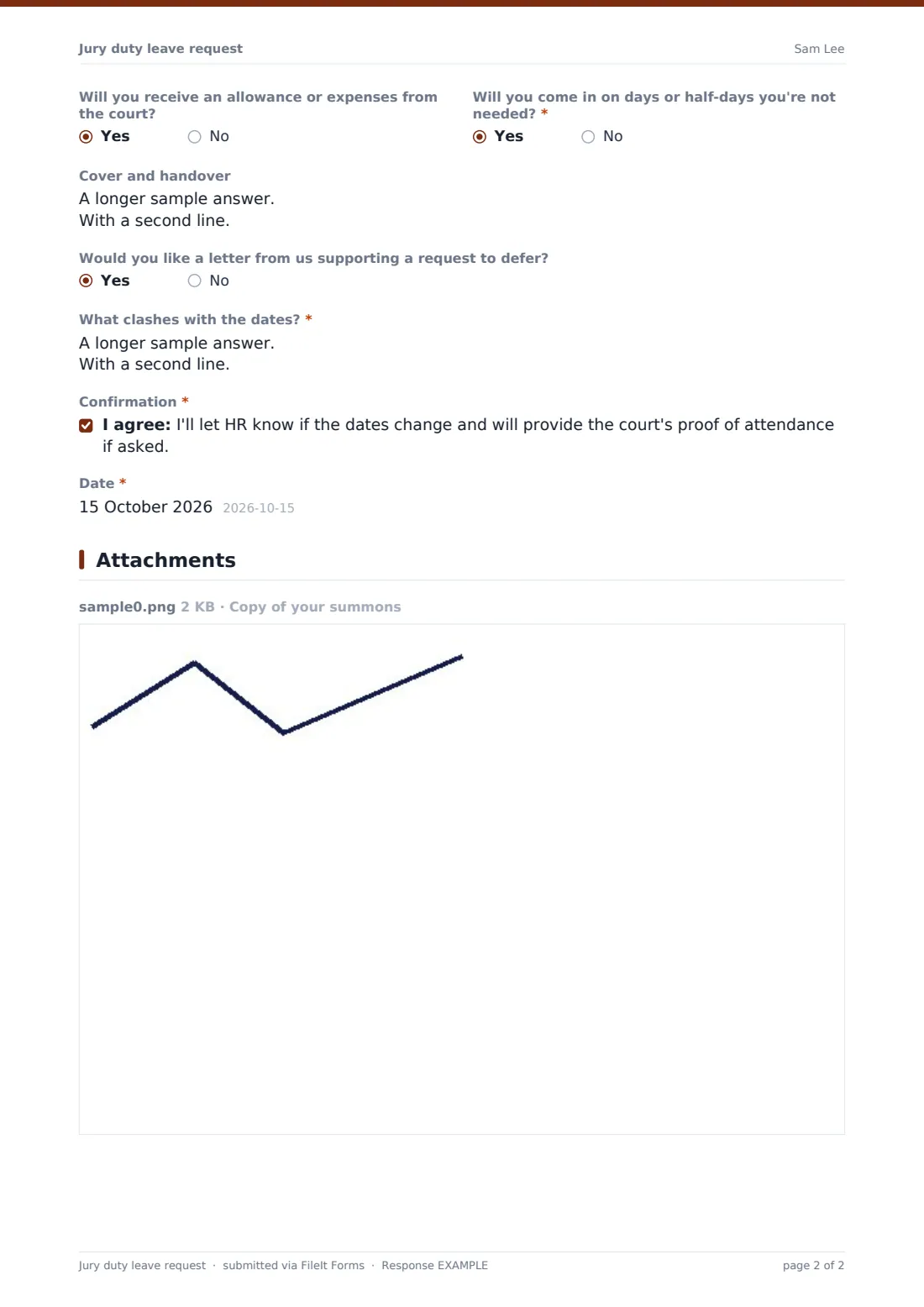
Under Pay and work, Pay arrangement offers normal pay under company policy, a top-up from the court allowance, annual leave, unpaid leave, or Not sure, please advise, with a note that HR will confirm what applies. Two yes or no questions cover any court allowance and coming in on days not needed. Cover and handover holds notes for the manager. A Yes to the deferral letter question asks what clashes with the dates. The employee confirms they'll report changes and provide proof of attendance if asked.
Make the template yours
- Replace the pay options with the single arrangement your policy provides
- Add your policy's maximum paid days to the cover text
- Remove the deferral question if you never support deferrals
- Add the manager's email so they're notified at the same time
- Make the Employee ID required if payroll keys on it
- Route responses to a folder per department
Tips for a better jury duty leave request form
- Check the rules where you operate; many places protect employees on jury service and some set pay requirements
- Ask for proof of attendance from the court when service ends, and file it with the request
- Agree in advance how on-call days work, so the employee isn't left guessing whether to come in
- Don't pressure anyone to seek a deferral; offer a supporting letter only if they ask
- Use the update option instead of email so the record stays in one place
Every response becomes a PDF in your vault
Each request or update is saved as a PDF in the vault folder you choose, titled with the employee's name, with the summons attached. You're notified by email, and the employee can keep a copy.
HR confirms the pay arrangement and the manager plans cover. The Responses table shows who is on jury service and when, and exports to CSV for payroll.
- Start from this template. It opens in the FileIt Forms designer — change any question, add pages, set the rules for when questions appear.
- Share it. Turn on a public link, or send it to people by email, each with their own link. They don’t need a FileIt account.
- Get the answers as PDFs. Each response is saved as a PDF in the vault folder you choose, with uploaded files attached — and listed in a Responses table you can export to CSV.
Jury duty leave request form: frequently asked questions
Is this jury duty leave form free?
Yes. It's a starter template in FileIt's Forms app on every account, and every question can be edited.
Does the form decide whether jury duty is paid?
No. The employee says what they expect, and HR confirms what your policy and local rules provide.
What if the trial runs longer than the summons says?
The employee fills in the form again and chooses that their service has been extended. The form asks for the new end date.
Is the summons upload required?
Yes, on this template, since most employers want a copy on file. You can make it optional in the designer.
Can HR help an employee defer?
The form lets the employee ask for a supporting letter and explain the clash. The decision to defer rests with the court.
Do employees need a FileIt account?
No. Share the link and they can submit without signing up.