What is the hOA meeting proxy form template?
Association meetings often struggle to reach quorum, and owners who can't attend still want a say on the budget, a special assessment or the board election. A proxy lets them send someone in their place, but a loose note doesn't tell the secretary who the proxy is, what kind of proxy it is or how to vote.
This HOA meeting proxy template records the owner, unit and meeting, then the person appointed: the board secretary or chair, or a named person with an optional alternate. The owner chooses a quorum-only, directed or general proxy. Directed and general proxies open a voting grid for each motion (for, against, abstain or proxy decides), a box for board election choices and a choice about matters not on the agenda. The form ends with how long the proxy is valid, how to revoke it and the owner's signature.
Each proxy is filed as a signed PDF in your FileIt vault, ready to hand to the secretary or inspector of elections, and the Responses table gives a running count before the meeting.
- Best for
- Homeowners' associations, condo and strata corporations, co-ops and their managing agents
- Filled in by
- Owners who won't attend the meeting in person
- Time to complete
- About 3 minutes
- Includes
- Owner and unit, meeting details, proxy holder and alternate, quorum, directed or general proxy, per-motion voting grid, election choices, validity, signature
Who uses a hOA meeting proxy form?
- An HOA collecting proxies ahead of its annual meeting to make quorum
- A condo board running a special meeting on a special assessment
- A managing agent tracking proxies across several associations
- A co-op letting owners abroad instruct a neighbour how to vote
- A townhouse community electing new board members
- An adjourned meeting where the original proxies need to carry over
Questions on this hOA meeting proxy form
21 questions over 3 pages · includes signature, conditional questions, multiple pages, ratings.
1 Owner & meeting
- Association name*
- Owner*
- Co-owner(s)
- Unit, lot or home address*
- Email*
- Meeting* Annual meeting · Special meeting · Adjourned meeting
- Meeting date*
- Time
2 Proxy holder
- I appoint* The board secretary or chair, whoever is present · A named person
- Proxy holder's full name* asked only when it applies
- Proxy holder's email or phone asked only when it applies
- Is the proxy holder also an owner in the association? asked only when it applies
- Alternate, if the proxy holder can't attend
- Type of proxy* Quorum only: count me as present · Directed: vote as I instruct below · General: the proxy may vote as they see fit
3 Voting instructions & signature
- Voting instructions asked only when it applies For · Against · Abstain · Proxy decides
- The other motion is asked only when it applies
- Board election: candidates I vote for asked only when it applies
- On matters not on the agenda, my proxy may asked only when it applies Vote as they see fit · Not vote
- This proxy is valid for* This meeting and any adjournment of it · This meeting only
- Owner's signature*
- Date signed*
The hOA meeting proxy form, page by page
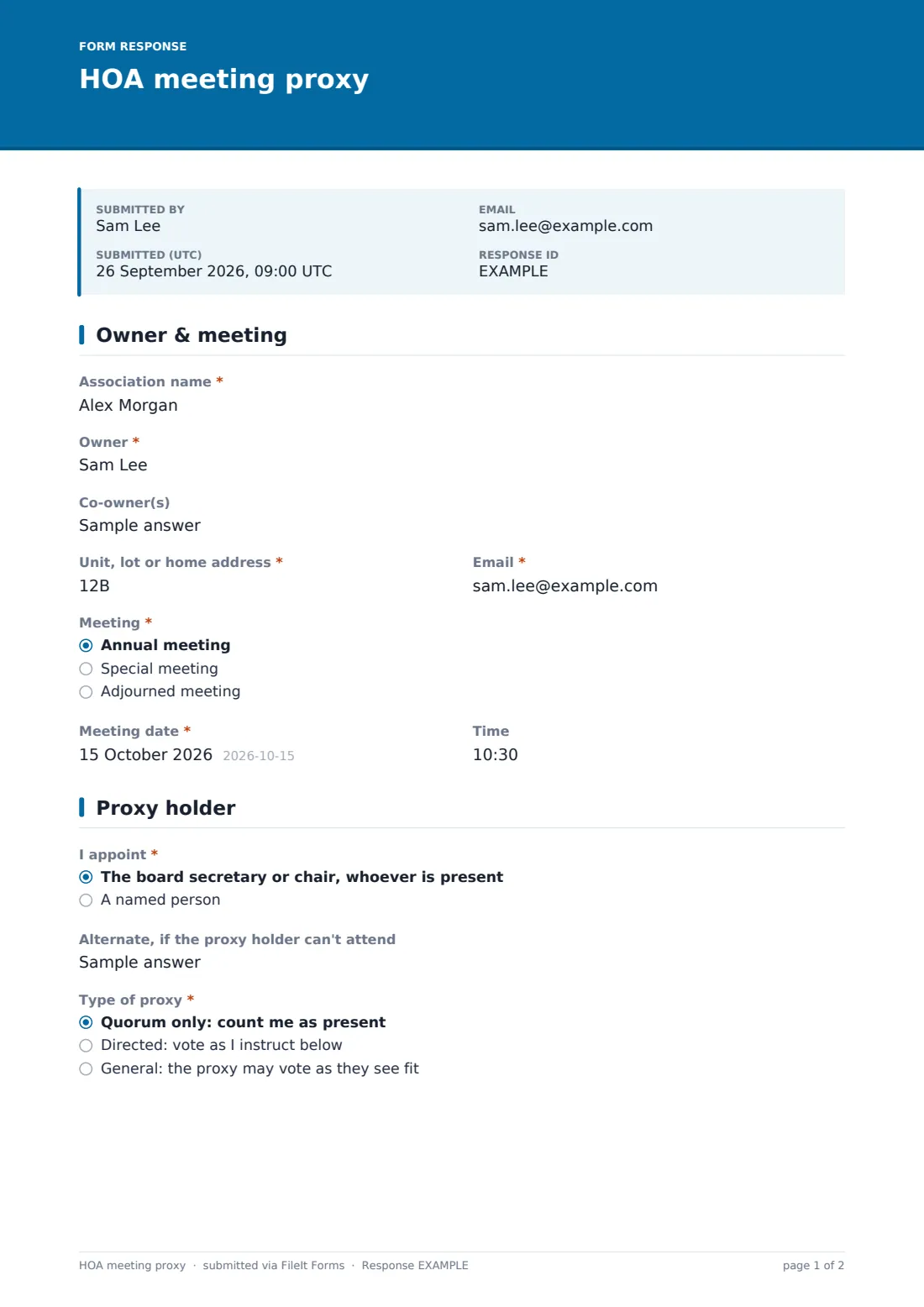
1 Owner & meeting
The owner gives the association name, their name, any co-owners, the unit or lot and an email, then chooses an annual, special or adjourned meeting and enters its date and time.
2 Proxy holder
The owner appoints either the board secretary or chair, whoever is present, or a named person, giving their name, contact details and whether they are also an owner, plus an optional alternate. They then choose a quorum-only, directed or general proxy, with a reminder to check the governing documents.
3 Voting instructions & signature
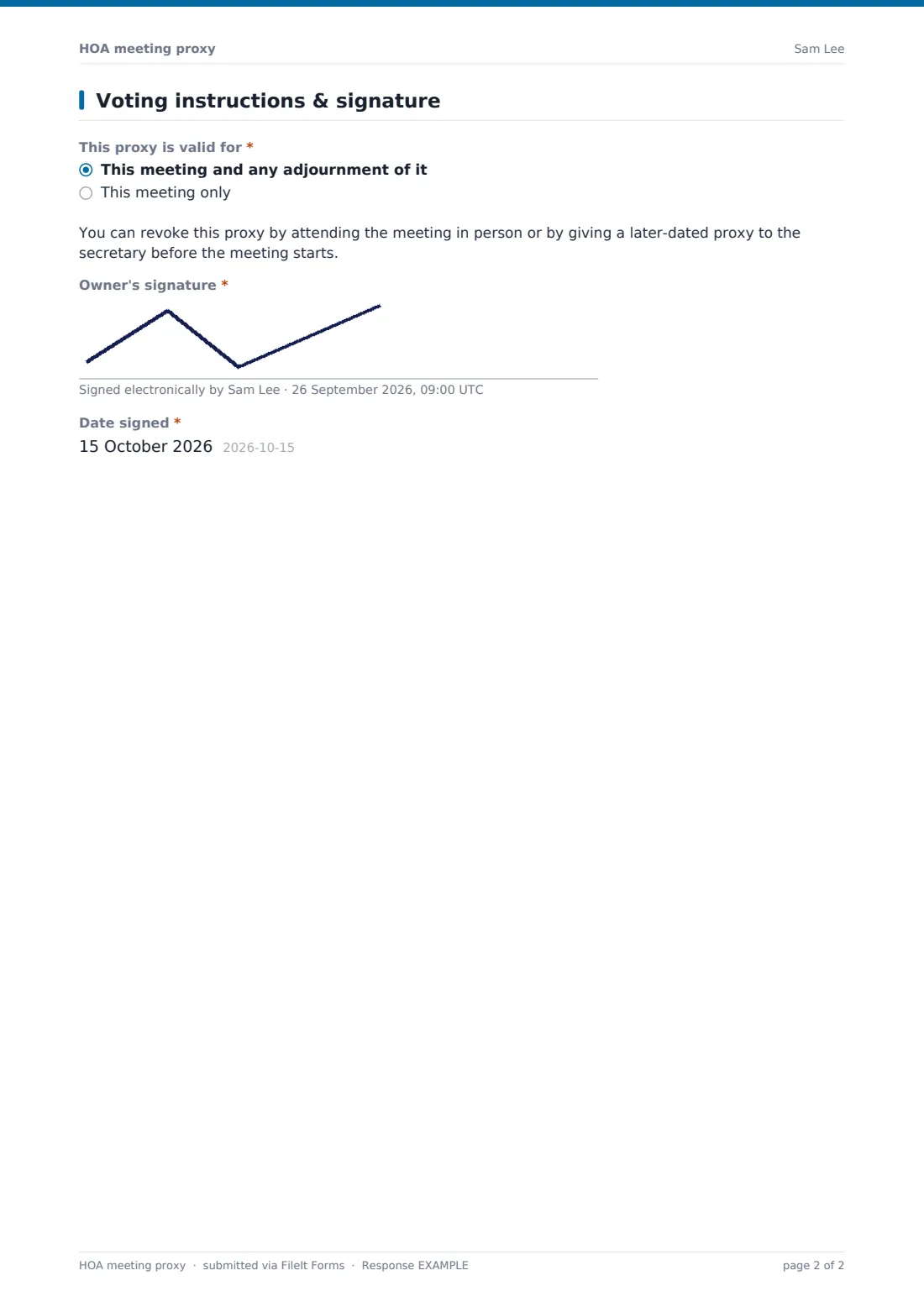
Unless the proxy is quorum-only, a grid lists five agenda items, from approving the minutes and budget to a special assessment, a rules or bylaws amendment and one other motion. The owner marks for, against, abstain or proxy decides on each, names the other motion, lists the board candidates they support and says whether the proxy may vote on matters not on the agenda. They choose whether the proxy covers this meeting only or any adjournment, read how to revoke it, and sign and date.
Make the template yours
- Replace the agenda rows with the actual motions in your meeting notice
- Add the proxy deadline and where to send paper proxies to the cover text
- Remove the general proxy option if your governing documents or state law don't allow it for some votes
- Email each owner a personal link from FileIt; their name and email come from the request and each link can be used once
- Set a closing date so proxies stop arriving after the deadline
Tips for a better hOA meeting proxy form
- Update the voting grid for every meeting; a stale motion list causes confusion
- Count proxies from the Responses table a few days before the meeting to see whether quorum is likely
- Check co-owner rules: some associations need every owner of a unit to sign
- Print the proxies for the inspector of elections on the night
- Keep proxies with the meeting minutes for the period your documents require
Every response becomes a PDF in your vault
Each signed proxy is saved as a PDF in the vault folder you choose and the board or managing agent is notified. Owners get a copy showing exactly what they instructed.
The Responses table lists proxies by unit and proxy holder, which makes quorum counting and a check for duplicate or later-dated proxies straightforward. Export to CSV if you tally votes in a spreadsheet.
- Start from this template. It opens in the FileIt Forms designer — change any question, add pages, set the rules for when questions appear.
- Share it. Turn on a public link, or send it to people by email, each with their own link. They don’t need a FileIt account.
- Get the answers as PDFs. Each response is saved as a PDF in the vault folder you choose, with uploaded files attached — and listed in a Responses table you can export to CSV.
HOA meeting proxy form: frequently asked questions
Is this HOA proxy form template free?
Yes. It's included in the FileIt Forms app on every account.
Is an electronic proxy valid for our association?
That depends on your governing documents and state or provincial law. Check them, or ask your association's lawyer, before relying on electronic proxies.
Can an owner change their mind?
Yes. The form explains that attending in person or giving a later-dated proxy revokes it. Tell owners how to send a replacement.
Can we limit one proxy per unit?
The template allows one response per browser, and personal request links can each be used once. Owners who need to change a proxy can contact you, or you can turn on multiple responses and use the latest.
Does FileIt count the votes?
No. It collects signed proxies; your secretary or inspector counts them at the meeting.
Can we use it for a secret ballot election?
A proxy shows the owner's choices to whoever handles it, so it may not suit a secret ballot. Check your election rules.