What is the hOA violation report form template?
A homeowners' or condo association has to enforce its rules evenly, and that starts with a good record. This HOA violation report captures which property is involved, the rule or covenant breached, exactly what was seen and when, photos, and the stage of enforcement the matter has reached — from a first courtesy letter to a fine.
Violation reports that arrive as emails, texts or notes from a drive-by inspection are hard to compare and easy to lose. A single form means every board member, manager or patrol officer records the same details in the same order, and repeat issues are easy to spot because the report asks whether this has happened before and links it to the earlier notice.
Each report is filed in your FileIt vault as a PDF with the photos and the reporter's signature, so when an owner asks for a hearing or disputes a fine, the board can pull up the original observation in seconds.
- Best for
- HOAs, condo associations and community managers
- Filled in by
- Board members, community managers, patrol staff or residents
- Time to complete
- About 5 minutes
- Includes
- Rule reference, repeat-history questions, photo uploads, notice and fine tracking, signature
Who uses a hOA violation report form?
- A community manager logging overgrown lawns and bins left out during a monthly drive-through
- A board member recording an unapproved fence or exterior colour change
- Security staff noting a vehicle parked in a fire lane or guest space overnight
- A condo association documenting repeated noise complaints before sending a formal notice
- A committee tracking which violations have been cured by the re-inspection date
- A resident reporting a nuisance for the board to review, with photos taken from the street
Questions on this hOA violation report form
33 questions over 4 pages · includes signature, file upload, conditional questions, multiple pages, consent checkbox.
1 Property & reporter
- Association / community name*
- Report date*
- Reported by*
- Your role* Board member · Community manager · Committee member · Homeowner / resident · Patrol or security
- Your email
- Your phone
- Property address*
- Lot / unit number
- Owner name
- Occupied by Owner · Tenant · Vacant · Unknown
- Tenant's name, if known asked only when it applies
2 The violation
- Type of violation* Lawn, landscaping or weeds · Parking or vehicles · Trash and recycling bins · Unapproved exterior change · Exterior maintenance or paint · Noise or nuisance · Pets · Signs or decorations · Leasing or rental rules · Storage, debris or junk · Common area or amenity misuse · Other
- What kind of violation?* asked only when it applies
- Vehicle make, colour and plate asked only when it applies
- Rule or covenant breached*
- Date observed*
- Time observed
- What was observed*
- Has this been reported before?* No — first report · Yes — a repeat of an earlier issue · Yes — still not corrected after a notice
- Date of the earlier report or notice asked only when it applies
- Earlier case or letter reference asked only when it applies
- Impact* Minor / cosmetic · Affects neighbours or common areas · Safety hazard
3 Evidence & notice
- Photos
- Other witnesses
- Notice issued so far* None yet — for the manager or board to review · Courtesy letter / friendly reminder · Formal violation notice · Notice of hearing · Fine assessed
- Date of the notice* asked only when it applies
- Days given to correct it asked only when it applies
- How the notice was delivered asked only when it applies Mailed · Emailed · Posted at the property · Hand-delivered · Resident portal
- Fine amount asked only when it applies
- Re-inspection date
4 Sign-off
- Notes for the board or manager
- Confirmation*
- Signature*
The hOA violation report form, page by page
1 Property & reporter
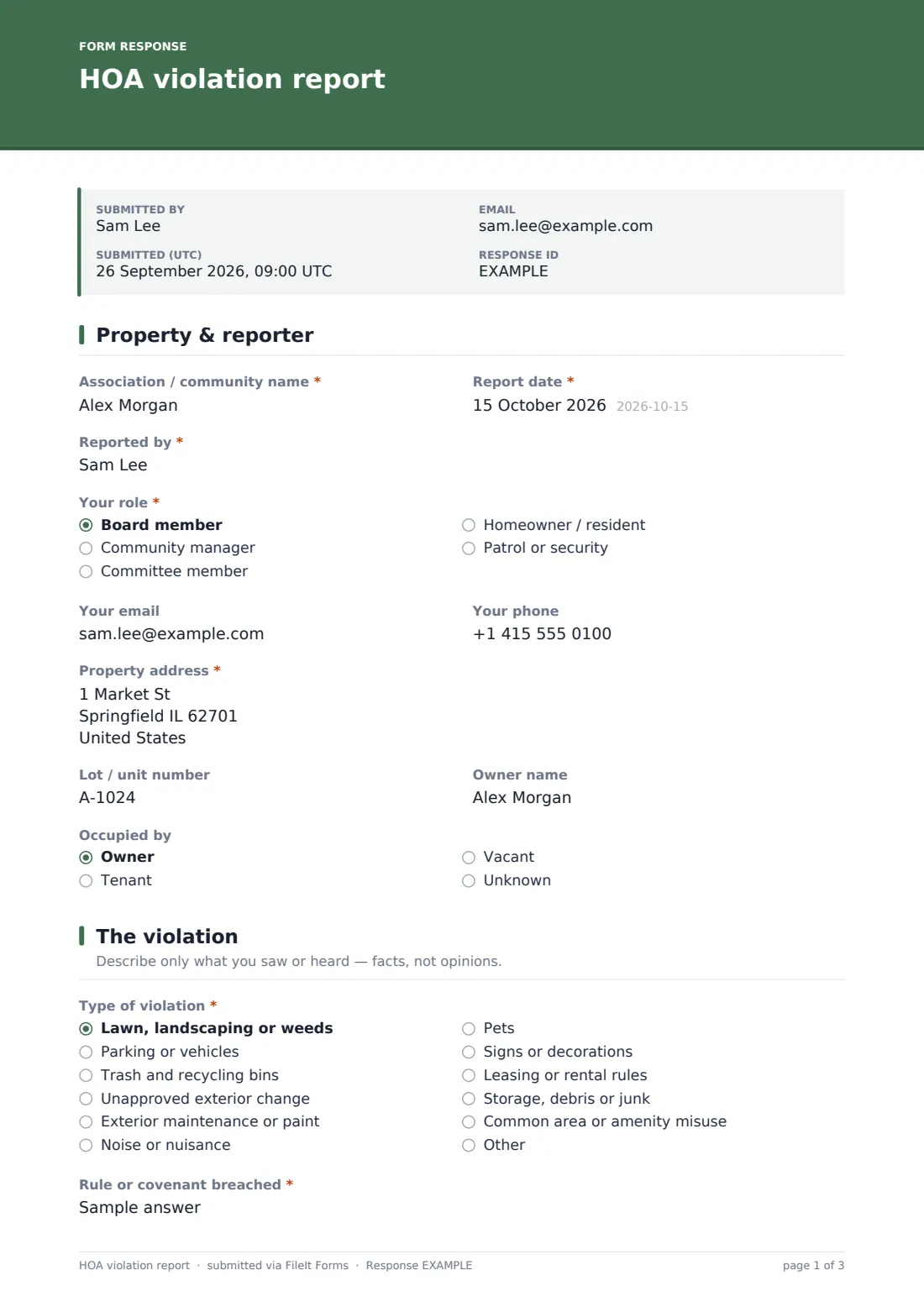
The first page records the Association / community name, the Report date and who is reporting — their name, role (board member, community manager, committee member, homeowner or patrol), email and phone. Then the property itself: address, lot or unit number, owner name if known, and whether it's occupied by the owner, a tenant, or is vacant. Choosing Tenant reveals a field for the tenant's name.
2 The violation
Type of violation is a dropdown covering landscaping, parking, bins, unapproved exterior changes, maintenance, noise, pets, signs, leasing rules, debris and common-area misuse, with Other opening a free-text field. Picking parking asks for the vehicle's make, colour and plate. The reporter then gives the Rule or covenant breached, the date and time observed and a factual description.
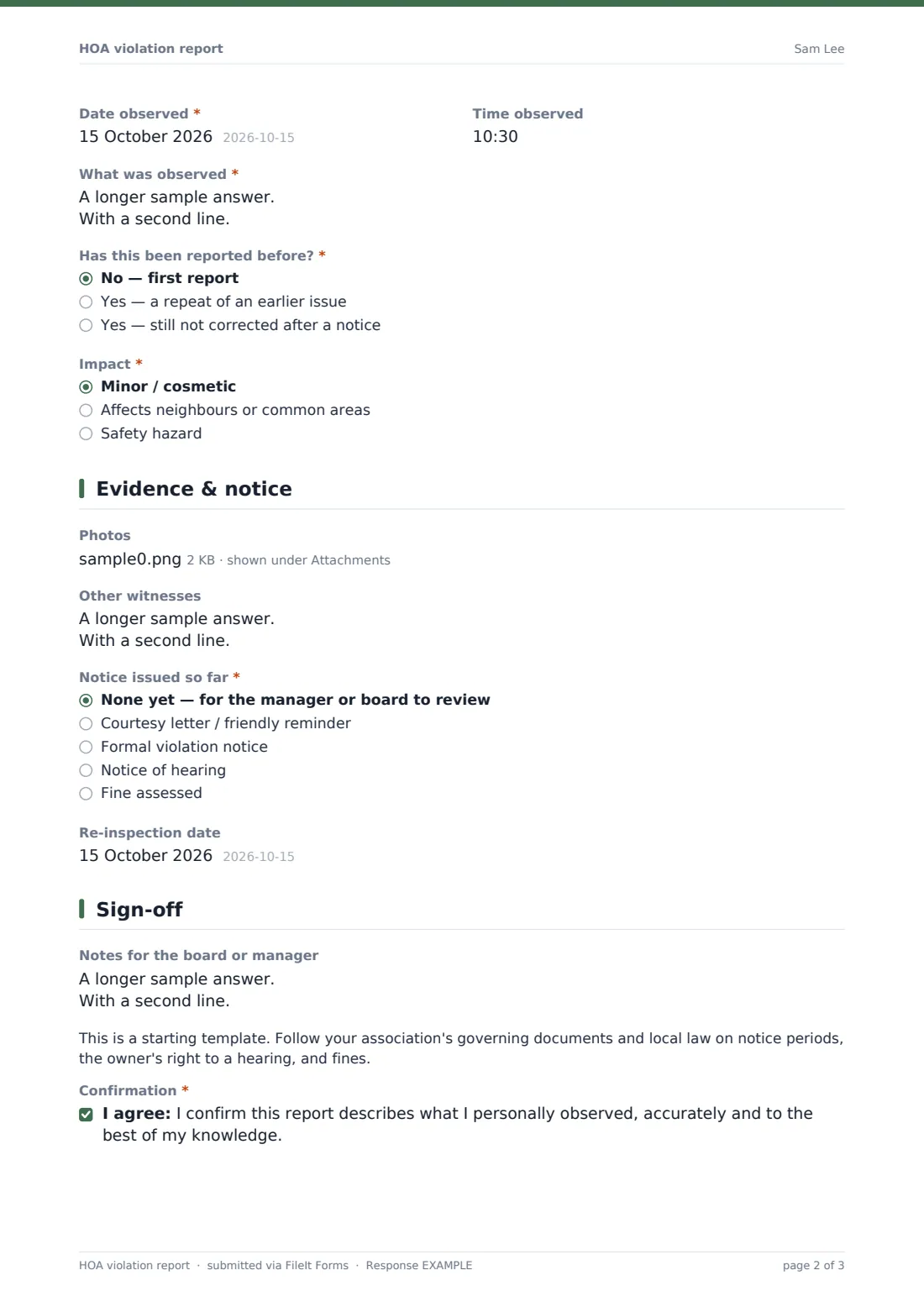
Has this been reported before? separates first reports from repeats and uncorrected issues; for repeats, the form asks for the date and reference of the earlier notice. An Impact question flags safety hazards, which shows a reminder to call the manager directly rather than wait for a letter.
3 Evidence & notice
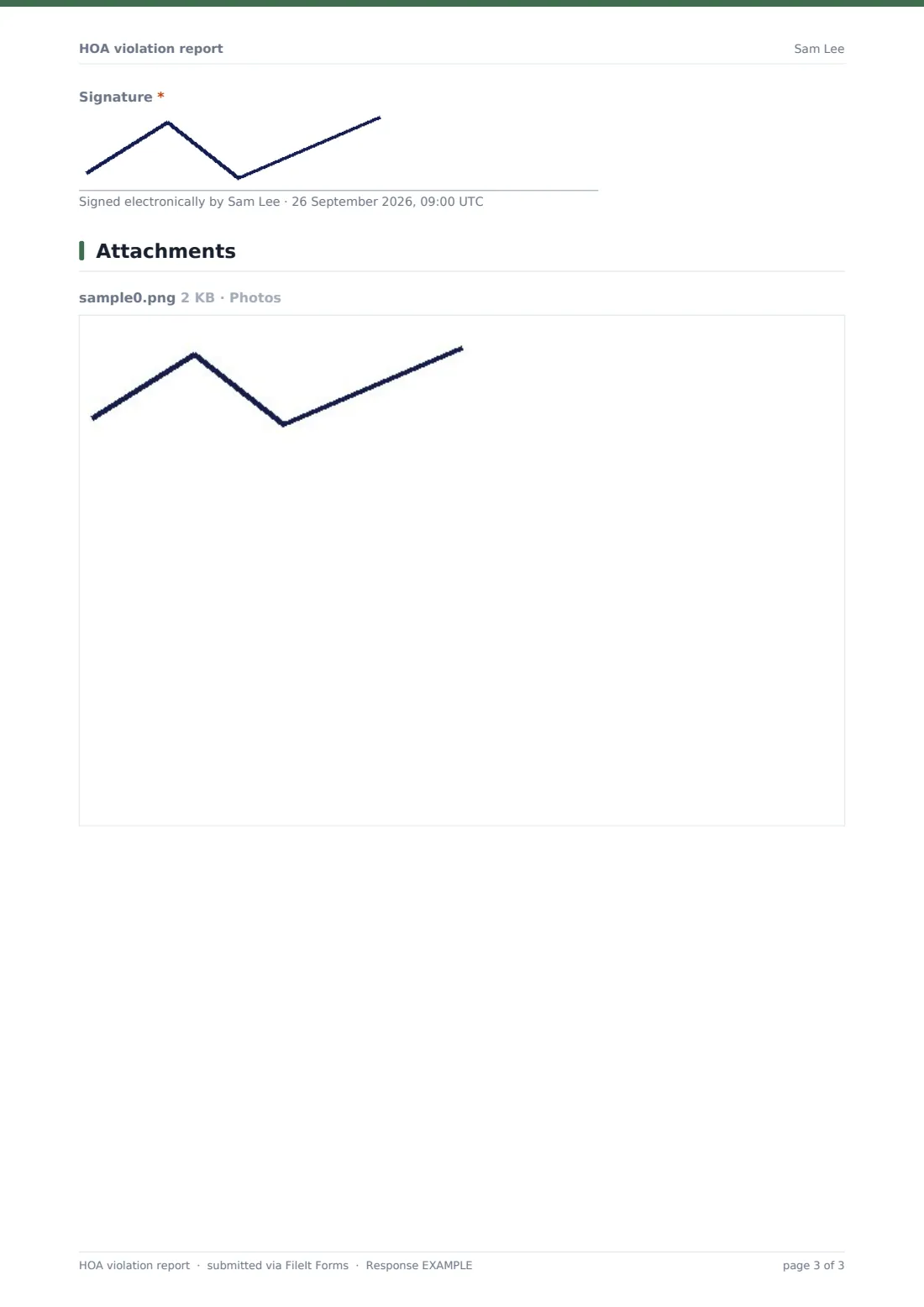
Up to 10 photos can be attached, with a reminder to take them from the street or a common area. Other witnesses can be listed. Notice issued so far records the enforcement stage — none yet, courtesy letter, formal notice, notice of hearing or fine assessed — and any notice reveals its date, the days given to correct, and how it was delivered. A fine amount appears only when a fine was assessed. A re-inspection date closes the page.
4 Sign-off
Notes for the board or manager give room for context. A short note reminds the association to follow its governing documents and local law on notice periods, hearings and fines, and the reporter confirms the report reflects what they personally observed before signing.
Make the template yours
- Replace the violation types with the categories in your own rules and regulations
- Change the currency on the fine amount and the notice stages to match your enforcement policy
- File reports into a folder per street, building or phase so each property's history sits together
- Add the community manager to the notification emails so new reports reach them straight away
- Make Photos required if your board only acts on reports with photographic evidence
- Search the Responses table by lot number or street to pull up a property's full violation history
Tips for a better hOA violation report form
- Quote the exact rule section — owners respond better to a notice that names the rule than to a general complaint
- Describe what you saw, not what you think the owner intended
- Photograph from public or common areas only, and include something that shows the location
- Record repeat issues against the earlier notice so the enforcement history is easy to follow
- Set a realistic cure period and put the re-inspection date in the diary the same day
- Apply the same standard to every property — consistent records are the best answer to a claim of selective enforcement
Every response becomes a PDF in your vault
When the report is submitted, FileIt saves it as a PDF — every answer, the photos and the reporter's signature — in the vault folder you chose for violations, and emails the form owner. The reporter gets their own copy if emailed copies are turned on.
The manager or board can review new reports in the Responses table, filter by violation type or notice stage, and export to CSV to prepare a meeting agenda or an enforcement log. Letters and fines themselves are sent through your usual process — the form records them, it doesn't send them.
- Start from this template. It opens in the FileIt Forms designer — change any question, add pages, set the rules for when questions appear.
- Share it. Turn on a public link, or send it to people by email, each with their own link. They don’t need a FileIt account.
- Get the answers as PDFs. Each response is saved as a PDF in the vault folder you choose, with uploaded files attached — and listed in a Responses table you can export to CSV.
HOA violation report form: frequently asked questions
Is this HOA violation report template free?
Yes. It's included in the Forms app on every FileIt account, including the free plan, and every question can be edited.
Can residents submit a violation report without an account?
Yes. Share the form as a public link and anyone with the link can submit without a FileIt account.
Does the form send the violation letter to the owner?
No. It records the notice that was issued, its date, cure period and delivery method. The letter itself is sent through your association's usual process.
Can I track fines with this form?
The form records a fine amount when the notice stage is Fine assessed. It doesn't collect payment or keep a running balance.
Is this form legally sufficient for enforcement?
It's a starting template, not legal advice. Notice periods, hearing rights and fine limits depend on your governing documents and local law, so check with your association's counsel.
Can we attach photos?
Yes — up to 10 photos or PDFs per report, all included with the saved PDF.
How do we see all open violations?
Every submission appears in the Responses table, where you can filter by type, notice stage or date and export to CSV.